PGI-280XXL/CLI-281XXL Ink Cartridges 15-Pack Review: Canon Printing for a Fraction of the Cost


PGI-280XXL/CLI-281XXL Ink Cartridges 15-Pack Review: Canon Printing for a Fraction of the Cost
PGI-280XXL/CLI-281XXL Ink Cartridges 15-Pack
Buy if you own a Canon PIXMA that takes 280/281 ink, print often, and want sharp text and vibrant color for a fraction of OEM cost. Skip if you need Canon for warranty coverage, barely print, or want archival, fade-resistant photos.
Buy on AmazonWhat We Liked
- Sharp Text and Vibrant Color That Rivals Canon Ink
- Upgraded Chips Get Recognized as Genuine Canon Cartridges
- Two Blacks Handle Both Documents and Photos
- XXL High-Yield Cartridges Print Hundreds of Pages Each
- A 15-Pack Stockpile With a 2-Year Shelf Life
What Could Be Better
- You Might Get a Dud Cartridge in the Box
- Third-Party Ink Voids Your Canon Warranty
- Not Built for Archival, Fade-Resistant Prints
- A One-Time Genuine-Cartridge Popup on Install
How we test: Every product is used in real conditions and evaluated using our standardized scoring criteria. Read our full review methodology.
If you own a Canon printer, you already know the ink can cost more than the printer did. The PGI-280XXL/CLI-281XXL 15-pack sets out to fix that, printing for a fraction of the price without your printer throwing a fit about it.
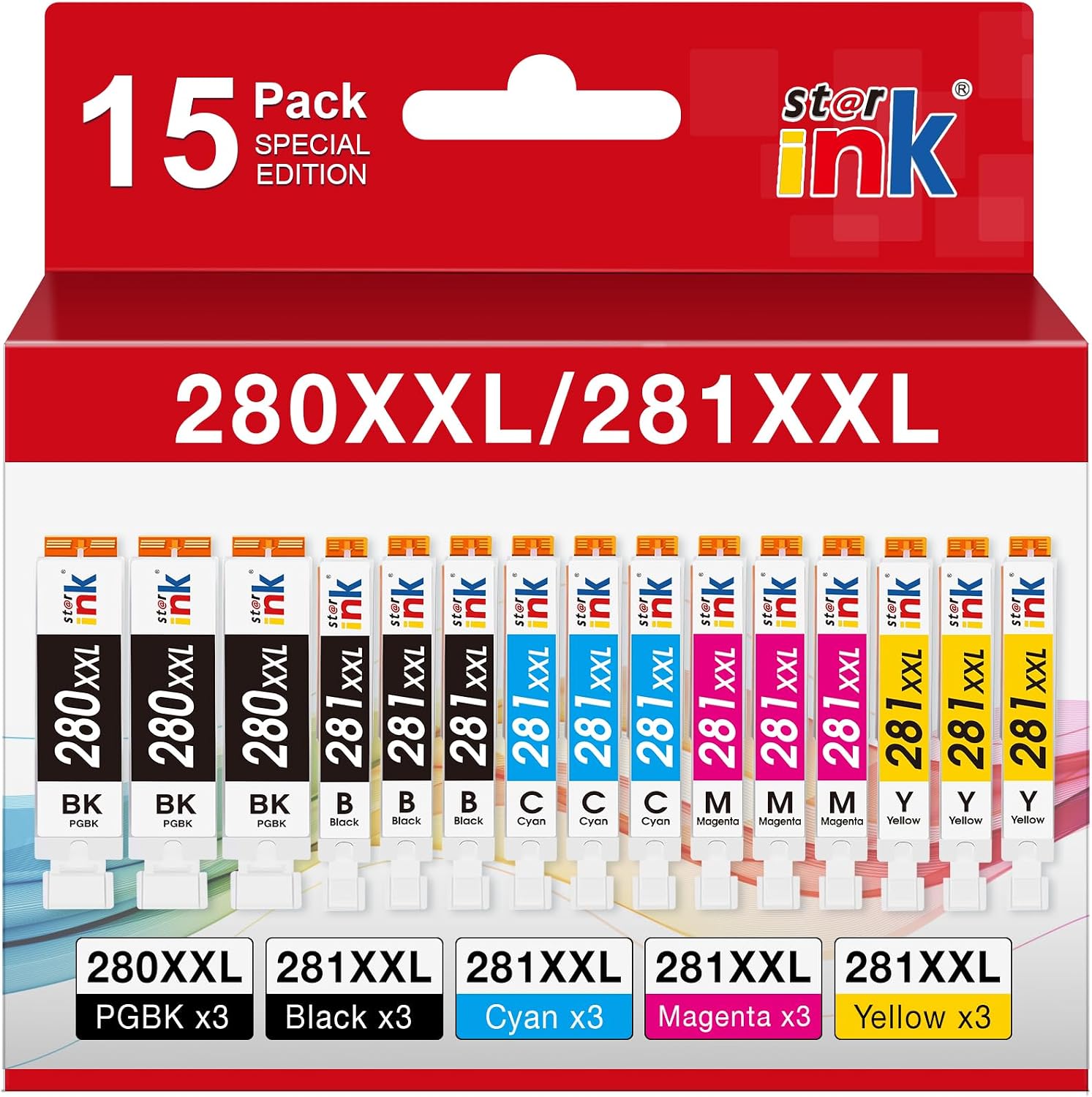
This is a 15-cartridge set of compatible XXL replacements for Canon’s 280 and 281 series, made by a third party (st@r ink), not Canon. You get five colors — pigment black, photo black, cyan, magenta, and yellow — three of each, with upgraded chips so your Canon PIXMA reads them like genuine cartridges.
I ran these through everyday documents and a large photo job to see whether the low price hides any real compromises. At $27.99 for 15 high-yield cartridges, the value looks obvious on paper. The question is whether the print quality and reliability hold up in practice.
The short version: for a compatible Canon PIXMA that takes 280/281 ink, these print impressively close to the real thing, with a couple of caveats worth knowing before you buy.
What I Liked
For a third-party ink set, the PGI-280XXL/CLI-281XXL cartridges get the fundamentals right. Here is what stood out across document and photo testing.
Sharp Text and Vibrant Color That Rivals Canon Ink
The print quality is the headline. Everyday documents came out with clean, crisp text, while photos stayed bright and clear rather than dull or washed out.
They held up on hard jobs, too. I ran a large color print of around 150 pages with plenty of photos, and the results looked genuinely good — skin tones stayed natural and heavy purple and yellow areas held together. For actual pictures, this ink is at least on par with what Canon’s own cartridges deliver.
Upgraded Chips Get Recognized as Genuine Canon Cartridges
This is where most off-brand ink falls apart, and where these surprised me. Each cartridge has an upgraded chip, so when you pop one in, your Canon printer recognizes it as a genuine Canon cartridge and reads ink levels normally.
You get a one-time popup asking you to confirm you are using a genuine Canon cartridge, and you simply click through it. One buyer confirmed the experience: “Works perfectly with my Cannon TR8620a printer at a fraction of OEM ink… they have all printed perfectly.”
Two Blacks Handle Both Documents and Photos
The set includes two kinds of black, which trips people up until you see why it matters. The pigment black (PGBK) gives you sharp, dark text on documents, while the photo black works with the colors for rich, deep tones in pictures.
That means whether you are printing a stack of paperwork or a full-color photo, the right black is doing the work. Cheaper ink often cuts corners here, and this set does not.
XXL High-Yield Cartridges Print Hundreds of Pages Each
These are the XXL versions, so each cartridge prints a lot before it runs dry. Expect roughly 600 pages from the large pigment black and around 830 pages each from the cyan, magenta, and yellow at 5% coverage.
That is noticeably more printing per cartridge than standard-size ink. If you print often at home, you spend far less time swapping cartridges.
A 15-Pack Stockpile With a 2-Year Shelf Life
Fifteen cartridges is a real stockpile, and because they carry roughly a 2-year shelf life, you can sit on the extras without worrying about them drying out before you reach them. Combined with the high yield, one box keeps a busy home printer stocked for a long stretch.
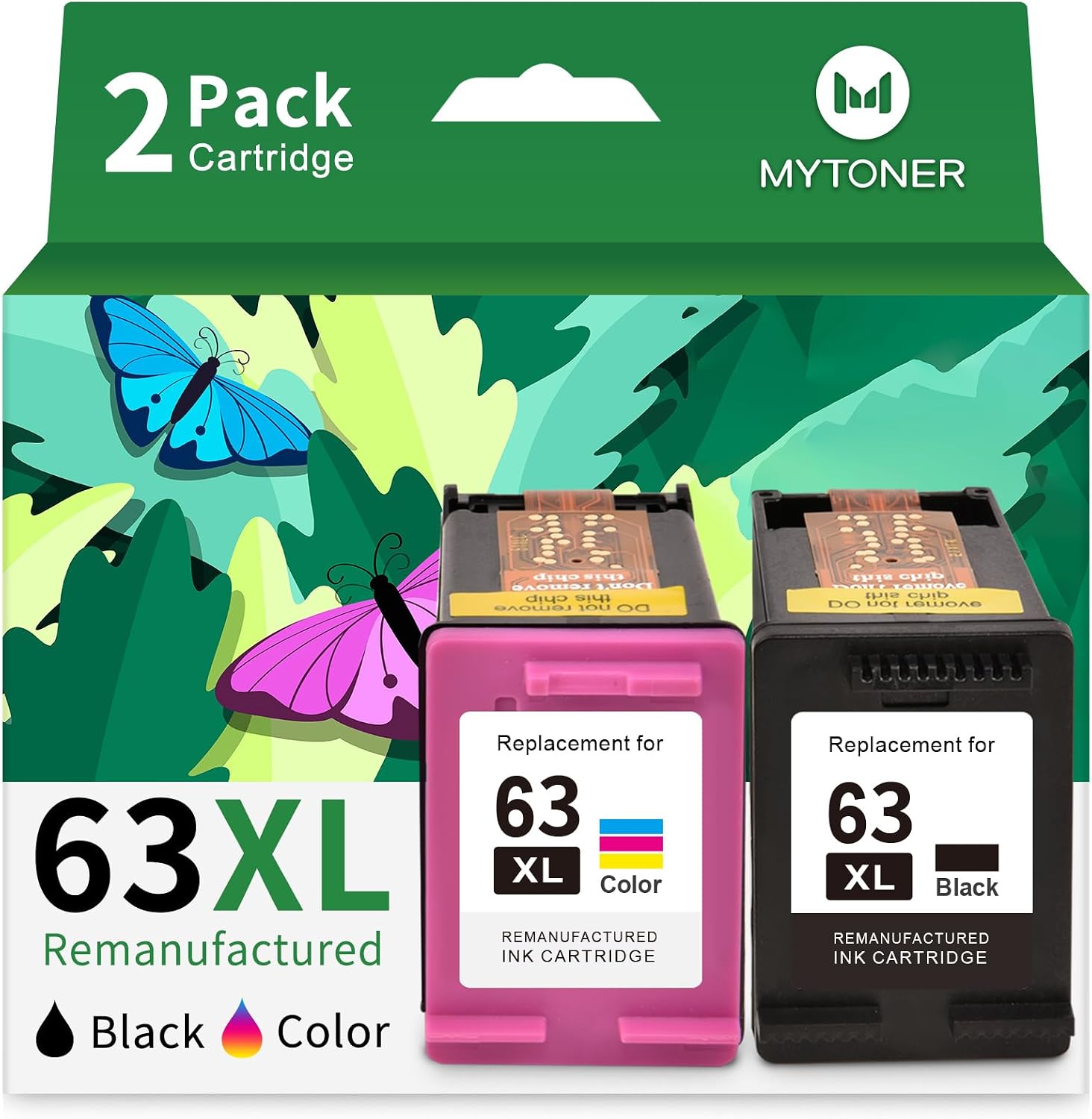
At $27.99 for the full set, the cost per cartridge is a small fraction of Canon’s OEM pricing, which is the entire point of buying compatible ink. If your household also runs an HP printer, the MYTONER 63XL Ink Cartridge Combo Pack brings the same budget-ink savings to DeskJet, OfficeJet, and Envy models.
What Needs Improvement
No compatible ink set is flawless, and there are a few trade-offs here that come with the third-party territory. None is a dealbreaker, but each is worth knowing before you buy.
You Might Get a Dud Cartridge in the Box
Because this is not Canon OEM, an occasional cartridge can arrive that the printer will not recognize or that reads as empty. One buyer put it plainly: “I had one ink that simply was not recognized by the printer… 14 out of 15 is still a decent deal. Just be aware that you could have a dud (or two?) in your package.”
With 15 cartridges in the box, a single dud still leaves you well ahead on value. Check each cartridge as you install it and keep the return window in mind if you hit one.
Third-Party Ink Voids Your Canon Warranty
Using compatible cartridges means stepping outside Canon’s official ecosystem. As one r/printers user noted, “3rd party ink voids the warranty, compromises quality, and could damage the print head.”
In practice, plenty of people run third-party ink for years without issue, but if your printer is new and you care about keeping its warranty intact, that is a real consideration.
Not Built for Archival, Fade-Resistant Prints
For everyday documents and family photos, the output is excellent. For prints you expect to last decades on a wall, OEM ink still has an edge — as one long-time printer user warned, “no third party ink comes close to the longevity and anti-fading properties that OEMs offer.”
If you are printing keepsakes or gallery work meant to resist fading, factor that in. For normal home and office use, it is a non-issue.
A One-Time Genuine-Cartridge Popup on Install
When you first install each cartridge, the Canon software throws a one-time popup asking you to confirm you are using a genuine Canon cartridge. You just click through it, and from there the printer reads ink levels and prints normally.
It is a minor annoyance rather than a real flaw, but it is the kind of thing that surprises first-time compatible-ink buyers, so it is worth setting the expectation.
How It Compares
Compatible 280/281 ink is a crowded space, and the real decision is usually between Canon’s own cartridges and one of several third-party sets. Here is how this 15-pack stacks up against the options most people cross-shop.
vs Genuine Canon PGI-280/CLI-281 (OEM)
Canon’s own cartridges are the safe choice: they keep your printer warranty intact and offer the best long-term fade resistance for archival prints. That reliability is why some users, when they need it to work 100% of the time, still reach for OEM.
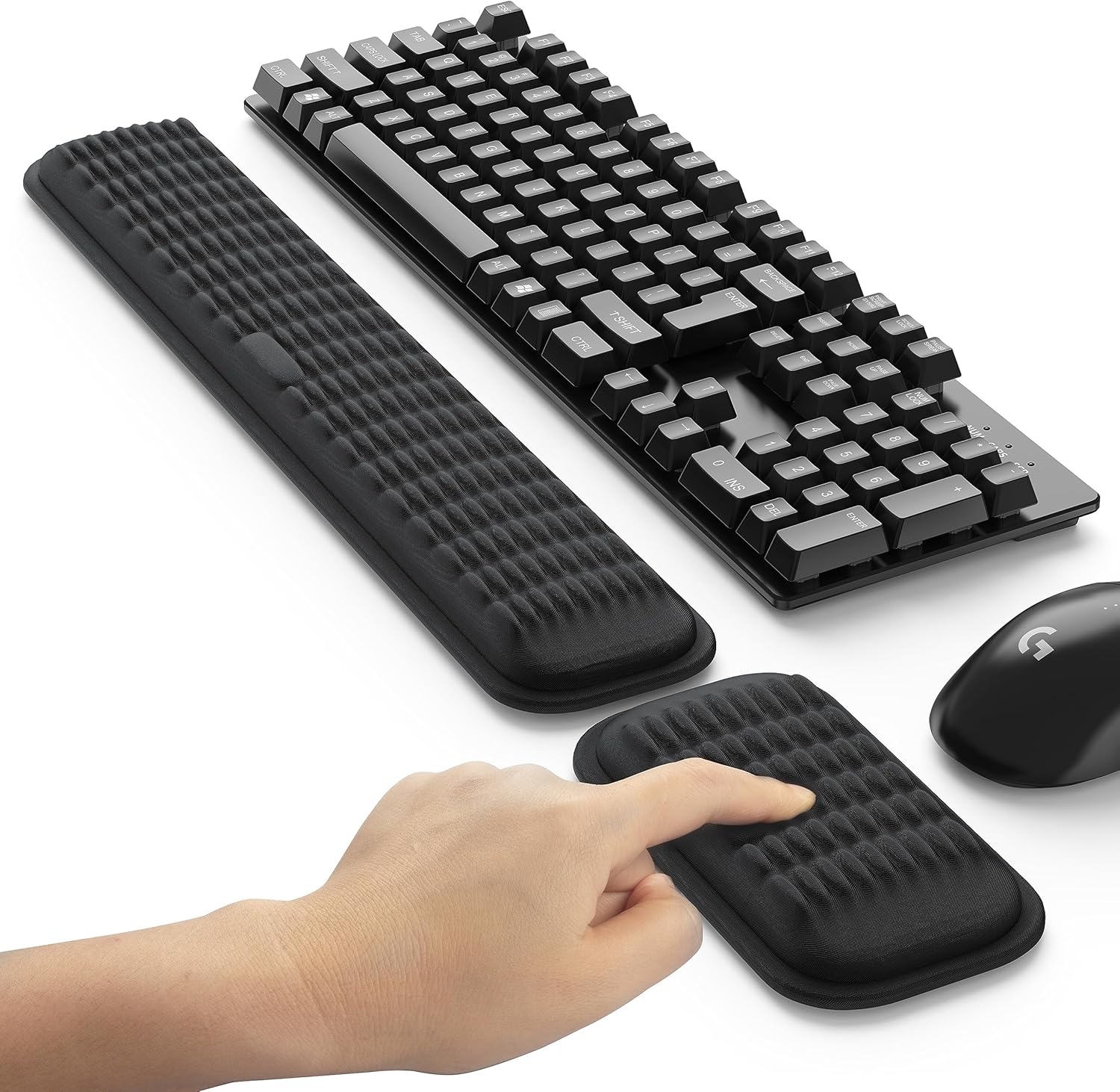
The catch is cost. Canon OEM ink runs several times more per cartridge, and a comparable multi-pack costs far more than $27.99. If you print in volume and do not need warranty coverage, the compatible set does the same everyday job for a small fraction of the price. If that volume is invoices and packing slips for a home business, the Nicunom 1000 Pcs Packing List Envelopes keep each one stuck to the outside of the box you ship. For the long hours at the keyboard behind all that printing, the MEKASS Ergonomic Keyboard Wrist Rest keeps the wrists of office workers comfortable through the day.
vs E-Z Ink Compatible 5-Pack
E-Z Ink is one of the most widely reviewed compatible 280XXL/281XXL alternatives, and reviewers rate it well for affordable, reliable everyday output. One called it “affordable, reliable, and doesn’t skimp on quality.”
The difference is quantity. E-Z Ink is typically sold as a 5-pack, while this st@r ink set gives you 15 cartridges — three full sets — for stockpiling. If you print heavily and want to buy once and forget it, the 15-pack is the better value per cartridge.
vs Smart Ink and Other Compatible Brands
Brands like Smart Ink and v4ink compete on similar ground: high-yield compatible cartridges with chip recognition, often bundled with support perks like 24/7 help. Roundups from ink specialists such as CompAndSave and LD Products consistently rank the PGI-280XXL/CLI-281XXL compatibles among the best third-party options for Canon.
Across these brands, the core experience is similar — the deciding factors are pack size, price, and how many cartridges you actually need. For a busy Canon PIXMA household, the 15-pack’s stockpile and $27.99 price make it an easy pick over smaller, pricier-per-unit sets.
Final Verdict
The PGI-280XXL/CLI-281XXL 15-pack does the thing most Canon owners actually want: it delivers sharp text and vibrant, photo-grade color for a small fraction of what OEM ink costs. The upgraded chips get recognized as genuine Canon cartridges, the two-black setup holds up on real photo jobs, and the high-yield XXL cartridges mean a lot less swapping.
I am giving the PGI-280XXL/CLI-281XXL 15-pack a 4.3 out of 5.
It loses a little ground for the trade-offs that come with any third-party ink: the odd dud cartridge, a voided Canon warranty, and less archival fade resistance than OEM. None of those is unusual at this price, and with 15 cartridges in the box, a single dud still leaves you far ahead on value. Against a strong 4.8-star average from more than 370 buyers, this reads as a dependable everyday pick rather than a gamble.
Bottom line: If you have a compatible Canon PIXMA that takes 280/281 ink and you print enough to feel the sting of OEM prices, this 15-pack is one of the easiest ways to keep printing at Canon-level quality for far less.
Specifications
| Brand | st@r ink |
| built_in_media | 15 packs of ink cartridges (3 PGBK, 3 Black, 3 Cyan, 3 Magenta, 3 Yellow) |
| cartridge_type | Compatible |
| Color | 6Black, 3Cyan, 3Magenta, 3Yellow |
| Compatibility Options | Compatible |
| Compatible Devices | TR8620a TR8620 TR8520 TR7520 TS9120 TS6120 TS6220 TS6320 TS9520 TS9521C TS8120 TS8220 TS8320 TR8622 |
| Compatible Printer Models | TR7520 TR8520 TS6120 TS6220 TS6320, TR8620a TR8620 TR8620a TR8620, TS6220 TS6320 TR8520 TR7520 TS9120, TS8220 TS8320 TR8622, TS9521C TS6120 TS9520 TS9521C TS8120 |
| Ink Base | Water |
| ink_colour | PGBK Black Cyan Magenta Yellow |
| item_type_name | Inkjet Printer |
| manufacturer | Starink Compatible for Canon 280 281 ink tr8620 tr8520 ts6320 printer |
| mfr_part_number | PGI-280XXL/CLI-281XXL |
| Model Name | 280XXL 281XXL Ink Cartridges |
| model_number | PGI-280XXL CLI-281XXL |
| model_series | Starink Compatible Ink Cartridges |
| number_of_items | 15 |
| number_of_packs | 15 |
| other_special_features_of_the_product | Clog-Free, High Yield, Long-Lasting, Smudge Resistant |
| package_size_name | 15 Pack |
| Page Yield | 830 |
| print_media | High-resolution paper |
| printer_model_compatibility | Canon PIXMA TR7500, Canon PIXMA TR7520, Canon PIXMA TR7620, Canon PIXMA TR8500, Canon PIXMA TR8520, Canon PIXMA TR8600, Canon PIXMA TR8620, Canon PIXMA TR8620a, Canon PIXMA TR8622, Canon PIXMA TS6120, Canon PIXMA TS6220, Canon PIXMA TS6320, Canon PIXMA TS702, Canon PIXMA TS702a, Canon PIXMA TS8120, Canon PIXMA TS8220, Canon PIXMA TS8320, Canon PIXMA TS9120, Canon PIXMA TS9520, Canon PIXMA TS9521C |
| printer_output_type | Color |
| printer_type | Inkjet |
| specific_uses_for_product | home office use, small business printing, high-volume personal printing tasks |
| unit_count | 15 Count |
| warranty_description | 2-year |
| Ink Color | PGBK Black Cyan Magenta Yellow |
| Special Feature | Clog-Free, High Yield, Long-Lasting, Smudge Resistant |
Frequently Asked Questions
What is the difference between Canon PGI and CLI ink?
PGI is Canon's pigment-based ink, used for the large pigment black (PGBK) cartridge that produces sharp, water-resistant text on plain documents. CLI is dye-based ink used for the photo black, cyan, magenta, and yellow cartridges that create rich, vibrant color and smooth tones in photos. This 15-pack includes both types, which is why it handles paperwork and pictures equally well.
Are XL (XXL) ink cartridges worth the extra money?
For most people who print regularly, yes. These XXL cartridges yield roughly 600 pages from the pigment black and around 830 pages each from the color cartridges, so the cost per page is much lower than standard-size ink. If you barely print, a smaller set may make more sense, but for steady home or office use the high-yield versions save both money and cartridge swaps.
Can I use off-brand ink in my Canon printer?
Yes. Compatible cartridges like these work in Canon PIXMA printers that use the 280/281 series, and their upgraded chips let the printer recognize them and read ink levels normally. The main trade-offs are that third-party ink voids Canon's warranty and may not match OEM ink for decades-long fade resistance, so weigh those against the large cost savings.
Will my Canon printer recognize these compatible cartridges?
In testing, yes. Each cartridge carries an upgraded chip, so the printer identifies it as a genuine Canon cartridge after a one-time confirmation popup that you simply click through. Occasionally a single cartridge in a large pack may not register and should be swapped, but the rest install and print normally.
Which Canon printers are these 280/281 cartridges compatible with?
They fit Canon PIXMA models that use 280 and 281 ink, including the TR8620a, TR8620, TR8520, TR7520, TS6120, TS6220, TS6320, TS8220, TS8320, TS9120, TS9520, and TS9521C, among others. Before buying, check the number on your current cartridge — if it reads 280 or 281, this set is a drop-in swap.
How do I install the Canon 280/281 XXL cartridges?
Open the printer's cartridge access door so the carriage slides into position, remove the old cartridge, then unwrap the new one and peel off any protective tape. Snap it into the matching color slot until it clicks, close the door, and click through the one-time genuine-cartridge confirmation. The printer then reads the ink level and is ready to print.
Ready to Buy?
PGI-280XXL/CLI-281XXL Ink Cartridges 15-Pack delivers on its promises. If it fits your needs, it's a solid choice you won't regret.
Check Price on Amazon Founder & Product Reviewer at TheReviewRewind
Daniel has tested 400+ products across 20+ categories through hands-on, real-world testing. Every review includes video documentation and standardized scoring criteria. His reviews appear as Amazon shoppable videos and here on TheReviewRewind.
We earn a commission if you make a purchase, at no extra cost to you. This does not influence our ratings or recommendations. Full disclosure
Looking for more options? See all our Office Products reviews.
Related Reviews