SOLAKAKA A99 Pro Review: Enthusiast Sound at a Budget Price


SOLAKAKA A99 Pro Review: Enthusiast Sound at a Budget Price
SOLAKAKA A99 Pro
The SOLAKAKA A99 Pro is a gasket-mounted 96% wireless keyboard that punches well above its roughly $68 price on sound and typing feel, with a clever LCD screen and metal knob that make it easy to live with. It is held back mainly by a Windows-only, wired-only driver and a tall profile that really wants a wrist rest.
Buy on AmazonWhat We Liked
- Gasket-Mounted Sound That Belies the Price
- A Genuinely Useful LCD Screen and Metal Knob
- Fully Hot-Swappable, So It Grows With You
- Tri-Mode Wireless Across Five Devices
- Battery Life You Genuinely Stop Thinking About
- PBT Keycaps and a Solid, Planted Build
What Could Be Better
- Windows-Only, Wired-Only Customization
- The Tall Profile Needs a Wrist Rest
- A Learning Curve on the Compact 96% Layout
- Occasional Build-Quality Misses
How we test: Every product is used in real conditions and evaluated using our standardized scoring criteria. Read our full review methodology.
There is a specific sound people spend real money chasing: the deep, soft, cushioned thock instead of the hollow plastic rattle most keyboards make. Usually you get there by building a board yourself or buying into the enthusiast tier.
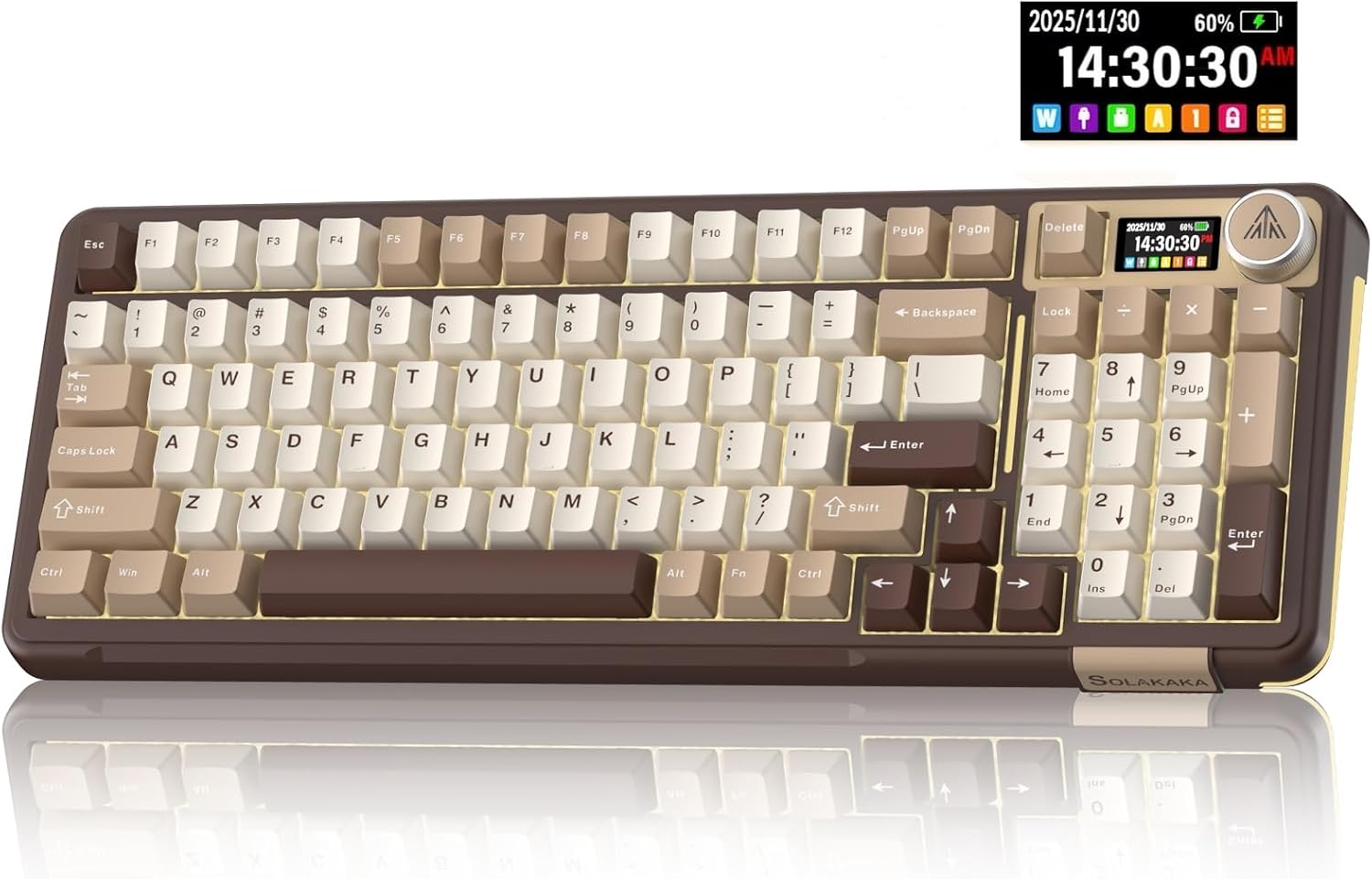
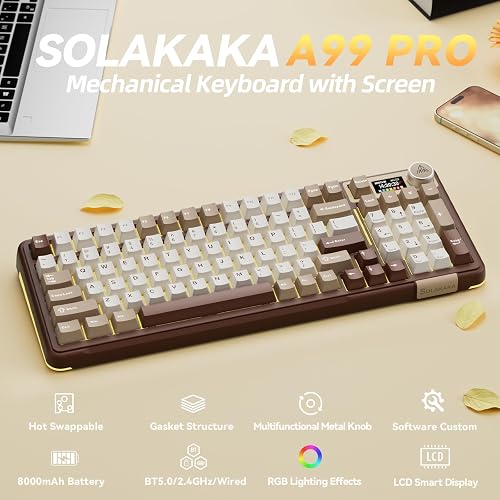
The SOLAKAKA A99 Pro is a 96% wireless mechanical keyboard that tries to hand you that sound out of the box. It pairs a gasket-mounted, hot-swappable build with an LCD status screen, a metal control knob, and tri-mode Bluetooth, 2.4GHz, and USB-C connectivity for up to five devices.
I spent time typing, gaming, and swapping switches on the Milk Coffee Brown version to see whether a plastic board near $68 can really sound like something three times the price. The one thing that caught me off guard was how dampened and dense it sounds the moment you start typing.
The short answer? For the money, this wireless keyboard nails the part most buyers care about most, with a few honest trade-offs worth knowing before you commit.
Key Specs at a Glance
Here is the quick rundown on the A99 Pro before I dig into the details.
- Layout: 96% (97 keys) with full number pad and arrow keys
- Mounting: Gasket structure with five cushioning layers and dampening cotton
- Switches: Hot-swappable 3/5-pin, LEOBOG Star Vector linear pre-installed
- Keycaps: Double-shot PBT with south-facing RGB
- Connectivity: Bluetooth 5.0, 2.4GHz dongle, USB-C wired (up to 5 devices)
- Battery: 8000mAh, rated ~61 hours backlit and ~170 hours with lighting off
- Extras: LCD screen, metal knob, 16 lighting modes, browser-based driver
- Price: around $68
What I Liked
The A99 Pro impressed me in a few specific areas during testing. Here is what stood out most.
Gasket-Mounted Sound That Belies the Price
This is where the whole board shines. The plate is suspended on five layers of cushioning pads with noise-dampening cotton packed between the plate and the case, so each keystroke gets absorbed instead of echoing around a hollow plastic shell.
You would expect a plastic board to sound like a plastic board. Instead this mechanical keyboard has the dense, dampened thock you normally only get from an aluminum case, and it stays quiet enough that light taps register without bottoming out every key.
A Genuinely Useful LCD Screen and Metal Knob
The small LCD in the top-right corner shows the date, time, battery percentage, connected system, and connection mode at a glance. Paired with the metal knob you rotate and press, it turns settings you normally memorize into something you can just see.
On most boards, changing RGB or checking the battery means a stack of function-key combos and a trip back to the manual. Here you turn the knob, watch the screen, and adjust volume, brightness, lighting modes, and colors directly.
Fully Hot-Swappable, So It Grows With You
The A99 Pro uses full hot-swap sockets that take both 3-pin and 5-pin switches, with LEOBOG Star Vector linear switches and pre-lubed stabilizers already installed. You pull any switch with the included tool and drop a different one in, with no soldering and nothing to learn.
Tri-Mode Wireless Across Five Devices
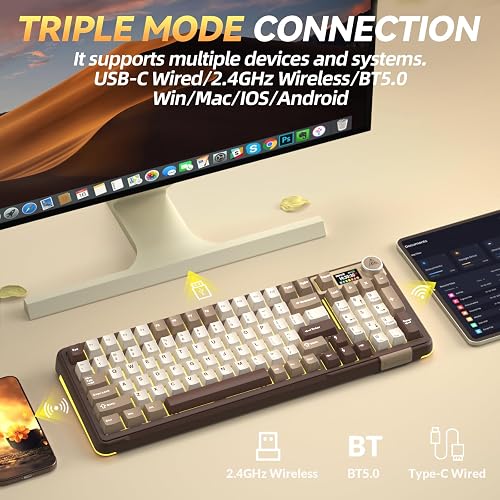
This wireless keyboard connects three ways: Bluetooth 5.0, a 2.4GHz dongle, or USB-C wired, and it saves up to five devices at once. I could keep a work laptop on Bluetooth, a desktop on the dongle, and a tablet on another slot, then move between them without re-pairing.
For anyone running a work machine and a personal machine on the same desk, that effectively replaces two keyboards with one. It also supports full N-key rollover and a Windows-key lock for gaming.
Battery Life You Genuinely Stop Thinking About
The 8000mAh battery is rated at roughly 61 hours with the backlight on and about 170 hours with it off. With RGB running that is a couple of weeks of normal workdays, and with lighting off you are looking at well over a month of typing.
The practical payoff is that charging drops off your list of things to manage. If it does run low, the screen shows the exact percentage instead of leaving you to guess from a blinking light.
PBT Keycaps and a Solid, Planted Build
The double-shot PBT keycaps mold the legends into the plastic, so they will not wear shiny or rub off the way printed caps do. The different key groups are shaded separately, so the modifiers, function row, and number pad read as distinct blocks.
The board also has real heft to it and stays planted on the desk. Two flip-out feet give you a choice of typing angles, and the whole thing feels sturdier than I expected at this price.
What Needs Improvement
No board is perfect, and the A99 Pro has a few trade-offs worth knowing before you buy.
Windows-Only, Wired-Only Customization
The browser-based driver handles key remapping, macros, sleep timing, and loading images to the screen, but it only runs on Windows and only over a wired USB-C connection. On a Mac the keyboard works fine, you just cannot remap keys or record macros.
If you are a Mac user who specifically wants deep customization, this is the biggest limitation. The core typing experience is unaffected, but the software side is off the table.
The Tall Profile Needs a Wrist Rest
This is a tall board, and after a long stretch of typing my wrists noticed. Several owners mention the same thing, and one reviewer added a wrist rest and called it a night-and-day difference.
A wrist rest is not included in the box, so budget a few extra dollars for one if you type all day and do not already own one.
A Learning Curve on the Compact 96% Layout
The 96% layout packs everything tighter, which tucks Home and End into the number pad and uses a compact zero key. A couple of owners flagged the small zero and the reshuffled keys as an adjustment period.
The upside is that you can remap Page Up and Page Down to Home and End in about a minute if you are on Windows. It is a quirk of the space-saving layout rather than a flaw.
Occasional Build-Quality Misses
Most owners rave about the build, but a few report inconsistencies, such as one key sitting higher than its neighbors or a spacebar that sounds tinnier than the rest of the board. One buyer had two units fail, one with a dead charging port and another whose dongle stopped working after a few weeks.
These reports are the exception rather than the rule across 150-plus ratings, but they are worth flagging for a board at this price. Amazon’s return window makes it low-risk to check your unit early.
How It Compares
The budget wireless mechanical keyboard space is crowded, so here is how the A99 Pro stacks up against the alternatives most people cross-shop.
vs Epomaker RT100
The Epomaker RT100 is the closest rival with a built-in display and knob, and it leans into a retro side-screen aesthetic on a similar 96% layout. Both give you hot-swap sockets, tri-mode wireless, and a gasket-style feel.
The RT100 usually costs more than the A99 Pro’s roughly $68, and its screen is more novelty than dashboard. If you want the display to actually show battery, connection, and system status at a glance, the A99 Pro’s LCD is the more practical of the two.
vs Royal Kludge RK96
The Royal Kludge RK96 is another budget tri-mode 96% board with hot-swap switches, and it is a proven, widely recommended pick. Pricing sits in the same neighborhood.
What the RK96 lacks is the A99 Pro’s stack of gasket cushioning layers, the LCD screen, and the metal knob. If your priority is the dampened, creamy sound and on-board controls, the SOLAKAKA pulls ahead; if you just want a dependable no-frills board, the RK96 is a safe choice.
vs Keychron K4
The Keychron K4 is the go-to 96% wireless option for Mac users, with strong macOS support and full software customization on both platforms. That software story is exactly where the A99 Pro falls short.
The A99 Pro counters with its gasket mount, the LCD-and-knob combo, and a much larger 8000mAh battery. For Windows users chasing sound and convenience, it is the better value; for Mac users who need remapping and macros, the K4 is the safer buy.
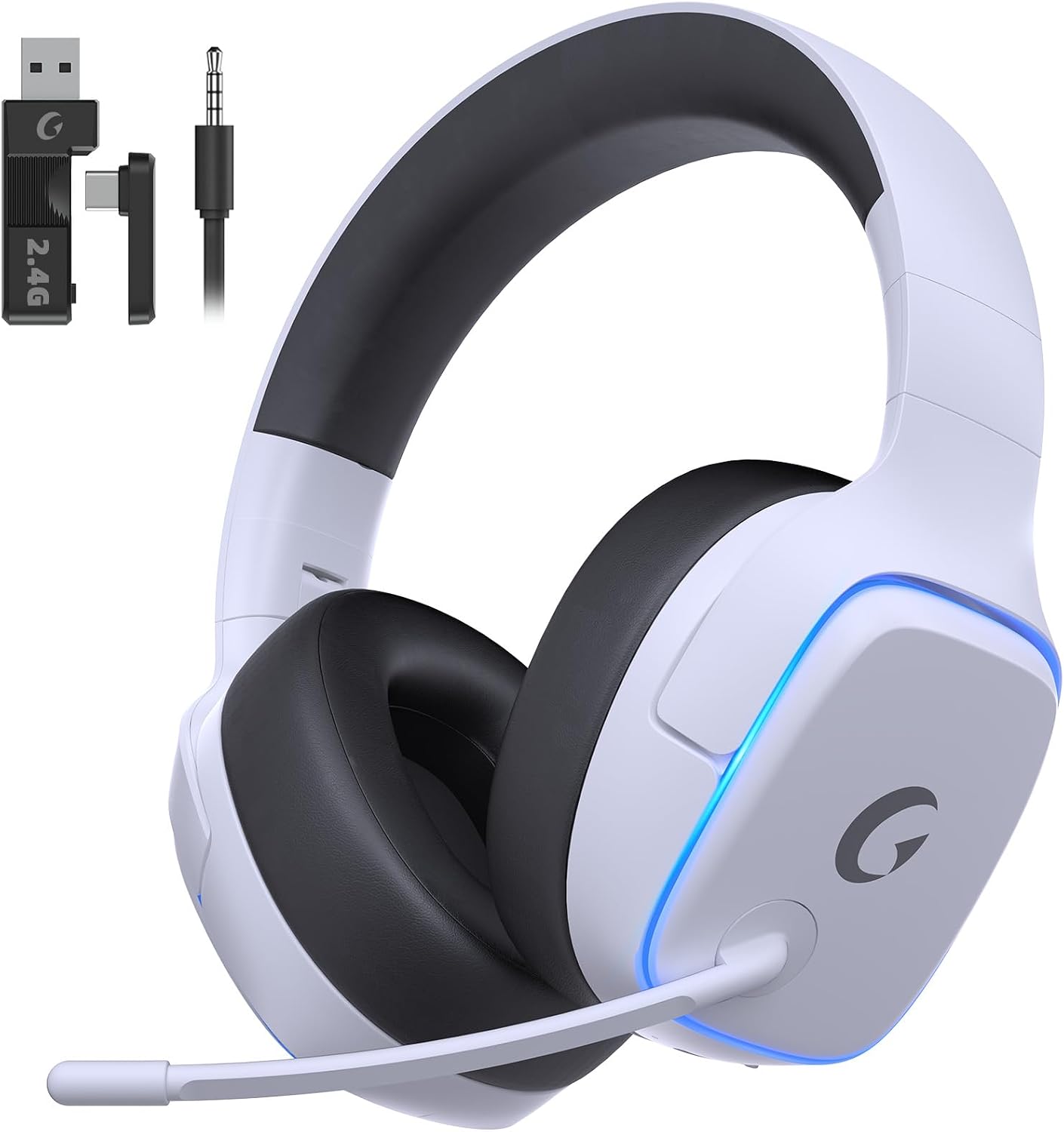
For most Windows and multi-device buyers who care first about typing feel, the A99 Pro is my pick of this group. Mac power users and anyone who wants cross-platform software should look at the Keychron K4 instead. Gamers rounding out that budget battlestation can pair it with the Gvyugke Captain 780, a 70-hour wireless headset that spans PS5, PC, and Switch for around $28.
Final Verdict
The SOLAKAKA A99 Pro delivers gasket-mounted sound and typing feel that genuinely outclass its price, wrapped in a wireless 96% package with an LCD screen and knob that make it easy to live with.
I’m giving it a 4.3 out of 5.
It loses a little ground for the Windows-only, wired-only driver, a tall profile that really wants a wrist rest, and a few scattered build-quality reports. But the sound, the hot-swap flexibility, the multi-device wireless, and the big battery more than earn back those points for the money.
Bottom line: If you have been on the fence about mechanical keyboards and the typing sound is what you care about most, the A99 Pro is one of the easiest boards in this price range to say yes to, as long as you are not a Mac user who needs software customization.
Specifications
| additional_features | Backlit, Hot-Swappable, LCD Screen, Programmable |
| antenna_location | Gaming |
| Brand | SOLAKAKA |
| built_in_media | Keycap Puller, USB Cable, User Manual |
| Color | Milk Coffee Brown |
| Compatible Devices | Laptop, PC, Tablet |
| compatible_operating_system_family | Android, Windows |
| Connectivity Technology | 2.4 GHz, BT5.0, USB-C |
| enclosure_material | Plastic |
| hand_orientation | Ambidextrous |
| Keyboard backlighting color support | RGB |
| Keyboard Description | Mechanical |
| keyboard_layout | QWERTY |
| manufacturer | SOLAKAKA |
| minimum_required_operating_system_version | Mac OS 10.12 Sierra, Windows 10 |
| model_number | A99 Pro |
| number_of_items | 1 |
| number_of_keys | 97 |
| number_of_packs | 1 |
| switch_type | Linear |
| unit_count | 1 Count |
| warranty_description | 1 |
| Recommended Uses For Product | Gaming |
| Special Feature | Backlit, Hot-Swappable, LCD Screen, Programmable |
| Material | Plastic |
| Included Components | Keycap Puller, USB Cable, User Manual |
Frequently Asked Questions
Are SOLAKAKA keyboards good?
In my testing the SOLAKAKA A99 Pro over-delivers for its roughly $68 price, especially on sound and typing feel. It holds a 4.4-star average across more than 150 Amazon ratings, with most owners praising the creamy sound, build, and value. A small number report build-quality misses, so it is worth checking your unit within the return window.
Is the SOLAKAKA A99 Pro a mechanical keyboard?
Yes. The A99 Pro is a gasket-mounted mechanical keyboard with hot-swappable 3/5-pin sockets and LEOBOG Star Vector linear switches pre-installed. Because it is hot-swappable, you can pull any switch with the included tool and drop in a different one with no soldering.
How do I change the color on my SOLAKAKA keyboard?
You can change lighting directly from the metal knob and LCD screen. Rotate the knob to the color, effect, and brightness menus and adjust them on the fly. For deeper control you can use the browser-based driver at the manufacturer's site, but that requires a wired connection on Windows.
Does the SOLAKAKA A99 Pro work with Mac?
Yes, the keyboard works with macOS over Bluetooth, the 2.4GHz dongle, or USB-C. However, the customization driver is Windows-only and wired-only, so Mac users can type normally but cannot remap keys, record macros, or load screen GIFs.
How long does the SOLAKAKA A99 Pro battery last?
The A99 Pro has an 8000mAh battery rated at about 61 hours with the backlight on and roughly 170 hours with lighting off. In practice that is a couple of weeks of workdays with RGB, or well over a month with the lights off. The LCD shows the exact battery percentage so you are never guessing.
Why does the screen jump back to the home page after sleep?
On some units in wireless mode the LCD returns to the home screen after waking from sleep. The manufacturer publishes a firmware update specifically to fix this, which you can apply from their site. If it starts to bother you, the fix is already available.
Ready to Buy?
SOLAKAKA A99 Pro delivers on its promises. If it fits your needs, it's a solid choice you won't regret.
Check Price on Amazon Founder & Product Reviewer at TheReviewRewind
Daniel has tested 400+ products across 20+ categories through hands-on, real-world testing. Every review includes video documentation and standardized scoring criteria. His reviews appear as Amazon shoppable videos and here on TheReviewRewind.
We earn a commission if you make a purchase, at no extra cost to you. This does not influence our ratings or recommendations. Full disclosure
Looking for more options? See all our Video Games reviews.