Sumicor Wireless Barcode Scanner Review: A 3-in-1 Budget Scanner Tested


Sumicor Wireless Barcode Scanner Review: A 3-in-1 Budget Scanner Tested
Sumicor Wireless Barcode Scanner
Buy if you run a small shop, library, or warehouse and want reliable 3-in-1 wireless scanning of 1D, 2D, and on-screen codes for around $51. Skip if you need heavy-duty, all-day industrial scanning or guaranteed Square POS compatibility.
Buy on AmazonWhat We Liked
- Triple Connectivity Over Bluetooth, 2.4 GHz, and USB-C
- The Charging Base Doubles as the Wireless Receiver
- Wireless Range That Covers a Small Warehouse Floor
- Long Battery Life With Up to 20 Hours of Scanning
- Reads 1D, 2D, and On-Screen Codes Without Skipping
- A Rugged, Shockproof Build With an Ergonomic Grip
What Could Be Better
- The Instruction Manual Could Be Clearer for Newcomers
- It Shows Up as a Keyboard Device in Windows
- A Full Charge Takes a Slow Five to Six Hours
- Wireless Pairing Can Drop on Budget Scanners
- POS Software Support Like Square Isn't Guaranteed
How we test: Every product is used in real conditions and evaluated using our standardized scoring criteria. Read our full review methodology.
If you have burned through cheap barcode scanners that skip characters or drop the connection mid-scan, you already know how fast that stops being a minor annoyance. The Sumicor Wireless Barcode Scanner sets out to fix both problems in a single handheld unit.
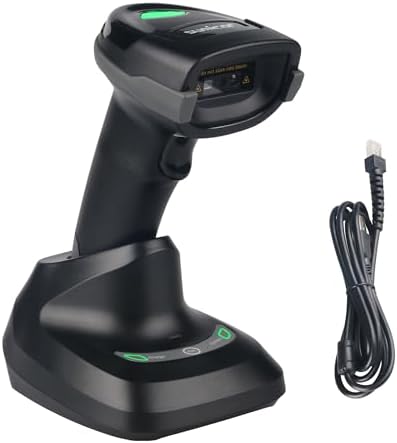
This is a 3-in-1 wireless handheld barcode reader that reads 1D barcodes and 2D codes, and it connects over Bluetooth 5.0, 2.4 GHz wireless, or a USB-C cable. It ships from Amazon with a charging base that also works as the wireless receiver, so one dock handles power and pairing for inventory management at a shop, library, or small warehouse.
I ran it through daily stock counts and checkout tests across a phone, a tablet, and a laptop to see how the scanning held up. At around $51, it lands squarely in budget territory. The short version: it is a dependable everyday scanner with a few setup quirks worth knowing before you buy.
What I Liked
The Sumicor earned its keep in a few clear areas during my testing. Here is what stood out.
Triple Connectivity Over Bluetooth, 2.4 GHz, and USB-C
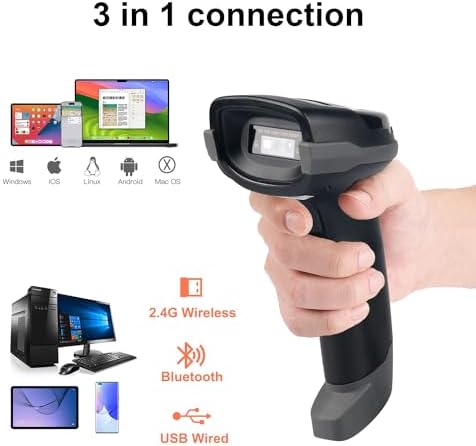
The headline strength is connectivity. You get Bluetooth 5.0, 2.4 GHz wireless, and a USB-C wired mode on the bottom of the handheld. That spread of options means the scanner pairs with almost anything, from a laptop and a desktop computer to a point of sale terminal, a tablet, or a phone. As a Bluetooth barcode scanner it pairs in seconds, and it can scan both 1D and 2D barcodes from the same trigger.
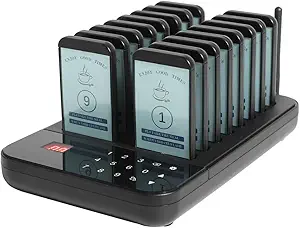
Compatibility across Android, iOS, and Windows was the main reason it slotted into my workflow without fuss. There is no Wi-Fi here, but for a barcode scanner that is the right call, since Bluetooth and 2.4 GHz keep latency low for this kind of job. The AGJ Restaurant Pager Wireless Calling System applies the same no WiFi philosophy to guest paging, covering a full dining room or food court with zero internet setup. And if you would rather have the scan engine built into a full Android device, the MUNBYN Rugged Tablet Barcode Scanner puts a Zebra scan engine inside a rugged Android 14 tablet for warehouse and field teams.
The Charging Base Doubles as the Wireless Receiver
The design choice I did not see coming is the charging base. It is also the 2.4 GHz receiver, so there is no tiny USB dongle to lose. You set the scanner in the cradle, plug the base in with the included cable, and you are connected. For anyone who has misplaced a receiver dongle mid-shift, that single detail is worth a lot.
Wireless Range That Covers a Small Warehouse Floor
Range is strong for the price. Bluetooth reaches about 90 ft, while the 2.4 GHz wireless stretches up to 330 ft in open air and roughly 66 ft indoors. That 330 ft figure is longer than most warehouse aisles, so in practice I could walk the floor and keep a solid signal. Connectivity held without dropouts at normal shop-and-store distances.
Long Battery Life With Up to 20 Hours of Scanning
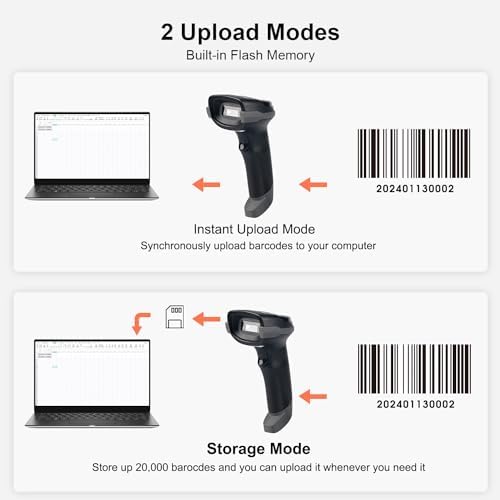
Battery life is another high point. The 2,000 mAh cell delivers up to 20 hours of continuous scanning and up to 70 days of standby, so occasional use barely dents it. Dropping it in the cradle at the end of the day kept it topped up throughout my testing.
Reads 1D, 2D, and On-Screen Codes Without Skipping
Scanning is where a budget unit usually shows its limits, and this one held up. It read every 1D barcode I tried, including UPC, EAN, Code 128, and Code 39, plus 2D barcode formats like QR codes, Data Matrix, and PDF417.
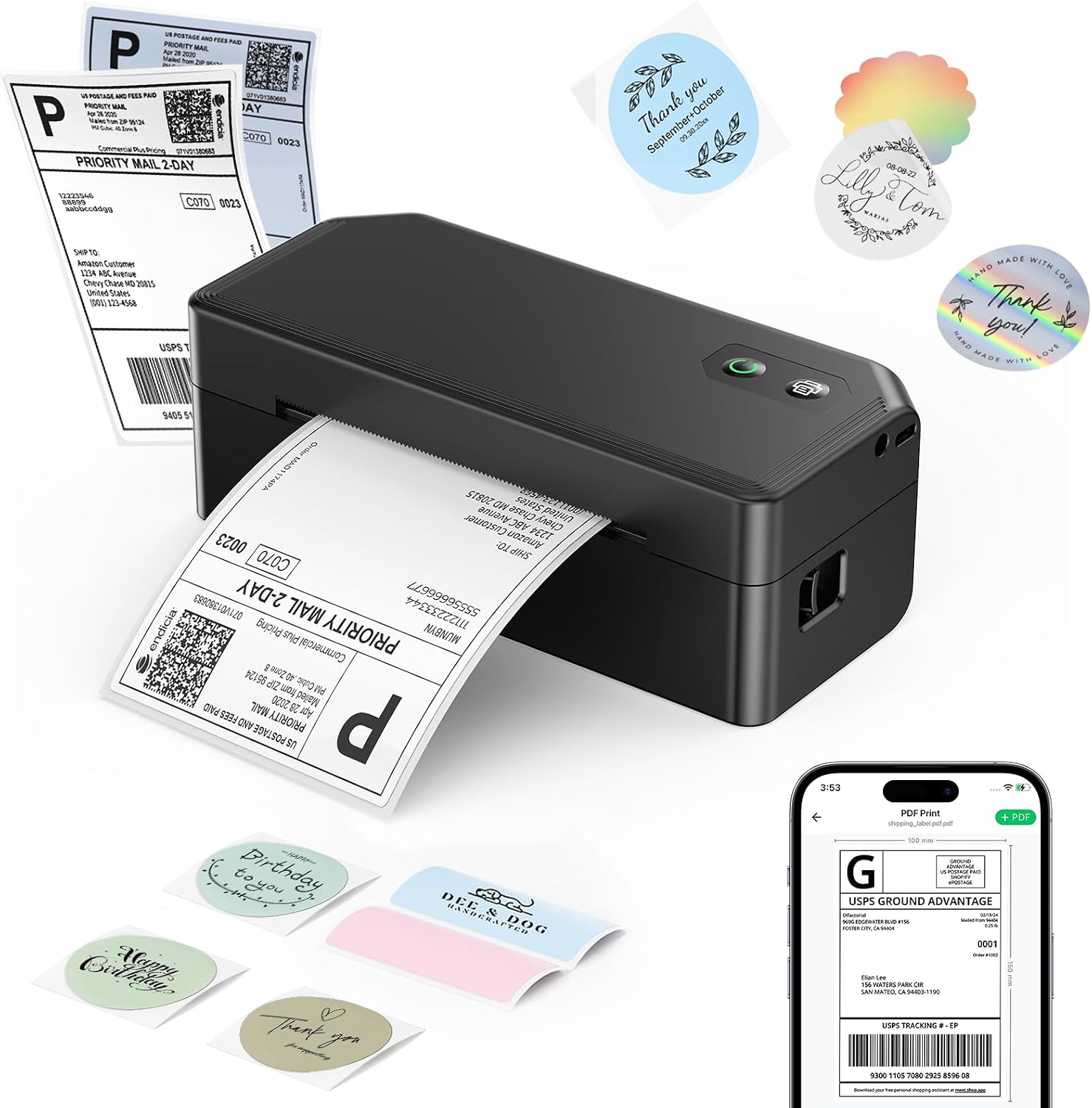
The CMOS image scanner even picked up codes on phone and tablet screens and through plastic shrink wrap. Barcode scanning stayed quick on dense labels, and the rated 65 cm/sec scanning speed made short work of a full inventory count. It handled large QR codes with long data strings without skipping characters, which makes it a capable wireless 2D reader. A clear red aiming line kept me precise. Once a code is scanned, turning it into a printed 4x6 shipping label is quick work with the SVANTTO Y42BT Bluetooth Label Printer. For a screen that organizes the household instead of the stockroom, the YosaToo 10.1-Inch Smart Family Calendar puts the whole family’s schedule on one shared display with no subscription required.
A Rugged, Shockproof Build With an Ergonomic Grip
The build is sturdier than the price suggests, and that durability is reassuring for a tool that gets dropped. The shockproof TPU housing is rated to survive a drop from about 5 ft, which matters on a busy shop floor. The handle has a balanced weight and an ergonomic design, so the ease of use carries through a long stock count without tiring out my hand.
What Needs Improvement
No scanner is flawless, and the Sumicor has a handful of rough edges worth flagging before you commit.
The Instruction Manual Could Be Clearer for Newcomers
The included manual is a thick book of setup barcodes, and while it is comprehensive, it is not friendly to first-timers. It does not walk you through configuration as plainly as it could, so if you are new to barcode scanners you may end up looking a few settings up online. Once you have it configured, the settings do stick.
It Shows Up as a Keyboard Device in Windows
On a Windows PC the scanner registers as a keyboard, or HID, device rather than a named peripheral. That is normal behavior for barcode scanners, and it means scanned data lands wherever your cursor sits, but the manual never explains it up front. If you are not expecting it, the behavior can throw you for a few minutes.
A Full Charge Takes a Slow Five to Six Hours
Topping the battery from empty takes roughly 5 to 6 hours over USB, which is on the slow side. The long runtime offsets this, and cradle charging between shifts means you rarely start from zero, but a quick same-day recharge is not on the menu.
Wireless Pairing Can Drop on Budget Scanners
This is the most common complaint across budget wireless scanners as a class, so go in with eyes open. Connectivity and pairing failures, stale pairing records, or the wrong active mode are the issues cited most often for this kind of device, and character-skipping from a keyboard-mode mismatch shows up in several brands’ manuals. I did not hit a hard failure in my testing, but budget wireless hardware asks for a little patience during first setup.
POS Software Support Like Square Isn’t Guaranteed
Not every point-of-sale app cooperates. A dedicated review of Sumicor’s SC202 model flagged incompatibility with Square POS, so if you rely on a specific platform, confirm support before buying. Tolerance for damaged barcodes and dim screen codes is also finite; heavily smudged or poorly printed labels can still trip it up in low light.
How It Compares
The budget end of the portable barcode scanners market is crowded, so here is how the Sumicor stacks up against the names that come up when people shop for the best barcode scanners. Two factors to consider are connectivity and range.
Sumicor vs Tera Wireless Barcode Scanners
Tera is the brand you will bump into most often here. Its 1100D and D5100 are marketed as durable, shock-resistant, long-range wireless barcode scanners with the same 3-in-1 connectivity and broad 1D and 2D barcode support as the Sumicor. Tera Digital leans on a longer track record and a deeper accessory range, and like the Sumicor its scanners work without dedicated inventory management software. If brand history matters to you, a Tera barcode scanner is a safe pick; if value is the priority, the Sumicor covers the same ground for less.
Sumicor vs NADAMOO Cordless Scanner
NADAMOO’s cordless 1D laser scanner pushes long-range 2.4G harder, with a 328 ft transmission distance through a USB receiver. It is a strong choice if pure range on 1D barcodes is your only need. The trade-off is scope: it is a 1D-focused cordless unit, while the Sumicor is a more balanced 3-in-1 that also reads 2D and on-screen codes.
Sumicor vs Zebra for High-Volume Use
Zebra Technologies sits in a different tier. The Zebra DS2208 is a mid-range to enterprise scanner that expects configuration through special barcodes and virtual COM-port modes tuned to specific point of sale software. For high-volume, all-day industrial scanning it is the sturdier long-term tool, but it costs more and asks more of you to set up. Budget rivals like Netum, Symcode, and ScanAvenger sit closer to the Sumicor on price and simplicity. Among value-focused 2D barcode scanners, the Sumicor ranks among the top barcode scanners worth a look in the budget class.
Final Verdict
The Sumicor Wireless Barcode Scanner does the core job a small operation needs: it reads 1D and 2D codes reliably, connects three different ways, and runs all day on a single charge.
I am giving it a 4.0 out of 5.
It loses ground for a beginner-unfriendly manual, slow full charging, and the pairing and POS-compatibility caveats that follow budget wireless hardware. None of those are dealbreakers for everyday retail, library, or small-warehouse use, and the charging-base receiver plus reliable screen-code scanning genuinely add value at this price.
Bottom line: if you want a capable 3-in-1 wireless barcode scanner for around $51 and you are not running a high-volume industrial line, the Sumicor is an easy recommendation.
Specifications
| Brand | Sumicor |
| Compatible Devices | Laptop, PC, POS, Smartphone, Tablet |
| Power Source | Battery Powered |
| Connectivity Technology | 2.4G Wireless, Bluetooth, USB Cable |
| Number of Batteries | 1 Lithium Polymer battery (included) |
| Scan Rate | 65 centimeters per second |
| Operating Voltage | 5 Volts |
| Energy Specifications Met | CE, FCC, RoHS |
| Item Dimensions | 6.81"D x 3.71"W x 5.63"H |
Frequently Asked Questions
Is the Sumicor Wireless Barcode Scanner good for a small business?
Yes. It is built for small-business inventory management in a shop, library, or small warehouse. The triple connectivity and long wireless range let it work with whatever POS or inventory system you already use.
How do you use the Sumicor Wireless Barcode Scanner?
Connect it over Bluetooth 5.0, 2.4 GHz wireless through the charging base, or a USB-C cable, then scan the setup barcodes in the included manual to configure it. On Windows it acts as a keyboard device, so scanned data drops straight into your active field.
Can the Sumicor Wireless Barcode Scanner read QR codes and screen codes?
Yes. Its CMOS image scanner reads 2D formats like QR codes, Data Matrix, and PDF417, and it can pick up codes shown on phone and tablet screens or through plastic shrink wrap.
Is the Sumicor barcode scanner accurate with large or dense barcodes?
In my testing it read high-density and long barcodes, including large QR codes with long data strings, without skipping characters. Heavily damaged or smudged labels in low light are still the main thing that can trip it up.
What devices is the Sumicor Wireless Barcode Scanner compatible with?
It works with laptops, PCs, POS terminals, smartphones, and tablets across Android, iOS, and Windows. Just note that compatibility with a specific POS app, such as Square, is not guaranteed, so confirm support first.
How long does the Sumicor Wireless Barcode Scanner battery last?
The 2,000 mAh battery gives up to 20 hours of continuous scanning and up to 70 days of standby. A full charge from empty takes about 5 to 6 hours over USB, so dropping it in the cradle overnight is the easiest routine.
Ready to Buy?
Sumicor Wireless Barcode Scanner delivers on its promises. If it fits your needs, it's a solid choice you won't regret.
Check Price on Amazon Founder & Product Reviewer at TheReviewRewind
Daniel has tested 400+ products across 20+ categories through hands-on, real-world testing. Every review includes video documentation and standardized scoring criteria. His reviews appear as Amazon shoppable videos and here on TheReviewRewind.
We earn a commission if you make a purchase, at no extra cost to you. This does not influence our ratings or recommendations. Full disclosure
Looking for more options? See all our Office Products reviews.
Related Reviews