Frameo 10.1'' WiFi Digital Picture Frame Review: Effortless Sharing With One App Catch


Frameo 10.1'' WiFi Digital Picture Frame Review: Effortless Sharing With One App Catch
Frameo 10.1'' WiFi Digital Picture Frame
Buy if you want a sharp 10.1 inch WiFi digital picture frame that grandparents can use without ever touching an app, thanks to 32GB of storage and SD card loading. Skip if you plan to send hundreds of photos at once or manage the frame remotely, since both need a paid Frameo+ subscription.
Buy on AmazonWhat We Liked
- The 10.1 Inch Touchscreen Earns Its Spot On A Shelf
- Anyone You Invite Can Send Photos From Anywhere
- Generous Onboard Storage Plus An SD Card Slot
- It Still Works With No Wi-Fi Connection At All
- Slideshow Settings You Can Genuinely Control
What Could Be Better
- The Free App Sends Only Ten Photos At A Time
- You Delete Photos At The Frame, Not On Your Phone
- External Storage Expansion Tops Out At 32GB
- Wired Computer Upload Is Windows Only, No Mac
How we test: Every product is used in real conditions and evaluated using our standardized scoring criteria. Read our full review methodology.
You take a hundred photos a week and almost nobody ever sees them. Your parents aren’t on Instagram, your grandmother isn’t in the group chat, and those moments just sit in a camera roll.
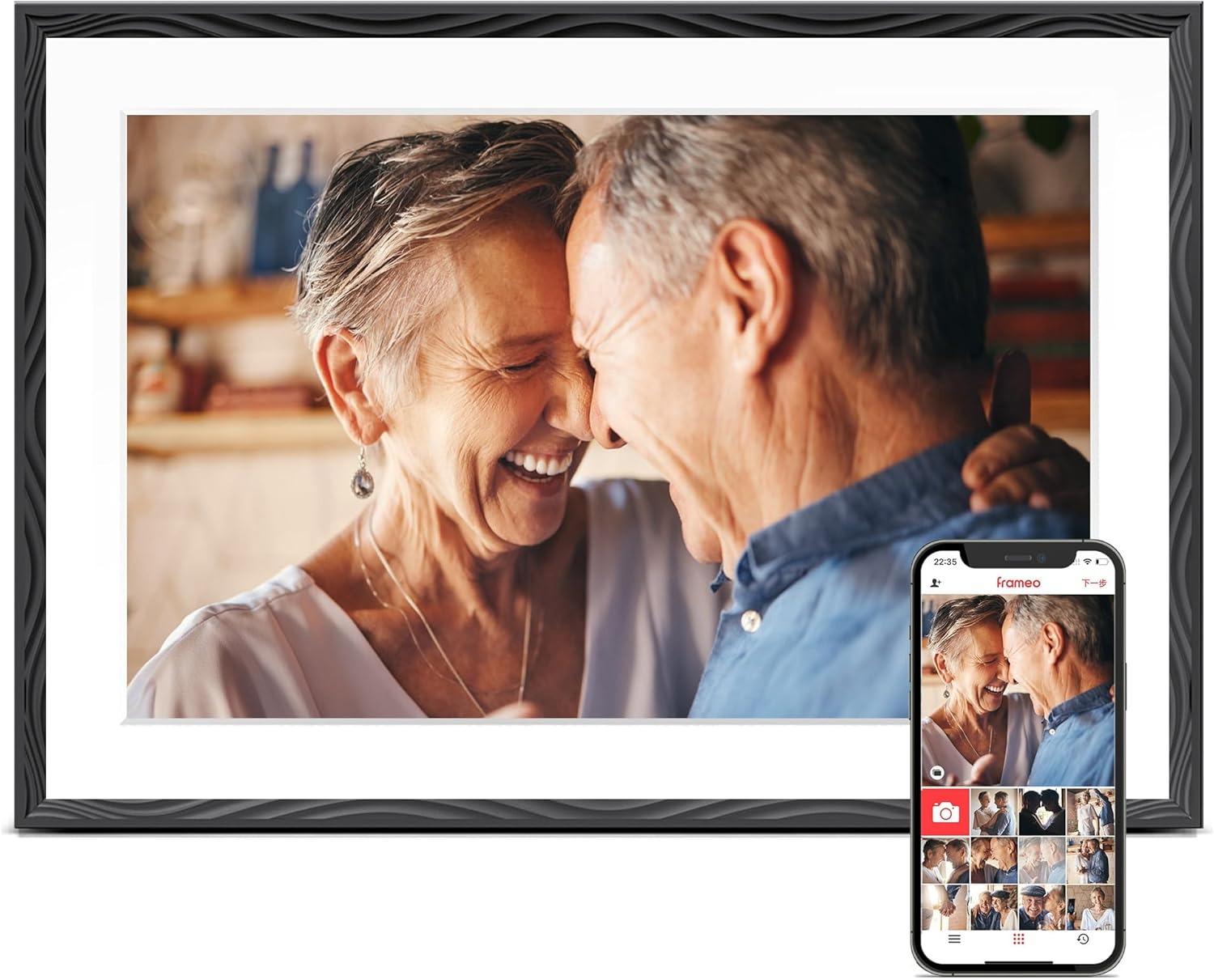
The Frameo 10.1” WiFi Digital Picture Frame is built to solve exactly that. It’s a 10.1 inch 1280x800 touchscreen that sits on a shelf or hangs on a wall and cycles through photos and short video clips sent from anyone you invite.
This wifi digital photo frame runs the Frameo app, carries 32GB of built-in storage, and is made by Pastigio under model number ZC002. On Amazon it lists at $59.99 and holds a 4.6 star average across more than 2,400 ratings, which puts it well below the price of the premium digital photo frame brands.
You don’t need to care about photography for this to be worth a shelf; you just need people you’d rather not lose track of.
I set it up from scratch, got the frame connected to the app, sent photos and videos to it, and dug through every settings menu. There’s one thing about how it handles storage that I didn’t expect, and one limit in the free app that the product page never mentions.
What I Liked
I’ve used Frameo digital frames for years, and this Pastigio unit gets the fundamentals right at a price that undercuts most of the category.
The 10.1 Inch Touchscreen Earns Its Spot On A Shelf
The 10.1 inch touch screen runs at 1280x800 with a 16:10 aspect ratio. Photos come through clear and sharp, colors are vibrant, and the picture quality doesn’t look washed out or pixelated the way cheaper frames do.
That 16:10 shape matters more than the spec sheet suggests. It’s wider than the older squarish frames, so pictures fill more of the screen instead of sitting inside thick black bars.
This is the screen you’ll be viewing every day, and a mediocre one is the reason frames end up unplugged in a drawer. This panel holds up.
The frame itself is plastic with an embossed border, and it doesn’t feel cheap. It reads as a picture frame rather than a tablet somebody propped on a shelf, which is the whole point of buying one of these. Buyers who want that same picture frame look at a size readable from across a living room can step up to the Bigasuo 15.6-Inch Digital Picture Frame, which pairs a much larger panel with 64GB of storage. If the gift is for a child’s room rather than a living room shelf, the VanSmaGo Meteor Galaxy Projector is an equally easy present that turns the ceiling into a galaxy instead of a photo display.
Anyone You Invite Can Send Photos From Anywhere
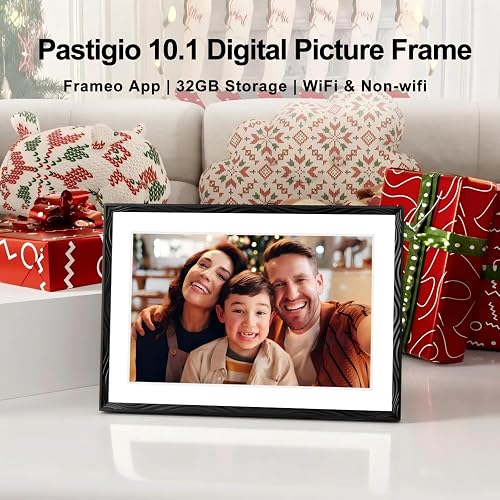
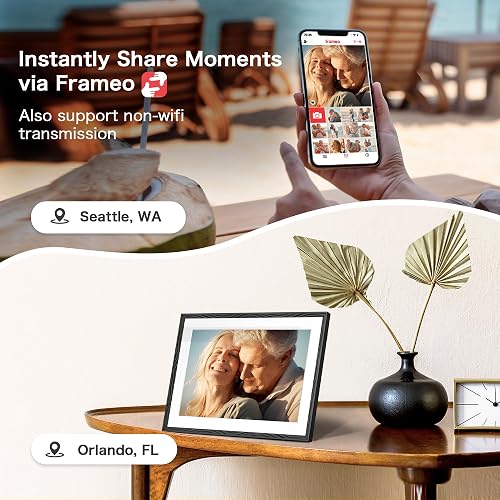
This is the reason to buy a wifi digital frame at all. You connect the frame to Wi-Fi, enter the Wi-Fi password, and pair your phone by scanning a QR code the frame displays.
The mobile app is on both the App Store and Google Play, so it doesn’t matter what your family carries. Anyone you invite can add photos from anywhere, and they land within seconds.
What makes sharing photos work here is that it behaves more like a shared feed than a slideshow. The frame shows who sent each photo and when, you can add a caption before sending, and you can react to photos right on the screen. You also get a notification when a new image arrives, which is a small thing that keeps people looking.
It’s a better way to share with a loved one than a group chat nobody scrolls back through.
Generous Onboard Storage Plus An SD Card Slot
The 32GB of built-in storage works out to more than 50,000 photos depending on their resolution. Storage is where a lot of frames in this class cut corners, so having it onboard rather than in somebody’s cloud is a genuine advantage.
There’s a microSD card slot on the edge alongside the USB-C port, a speaker on each side, and a pinhole reboot button. Nothing here depends on a subscription to keep working. Another frame at this size, the BIGASUO 10.1-Inch WiFi Digital Picture Frame, offers the same 32GB of onboard storage and a card slot, so the choice between them comes down to build quality and Wi-Fi stability rather than capacity.
It Still Works With No Wi-Fi Connection At All
Everybody assumes a wifi digital picture frame requires Wi-Fi. This one doesn’t. You can upload photos with a microSD card, a USB-C drive, or by plugging it into a Windows computer over USB-C.
Here’s the part that surprised me: the frame copies photos off the card onto its own internal storage rather than reading the card live. You load it, take your card back home, and nothing is left hanging out of the back.
That matters if you’re giving this to a parent who won’t download an app or who has weak internet. You load it before you hand it over and the frame still does its whole job.
Slideshow Settings You Can Genuinely Control
The frame settings menu is deeper than I expected. You get brightness, text size, a sleep schedule with per-day timing, and slideshow controls for timer, fill-to-frame, and the blurred background bars behind portrait shots.
Display order can be set to date received, date taken, shuffle, newest first, or oldest first. You can toggle the caption, sender, clock, weather, and date individually, so you can strip the screen down to nothing but the photo.
Albums are the feature I’d point out to a new owner. Create one for a vacation or an event and show only those images for a couple of weeks, with an all-photos album always available to fall back on.
Once photos are uploaded to the frame you can also browse them by hand, swiping straight through the photos on the frame rather than waiting for the slideshow to come back around.
What Needs Improvement
Most of my reservations are about the Frameo software rather than the hardware, but you’re buying both together.
The Free App Sends Only Ten Photos At A Time
This is the limit the product page never mentions. On the free Frameo tier you can send 10 photos at a time and video clips up to 15 seconds, and that cap applies to every person sending to the frame.
Frameo+ raises it to 100 photos per send and two-minute videos for $1.99 a month or $16.99 a year. Loading a holiday album on the free tier means repeating the same send flow over and over.
It’s the single most repeated complaint about Frameo-powered frames. As one Google Play reviewer put it: “You can only send 10 at a time without adding a premium membership for each device adding.”
You Delete Photos At The Frame, Not On Your Phone
Photo management happens on the frame itself. To delete, hide, or reorganize anything you walk over and tap the screen, and getting a hidden photo back means going into settings, manage photos, then filtering the gallery by hidden.
Managing frame photos remotely is a Frameo+ feature. That’s the wrong side of the paywall for the exact use case this frame sells itself on, because if you gave it to someone two states away you can’t tidy it up from your phone without subscribing.
External Storage Expansion Tops Out At 32GB
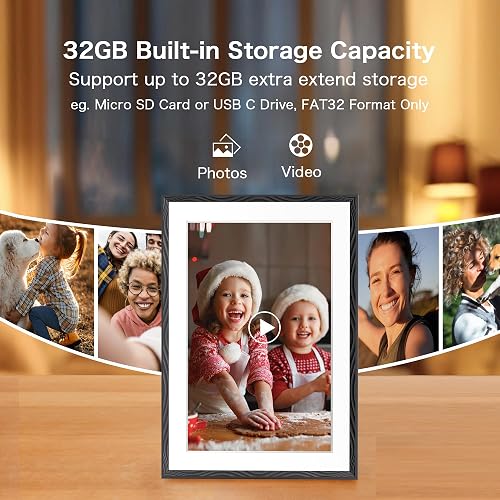
The microSD slot is useful, but the ceiling is lower than buyers assume. Pastigio’s own product panel specifies external storage support up to 32GB, in FAT32 format only, for both microSD cards and USB-C drives.
Neither the card nor the USB-C cable is included in the box, so factor that in if you’re planning to load the frame offline before gifting it.
Wired Computer Upload Is Windows Only, No Mac
The USB-C cable transfer path works with Windows computers only. Mac households have to load photos through the app, a microSD card, or a USB-C drive instead, which cost the frame a sale for at least one forum buyer who found out late.
Two smaller things worth knowing. There’s no battery, so this is meant to live plugged in around the clock, and owners of Frameo-powered frames from various manufacturers report Wi-Fi drops that need the frame moved closer to the router or the connection reset.
How It Compares
The 10 inch digital photo frame market splits neatly into premium cloud-based picture frames and cheaper Frameo-powered ones. Here’s where this Pastigio lands.
vs Aura Carver
The Aura Carver is the frame most expert reviewers name first. It’s also 10.1 inches, has no subscription fees and no storage limits, and its display is tuned to look like a printed photo rather than a screen.
The trade-offs are price and flexibility. The Carver runs around $149, roughly two and a half times this frame, and it’s cloud-only with no card slot, so there’s no way to load photos for someone who won’t connect an app.
If display quality is your priority and Wi-Fi is reliable, pay the difference. If offline loading matters, it doesn’t.
vs Skylight Frame
Skylight costs about $100 and is the easiest option to hand to someone who dreads technology, because family can email photos to a dedicated address with no app required on the recipient’s end.
Skylight’s standard model is 10 inches with a slimmer 16:9 ratio, so more photos need cropping than on this 16:10 panel. Its extras also sit behind Skylight Plus at $39 a year, which is more than double the cost of Frameo+.
vs Nixplay 10.1 Inch
Nixplay sits around $140 and has the deepest sharing tools of the three, with app and email sending, photo playlists, and per-sender permissions that handle a large, spread-out family well.
Its free plan caps cloud storage and the paid tier runs about $30 a year. Nixplay also asks the recipient to hold an account, which is friction the Frameo approach avoids entirely.
Below this price the floor is the Dragon Touch 10.1 inch at around $50, which pairs an IPS (in-plane switching) panel at the same 1280x800 display resolution with Frameo-style sharing. It covers the basics, but reviewers note it won’t match the color accuracy of the pricier frames.
WIRED’s take on Frameo-powered frames is worth repeating: the app “works fine but has a weirdly Instagram-like uploader that’s limited to 10 photos.” That’s the fair summary of this whole tier. You give up app polish and pick up a card slot, local storage, and about $90.
If you want the same Frameo sharing on a much bigger screen, the FLYRUIT 15.6-inch WiFi digital picture frame covers that at roughly $90, and the PiPivision 10.1 inch frame is a closer size match.
Final Verdict
The Frameo WiFi digital picture frame does the job it advertises. The picture quality is good for the money, easy setup takes a few minutes, the 32GB of storage is generous for this class, and the fact that it works with or without Wi-Fi means you can hand it to almost anybody.
I’m giving it a 4.1 out of 5.
It loses points for the Frameo free tier’s 10-photo send limit and for putting remote photo management behind a subscription, which is a strange place to draw the line on a frame whose whole pitch is sending photos to somebody far away. Neither issue is the hardware’s fault, and neither one stops the frame from working.
Bottom line: At $59.99 this is a digital picture frame worth a spot on your shelf, and about $90 less than the Aura Carver. Budget the $16.99 a year for Frameo+ if you send in bulk, and skip it entirely if you don’t.
Specifications
| aspect_ratio | 16:10 |
| brand | Pastigio |
| color | Engraved Black |
| compatible_devices | Personal Computer, Smartphone |
| connectivity_technology | Micro SD Card, TF Card, USB C Cable, USB C Drive, Wi-Fi |
| control_method | Touch |
| display_size | 10.1 inches |
| frame_material | Plastic |
| item_dimensions_l_x_w | 7.5"L x 10.6"W |
| item_highlight | 1280*800 HD Touch Screen Digital Photo Frame for Wall, Share Photo Video, Birthday Gifts for Women, Wedding Gifts for Couple |
| manufacturer | Pastigio |
| memory_storage_capacity | 32 GB |
| model_number | ZC002 |
| power_source | Corded Electric |
| resolution | 1280 * 800P |
| touchscreen | Touchscreen |
| unit_count | 1 Count |
| warranty_description | 24 months warranty |
Frequently Asked Questions
Are Frameo digital frames any good?
The Frameo platform is solid where it counts: sending is fast, anyone you invite can contribute, and captions, reactions, and albums are all free. Transfers use end-to-end encryption, so security is reasonable for a device sitting in a family room. Hardware quality varies by manufacturer, since Frameo is software licensed to many brands rather than a frame maker. This Pastigio unit pairs it with a 1280x800 touch screen and 32GB of storage, which is a good match at $59.99.
What are some common problems with Frameo?
The most common complaint is that the free app sends only 10 photos at a time, so loading a large album takes repeated trips through the send flow. Deleting or hiding photos also happens on the frame itself unless you pay for Frameo+. Owners across brands occasionally report Wi-Fi drops that need the frame moved closer to the router.
Which is better, Frameo or Skylight?
Skylight is easier for a recipient who dreads technology, because family can email photos to a dedicated address with no app at all. Frameo is better if you want many people sending from their phones for free, and it puts photos on local storage instead of a proprietary cloud. Skylight Plus also costs $39 a year against $16.99 for Frameo+.
How long do photos last on Frameo?
Photos sent to this frame are stored on its 32GB of internal memory, so they stay until you delete them. There is no expiry and no cloud subscription keeping them alive. Cloud backup is a Frameo+ feature, so on the free tier a factory reset means reloading the photos yourself.
Can you play photos directly from a PC or hard drive?
Not live. The frame copies files from a microSD card or USB-C drive onto its own internal storage rather than playing them off the card, so you can remove the card afterwards. Wired transfer from a computer over USB-C works with Windows only, and external media is limited to 32GB in FAT32 format.
Does the Frameo 10.1 inch picture frame work without Wi-Fi?
Yes. Wi-Fi is only needed for app sharing. You can load the frame entirely by microSD card, USB-C drive, or a Windows PC, which makes it practical to fill with photos before gifting it to someone who won't set up an app.
Ready to Buy?
Frameo 10.1'' WiFi Digital Picture Frame delivers on its promises. If it fits your needs, it's a solid choice you won't regret.
Check Price on Amazon Founder & Product Reviewer at TheReviewRewind
Daniel has tested 400+ products across 20+ categories through hands-on, real-world testing. Every review includes video documentation and standardized scoring criteria. His reviews appear as Amazon shoppable videos and here on TheReviewRewind.
We earn a commission if you make a purchase, at no extra cost to you. This does not influence our ratings or recommendations. Full disclosure
Looking for more options? See all our Electronics reviews.
Related Reviews