Maypug P3 Mini Projector Review: A 100-Inch Screen That Folds Into a Drawer

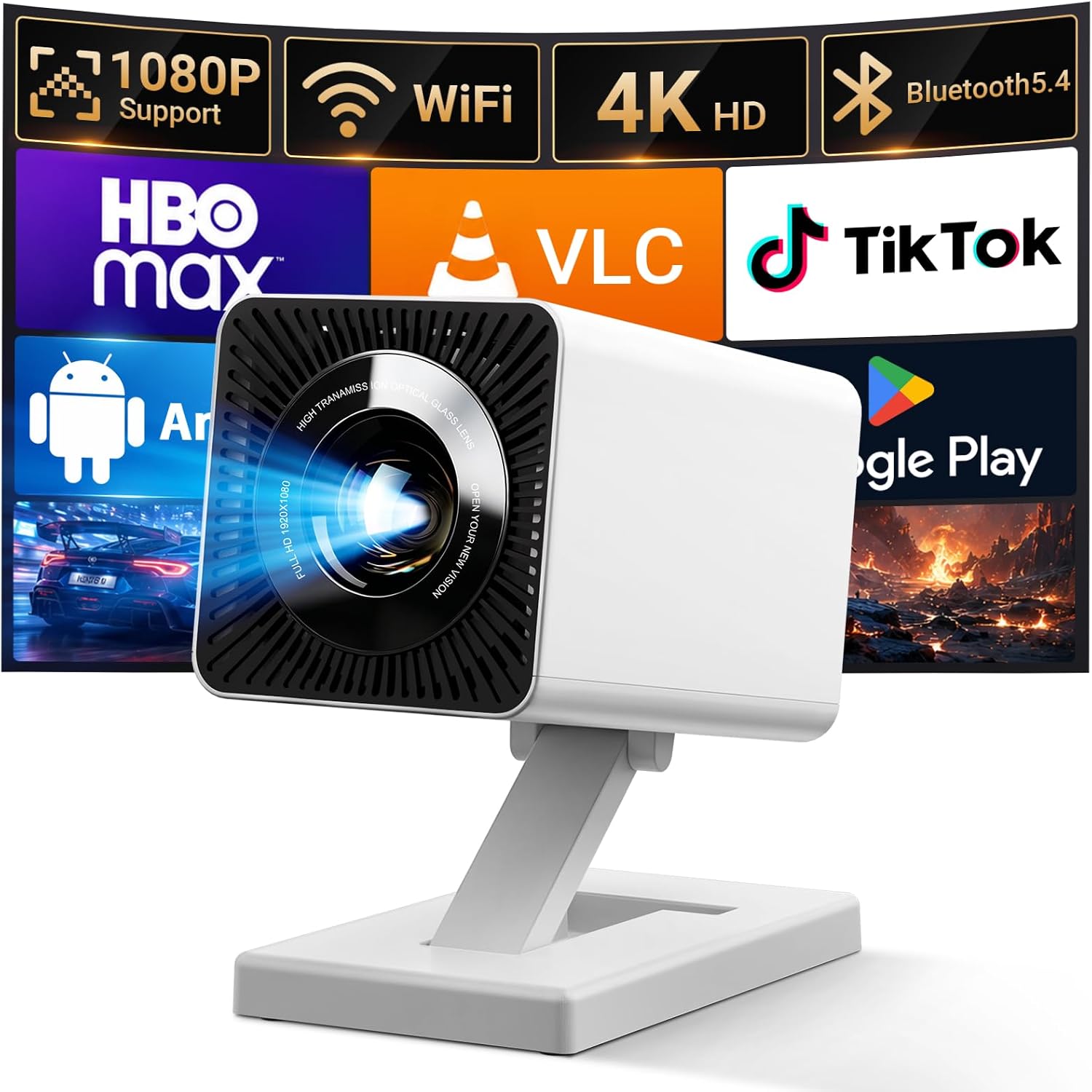

Maypug P3 Mini Projector Review: A 100-Inch Screen That Folds Into a Drawer
Maypug P3 Mini Projector
Buy if you want a 100-inch screen in a bedroom or dorm where a TV will not fit, and you are happy watching with the lights off. Skip if your room has big windows and you watch during the day, or you expect theater-grade sharpness.
Buy on AmazonWhat We Liked
- The 180-Degree Stand Aims at a Wall or the Ceiling
- Short Throw Fills a Wall From a Nightstand
- WiFi 6 and Bluetooth 5.4 Handle Casting and Audio
- Built-In Apps Replace the Streaming Stick Entirely
- Auto Keystone and Digital Zoom Make Moving It Painless
What Could Be Better
- Brightness Falls Apart Once Daylight Enters the Room
- The Listed Resolution and Brightness Numbers Conflict
- Built-In Speakers Are the Weakest Part of the Package
- Fan Noise Is Audible Between the Loud Scenes
- The Stand Tilts but Will Not Swivel Left or Right
How we test: Every product is used in real conditions and evaluated using our standardized scoring criteria. Read our full review methodology.
If you have ever looked at the blank wall in your bedroom and thought it would make a better screen than the TV you own, this is the product category built around that idea. The Maypug P3 is a mini projector with WiFi 6 and Bluetooth on board, running off a power cable rather than a battery.
It measures 5.67 by 3.58 by 4.13 inches and weighs 0.67 kg, roughly a pound and a half. That is about the footprint of a small toaster and lighter than a full water bottle. In the box you get a remote, a power cable, a quick start guide, and a longer manual, and the video projector sits on a stand built into its own body.
At $49.98 this lands near the bottom of the market, which is exactly where the gap between box claims and real performance tends to be widest. So I set it up the way a buyer would: on a nightstand, angled at a wall, and pointed straight up at the ceiling.
I measured what landed on the wall, ran the built-in streaming apps, and watched the same content with the blinds shut and then open. Here is where this movie projector earns its price, and where it does not.
What I Liked About the Maypug P3
Most of what works here comes down to placement and convenience rather than raw image quality. This is a projector you will actually move around, and that matters more than any number on the box.
The 180-Degree Stand Aims at a Wall or the Ceiling
The stand is moulded into the body and swings through its full arc: flat, forward at a wall, angled up, and all the way around to point straight at the ceiling. There is no mount, no tripod, and nothing to screw into drywall.
That ceiling position is the single reason I would choose this Maypug mini projector over a cheaper barrel-shaped rival. Watching in bed means tipping it up and touching the focus dial, and you are done. The listing rates the stand at 180° of rotation, and the hinge held its angle instead of sagging.
Short Throw Fills a Wall From a Nightstand
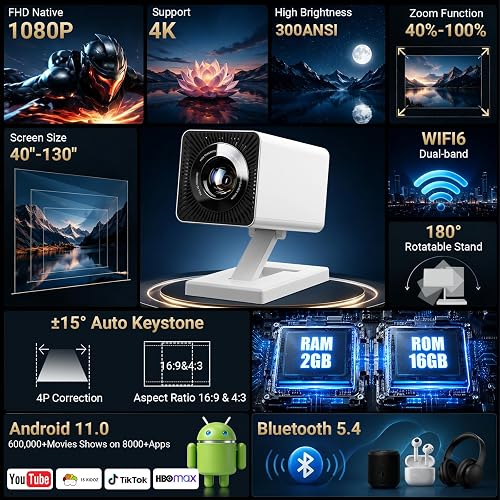
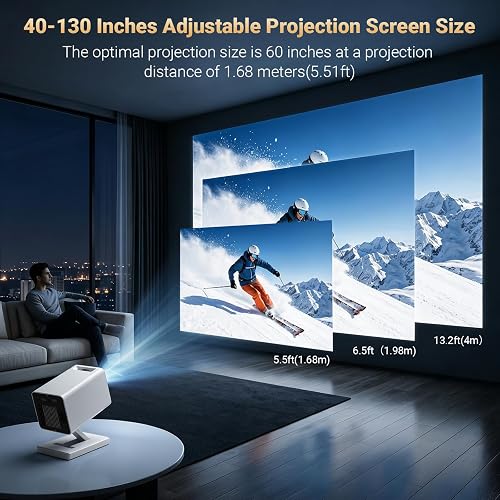
Amazon lists a 40 to 130-inch range with a throw distance running from 3.94 to 13.12 feet. The listing’s own diagram puts the sweet spot at 60 inches from 5.51 feet, with the largest sizes needing around 13 feet of space.
I put it on a nightstand a few feet from the wall and measured close to 100 inches. That is larger than any television most people would hang in a bedroom, and it is the whole argument for a short-throw portable projector in an apartment.
WiFi 6 and Bluetooth 5.4 Handle Casting and Audio
This runs dual-band WiFi 6 across 2.4 and 5 GHz alongside Bluetooth 5.4. The 5 GHz band is the one that matters for casting, since it has the headroom to push video wirelessly without stuttering.
Two practical things fall out of being a projector with WiFi and Bluetooth built in. You can mirror a smartphone to the wall so any mobile app playing on the phone shows up on the screen, and you can pair a Bluetooth speaker or headphones in about a minute.
Built-In Apps Replace the Streaming Stick Entirely
What makes this a smart projector rather than a lamp with a lens is its own operating system, with mainstream streaming media apps preloaded and a store to add more. YouTube, Netflix, Disney Plus, Prime Video, Max, Apple TV, and Google Play all sit on the home screen, and the file manager showed 11.83 GB free of the listed 16 GB of storage.
You connect to WiFi, sign in, and watch. That means no streaming stick, no HDMI dongle, and no second remote to lose. There is also an ambient mode with ready-made screens, which is a pleasant touch during a dinner or a party.
If you already own an Apple TV, a Fire Stick, a PS5, or a laptop, HDMI and USB-A are on the back. I ran it from an Apple TV over an HDMI cable and it behaved exactly as expected.
Auto Keystone and Digital Zoom Make Moving It Painless
Keystone correction squares the picture up when you project from an angle instead of dead centre. I had this angled somewhere around 20 to 30 degrees and it pulled the image back into a proper rectangle without my help. The listing describes it as auto keystone compatible with phones, consoles, and laptops alike.
The digital zoom scales the image between 40 and 100 percent from the remote, so you can shrink the picture to fit a blank patch of wall instead of sliding the projector back and forth. This is the difference between a projector you use and one that lives in a closet. If every repositioning costs five minutes of nudging corner points, you stop bothering.
What Needs Improvement
None of these are deal breakers at $49.98, but two of them will decide whether you keep the projector or return it.
Brightness Falls Apart Once Daylight Enters the Room
In a dark room this looks good. In a dim room in the evening it still holds up. As soon as real daylight comes through a window, the picture washes out and the contrast flattens.
You can raise the brightness in the custom image mode, and it does help against light leaking in from the side. What it costs you is black levels, so the image gets brighter and less convincing at the same time. If your room has big windows and you want to watch during the day, this is the wrong projector. Evening viewing is where this belongs, and if your movie nights come off a disc shelf rather than an app, an all-region deck like the WSJSYH DVD player feeds the HDMI input directly. If some of those evenings lean more toward winding down than a full movie, a scene projector like the Rossetta Mini 3D Galaxy Projector fills a dark ceiling with calming visuals instead.
The Listed Resolution and Brightness Numbers Conflict
The listing disagrees with itself here. Amazon’s spec table gives a native resolution of 1280 x 720 with a maximum display resolution of 1920 x 1080, while the product’s own image panels claim Full HD native 1080p.
The brightness figures clash in the same way. The spec table quotes 15,000 lm and the image panels quote 300 ANSI, which are neither the same unit nor the same magnitude. ANSI lumens is the standardised measurement; the larger number describes the light source, not what reaches your wall.
Treat the 1080p and 4K resolution labels as describing what the projector accepts and downscales rather than what the panel displays, and assume you are closer to 720p. That is the norm in this bracket, not a Maypug-specific failing. When The Hook Up bench-tested 25 projectors under $100, none matched its advertised brightness and only seven managed half.
Built-In Speakers Are the Weakest Part of the Package
The built-in speakers are adequate for one or two people and no more. Dialogue is clear enough, but there is no bass and no weight to anything.
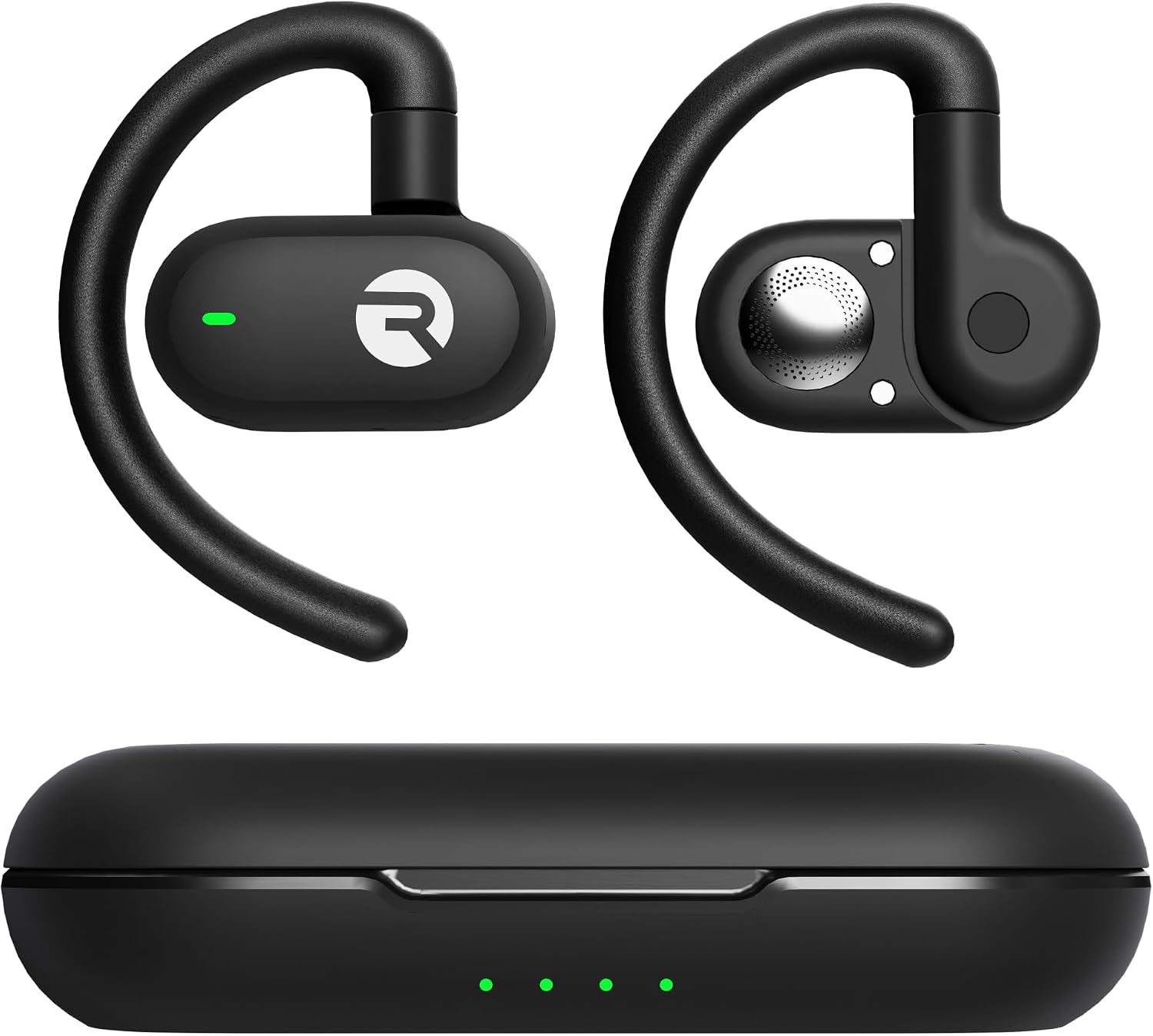
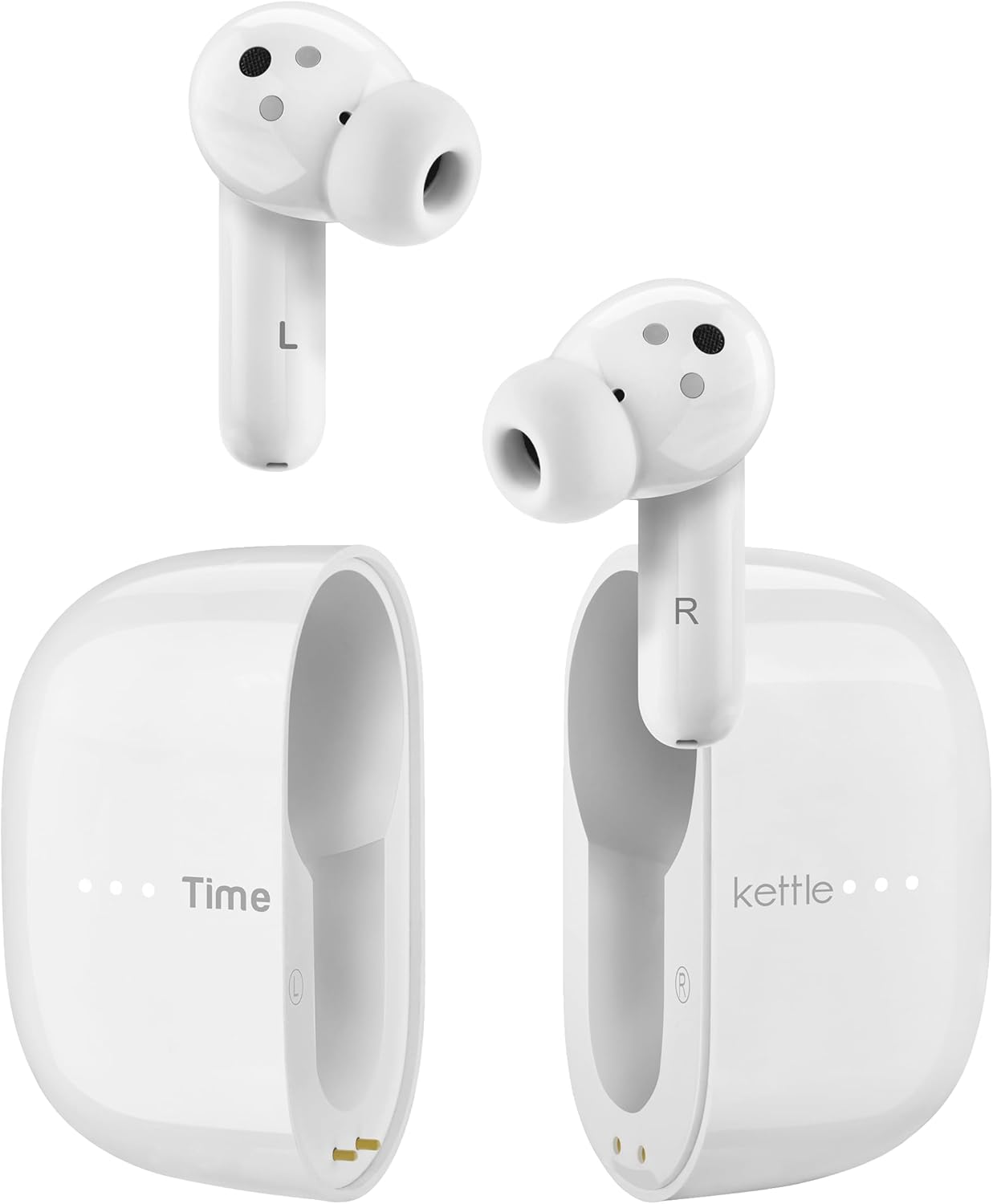
Pairing a Bluetooth speaker is the biggest single upgrade you can make, and it takes about a minute. This is a projector first, and at this size there was never room for stereo sound worth writing about. Bluetooth 5.4 pairs with earbuds just as easily, so a budget set like the SoundPEATS Air6 HS covers late-night viewing without waking the rest of the house. For a kids’ room the Acer Kids Wired Headphones run straight off the 3.5mm jack and cap the volume at a safe 85dB.
Fan Noise Is Audible Between the Loud Scenes
There is a constant fan hum. It is not loud, and once content is playing at a normal volume you stop noticing it.
In a quiet bedroom during a quiet scene, you will hear it. Whether that bothers you is personal, but it is worth knowing before you set this up beside your pillow.
The Stand Tilts but Will Not Swivel Left or Right
The rotation is generous vertically and non-existent horizontally. You can aim from the floor to the ceiling, but you cannot pan the image sideways without turning the whole unit.
In practice that means lining the projector up square with your wall before you start. Auto keystone will rescue a vertical angle; it will not rescue a lazy left-to-right placement.
How the Maypug Projector Compares
The sub-$100 shelf is crowded with near-identical hardware under different brand names, so the useful question is what you gain or give up for $20 either side of this price.
The closest comparison is the Trunera TP360 Android 14 mini projector at around $69.99. It shares the formula, including native 720p, WiFi 6, Bluetooth 5.4, and a rotating stand, but it publishes a 450 ANSI lumen rating and runs Android 14 against the Android 11.0 listed on the Maypug portable projector’s panels. If the extra $20 is available, the newer operating system and the clearly stated lumen figure are the more honest purchase.
The TOPTRO TP2 sits at about $95 with a measured 312 ANSI lumens and a 270-degree gimbal. Reviewers there reached the same conclusion I did about this class of hardware: the image washes out in moderate ambient light, and the panel is 720p regardless of the 4K support on the box.
If sharpness matters more than convenience, the HAPPRUN H1 near $85 is the trade to consider. It uses a genuine Full HD panel, but it drops WiFi and Bluetooth entirely, so you are back to a streaming stick and a cable. You are choosing between a sharper picture and the wireless, app-driven setup that makes the Maypug easy to set up and live with.
Move up to $219 and the XGIMI Vibe One changes the conversation. ProjectorCentral measured it within 9 percent of its 250 ISO lumen claim, and it runs Google TV with licensed Netflix. That is what a verified brightness number costs, and it is more than four times the price here.
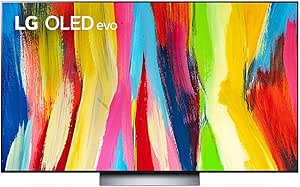
One caveat applies to all of them, and it is the reason so many of these get bought on TikTok and quietly regretted. None of them is a home theater projector, and none wins in a bright room. If daytime entertainment matters more than portability, a television like the LG C2 OLED evo beats every 4K projector at this price, and it is the honest alternative rather than a movie theater experience on a budget.
Final Verdict
The Maypug P3 earns 4.4 out of 5 as a $49.98 projector, and that rating is tied to the room you put it in. Judged as a way to get a 100-inch screen into a bedroom, a dorm, or an apartment where a television does not fit, it does the job with less friction than the price suggests.
The rotating stand, the auto keystone, and the built-in apps are what make it something you use rather than something you store. WiFi 6 and Bluetooth 5.4 cover casting and audio, HDMI covers everything else, and Maypug backs it with a 2-year manufacturer warranty.
What you accept in return is a picture that needs the lights off, speakers you will want to replace, and a spec sheet that contradicts itself on resolution and brightness. Go in expecting a 720p-class image in a dark room and this Maypug mini projector review lands on a fair deal for movie nights. Expect a home cinema and you will be disappointed, which is true of every projector at this price.
Specifications
| additional_features | Built-In Speaker, Built-In Wi-Fi, Fold Down Arm, Lightweight, Short Throw |
| antenna_location | Home Cinema |
| brand | Maypug |
| brightness | 15000 lm |
| built_in_media | Power Cord, Remote, User Manual |
| color | Bright White |
| compatible_devices | Gaming Console, Laptop, Smartphone, Tablet |
| connectivity_technology | 3.5mm Jack, Bluetooth, HDMI, Wi-Fi |
| contrast_ratio | 10000:1 |
| control_method | Remote |
| controller_type | Remote Control |
| display_resolution_maximum | 1920 x 1080 pixels |
| display_type | LCD |
| form_factor | Portable |
| hardware_connectivity | 3.5mm Audio, HDMI, USB |
| item_dimensions_l_x_w_x_h | 5.67"L x 3.58"W x 4.13"H |
| item_weight | 0.67 kg |
| light_source_operating_life | 50000 hours |
| manufacturer | MAYPUG |
| maximum_image_size | 130 inches |
| maximum_throw_distance | 13.12 feet |
| minimum_image_size | 40 inches |
| minimum_throw_distance | 3.94 |
| model_name | MAGP3 |
| model_number | P3 |
| mounting_type | Tabletop Mount |
| native_resolution | 1280 x 720 |
| number_of_items | 1 |
| unit_count | 1 Count |
| upc | 768807679873 |
| warranty_description | 2 Year Manufacturer |
Frequently Asked Questions
Are mini projectors like the Maypug P3 worth buying?
In the right room, yes. A $49.98 projector puts a 100-inch image on a wall for a fraction of what a television that size costs, and it folds away when you are done. The catch is light control, so judge one of these on what it does in a dark bedroom rather than on whether it replaces a TV in a sunlit living room.
Is the Maypug P3 a true 1080p projector?
The listing is contradictory on this point. Amazon's spec table lists a native resolution of 1280 x 720 with a maximum display resolution of 1920 x 1080, while the product image panels claim Full HD native 1080p. In this price bracket the 1080p and 4K labels almost always describe the signal the projector accepts and downscales rather than the panel it displays, so plan around a 720p-class image.
The Maypug P3 is too dim, can I adjust the brightness manually?
Yes. The settings menu has standard, movie, and vivid image modes, plus a custom mode where you can set contrast, brightness, hue, acuity, and saturation individually. Raising brightness helps when light leaks into the room, but it flattens black levels, so the picture looks brighter and less rich at once. Controlling the room light gives a better result than turning the brightness up.
What are the disadvantages of the Maypug P3 mini projector?
Four come up repeatedly, and this one has all four. Brightness is only enough for a dark or dim room, the built-in speakers are thin, the fan is audible in quiet scenes, and the advertised resolution and lumen figures do not match the hardware. When The Hook Up tested 25 projectors under $100, none of them matched their advertised brightness.
Does the Maypug P3 have a built-in battery?
No. It runs off a power cable, so wherever you set it up you need an outlet nearby. It is portable in the sense that it is small and light enough for a backpack at 0.67 kg, but it is not a cordless projector you can carry into the garden without an extension lead.
Connecting a PlayStation, Switch, or Fire Stick to the Maypug P3 over HDMI does not work?
Check the input source first. The settings menu has a source option that switches between local and HDMI, along with a channel switch setting that is simplest left on auto. If the device still does not appear, power the console or stick on before the projector so the handshake happens in the right order.
Why is the Maypug P3 WiFi connection unstable?
This projector has dual-band WiFi 6 covering both 2.4 and 5 GHz. The 5 GHz band is the one with enough headroom for video, so connect to it for casting and streaming rather than to the 2.4 GHz network. If mirroring from a phone keeps stuttering, plugging a streaming stick into the HDMI port takes the wireless link out of the equation entirely.
Ready to Buy?
Maypug P3 Mini Projector delivers on its promises. If it fits your needs, it's a solid choice you won't regret.
Check Price on Amazon Founder & Product Reviewer at TheReviewRewind
Daniel has tested 400+ products across 20+ categories through hands-on, real-world testing. Every review includes video documentation and standardized scoring criteria. His reviews appear as Amazon shoppable videos and here on TheReviewRewind.
We earn a commission if you make a purchase, at no extra cost to you. This does not influence our ratings or recommendations. Full disclosure
Looking for more options? See all our Electronics reviews.
Related Reviews