HUANUO TitanLift Heavy Duty Monitor Arm Review: A 49-Inch Ultrawide Tank


HUANUO TitanLift Heavy Duty Monitor Arm Review: A 49-Inch Ultrawide Tank
HUANUO TitanLift Heavy Duty Monitor Arm
Buy the HUANUO TitanLift if you want a genuinely heavy-duty arm that holds a big ultrawide or an expensive monitor with zero sag and near tool-free setup. Skip it if you have a glass or plastic desk, a cross-beam where the clamp goes, or only a light budget screen.
Buy on AmazonWhat We Liked
- A Tank-Like Aluminium Build
- Genuine 44 lb Capacity With Zero Sag
- A Dual C-Clamp Base for a Rock-Solid Foundation
- Near Tool-Free, Hand-Assembled Setup
- A Quick-Release VESA Plate That Clicks In
- Full Articulation That Actually Holds Position
What Could Be Better
- A Cable Channel That Doesn't Fully Hold Cables
- A Stiff Rear Rotation Joint
- An Easy-to-Forget VESA Lock Switch
- Strict Desk Requirements
How we test: Every product is used in real conditions and evaluated using our standardized scoring criteria. Read our full review methodology.
If you’ve got a big ultrawide sitting on the stand it came with, you already know the problem. It eats up half your desk, locks you into one height and one angle, and the moment you try to push it back or turn it, you can’t. Most cheap arms that promise to fix that sag or wobble the second you hang a heavy screen on them.
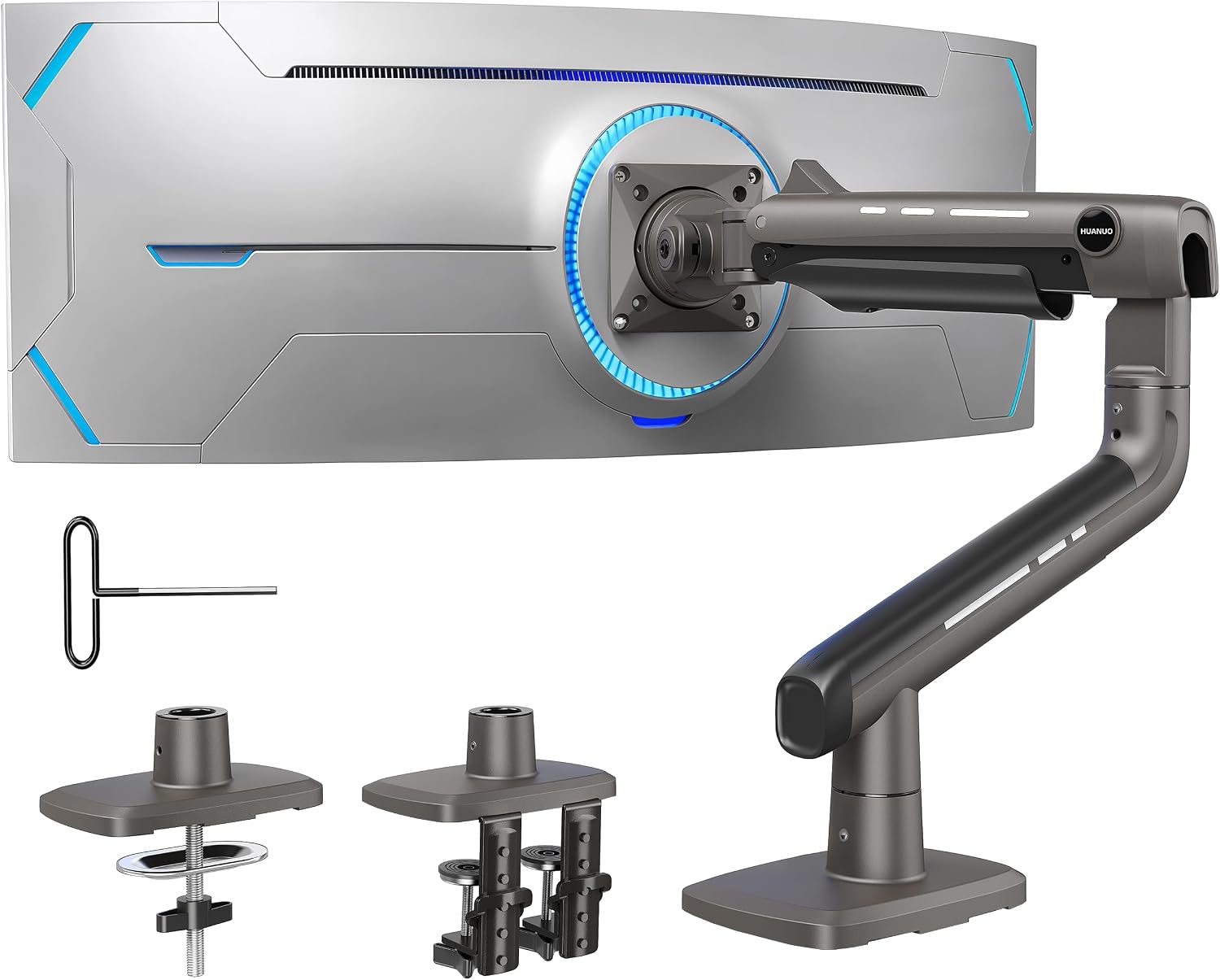
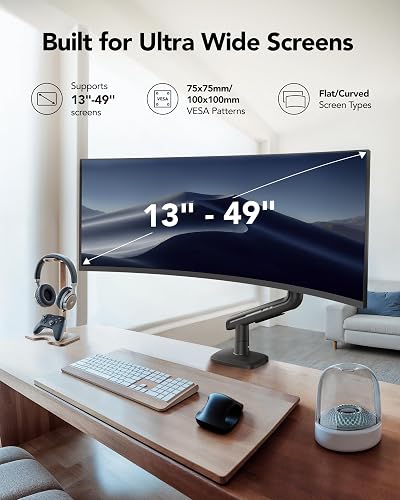
The HUANUO TitanLift Heavy Duty Monitor Arm is built for the heavy stuff. It’s a single monitor desk mount made from aluminium, rated for screens from 17 up to 49 inches and up to 44 lbs, using standard 75x75 or 100x100mm VESA mounting on the back of your monitor.
I mounted a large ultrawide on it and used it to judge the things that actually matter on a monitor arm: how solid it feels, how far it moves, and whether it holds position without drifting. I also cross-checked owner feedback on Reddit and how it stacks up against the usual heavy duty monitor arm names.
The short version? This is one of the sturdiest single monitor arms I’ve come across, with a near tool-free setup that genuinely surprised me — and a couple of small quirks worth knowing before you buy.
What I Liked
The TitanLift earned its “heavy duty” name in daily use. Here’s what stood out.
A Tank-Like Aluminium Build
The whole arm is aluminium alloy, and it feels noticeably heavier and thicker than the standard monitor arms I’ve handled. The main lower section and the VESA arm both have real heft, and nothing about it feels hollow or flexy.
That mass is the point. It’s what lets this single monitor arm hold an ultrawide screen without the shakes, and it’s the first thing you notice pulling it out of the box. HUANUO brings that same wobble-free feel to lighter builds with the HUANUO Single Monitor Arm, a gas spring model made for screens up to 40 inches.
Genuine 44 lb Capacity With Zero Sag
The arm is rated to hold anywhere from 6.5 up to 44 lbs, and most 49-inch ultrawides come in well under that ceiling. In practice that headroom means zero wobble and zero flex — I had a big screen on here and adjusting it produced no sag and no bounce.
HUANUO says the mount passed a 50,000-cycle motion test and a 3x load test. That translates to moving it thousands of times without the joints loosening, which matters when the monitor costs more than the arm.
A Dual C-Clamp Base for a Rock-Solid Foundation
Instead of a single clamp, the TitanLift uses a dual C-clamp base — two clamps that lock into the base so the whole thing bites down hard on your desk. That secure foundation is a big reason the heavy duty monitor arm stays firm under a heavy screen.
You can also swap to the included grommet mount if your desk has a hole for it. Either way, the base does not budge once it’s set.
Near Tool-Free, Hand-Assembled Setup
This was the genuine surprise. For something this solid, I expected a bag of hardware and a screwdriver, but the only tool you really need is the included Allen key, and that’s mostly for tuning tension.
Most of the assembly happens by hand, which is rare on an arm this heavy duty. It’s the kind of setup that takes minutes rather than an afternoon. If you like desk gear that goes together without a toolbox, the MoKo iPad case shares that fuss-free convenience with a built-in stand for propping a tablet nearby. In the same fuss-free spirit, a JUFINX X117 compressed air duster keeps the newly mounted screen and keyboard free of dust without any setup at all.
A Quick-Release VESA Plate That Clicks In
You screw the VESA mount plate onto the back of your monitor first, then the whole screen drops onto the arm and clicks into place. There’s no wrestling a heavy screen while lining up screws in midair.
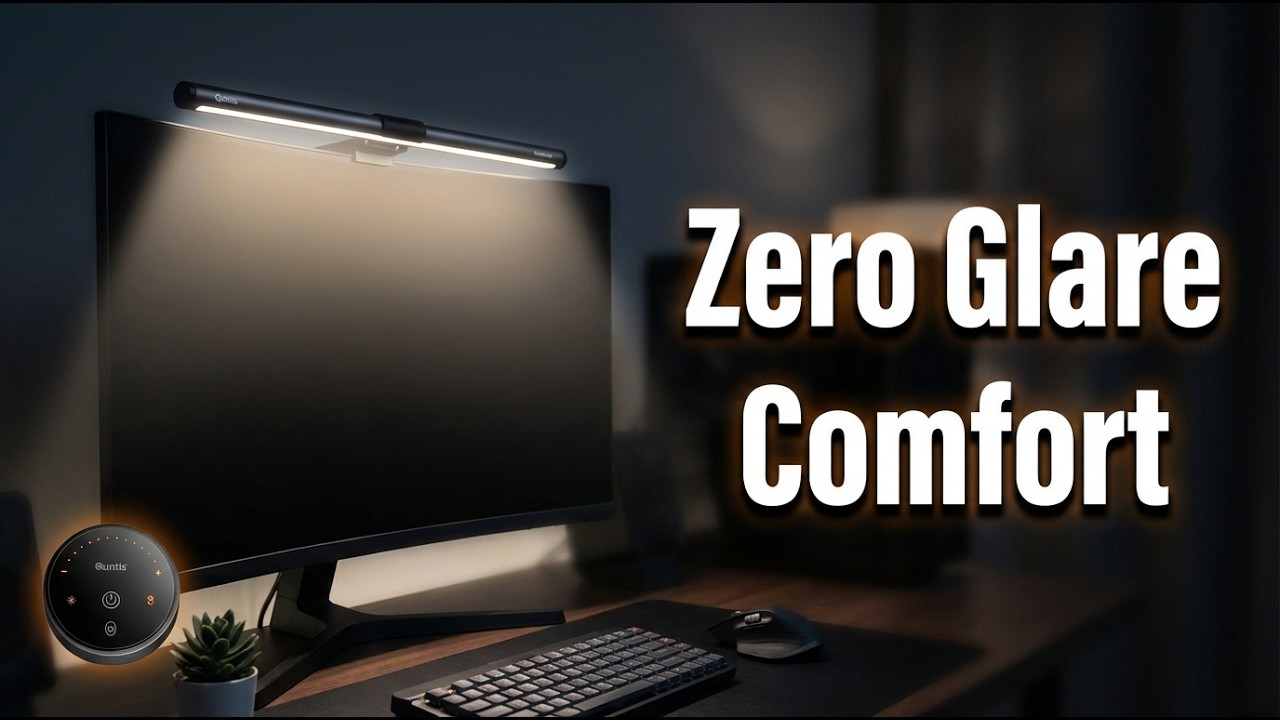
A small lock holds the plate in position, and a quick release lets you pop the monitor straight back off. A lot of monitor arms don’t have this slide-on plate, and it makes mounting a large screen a one-person job. With the screen mounted and the desk cleared, a Colorpanda monitor light bar clips onto the top to cut glare and eye strain through long sessions.
Full Articulation That Actually Holds Position
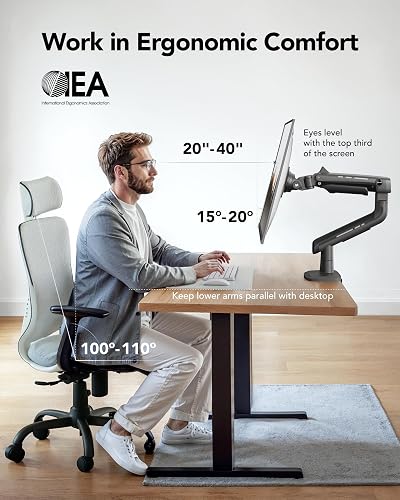
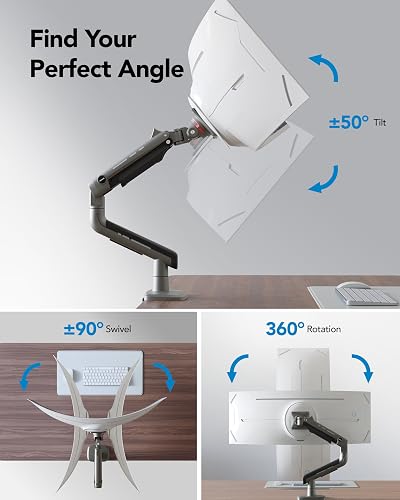
The whole point of an arm is movement, and this one has a full range. You can tilt 50 degrees, swivel 180 degrees at the joint, extend out almost 2 feet, and raise the screen roughly 19.5 inches off the desk, so you can dial in your ideal ergonomics.
It also rotates a full 360 degrees for portrait mode, though rotation is rated for screens up to 35 inches, so a 49-inch ultrawide won’t go vertical. Best of all, once you set an angle it holds — tilt it, let go, and it stays exactly where you put it instead of drifting back down.
What Needs Improvement
No monitor arm is flawless, and the TitanLift has a few quirks worth weighing before you buy.
A Cable Channel That Doesn’t Fully Hold Cables
There’s a slot down the arm for routing your cables, which keeps the desk tidy. The catch is that the cables can slide back out of the channel if you’ve wound them in tightly.
It’s a minor annoyance rather than a real fault, but you may need to re-tuck a cable now and then to keep the clean look.
A Stiff Rear Rotation Joint
The rear rotation joint takes a bit of force to swivel by hand. It’s not stuck, but it needs a firmer push than the smooth tilt and height adjustments do.
Once you’ve set your angle you rarely touch it again, so this is easy to live with — just don’t expect a fingertip spin.
An Easy-to-Forget VESA Lock Switch
The quick-release plate relies on a small lock switch, and you have to remember to flip it back down after pulling the monitor off. Leave it up and the arm can slide off its post.
It’s a one-second habit once you know about it, but it’s the kind of detail a first-timer can miss.
Strict Desk Requirements
The clamp needs a solid wooden desk roughly 0.8 to 3.5 inches thick, with no cross-beam or panel underneath where the clamp goes. Glass and plastic desks are out entirely.
This is the single biggest thing to check before ordering — measure your desk first, because the sturdiest mount in the world won’t help if it can’t grip your surface.
How It Compares to Other Heavy-Duty Monitor Arms
The heavy duty monitor arm space is crowded, so here’s how the TitanLift stacks up against three popular alternatives.
vs Ergotron LX
The Ergotron LX is the premium benchmark, with a decade-plus reputation for durability that earns it loyal fans — one r/ultrawidemasterrace user who has run Ergotron mounts for over ten years said they “absolutely outlast the cheaper arms.” The trade-off is price: the LX runs around $289, roughly three times the TitanLift, and the standard model is rated for lighter screens than the HUANUO’s 44 lbs.
If you want a name with a ten-year track record and price is no object, the Ergotron is the safe pick. If you want most of that stability with far more weight headroom for a fraction of the cost, the TitanLift makes a strong case.
vs VIVO Heavy Duty Single Arm
The VIVO heavy duty single arm is the closest price-to-performance rival, landing around $119 and also targeting ultrawide screens. It’s a capable mount that handles wide monitors well.
The TitanLift edges it on raw capacity and reach, with a 44 lb rating, support up to 49 inches, and that dual C-clamp base for extra rigidity. For the heaviest ultrawides, the HUANUO gives you more margin.
vs North Bayou Single Spring
The North Bayou single spring is the budget favorite, often near $30 and backed by over 17,000 Amazon reviews at a 4.5-star average. For a light, inexpensive monitor it’s hard to argue with the value.
But its weight ceiling and reach fall well short of a heavy 49-inch ultrawide. This is the fork in the road: a cheap screen pairs fine with the North Bayou, while an expensive or oversized monitor is exactly what the TitanLift is built to carry.
For anyone mounting a genuinely heavy or pricey screen, the TitanLift lands in a sensible middle — far more capacity than the North Bayou, more headroom than the VIVO, and a fraction of the Ergotron’s price.
Final Verdict
The HUANUO TitanLift Heavy Duty Monitor Arm does the core job better than almost anything near its price. It holds heavy screens with zero wobble, moves smoothly across a full range, stays exactly where you put it, and installs almost entirely by hand.
I’m giving it a 4.6 out of 5.
It loses a little ground for a cable channel that lets cables creep back out, a rear rotation joint that needs a firm push, and a lock switch you have to remember to flip. None of those are deal breakers. Its dual C-clamp base, genuine 44 lb capacity, and quick-release VESA plate more than earn the score back, and at its $93.98 price it undercuts premium arms like the Ergotron LX while carrying heavier screens.
Bottom line: If you’ve got a big ultrawide or an expensive monitor stuck on its stock stand, the TitanLift is an easy recommendation — a tank of a single monitor arm that clears your desk and holds your screen without a hint of sag.
Specifications
| Brand | HUANUO |
| Color | Black |
| Compatible Devices | Monitor |
| enclosure_material | Alloy Steel |
| Manufacturer | HUANUO |
| maximum_supported_screen_size | 49 inches |
| Maximum Tilt Angle | 50 degrees |
| minimum_supported_screen_size | 17 inches |
| model_number | HNSS48B |
| Mounting Type | Tabletop Mount |
| Movement Type | Swivel, Tilt,Rotation |
| Unit Count | 1 Count |
| UPC | 810181467727 |
| warranty_description | 5 |
| Material | Alloy Steel |
Frequently Asked Questions
Can the HUANUO TitanLift monitor arm hold a 49-inch ultrawide?
Yes. The TitanLift is rated for screens from 17 up to 49 inches and up to 44 lbs, and most 49-inch ultrawides come in well under that weight ceiling. In use it held a large ultrawide with zero sag or wobble. Just note that full portrait rotation is only rated for screens up to 35 inches.
Does the HUANUO TitanLift really deserve the heavy duty label?
It does. The arm is aluminium, uses a dual C-clamp base, and HUANUO says it passed a 50,000-cycle motion test and a 3x load test. With a heavy screen mounted there was no flex, and it held position without drifting.
What desk does the HUANUO TitanLift monitor arm require?
It needs a solid wooden desk roughly 0.8 to 3.5 inches thick, with no cross-beam or panel underneath where the clamp sits. Glass and plastic desks are not supported. Measure your desk before ordering, since this is the most common compatibility issue.
How's the cable management on the HUANUO TitanLift arm?
There's a channel running down the arm to route cables and keep the desk tidy. It works, but cables can slide back out if you wind them in tightly, so you may need to re-tuck them occasionally.
What VESA sizes does the HUANUO TitanLift monitor arm support?
The TitanLift uses standard 75x75mm or 100x100mm VESA mounting on the back of the monitor. You screw the quick-release VESA plate onto your screen first, then drop the monitor onto the arm so it clicks into place.
Is the HUANUO TitanLift monitor arm hard to install?
No. The setup is almost entirely tool-free, with the included Allen key mainly used to tune tension. The monitor mounts via a slide-on plate, so you don't have to hold a heavy screen and line up screws at the same time.
Ready to Buy?
HUANUO TitanLift Heavy Duty Monitor Arm delivers on its promises. If it fits your needs, it's a solid choice you won't regret.
Check Price on Amazon Founder & Product Reviewer at TheReviewRewind
Daniel has tested 400+ products across 20+ categories through hands-on, real-world testing. Every review includes video documentation and standardized scoring criteria. His reviews appear as Amazon shoppable videos and here on TheReviewRewind.
We earn a commission if you make a purchase, at no extra cost to you. This does not influence our ratings or recommendations. Full disclosure
Looking for more options? See all our Electronics reviews.
Related Reviews