Trunera Android 14 Smart Mini Projector Review: A Big Screen for Small Rooms


Trunera Android 14 Smart Mini Projector Review: A Big Screen for Small Rooms
Trunera Android 14 Smart Mini Projector
Buy if you want a smart, grapefruit-sized projector for dark bedrooms and small apartments where a big TV will not fit. Skip if you expect true 4K, daylight brightness, or flawless built-in streaming apps.
Buy on AmazonWhat We Liked
- Built-in Android 14 apps replace the streaming stick
- Auto vertical keystone keeps the picture square
- The 270-degree rotating stand projects onto the ceiling
- Short-throw optics fill a wall from a few feet
- WiFi 6, Bluetooth 5.4, HDMI, and USB cover connectivity
What Could Be Better
- Native 720p resolution, not the 4K on the box
- Built-in streaming apps and DRM can be hit or miss
- 450 lumens really needs a dark room to shine
- The remote is weak and there is no internal battery
How we test: Every product is used in real conditions and evaluated using our standardized scoring criteria. Read our full review methodology.
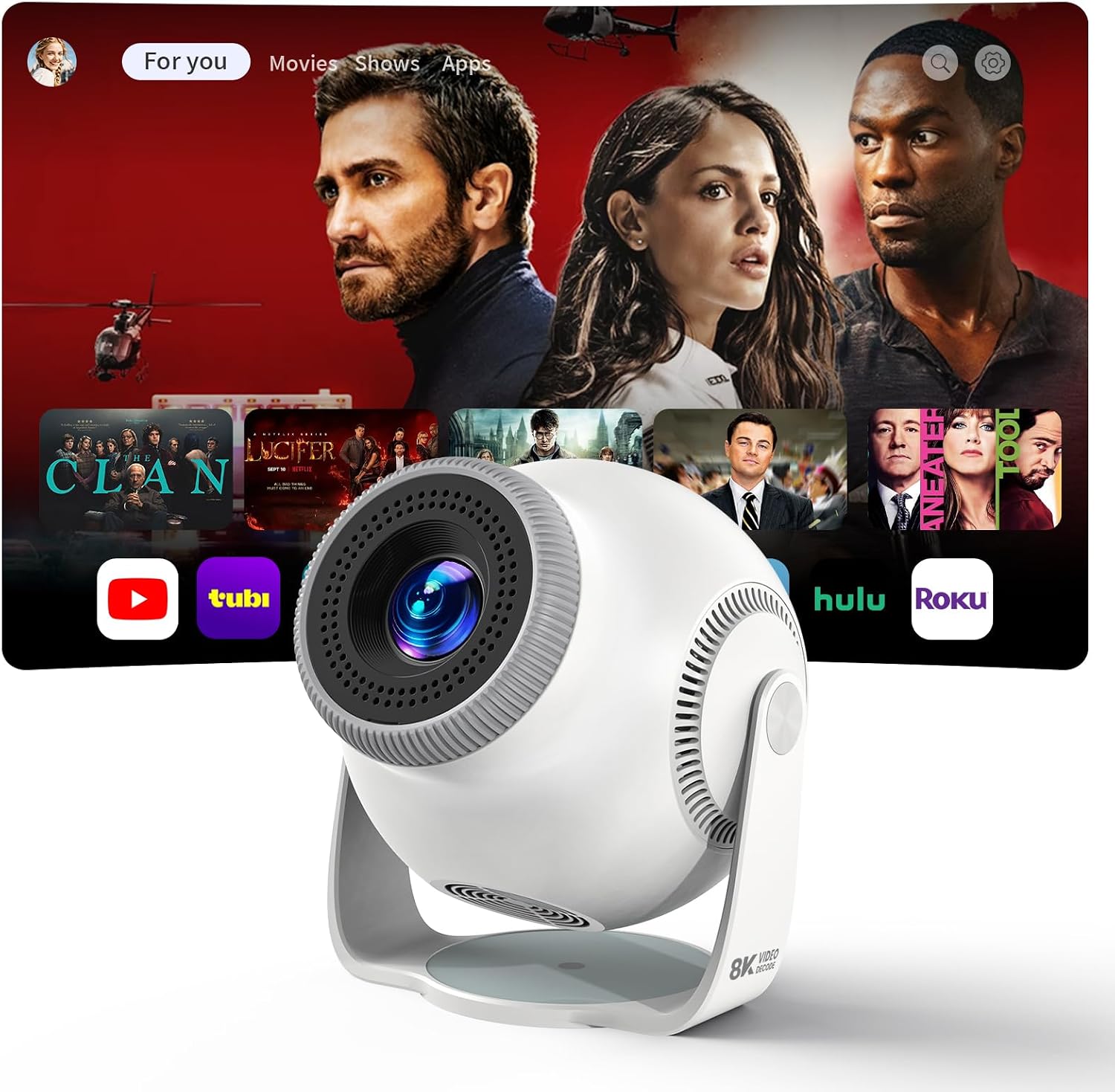
If you live in a small apartment or a bedroom where mounting a big TV just is not going to happen, a projector the size of a grapefruit starts to look very appealing. That is the whole pitch behind the Trunera Android 14 Smart Mini Projector, model TP360, a budget portable projector that tries to hand you a giant screen without any drilling or wall mounts.
It runs a full Android 14 operating system with built-in streaming apps, connects over WiFi 6 or Bluetooth 5.4, and rides on a 270-degree rotating stand that can point straight at a wall or flip up toward the ceiling. On paper it lists 450 ANSI lumens, native 720p with 1080p playback, and even 8K video decoding, all for around $69.99.
I spent time setting it up the way a real buyer would: in a normal room, streaming over Wi-Fi, testing the auto keystone, and pushing the image bigger and smaller. The short version is that this mini projector genuinely punches above its price in the right room, as long as you go in understanding what native 720p and generic Android really mean. Here is where it earns its keep and where it does not.
What I Liked
Built-in Android 14 apps replace the streaming stick
The best trick this smart projector pulls is that Android 14 lives inside it, so Netflix, YouTube, Amazon Prime Video, and Disney Plus load straight from the home screen. You boot it up, join your Wi-Fi, sign into your accounts, and start watching. That means no Fire Stick glued to the back, one less HDMI cable, and one less remote to lose.
For casual viewing this smart-TV-in-a-grapefruit approach works well, and several Amazon buyers logged into Netflix and Prime for weekend movie nights with the kids. You can also add a keyboard or mouse over USB to make searching easier.
Auto vertical keystone keeps the picture square
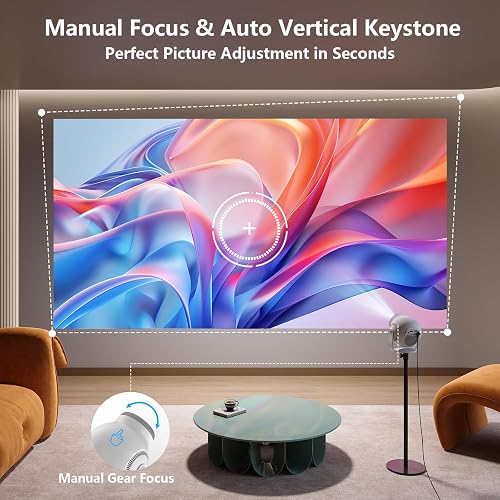
Cheap projectors usually force you to square the unit perfectly to the wall or accept a lopsided, trapezoid image. This one applies automatic vertical keystone correction plus a manual horizontal keystone of about 15 degrees, so a tilted projector still throws a clean rectangle. One reviewer singled out how every picture stayed square regardless of the viewing angle.
That keystone correction is arguably the standout feature at this price. You point it roughly where you want and the image snaps back into shape.
The 270-degree rotating stand projects onto the ceiling
The built-in stand rotates a full 270 degrees, so the projector can sit flat on a nightstand aimed at the wall or flip all the way back to paint the ceiling. There is also a quarter-inch tripod thread and a rubber base underneath to keep it from sliding.
For a bedroom this rotation is the killer use case, since you can lie in bed and watch a movie projected straight overhead. No awkward stack of books and no separate ceiling mount required.
Short-throw optics fill a wall from a few feet
A 0.8:1 short throw ratio with 50 to 100 percent zoom lets this portable projector produce a large image from just a few feet away. Sit it six to eight feet from a wall in a dim room and you get roughly a 45-inch-TV-sized picture with clear, vibrant colors, and pushing it back can stretch toward a 130-inch image.
That short throw is what makes it viable in small rooms and apartments where a normal home cinema projector would need to sit across the hall.
WiFi 6, Bluetooth 5.4, HDMI, and USB cover connectivity
Connectivity is broad for the money. WiFi 6 keeps streaming stable without constant buffering, Bluetooth 5.4 pairs a speaker or soundbar for bigger sound, and the rear HDMI and USB ports take a console, laptop, or Fire Stick when you want them. The built-in speaker is even usable on its own in a small room. The same home WiFi that keeps streaming stable can also carry a smart home device like the Chamberlain myQ Video Doorbell, which relies on your network for 2K live video at the front door.
If you do plug in a source, a solid cable helps; something like the JSAUX 8K HDMI Cable handles a console or laptop feed without fuss.
What Needs Improvement
Native 720p resolution, not the 4K on the box
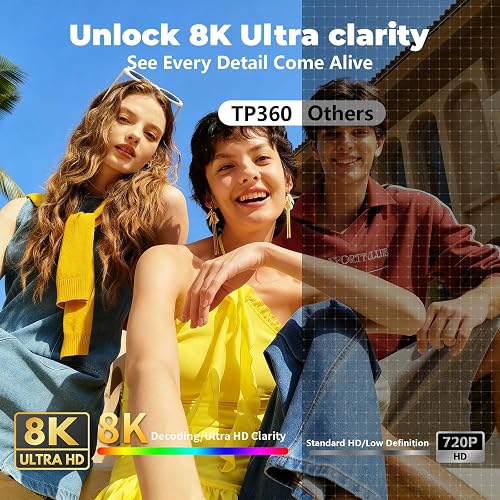
The listing shouts 1080P, 4K, and 8K, but those numbers describe what the projector can decode, not what it can project. The native panel is 1280 by 720, so a true 4K picture is simply not on the menu. Trunera’s own honest buyers, and the video review, both spell this out.
At a sensible 45-inch size the 720p image looks clean and colorful. Push it toward a full wall and the softness shows, so keep expectations tied to the panel, not the box art.
Built-in streaming apps and DRM can be hit or miss
Generic Android projectors in this family often lack full streaming certification, so an app may let you log in yet only play trailers or stream at low resolution. Owners of closely related Magcubic units report Netflix browsing fine while playback stalls, and one Amazon buyer could not get live content to stream.
The reliable workaround is to treat the built-in apps as a bonus and run a certified Fire Stick or Chromecast over HDMI if a service refuses to cooperate.
450 lumens really needs a dark room to shine
At 450 ANSI lumens this is a dark-room projector, full stop. In a bright, sunlit space the image washes out, and even the product photos showing a vivid picture in daylight are not realistic.
Draw the curtains and it looks great; leave a lamp on and contrast collapses. Plan on evening or blackout-curtain viewing to get the picture the marketing implies.
The remote is weak and there is no internal battery
The single critical Amazon reviewer found the remote only responded when aimed directly at the projector from a couple of feet, and no batteries were included in the box. There is also no built-in battery, so despite the portable label you always need a wall outlet nearby.
Neither issue is a dealbreaker in a fixed bedroom setup, but they undercut the grab-and-go fantasy that the word portable suggests.
How It Compares
Versus the Magcubic HY300 family
The TP360 rides the same generic single-LCD Android platform as the popular Magcubic HY300 and HY300 Pro, which sell for roughly $30 to $60. Those cheaper units share the rotating body and native 720p panel, but enthusiasts on r/projectors tie them to pixelation, focus drift, and LCD or polarizer wear over time.
Trunera charges a little more and pairs the hardware with Android 14 and auto keystone, so it feels a step more polished. If you want the absolute lowest price and accept the durability lottery, an HY300 undercuts it; for a cleaner out-of-box experience the TP360 earns its small premium.
Versus XGIMI MoGo 3 Pro and Nebula Capsule
Step up to a properly reviewed portable projector and the gap is obvious. The XGIMI MoGo 3 Pro earns a 4 out of 5 from TechRadar for its native 1080p image and certified Google TV with licensed Netflix, while the Anker Nebula Capsule Air brings Google TV and a real internal battery. Both cost several times as much.
You are paying for image quality, app certification, and reliability. If those matter more than price, the XGIMI or Nebula is the safer buy; if the budget is firm, the Trunera covers the basics the MoGo and Capsule do, just without the polish or the battery.
Versus buying a real TV
The honest alternative at this price is a small television, and for a bright living room a TV wins on brightness and simplicity every time. Where the projector pulls ahead is sheer screen size and the ceiling trick a panel can never match. A premium set like the LG C2 OLED 4K Smart TV obviously outclasses it on picture, but it cannot paint a 100-inch image above your bed.
Think of the Trunera as a second screen for spaces a TV cannot serve rather than a replacement for your main display.
Final Verdict
The Trunera Android 14 Smart Mini Projector does the job it sets out to do: it drops a big, watchable screen into a small room without a TV, a wall mount, or a separate streaming stick. Built-in Android 14, auto keystone, a 270-degree rotating stand, and short-throw optics all pull real weight for around $69.99. The catches are just as real, from native 720p behind the 4K marketing to a dark-room-only brightness level and the occasional streaming app that will not cooperate. Weighing the clever design and easy setup against those limits, I score it 4.2 out of 5.
If the built-in speaker runs thin for movie night, a Bluetooth link out to a bigger speaker helps, and an adapter like the DASKMENBO Bluetooth Transmitter Receiver can bridge older audio gear.
Bottom line: For a dark bedroom, a small apartment, or a kid’s room where a large TV will not fit, this budget mini projector is an easy one to recommend. Expect true 4K, daylight brightness, or flawless streaming certification, and you will want to spend more on an XGIMI or Nebula instead.
Specifications
| additional_features | Auto Keystone, Bluetooth, Built-In Wi-Fi, Portable, Short Throw |
| antenna_location | Home Cinema |
| brand | Trunera |
| brightness | 450 lm |
| built_in_media | Power Cord, Remote, User Manual |
| color | Cool White |
| compatible_devices | Laptop, Smartphone, Tablet |
| connectivity_technology | Bluetooth, HDMI, USB, Wi-Fi |
| contrast_ratio | 2000:1 |
| controller_type | Remote Control |
| display_resolution_maximum | 1920 x 1080 |
| eu_spare_part_availability_duration | 7 years |
| form_factor | Portable |
| item_weight | 0.89 kg |
| manufacturer | Trunera |
| maximum_throw_distance | 2.5 meters |
| mfr_part_number | TP360 |
| minimum_throw_distance | 0.6 meters |
| model_name | TP360 |
| model_number | TP360 |
| mounting_type | Tabletop Mount, Wall Mount |
| native_resolution | 1280 x 720 |
| projector_maximum_white_brightness | 450 ansi_lumens |
| unit_count | 1 Count |
| video_encoding | H.264, H.265 |
Frequently Asked Questions
Is the Trunera Android 14 Smart Mini Projector any good?
For its roughly $69.99 price it is a capable budget projector in the right room. You get built-in Android 14 apps, auto keystone, and a rotating stand, and the 720p picture looks clean at around a 45-inch size in a dark room. Just do not expect true 4K or bright-room performance.
Does the Android 14 Smart Mini Projector really play 4K and 8K?
No. The native panel is 1280 by 720, so the 4K and 8K figures only describe what the projector can decode and downscale, not what it actually projects. Content plays back up to 1080p but is displayed at 720p.
Do the built-in streaming apps like Netflix work on this projector?
Often, but not always. Android 14 loads Netflix, YouTube, Prime Video, and Disney Plus from the home screen, yet generic projectors in this family can hit DRM limits where an app logs in but only plays trailers. If that happens, run a certified Fire Stick or Chromecast through the HDMI port.
How bright is the Trunera mini projector and does it need a dark room?
It is rated at 450 ANSI lumens, which is enough for a dim bedroom or a room with the curtains drawn. In direct daylight the image washes out, so plan on evening or blackout-curtain viewing for the best contrast.
How do I connect my phone or a game console to the projector?
You can cast wirelessly over WiFi 6 using the built-in screencast feature, pair audio gear over Bluetooth 5.4, or plug a console, laptop, or streaming stick into the rear HDMI and USB ports. A keyboard or mouse over USB also makes navigating the Android interface easier.
Is the Trunera projector portable, and does it have a battery?
It is compact and light at about 0.89 kg, roughly the size of a grapefruit, so it is easy to move between rooms. However, there is no internal battery, so you always need a mains outlet nearby to run it.
Is an Android 14 projector worth it over a cheaper Magcubic HY300?
The TP360 shares its platform with the cheaper Magcubic HY300 family but adds Android 14 and auto keystone for a more polished setup. If you want the lowest possible price you can save with an HY300; for a cleaner out-of-box experience the Trunera justifies its small premium.
Ready to Buy?
Trunera Android 14 Smart Mini Projector delivers on its promises. If it fits your needs, it's a solid choice you won't regret.
Check Price on Amazon Founder & Product Reviewer at TheReviewRewind
Daniel has tested 400+ products across 20+ categories through hands-on, real-world testing. Every review includes video documentation and standardized scoring criteria. His reviews appear as Amazon shoppable videos and here on TheReviewRewind.
We earn a commission if you make a purchase, at no extra cost to you. This does not influence our ratings or recommendations. Full disclosure
Looking for more options? See all our Electronics reviews.
Related Reviews