Acer 1080p USB Webcam Review: Sharp, Simple, and Cheap


Acer 1080p USB Webcam Review: Sharp, Simple, and Cheap
Acer 1080p USB Webcam
Buy if you want a clean, sharp 1080p image with a privacy cover and a mount that actually grips, without spending much. Skip if you need 4K, real autofocus for close-ups, or studio-grade audio from the built-in mics.
Buy on AmazonWhat We Liked
- Sharp 1080p Image That Holds Up in Motion
- Automatic Low-Light Correction That Actually Works
- Fixed-Focus Lens That Stays Locked and Sharp
- Wide 100-Degree View on a Flexible Ball Joint
- True Plug-and-Play Setup With a USB-C Adapter
- A Privacy Cover and a Mount That Grips
What Could Be Better
- The Microphone Is the Weakest Part
- Fixed Focus Struggles With Close-Up Product Shots
- The Plastic Body Feels Its Price
- Low-Light Help Has Limits
How we test: Every product is used in real conditions and evaluated using our standardized scoring criteria. Read our full review methodology.
If you have ever been on a work call where everyone else looks sharp and you look like you are broadcasting from a camera in 2009, that is usually your laptop’s built-in webcam doing the damage. It is the one part of a desk setup nobody thinks about until people stare at your face for an hour a day. The Acer 1080p USB webcam is built to fix exactly that, and at $29.99 it does it without asking much of your wallet.
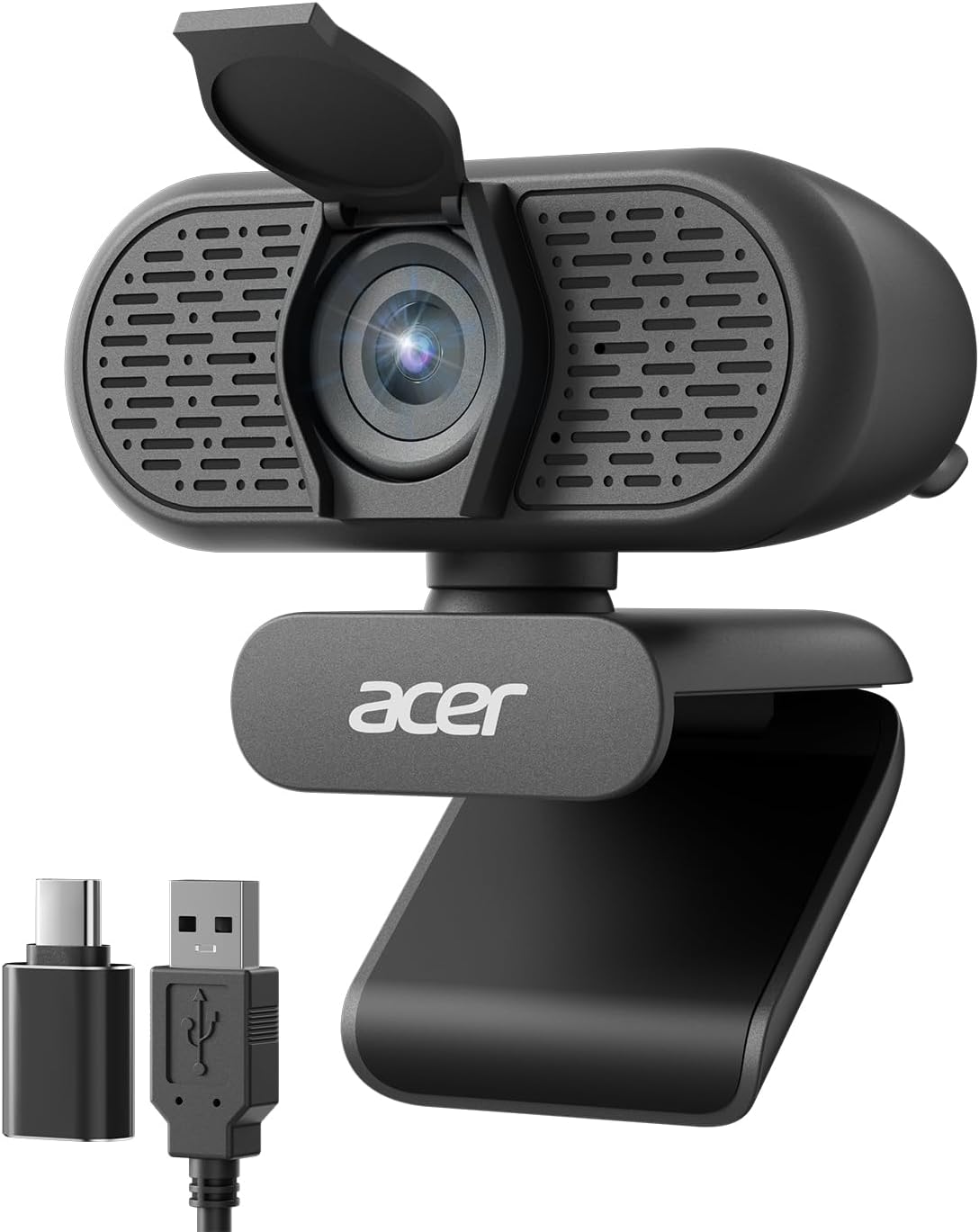
This is a plug-and-play external webcam for a desktop or laptop that shoots in 1080p Full HD, packs dual noise-reduction microphones, and clips onto a monitor or screws onto a tripod. It runs over USB Type-A, ships with a Type-A to Type-C adapter, and adds a privacy cover and automatic low-light correction. In other words, it is a straightforward budget upgrade over a built-in camera, not a smart camera.
I set the Acer 1080p webcam up, ran it through video calls, tested it in falling light, and switched to its mic to hear how the audio holds up. The short version: this webcam nails the basics for the money, with one fixed-focus quirk and a mic caveat worth knowing before you buy.
What I Liked
After setting up the Acer 1080p webcam and living with it across meetings and a few lighting tests, a handful of strengths stood out. Here is what this budget webcam does well.
Sharp 1080p Image That Holds Up in Motion
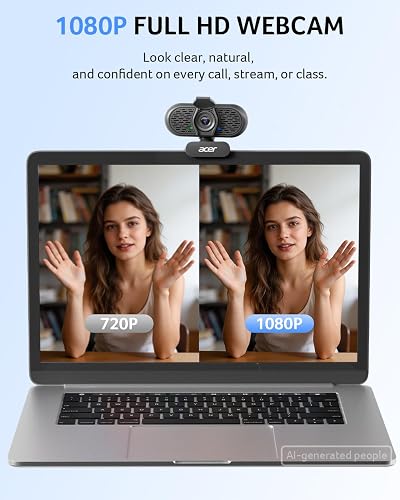
Right out of the box the Acer 1080p webcam produces a clean, sharp picture, and nothing looks washed out. On camera my face read clearly, colors stayed accurate, and the image did not smear when there was movement in the frame.
For a webcam in this price range, that is the headline. It is a real step up from the grainy 720p sensors still shipping inside many laptops, and it looks genuinely good on a Zoom or Teams call. This is the image quality most desk setups actually need.
Automatic Low-Light Correction That Actually Works
The feature I did not expect to hold up as well as it did was the low-light performance. With two studio lights on I looked fully illuminated, and turning one off changed almost nothing. Even with both off and only a little daylight leaking through the blinds, I was still clearly visible rather than a dark shadow.
The automatic exposure does this on its own, with no settings to sift through. If you work from a bedroom or a room without great lighting, that matters, because the webcam compensates for you.
Fixed-Focus Lens That Stays Locked and Sharp
This is the part I was most skeptical about. A fixed-focus lens sounds like the compromise, but in a test where I kept talking and walked well back from the desk, the image stayed locked and sharp on me the whole way.
There is no hunting and no breathing in and out of focus, which is a problem I see on some autofocus cameras when a hand or object drifts into frame. For everyday sitting-at-a-desk use, the fixed focus is quietly a plus.
Wide 100-Degree View on a Flexible Ball Joint
The lens has a 100-degree field of view, so it keeps you in frame without rearranging your chair to suit the camera. The wide angle fits you in comfortably, and it is roomy enough to include a second person beside you at a pinch.
The head also sits on a ball joint that swivels a full 360 degrees, so you can point it exactly where you sit. Some webcams simply will not turn to certain angles, so this flexibility is genuinely useful.
True Plug-and-Play Setup With a USB-C Adapter
Setup is the easy part, and it lives up to the plug-and-play claim. There are no drivers to download; you plug it into USB and it comes up, which is the part people are most skeptical about with cheap webcams. It just works.
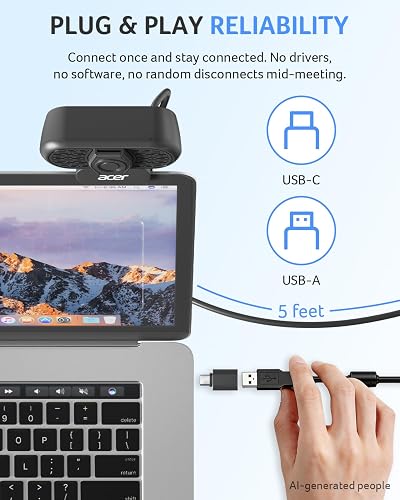
It connects over USB Type-A and includes a Type-A to Type-C adapter, plus a long cable and a clip that grips the monitor without sliding. That means one webcam can move between a work tower with USB-A, a MacBook with USB-C, and a docking station. It works with Windows 7 and up, macOS, and Linux, and plays nicely with Zoom, Skype, Teams, Google Meet, and Twitch.
A Privacy Cover and a Mount That Grips
The built-in privacy cover flips down over the lens whenever the camera is not in use, which is the kind of physical reassurance security-minded buyers like. It is a small touch, but it is always nice to have.
The mount deserves a mention too, because the padded clip actually stays put on a monitor instead of sliding around. A thread on the bottom lets you screw it onto a small tripod, and the cable is pleasantly long, though you can never really have too much cable.
What Needs Improvement
No $29.99 webcam is flawless, and the Acer 1080p makes a few predictable trade-offs to hit its price. These are the limits worth knowing before you buy.
The Microphone Is the Weakest Part
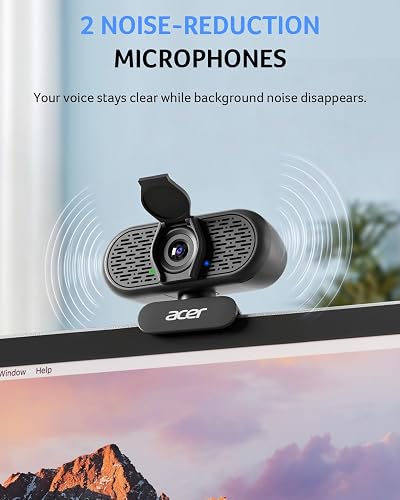
If I had to name one thing to improve, it is the audio. Switching from my dedicated mic to the webcam’s dual mics, the sound is solid and clear enough for meetings and client calls, but it is not going to impress anyone.
The noise reduction helps, but it reduces background noise rather than erasing it, so in a room with echo you will still hear a little of the space. That is normal for a budget webcam, and one Reddit user put it bluntly: “The mic is bad tbh but with another 15 bucks you can get something decent.” Plan on a separate mic if audio is your priority.

Fixed Focus Struggles With Close-Up Product Shots
The same fixed-focus lens that stays reliably sharp on your face has a flip side. If you hold an object right up to the lens for a close-up product shot, it will not snap into focus the way an autofocus camera would.
For sitting at a desk on calls, that is a non-issue and even an advantage. But if you plan to demo small products or show detail work up close, this is not the camera for that job.
The Plastic Body Feels Its Price
The exterior is plastic, so the Acer 1080p does not have a premium feel in the hand. It is light at 4.8 ounces and perfectly sturdy for clipping to a monitor, but it reads as the budget device it is.
This is a fair trade at the price, and nothing about the build got in the way of daily use. Just do not expect the machined-metal heft of a flagship webcam.
Low-Light Help Has Limits
The automatic low-light correction genuinely impressed me, but it is still working with a small budget sensor. In a truly dark room it brightens the image well, yet it cannot manufacture light that is not there.
As one long-running hardware thread noted, good lighting will make a mediocre webcam beat an expensive one nine times out of ten. A cheap desk lamp will do more for any webcam, this one included, than the software alone.
How It Compares
At $29.99 the Acer 1080p webcam sits at the simple, budget end of the webcam shelf, so it competes with the other plug-and-play 1080p cameras rather than premium units. Here is how it stacks up against the alternatives worth comparing.
vs Logitech C920x HD Pro
The Logitech C920x is the step-up standard, and it usually runs around $59.99. It adds real autofocus and stereo microphones, so it produces a slightly sharper result and better audio than the Acer.
The catch is that it costs roughly twice as much. If your on-camera image is a selling point, the extra spend is easy to justify. But for internal calls and everyday meetings, the Acer delivers a clean 1080p feed for half the money.
vs Logitech Brio 100
The Logitech Brio 100 is the closest match to the Acer: another simple 1080p plug-and-play webcam with a privacy shutter, priced in the same budget tier. Logitech’s RightLight auto-exposure is its headline, similar in spirit to Acer’s automatic low-light correction.
The two trade blows on the little things. The Brio carries a bigger brand name and app tuning, while the Acer answers with a wider 100-degree frame and a bundled USB-C adapter. Both are honest budget picks, so it comes down to which small extras you value. If you are building out an affordable desk setup around this webcam, the Anker Wireless Vertical Ergonomic Mouse is another honest budget pick that eases wrist strain over long call-heavy days. Acer covers the rest of that desk too, with the Acer Wireless Mouse offering a full size, plug and play option for laptop users tired of fighting the trackpad all day.
vs EMEET C960
The EMEET C960 is another affordable 1080p webcam that shows up constantly in the same budget recommendations. Like the Acer, it is a straightforward plug-and-play camera aimed at calls rather than content creation.
They are close enough that price and stock usually decide it. The Acer’s advantages are its flexible 360-degree ball joint and the grippy monitor clip, which held on better than I expected for the money. Acer brings that same budget, plug-and-play sensibility to the rest of its lineup, including the Acer Kids Wired Headphones that cap volume at a safe 85dB for schoolwork. Since this webcam’s dual mics are only adequate, adding a dedicated BOYA BY-GM18CU Gooseneck Microphone gives the same desk clear, close voice pickup for calls.
vs Acer A640 4K Webcam
If you want more, Acer makes its own step-up model, the A640. It brings a 4K Sony sensor and PDAF autofocus, so it is noticeably sharper and focuses better for anyone whose on-camera image really matters.
That is the camera for serious streaming or close-up product work, and it costs accordingly. As an independent review of this 1080p model summed it up, the cheaper Acer is “a budget upgrade over a laptop’s built-in camera, nothing more,” and for basic internal calls, that is exactly the point. For streamers who want to jump up to a large-sensor 4K feed with fast autofocus, the YOLOLIV YoloCam S3 delivers near-DSLR image quality from a fixed desk position. That budget-friendly Acer thinking reaches past the desk to the nightstand, where the Acer 7-in-1 Wireless Charging Station clears an Apple household’s cable clutter onto one plug.
Final Verdict
The Acer 1080p USB webcam is a do-the-basics-well camera, and for $29.99 it does those basics genuinely well. A sharp 1080p image that holds up in bad lighting, a fixed-focus lens that stays locked on you, a wide 100-degree frame, a privacy cover, and a mount that actually grips add up to a webcam that punches above its budget price.
I am giving it a 4.5 out of 5.
It loses a little ground for a microphone that is only adequate, a fixed focus that cannot handle close-up product shots, and a plastic body that feels its price. None of those are surprises on a webcam this cheap, and its strong 4.7-star average from real Amazon buyers backs up the everyday experience.
For a work-from-home desk, a desktop tower with no camera at all, or anyone juggling a USB-A tower and a USB-C laptop, this webcam ends the built-in-camera problem for very little money. If you need 4K, real autofocus for close-ups, or studio-grade audio, look at Acer’s A640 or a dedicated mic instead.
Bottom line: If you want a clean, sharp 1080p image with a privacy cover and a mount that holds on without spending a lot, the Acer 1080p USB webcam is an easy recommendation and one of the better value webcams you can buy.
Specifications
| Brand | Acer |
| Model Number | WBC-0H01 |
| Resolution | 1080p Full HD |
| Sensor | CMOS, 1/2-inch |
| Field of View | 100 degrees |
| Focus Type | Fixed focus |
| Aspect Ratio | 16:9 |
| Exposure Control | Automatic low-light correction |
| Microphones | Dual noise-reduction mics |
| Privacy Cover | Built-in sliding cover |
| Mount | Clip with 360-degree rotation and 1/4-inch tripod thread |
| Connection | USB Type-A, plug-and-play (Type-A to Type-C adapter included) |
| Compatibility | Windows 7/8/10/11, macOS, Linux; Zoom, Skype, Teams, Google Meet, Twitch |
| Item Dimensions | 2.19"D x 3.14"W x 2.05"H |
| Item Weight | 4.8 ounces |
| Color | Black |
| Warranty | 2 years |
| UPC | 195133353304 |
Frequently Asked Questions
Does the Acer 1080p webcam have autofocus?
No. The Acer 1080p webcam uses a fixed-focus lens with no autofocus and no AI framing. In practice that is an advantage for sitting at a desk, because the image stays locked and sharp on you without hunting. The trade-off is that it will not snap into focus on objects held right up to the lens for close-up shots.
Is the Acer 1080p webcam good quality for the price?
Yes. For $29.99 the Acer 1080p webcam produces a clean, sharp Full HD image that is a clear step up from most built-in laptop cameras. Colors look accurate and the picture does not smear during movement. It holds a strong 4.7-star average from real Amazon buyers, which matches my own experience with it.
Does the Acer 1080p webcam need drivers or software to work?
No. The Acer 1080p webcam is plug-and-play over USB with no drivers to install and nothing to configure. It ships with a Type-A to Type-C adapter, so it works with both older desktops and newer USB-C laptops, and it runs on Windows 7 and up, macOS, and Linux.
How wide is the Acer 1080p webcam's field of view?
The Acer 1080p webcam has a 100-degree field of view, which is wide enough to keep you in frame as you shift around and can fit a second person beside you at close range. It also sits on a ball joint that rotates a full 360 degrees, so you can angle it to fit your desk.
Is the Acer 1080p webcam good enough for video meetings?
Yes, for everyday calls it is a solid choice. The Full HD image looks professional on Zoom, Teams, Google Meet, and Skype, and the automatic low-light correction keeps you visible in a dim room. The dual mics are only adequate, so for high-stakes client calls you may want a dedicated microphone.
How does the Acer 1080p webcam compare to the Logitech C920?
The Logitech C920x is the step-up standard at around $59.99 and adds autofocus and stereo mics for a slightly sharper result. The Acer 1080p webcam costs about half as much and covers the same core job for internal meetings and remote work. If your on-camera image is a selling point the Logitech is worth it, otherwise the Acer is the better value.
Ready to Buy?
Acer 1080p USB Webcam delivers on its promises. If it fits your needs, it's a solid choice you won't regret.
Check Price on Amazon Founder & Product Reviewer at TheReviewRewind
Daniel has tested 400+ products across 20+ categories through hands-on, real-world testing. Every review includes video documentation and standardized scoring criteria. His reviews appear as Amazon shoppable videos and here on TheReviewRewind.
We earn a commission if you make a purchase, at no extra cost to you. This does not influence our ratings or recommendations. Full disclosure
Looking for more options? See all our Electronics reviews.
Related Reviews