Lenovo ThinkVision P34WD-40 Review: An Ultrawide Built Around Your Eyes


Lenovo ThinkVision P34WD-40 Review: An Ultrawide Built Around Your Eyes
Lenovo ThinkVision P34WD-40
Buy if you spend long days at a desk and want a 34-inch ultrawide with USB-C docking, a built-in KVM switch, and genuinely strong eye-comfort features. Skip if you want a high-refresh gaming monitor or OLED-level contrast for the money.
Buy on AmazonWhat We Liked
- The 3440 x 1440 Ultrawide Real Estate
- IPS Black Panel and Image Quality
- 120Hz Refresh Rate and Smooth VRR
- USB-C Docking and the Built-In KVM Switch
- Eye-Comfort Features That Actually Work
What Could Be Better
- Premium Pricing for an IPS Panel
- Weak Out-of-the-Box Calibration
- Not a True Gaming Monitor
- It Takes Over Your Desk
How we test: Every product is used in real conditions and evaluated using our standardized scoring criteria. Read our full review methodology.
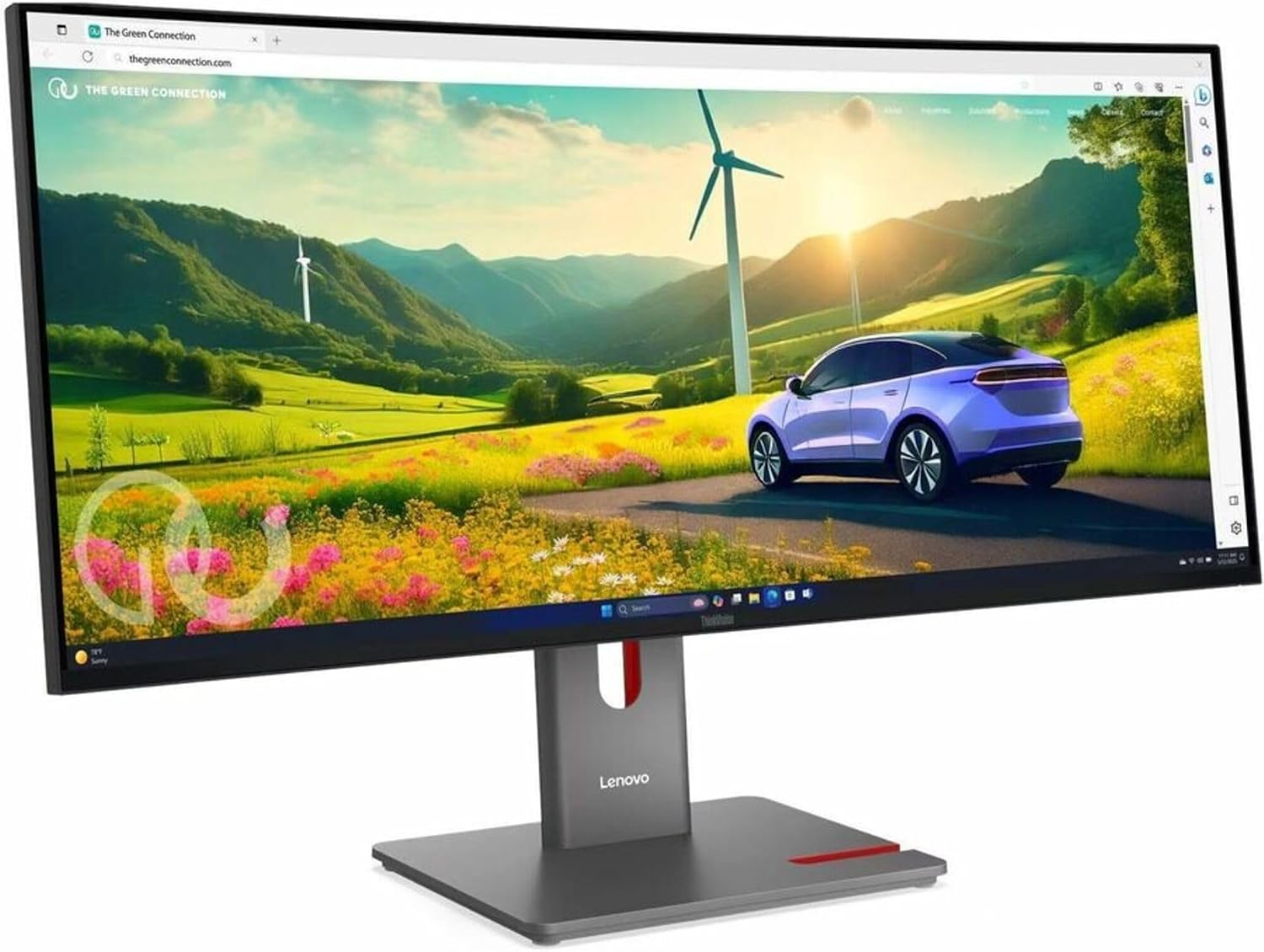
If you stare at a computer monitor all day, the screen in front of you is probably working against your eyes. That was my situation before I spent time with the Lenovo ThinkVision P34WD-40, a 34-inch curved ultrawide in an understated Eclipse Black finish from Lenovo’s professional ThinkVision line.
This is a 21:9 monitor with a 3440 x 1440 (UWQHD) resolution, an IPS Black panel, and a 120Hz refresh rate. It connects over USB-C, HDMI, or DisplayPort, and it leans hard into one idea most ultrawides ignore: keeping your eyes comfortable through a full workday.
I came to it as someone with real eye strain from years at a desk, so I paid close attention to how it actually felt to use. Here is what stood out after hands-on time with the Lenovo ThinkVision P34WD-40 34-inch ultrawide, and who should think twice before buying.
What I Liked
The 3440 x 1440 Ultrawide Real Estate
The headline here is space. The panel runs at 3440 x 1440 pixels, which is the same height as a QHD monitor but roughly 30% wider, and that extra width changes how you work.
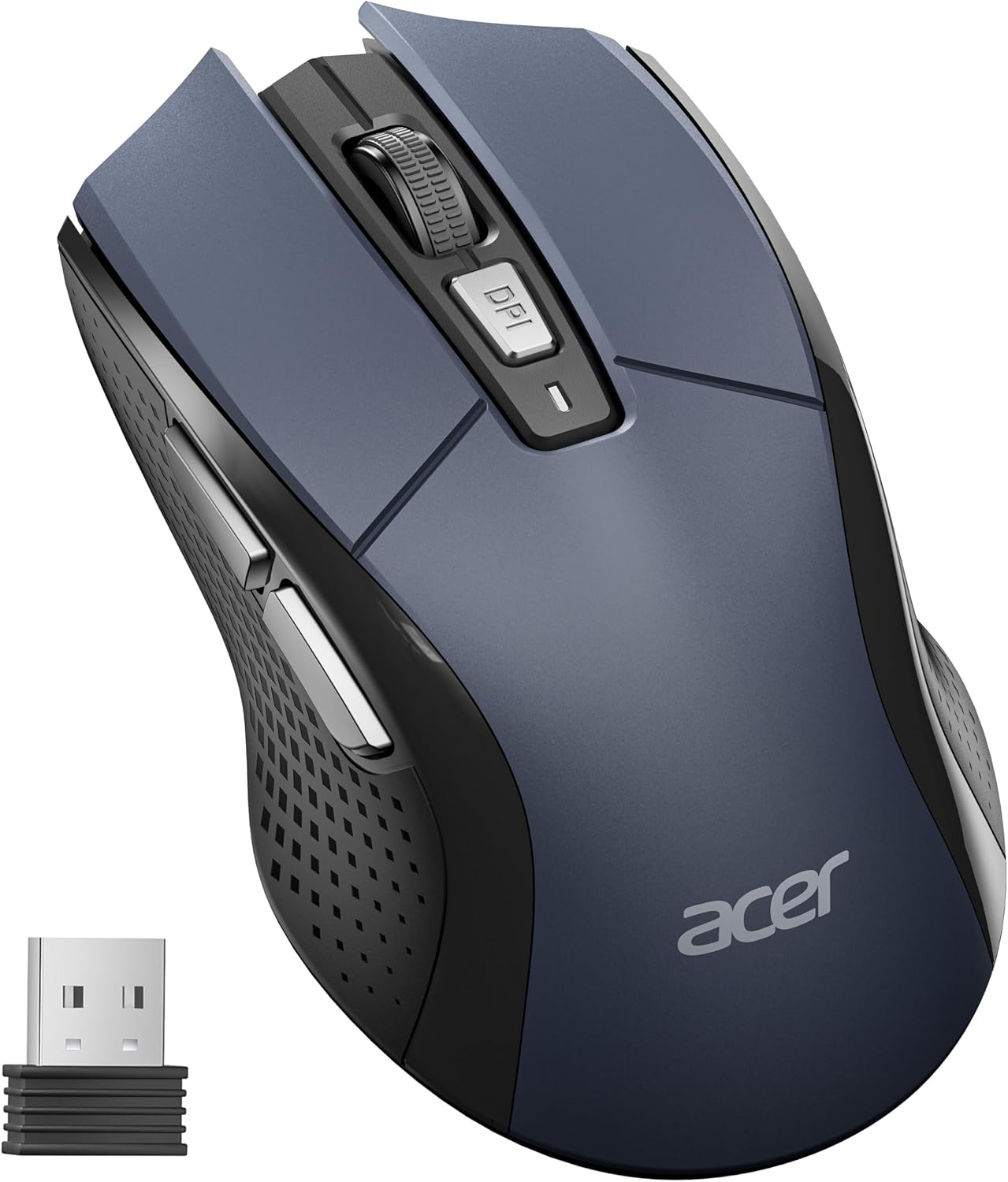
I can keep two or even three full-size windows side by side with no bezel down the middle and nothing shrunk to fit. For timelines, spreadsheets, and computer multitasking across several apps, this ultra wide layout is where an ultrawide earns its keep. My workflow simply felt more organized because everything stayed in one place. A spacious layout like this pairs well with a full-size board such as the Keychron K10 mechanical keyboard, whose dedicated numpad keeps data entry quick when you have that many windows open at once. If a laptop is one of the machines feeding all those windows, the Nulaxy Telescopic 360 Rotating Laptop Stand raises its screen to the same eye level as the ultrawide so neither one has you hunching.
IPS Black Panel and Image Quality
This is where the ThinkVision P34WD-40 separates itself from cheaper ultrawides. It uses an IPS Black panel, a newer generation of in-plane switching technology that delivers deeper blacks and a stronger 2,000:1 contrast ratio than standard IPS, while keeping the accurate colors and wide viewing angles IPS is known for.
You get 1.07 billion colors, 98% DCI-P3 color gamut coverage, sRGB support, and 350 nits from the WLED backlight, plus HDR10 certification. In practice, photos and video look the way they are supposed to, which matters if you do any photo editing or design work where image quality counts. It is a genuinely professional-grade LED monitor rather than an LCD panel dressed up with marketing.
120Hz Refresh Rate and Smooth VRR
Most professional displays are still stuck at 60Hz, so the 120Hz refresh rate here feels like an upgrade the moment you move the mouse. Scrolling a document and dragging windows around are noticeably smoother, and the panel runs at 120 Hz with a 4ms response time.
It also supports variable refresh rate that runs from 24 to 120Hz, and it is FreeSync and Nvidia G-Sync compatible. That VRR range is why 24Hz matters: the monitor can drop its refresh rate to match slower content instead of forcing a fixed cadence. If you want to game after work, the display syncs to your graphics card to cut screen tearing.
USB-C Docking and the Built-In KVM Switch
Around the back you get USB-C, HDMI, DisplayPort, an RJ45 Ethernet port, and a USB hub, and the USB-C connection is the one I would point a laptop owner toward. Because it is a standard USB-C display, it drives Windows, macOS, and Linux machines without any special drivers. A single cable carries video and data over USB 3.2 Gen 1 (formerly USB 3.0) while delivering up to 140W USB-C Power Delivery, so one cord lights up your whole desk and charges a ThinkPad or any modern laptop at the same time. If that single Ethernet port ever has to feed two wired devices at once, the LIEZHUA Gigabit Ethernet Splitter 1 to 2 turns one drop into two live gigabit connections without running new cable.
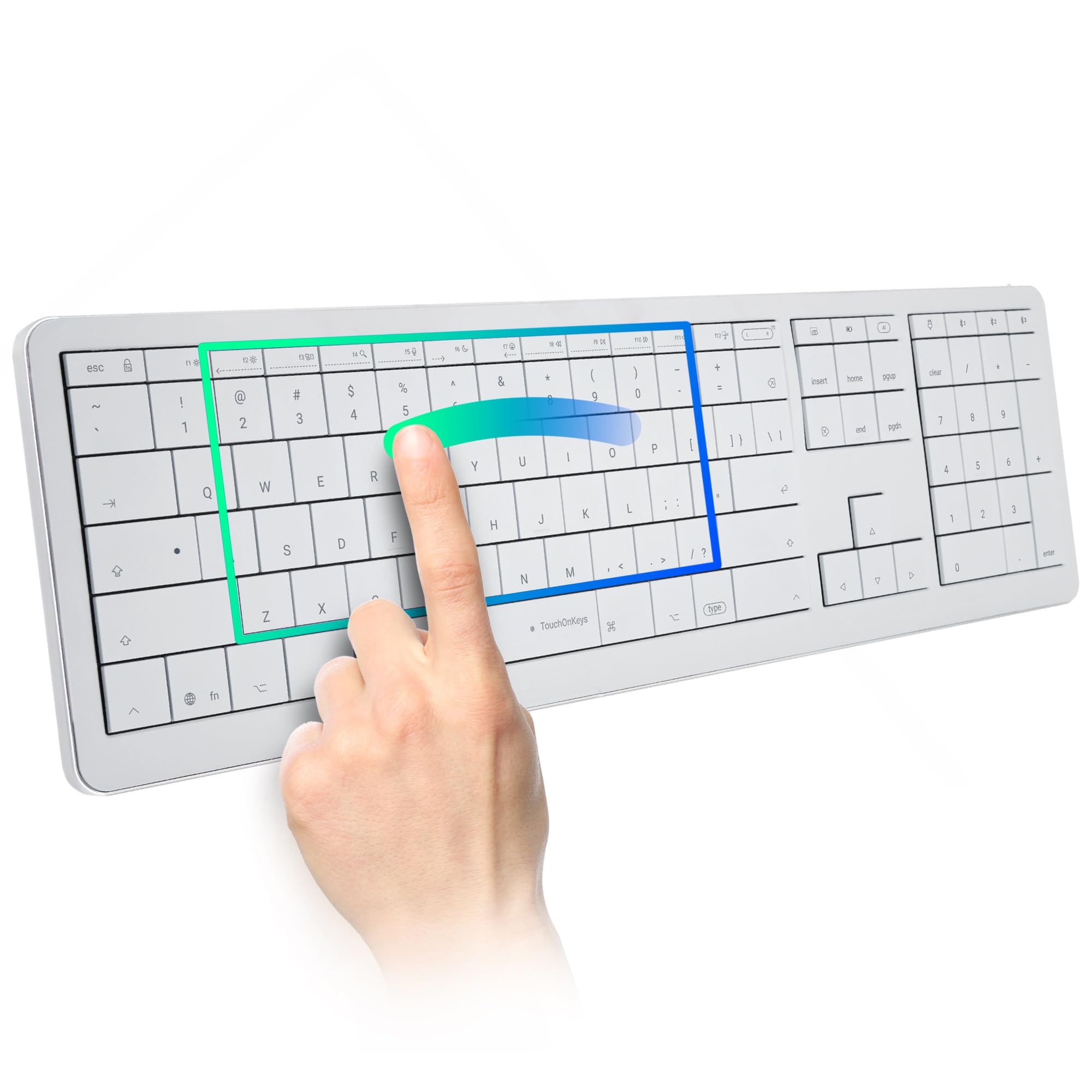
The built-in KVM switch is the feature I did not expect to love. It lets you connect two computers to this one monitor and control both with a single keyboard and mouse, so a work laptop and a personal computer can share one clean setup. That is the kind of switch box you normally buy separately, and here it is baked in. If you want to trim your desk even further, a keyboard like the Clevetura CLVX 1 Mac keyboard folds trackpad gestures into the keys so one surface handles both typing and cursor control.
Eye-Comfort Features That Actually Work
Lenovo built this monitor around eye health and has the certification to back it up: it is TÜV Rheinland Eye Comfort five-star certified and Eyesafe certified. It cuts harmful blue light at the hardware level in the backlight itself, so you get low blue light all the time without the yellow tint that software night modes add, and it is completely flicker-free.
The detail I appreciated most is a small sensor on top that reads your room’s lighting and auto-adjusts brightness to match it. A screen that is far brighter than the room is a common cause of eye strain, and this quietly fixes it all day. Add the matte anti-glare coating and the gentle curve, and my headaches and eye fatigue genuinely eased after switching to it.
What Needs Improvement
Premium Pricing for an IPS Panel
This sits at the higher end of the ultrawide price range, around $610 at the time of writing, and you feel it. Trusted Reviews scored it 4 out of 5 but still flagged it as “quite expensive for an IPS screen.”
If pure contrast is your priority, an OLED ultrawide in the same bracket delivers darker blacks. You are paying here for the connectivity, the eye-comfort engineering, and the panel’s brightness stability, not for the deepest image on the market.
Weak Out-of-the-Box Calibration
The panel is capable, but the stock picture settings are not doing it any favors. Reddit owners were blunt about this, with one calling the weak stock settings “a lenovo monitor tradition.”
Colors looked flat until I moved off the default preset, and most people will want to spend a few minutes dialing in the picture. It is an easy fix, but it should not be necessary on a monitor at this price.
Not a True Gaming Monitor
The 120Hz refresh rate and VRR mean it holds its own for casual gaming after work, and that surprised me in a good way. But this is not marketed as a gaming monitor, and it should not be your pick if that is the main job.
The gentle 3800R curve is tuned for comfort rather than immersion, and dedicated gaming monitors push higher refresh rates and faster pixel response. One Reddit owner summed it up: great for work, but “if you want a gaming beast, go buy” something else.
It Takes Over Your Desk
This is a big monitor, and it will claim noticeably more desk space than a standard 24 or 27-inch monitor. Make sure your desk can actually handle a 34-inch ultrawide before you commit.
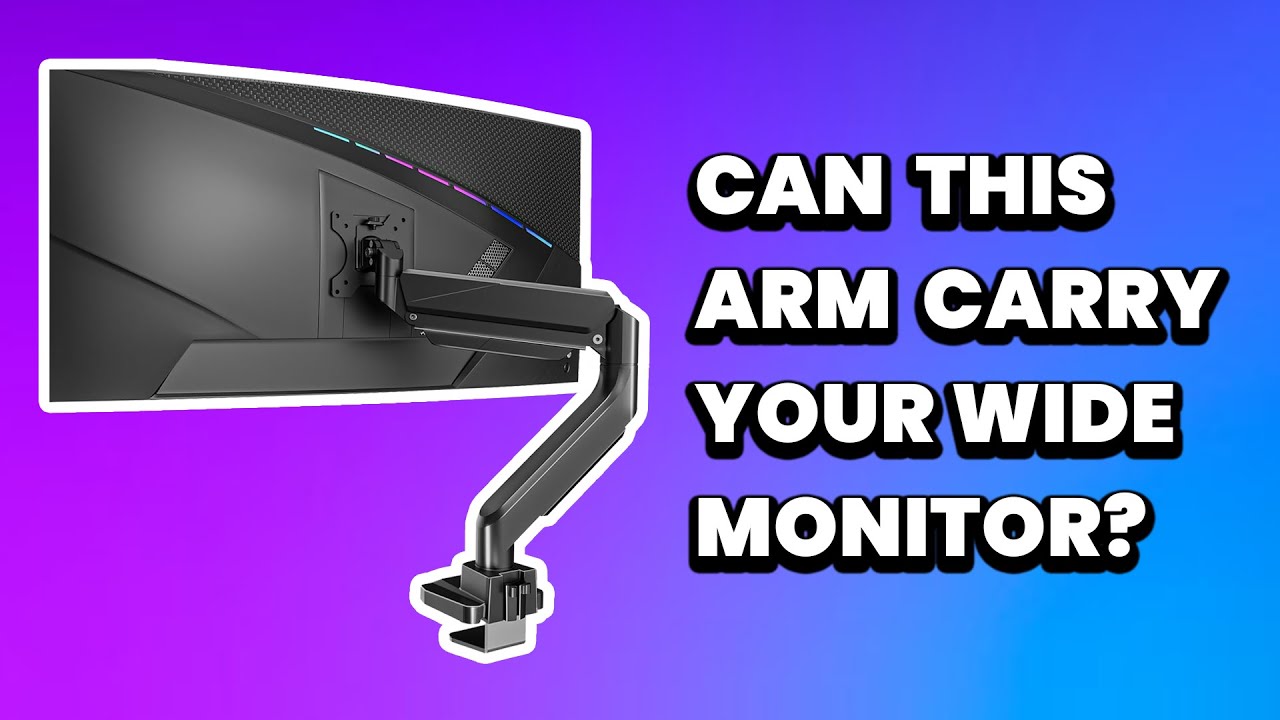
The included stand adjusts for height, tilt, and swivel, which helps, but I would still put it on a VESA-compatible monitor arm to reclaim space and set the exact position. Factor that into the budget if your desk is tight.
How It Compares
Against the Dell UltraSharp U3425WE
The Dell UltraSharp U3425WE is the obvious rival: another 34-inch 120Hz IPS ultrawide aimed at the same desk. It has a tighter 1900R curve and adds Thunderbolt, so it is the more immersive and slightly more capable dock.
The catch is price. As one Reddit buyer put it, the Dell’s curve is “about twice as tight,” but the ThinkVision came in at “half of” the cost, which made it the easier call for a business monitor. If Thunderbolt and a deeper curve matter more than value, the Dell earns its premium; otherwise the P34WD-40 covers the same productivity ground for less. That same value mindset carries to mounting it, where the WALI Ultrawide Monitor Arm supports a display this heavy without the premium price of a name-brand arm.
Against an OLED Ultrawide
If contrast is what you chase, an OLED ultrawide like the Philips Evnia 34M2C8600 sits in a similar price range with far deeper blacks. For dark-room movie nights and games, OLED simply looks richer.
But OLED trades away the all-day brightness stability and the eye-comfort certifications that make the ThinkVision easy on the eyes across a full workday. For a personal computer that doubles as an office workhorse, I would still take the IPS Black panel and the auto-brightness sensor here.
Against Its Own Predecessor
Compared to the older ThinkVision P34w-20, this generation is a real step up for anyone who values smoothness. The previous model topped out at 60Hz, while the P34WD-40 doubles that to 120Hz and adds the wider VRR range.
You also get the beefier 140W PD and the same integrated KVM switch, so it stays a strong fit for a home office running two machines. Lenovo even supports fleet rollouts through its Lenovo Display Fleet Manager software, which is a nice touch if IT has to manage a room full of these ThinkVision monitors.
Final Verdict
The Lenovo ThinkVision P34WD-40 earns a 4.2 out of 5 rating. It is not the cheapest ultrawide or the most immersive one for gaming, but it is one of the most thoughtfully engineered monitors I have used for long workdays.
You get a bright, accurate IPS Black panel, a smooth 120Hz refresh rate, one-cable USB-C docking with a built-in KVM switch, and eye-comfort features that made a real difference to my headaches and eye strain. The premium price and weak stock calibration are the main things holding it back, and neither is a dealbreaker once you factor in everything it replaces.
If you spend serious hours at your desk and want a single monitor that handles your work, your laptop docking, and even a second computer while treating your eyes kindly, the ThinkVision P34WD-40 monitor is an easy one to recommend.
Specifications
| adaptive_sync | FreeSync, G-Sync Compatible |
| additional_features | 1.07 Billion Colors Supported, Anti Glare Screen, Blue Light Filter, Built-In Speakers, Curved, Eye Care, Eyesafe Certified 2.0, Factory Calibration, Flicker-Free, Height Adjustment, High Dynamic Range, In-plane Switching (IPS) Black Technology Panel Technology, Keyboard Video Mouse (KVM), Low Blue Light, Picture By Picture, Picture In Picture, Smart Power, Smart Sensor, Stand, Swivel Adjustment, Tilt Adjustment, USB Hub, sRGB |
| aspect_ratio | 21:9 |
| brand | Lenovo |
| brightness | 1199.1 |
| color | Eclipse Black, Black |
| color_gamut | 98 |
| connectivity_technology | DisplayPort, Ethernet, HDMI, USB |
| contrast_ratio | 2,000:1 |
| display_resolution_maximum | 3440 x 1440 pixels |
| display_technology | In-plane Switching (IPS) Black Technology |
| display_type | LED |
| eu_spare_part_availability_duration | 3 years |
| hardware_connectivity | DisplayPort, Ethernet, HDMI, USB, USB Type C |
| included_components | 1 x DP 1.4 cable (1.8m), 1 x Power cable (1.8m), 1 x USB-B to USB-A Gen 1 cable (1.8m), 1 x USB-C® to USB-C Gen 1 cable (1.8m), Factory Calibration Report, Quick Setup Guide, ThinkVision P34WD-40 Monitor, ThinkVision® VoIP Stack MC60 Monitor Webcam |
| item_dimensions_d_x_w_x_h | 3.2"D x 32.2"W x 14.1"H |
| item_weight | 15.9 pounds |
| manufacturer | Lenovo Group Limited |
| model_name | ThinkVision |
| model_number | P34WD-40 |
| mounting_type | 100 x 100 |
| native_resolution | 3440x1440 |
| number_of_component_outputs | 2 |
| picture_quality_enhancement_technology | Eyesafe® Display 2.0, Low Blue Light, Eye Comfort, Flicker-Free, sRGB, High Dynamic Range |
| pixel_pitch | 0.23 |
| power_consumption | 28 watts |
| refresh_rate | 120 hertz |
| resolution | QHD Ultra Wide 1440p |
| response_time | 4 milliseconds |
| screen_finish | Anti-glare |
| screen_size | 34 inches |
| shape | Curved |
| specific_uses_for_product | Desktop |
| total_number_of_hdmi_ports | 1 |
| total_usb_ports | 1 |
| unit_count | 1 Count |
| upc | 199271246610 |
| viewing_angle | 178 degrees |
| warranty_description | 3 year Manufacturer |
| warranty_type | Manufacturer |
Frequently Asked Questions
Is the Lenovo ThinkVision P34WD-40 a good monitor?
Yes, especially for work. It pairs a color-accurate IPS Black panel and a 120Hz refresh rate with USB-C docking, a built-in KVM switch, and strong eye-comfort certifications, which is why Trusted Reviews scored it 4 out of 5. Casual gaming is a bonus rather than its main strength.
Did you use HDMI or DisplayPort to get 120Hz on the ThinkVision P34WD-40?
You can hit the full 120Hz over DisplayPort or the USB-C connection, and HDMI works too. USB-C is the one I recommend for a laptop, since a single cable carries video and data while delivering up to 140W of power.
Why would you want 24Hz on the ThinkVision P34WD-40?
The 24Hz figure is the bottom of the variable refresh rate range, not a setting you pick manually. Because the panel supports VRR from 24 to 120Hz, it can drop its refresh rate to match slower content and then ramp back up, which keeps motion clean and cuts screen tearing.
Do you need 120Hz on the ThinkVision P34WD-40 for spreadsheets?
You do not need it, but you will notice it. Even scrolling a spreadsheet or dragging windows looks smoother at 120Hz than at the 60Hz most office monitors use, and that reduced motion blur is easier on the eyes over a long day.
Is the Lenovo ThinkVision P34WD-40 better than a Samsung monitor?
It depends on the model, but the ThinkVision's strengths are its built-in KVM switch, 140W USB-C docking, and eye-comfort certifications, which many Samsung ultrawides skip. Samsung tends to lead on curved gaming panels and OLED contrast, so choose Samsung for gaming and the P34WD-40 for all-day productivity.
What is the price of the Lenovo ThinkVision P34WD-40?
At the time of writing it sells for around $610, which puts it at the higher end of the 34-inch ultrawide market. That price buys the connectivity, the IPS Black image quality, and the eye-comfort engineering rather than the deepest blacks available.
Ready to Buy?
Lenovo ThinkVision P34WD-40 delivers on its promises. If it fits your needs, it's a solid choice you won't regret.
Check Price on Amazon Founder & Product Reviewer at TheReviewRewind
Daniel has tested 400+ products across 20+ categories through hands-on, real-world testing. Every review includes video documentation and standardized scoring criteria. His reviews appear as Amazon shoppable videos and here on TheReviewRewind.
We earn a commission if you make a purchase, at no extra cost to you. This does not influence our ratings or recommendations. Full disclosure
Looking for more options? See all our Computers reviews.
Related Reviews