Clevetura CLVX 1 Mac Keyboard Review: A Touchpad Built Into Every Key


Clevetura CLVX 1 Mac Keyboard Review: A Touchpad Built Into Every Key
Clevetura CLVX 1 Mac Keyboard
Buy if you want one peripheral for typing and trackpad gestures at your Mac desk. Skip if you rely on a precision mouse for creative work or prefer mechanical key feel.
Buy on AmazonWhat We Liked
- TouchOnKeys Technology That Delivers
- Adaptive Intelligence Prevents Accidental Input
- Customizable Touch Sliders and RGB Backlight
- Instant Multi-Device Bluetooth Switching
- Sturdy Aluminum Chassis in a Slim Profile
What Could Be Better
- macOS Touchpad Functionality Requires Extra Setup
- Battery Life Drops With RGB Enabled
- Keycaps Show Fingerprints Quickly
How we test: Every product is used in real conditions and evaluated using our standardized scoring criteria. Read our full review methodology.
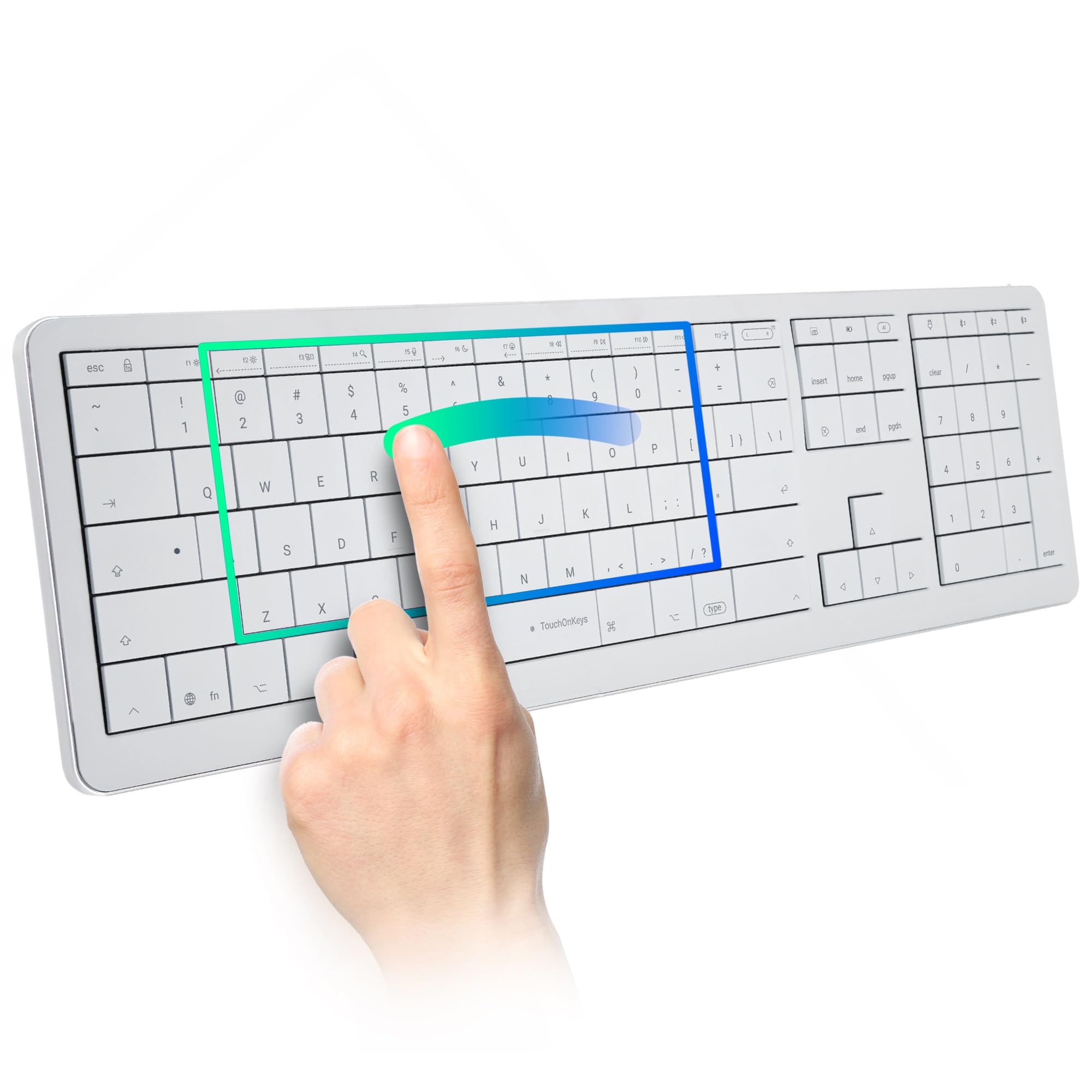
What if your keyboard could replace your trackpad entirely? The Clevetura CLVX 1 for Mac is a full-size wireless keyboard that doubles as a touchpad — not by bolting a trackpad onto the side, but by turning every key into part of the gesture surface.
This keyboard and touchpad hybrid uses proprietary TouchOnKeys technology with a capacitive layer beneath its scissor switches. At $249 as of April 2026, it goes head-to-head with a Magic Keyboard and trackpad combo while taking up half the desk space.
I spent two weeks using the CLVX 1 keyboard as my only input device on a Mac setup. The integrated touchpad worked better than expected, but the typing experience and Mac-specific quirks paint a more complicated picture.
For anyone tired of reaching between keyboard and mouse all day, this Clevetura CLVX 1 review breaks down whether the tradeoffs are worth it — and who should consider a more conventional setup instead.
What I Liked About the Clevetura CLVX 1
TouchOnKeys Technology That Delivers
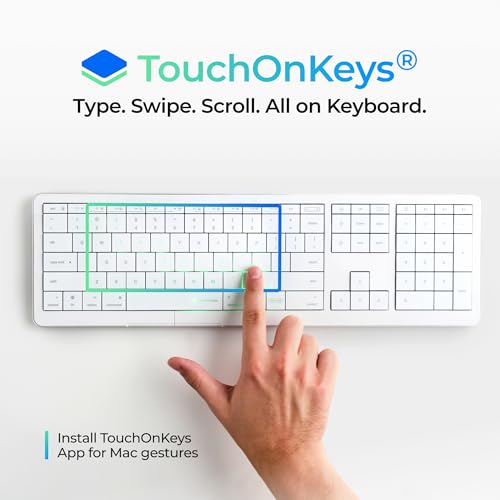
The core pitch of the CLVX 1 is a keyboard that has a built-in touchpad, and it genuinely works. A capacitive touch layer sits beneath every keycap in the alphanumeric cluster, detecting finger gestures while a separate mechanism registers key presses. Tom’s Hardware called it “the rare keyboard that demonstrates true innovation.”
Cursor movement, two-finger scrolling, pinch-to-zoom, and tap-to-click all function across the key surface. After a day of use, accidental activations were virtually nonexistent — the CLVX 1 keyboard swapped between touch and typing modes without mistakes during testing.
Adaptive Intelligence Prevents Accidental Input
The adaptive intelligence system uses machine learning to study your typing patterns and adjust touch sensitivity in real time. It recognizes each hand separately, so you can rest one palm on the keys while gesturing with the other — no accidental cursor jumps.
An optional training phase in the TouchOnKeys app lets the keyboard build a profile of your specific habits. After training, the gestures AI keyboard filtered out stray inputs more reliably than the default settings.
Customizable Touch Sliders and RGB Backlight
The function row doubles as programmable touch sliders that control volume, brightness, zoom, and editing parameters. Presets ship ready for Photoshop, Premiere, Illustrator, Figma, Chrome, and Safari — each mapping slider directions to common shortcut actions.
Per-key RGB backlight covers 16.5 million colors and responds to touch gestures with reactive lighting trails. You can assign different colors to the typing zone, the trackpad area, and each side of the function row through the TouchOnKeys app.
Instant Multi-Device Bluetooth Switching
Three Bluetooth channels and one USB-C wired connection let you pair up to four devices simultaneously. Switching between a Mac, iPad, Apple TV, or Vision Pro takes a single key tap — no unpairing, no re-pairing.
The wireless keyboard maintained a stable connection throughout testing at typical desk distances. Bluetooth 5.1 kept latency low enough for everyday work, though USB-C wired mode is the safer choice for latency-sensitive tasks.
Sturdy Aluminum Chassis in a Slim Profile
At 0.49 inches thick, the CLVX 1 nearly matches the Apple Magic Keyboard’s 0.43-inch profile. The aluminum chassis resists flexing and feels substantial on a desk despite weighing just 1.41 pounds.
The full-size layout packs 110 keys with low-profile scissor switches rated at 60 grams of actuation force. The flat keycaps use a zero-lattice design — no gaps between keys — which is exactly what makes the touchpad functionality possible on this laptop keyboard form factor.
What Needs Improvement
macOS Touchpad Functionality Requires Extra Setup
The CLVX 1 for Mac won’t deliver its full touchpad functionality out of the box. macOS doesn’t natively recognize the keyboard’s cursor control as a trackpad input, so without the TouchOnKeys app installed, the cursor moves painfully slowly and Mac trackpad gestures are completely unsupported.
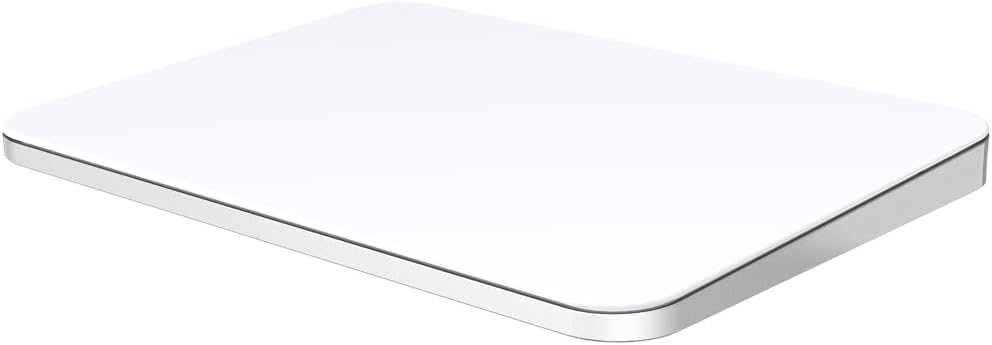
Once the app is running on macOS 14 or later with firmware 5.3.0+, gesture support improves significantly. But this adds a software dependency that the Windows version doesn’t require — a frustrating extra step for a keyboard marketed specifically at Mac users. If you’d rather keep gestures on a dedicated surface that needs no companion app, the POLARMETA Wireless Trackpad works natively on both macOS and Windows the moment its dongle is plugged in. For the rest of that consolidated Mac desk, the Lenovo ThinkVision P34WD-40 runs a single USB-C cable that drives the display, charges the laptop, and shares one keyboard between two computers through its built-in KVM.
Battery Life Drops With RGB Enabled
Clevetura rates the 1,900 mAh battery at up to 80 hours with the backlight off. Turn on the RGB, and that number drops to roughly 8–15 hours depending on brightness — enough for a workday, but you’ll be charging weekly instead of monthly.
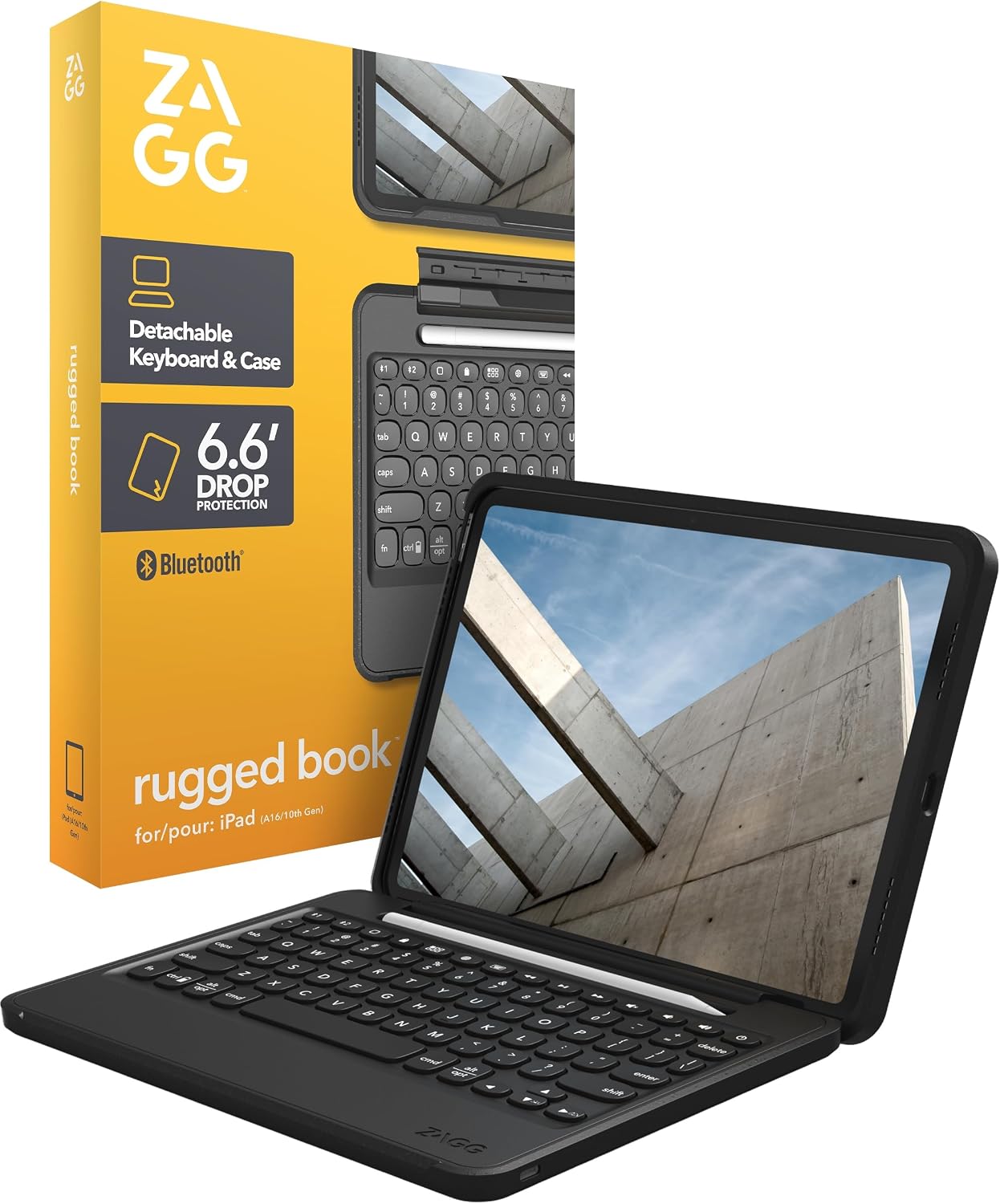
USB-C charging helps offset the drain, and a battery-saving mode dims the backlight automatically. Still, anyone who wants the reactive lighting experience should plan on keeping a cable nearby. If long stretches between charges matter more to you than backlighting effects, the ZAGG Rugged Book iPad Case runs roughly three months per charge even with its seven-color keyboard backlight. For couch-side control rather than desk work, the Burhoo K808 Mini Wireless Keyboard with Touchpad pairs its own seven-color backlight with USB-C charging and an auto sleep function that stretches standby into weeks.
Keycaps Show Fingerprints Quickly
The ABS plastic keycaps capture skin oils after a week or two of regular use, leaving visible fingerprint outlines on the most-used keys. The white Mac version hides this better than the black Windows variant, but it remains a cosmetic nuisance.
Combined with the flat, low profile key design, the oily surface can also make the keys feel slightly slick during extended typing sessions. A microfiber cloth and periodic wiping become part of the ownership routine.
How the CLVX 1 Keyboard Compares
Apple Magic Keyboard
The most obvious comparison for Mac users is Apple’s own Magic Keyboard, which starts around $100 for the full-size version. It’s 0.06 inches thinner than the CLVX 1 and delivers the typing experience Apple users already know — but it has zero trackpad integration. Pair it with a Magic Trackpad ($149) and you’re spending $249 total for two separate peripherals that occupy significantly more desk space than the CLVX 1 alone.
The Clevetura CLVX 1 keyboard wins on consolidation and customization. The Magic Keyboard wins on native macOS integration and a more refined scissor-switch feel. If desk space isn’t a constraint and you prefer Apple’s ecosystem, the Magic combo still makes sense.
Logitech MX Keys
Logitech’s MX Keys targets the same productivity audience at a similar price point. It offers deeper key travel, a concave key design for comfortable typing, and excellent Logi Options+ software — but like the Magic Keyboard, it requires a separate mouse. Pair it with an MX Master 3S and the combined cost exceeds the CLVX 1.
The MX Keys wins on pure typing experience and software maturity. The CLVX 1 wins if eliminating the mouse from your desk is a priority. Both support multi-device switching across Bluetooth channels, though the Clevetura adds USB-C as a fourth connection option. For users who split time between a regular keyboard and a mechanical keyboard, the MX Keys is the safer choice; for those ready to try an integrated touchpad workflow, the CLVX 1 offers something neither Logitech nor Apple has matched.
Final Verdict
The Clevetura CLVX 1 delivers on its central promise: a keyboard that doubles as a trackpad without feeling like a gimmick. The touch gestures work, the build quality is solid, and adaptive intelligence keeps accidental inputs in check.
I’m giving it a 3.9 out of 5. The macOS software dependency, fingerprint-prone keycaps, and steep battery life drop with RGB prevent it from scoring higher. These are solvable problems in a future revision, but they affect the daily experience right now.
Bottom line: the Clevetura CLVX 1 keyboard review comes down to whether you value desk consolidation over a polished typing experience. At $249, it’s a genuinely innovative wireless keyboard for Mac users willing to trade some refinement for a workflow that keeps both hands on one device.
Specifications
| Compatible Devices | Apple TV, Mac, Vision Pro, iPad |
| Connectivity Technology | Bluetooth, USB-C |
| Number of Keys | 110 |
| Keyboard Backlighting Color Support | RGB |
| Power Source | Battery Powered |
| Switch Type | Scissors mechanical switches |
| Keyboard Layout | QWERTY |
| Hand Orientation | Ambidextrous |
| Button Quantity | 110 |
| Water Resistance Level | Not Water Resistant |
| Total USB 2.0 Ports | 1 |
| Color | Mac layout, White |
| Style Name | Full-size Mac |
| Theme | Minimalism |
Frequently Asked Questions
What do Clevetura CLVX 1 Mac keyboard reviews say about the typing experience?
Most reviews describe the typing experience as comparable to a good laptop keyboard. The low-profile scissor switches have a 60-gram actuation force and 1.2mm of travel. Tom's Hardware called the typing 'average' compared to mechanical options, while XDA Developers rated it one of the best scissor-switch keyboards they've tested.
Do Clevetura CLVX 1 Mac keyboard reviews mention common complaints?
The most frequent complaints involve macOS requiring the TouchOnKeys app for full gesture support, ABS keycaps that show fingerprints within weeks, and battery life dropping from 80 hours to roughly 8-15 hours when RGB backlighting is enabled. Some users also report a learning curve when transitioning from a standard keyboard layout.
Is the Clevetura CLVX 1 Mac keyboard compatible with iPad and Vision Pro?
Yes. The CLVX 1 for Mac connects via Bluetooth to iPad, Apple TV, and Vision Pro in addition to Mac. It supports three Bluetooth channels and one USB-C wired connection, letting you switch between four devices with a single key press.
How does the Clevetura CLVX 1 touchpad compare to a regular Mac trackpad?
The CLVX 1's touchpad functionality supports standard Mac trackpad gestures including two-finger scroll, pinch-to-zoom, and multi-finger swipe — but only after installing the TouchOnKeys app on macOS 14 or later. The touch surface covers the alphanumeric key cluster, giving you a larger area than most standalone trackpads. Precision is adequate for everyday navigation but not a replacement for a dedicated mouse in pixel-level work.
Should you buy the Clevetura CLVX 1 Mac keyboard based on reviews?
Reviews recommend it for Mac users who prioritize desk space and workflow consolidation over pure typing quality. At $249, it matches the cost of an Apple Magic Keyboard plus Magic Trackpad while occupying half the space. It's best for productivity-focused users comfortable with low-profile keys and willing to install the companion app.
Where can you find Clevetura CLVX 1 Mac keyboard reviews with video demonstrations?
Hands-on video reviews are available on YouTube from channels including The Review Rewind, which demonstrates the TouchOnKeys gesture controls, multi-device switching, and RGB customization in real-world use. Tom's Hardware, XDA Developers, and GamesRadar have also published detailed written reviews with photos and testing results.
Ready to Buy?
Clevetura CLVX 1 Mac Keyboard delivers on its promises. If it fits your needs, it's a solid choice you won't regret.
Check Price on Amazon Founder & Product Reviewer at TheReviewRewind
Daniel has tested 400+ products across 20+ categories through hands-on, real-world testing. Every review includes video documentation and standardized scoring criteria. His reviews appear as Amazon shoppable videos and here on TheReviewRewind.
We earn a commission if you make a purchase, at no extra cost to you. This does not influence our ratings or recommendations. Full disclosure
Looking for more options? See all our Computers reviews.
Related Reviews