Keychron K10 Full Size Mechanical Keyboard Review: Premium Features at a Fair Price


Keychron K10 Full Size Mechanical Keyboard Review: Premium Features at a Fair Price
Keychron K10 Full Size Mechanical Keyboard
Buy if you want a full-size wireless mechanical keyboard with hot-swappable switches and Mac/Windows compatibility. Skip if you need ultra-low latency for competitive gaming or dedicated software customization.
Buy on AmazonWhat We Liked
- Typing Experience
- Build Quality
- Wireless Connectivity
- Hot-Swappable Customization
- Mac and Windows Support
What Could Be Better
- Gaming Performance
- Software Limitations
- Keycap Quality
How we test: Every product is used in real conditions and evaluated using our standardized scoring criteria. Read our full review methodology.
Looking for a full-size wireless mechanical keyboard that doesn’t compromise on features? The Keychron K10 has been getting attention for packing everything into one board: Bluetooth connectivity, hot-swappable switches, and Mac/Windows compatibility.
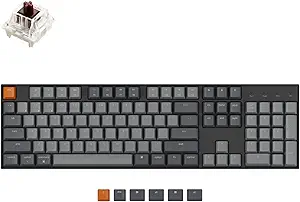
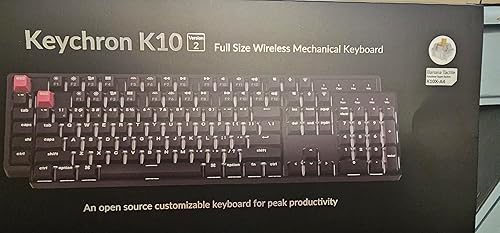
The Keychron K10 is a 104-key mechanical keyboard featuring Bluetooth 5.1 wireless, a 4000mAh battery, and an aluminum frame. What makes it stand out is the combination of full-size layout with wireless functionality and hot-swap capability—features that are rarely found together in one keyboard.
I’ve been typing on this keyboard for my daily workflow, testing it across video editing, coding, and general office work. It’s connected to both my Mac and Windows machines, switching between them as needed.
The verdict? It’s earned a spot on my desk as a capable daily driver. But there are some trade-offs you should know about before making the purchase.
What I Liked
Typing Experience
The Keychron K10 delivers a satisfying typing experience right out of the box. The Gateron switches (available in Brown, Red, or Blue) provide smooth actuation without excessive noise. I found the brown switches strike a good balance for both typing and occasional gaming.
The keyboard uses OEM profile keycaps that feel comfortable during extended typing sessions. Key stability is solid across the board, with minimal wobble even on the larger keys like the spacebar and enter.
Build Quality
The aluminum frame gives the K10 a premium feel that belies its mid-range price. It adds heft and rigidity that you can feel immediately when picking it up. The keyboard doesn’t flex or creak during normal use.
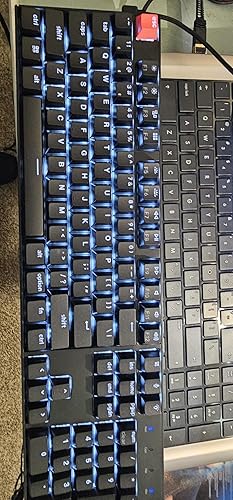
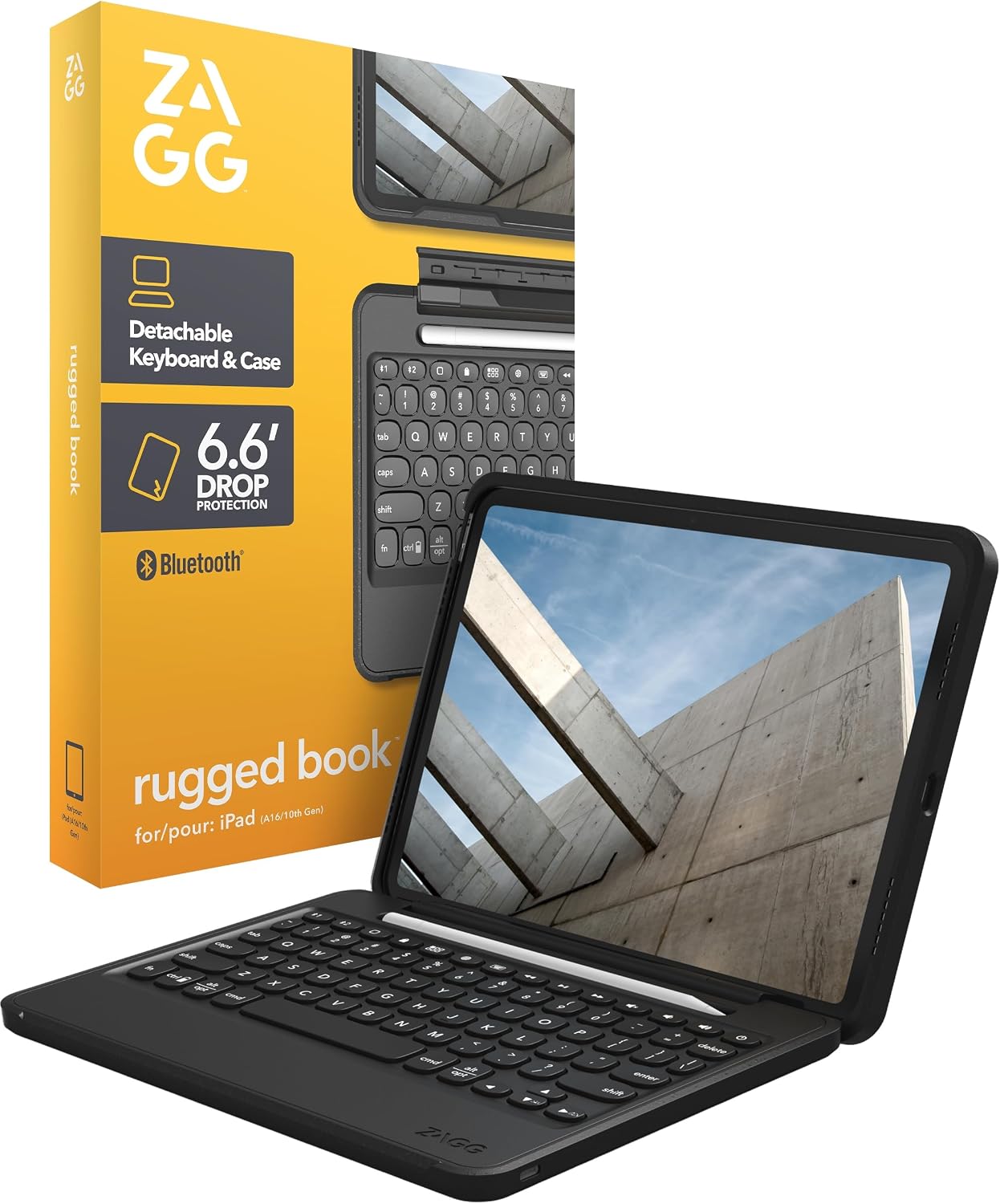
Two-level adjustable feet let you find a comfortable typing angle. The rubber feet keep the keyboard firmly planted on your desk, even during intense typing sessions. If you want that same solid feel in a tablet setup built for rough conditions, the ZAGG Rugged Book iPad Case wraps a detachable keyboard in military-grade drop protection rated to 6.6 feet.
Wireless Connectivity
The Bluetooth 5.1 connection handles up to three devices with easy switching between them. This is invaluable if you work across multiple computers. Switching from my Mac to Windows PC takes just a quick key combination.
The 4000mAh battery delivers up to 240 hours of use with the backlight off. In my testing with moderate backlight use, I charge it roughly once every two weeks. USB-C wired mode is available when you need zero latency or want to top off the battery. For a budget alternative with similar tri-mode wireless and gasket mounting, the Redragon Flekact Pro K708 packs an LCD screen and five Bluetooth pairings into a $60 package. To round out a wireless desk setup, the Transformers Vertical Ergonomic Mouse offers Bluetooth switching across three devices with a vertical design built for wrist comfort.
Hot-Swappable Customization
The hot-swap sockets accept both 3-pin and 5-pin switches without soldering. This opens up a world of customization options if you want to experiment with different switches later.
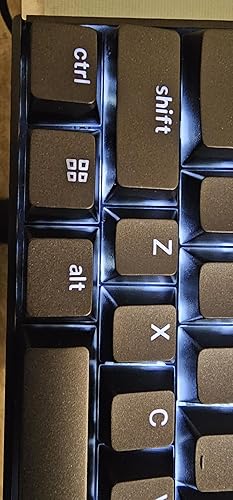
I swapped in some Akko Jelly Black switches and the process took about 30 minutes. The included switch puller and keycap puller make the job straightforward. If you want an even deeper thock from a gasket mount design, the YUNZII B87 Wireless Mechanical Keyboard delivers premium sound at a similar price with its 5-layer dampening structure. For the two-computer desk this board is built for, the Lenovo ThinkVision P34WD-40 shares a single keyboard and mouse across both machines through its built-in KVM switch.
Mac and Windows Support
The dedicated Mac/Windows toggle switch on the side means no software configuration needed. Both operating systems get proper key layouts, and Keychron includes extra keycaps for both platforms in the box.
What Needs Improvement
Gaming Performance
The K10’s latency is higher than dedicated gaming keyboards. RTINGS noted it’s “a bit too high for competitive gaming” in their testing. For casual gaming, you won’t notice, but competitive players should look elsewhere.
The Bluetooth mode adds additional latency compared to wired. If gaming matters, use the USB-C cable connection for the best response times.
Software Limitations
The standard K10 lacks dedicated customization software. You can’t create macros or customize the RGB backlighting beyond the preset patterns. The keyboard does support third-party tools, but it’s not the same as native software.
If you need macro programming or deep customization, consider the K10 Pro version which adds QMK/VIA support.
Keycap Quality
The stock ABS keycaps tend to develop shine over time. Users report they become slippery as oil builds up from regular use. PBT keycaps would have been a welcome upgrade at this price point.
The good news: hot-swap capability means replacing keycaps is straightforward. Many K10 owners upgrade to aftermarket PBT keycap sets within a few months.
How It Compares
Keychron K10 vs Keychron K8
The K8 is a tenkeyless (TKL) version with 87 keys, while the K10 offers the full 104-key layout with numpad. Both share similar build quality and features. Choose the K10 if you use the number pad frequently for data entry or accounting work.
Keychron K10 vs Ducky One 3
The Ducky One 3 offers lower latency that’s better suited for competitive gaming. However, it’s wired-only with no Bluetooth option. The K10 wins on versatility and multi-device connectivity, while the Ducky wins on raw gaming performance.
Keychron K10 vs Keychron Q5 Max
The Q5 Max represents Keychron’s premium tier with a double-gasket mount design for a softer, bouncier typing feel. It also has a more substantial aluminum case. If budget allows, the Q5 Max delivers a noticeably more refined typing experience, but costs significantly more.
Final Verdict
The Keychron K10 delivers where it counts for most users: solid build quality, reliable wireless connectivity, and the flexibility to customize switches down the road. Finding a full-size mechanical keyboard with Bluetooth and hot-swap capability at this price point isn’t easy.
It’s not perfect. Competitive gamers should look at wired alternatives, and power users wanting macros will need to step up to the Pro version. But for everyday typing, office work, and casual gaming, the K10 handles the job well.
At its price point, the Keychron K10 represents strong value for anyone wanting to upgrade from a standard membrane keyboard to mechanical without compromising on features.
Specifications
| Product Dimensions | 1.85 x 0.71 x 0.09 inches |
| Item Weight | 1.1 pounds |
| Manufacturer | Keychron |
| Language | English |
| ASIN | B08MKSNYJD |
| Item model number | K10-A3 |
| Batteries | 1 Lithium Polymer batteries required. (included) |
| Customer Reviews | 4.4 4.4 out of 5 stars (551) |
| Best Sellers Rank | #26 in Mac Gaming Keyboards |
| Date First Available | January 21, 2022 |
Frequently Asked Questions
Does the Keychron K10 support screw-in stabilizers?
The standard K10 uses plate-mounted stabilizers. The K10 Pro version uses screw-in PCB stabilizers for improved stability on larger keys. If stabilizer quality matters to you, consider the Pro version or plan to mod the standard version.
Why choose a full-size keyboard over TKL?
Full-size keyboards include a dedicated number pad, which is valuable for data entry, spreadsheet work, or any task requiring frequent number input. The trade-off is desk space—full-size boards take up significantly more room than tenkeyless alternatives.
What switches come with the Keychron K10?
The K10 is available with Gateron G Pro switches in three options Brown (tactile), Red (linear), or Blue (clicky). Some versions ship with Keychron Super switches, which offer similar characteristics with a 50-million click lifespan.
How long does the Keychron K10 battery last?
Keychron rates the battery at up to 240 hours with the backlight off. With the LED backlight on at moderate brightness, expect roughly 100 hours of use. The 4000mAh battery charges via USB-C.
Is the Keychron K10 good for gaming?
For casual gaming, the K10 performs adequately. However, its Bluetooth latency is higher than dedicated gaming keyboards, making it unsuitable for competitive scenarios. Use wired mode for the best gaming performance.
Ready to Buy?
Keychron K10 Full Size Mechanical Keyboard delivers on its promises. If it fits your needs, it's a solid choice you won't regret.
Check Price on Amazon Founder & Product Reviewer at TheReviewRewind
Daniel has tested 400+ products across 20+ categories through hands-on, real-world testing. Every review includes video documentation and standardized scoring criteria. His reviews appear as Amazon shoppable videos and here on TheReviewRewind.
We earn a commission if you make a purchase, at no extra cost to you. This does not influence our ratings or recommendations. Full disclosure
Looking for more options? See all our Computers reviews.
Related Reviews