RK Royal Kludge M100 Mechanical Keyboard Review: Gasket-Mount Thock Meets Budget Pricing


RK Royal Kludge M100 Mechanical Keyboard Review: Gasket-Mount Thock Meets Budget Pricing
RK Royal Kludge M100 Mechanical Keyboard
Buy if you want a wireless mechanical keyboard with gasket mount, numpad, and hot-swap under $90. Skip if you need QMK/VIA support or proven long-term reliability.
Buy on AmazonWhat We Liked
- Cream Switch Sound Test Delivers
- Tri-Mode Wireless With Dual Knobs
- 96% Layout With Full Number Pad
- 400 Hours of Battery Life
- Hot-Swappable PCB for Easy Mods
What Could Be Better
- No QMK or VIA Support
- RGB Software Limited to Windows
- Snap-On Case Design
- Slow Charging Speed
How we test: Every product is used in real conditions and evaluated using our standardized scoring criteria. Read our full review methodology.
Can an $80 mechanical keyboard deliver gasket-mount thock, triple wireless connectivity, and a full number pad? The RK Royal Kludge M100 makes a strong case that it can.
The RK Royal Kludge M100 is a wireless mechanical keyboard featuring a compact 96% layout that keeps a full numpad while saving desk space. It packs pre-lubed cream switches, a gasket mount structure with five layers of sound dampening, and tri-mode connectivity through Bluetooth 5.0, 2.4GHz wireless, and USB-C.
I tested the M100 connected to my MacBook Air over Bluetooth and 2.4GHz, ran a full sound test, and swapped switches on camera. I put it through daily typing sessions covering coding, data entry, and general productivity.
The short version? This keyboard punches well above its price tag in most areas. But there are a few trade-offs worth knowing about before you pull the trigger.
What I Liked About the RK M100
The M100 delivered several standout features during my testing. Here are the highlights that earned it a spot on my desk.
Cream Switch Sound Test Delivers
The pre-lubed cream switches produce a deep, satisfying thock that I did not expect at this price. The gasket mount structure with five layers of sound-absorbing foam eliminates the hollow ringing you hear on cheaper boards.
Every keystroke has a dampened, thudding quality to it. The linear travel feels smooth from top to bottom with no scratchiness. Multiple reviewers have confirmed this keyboard sounds comparable to boards costing twice as much. For an even more refined sound profile in a compact TKL layout, the YUNZII B87 Wireless Mechanical Keyboard uses a similar 5-layer gasket mount with Cocoa Cream V2 switches that deliver some of the best acoustics under $80.
The spacebar is consistent too. There is no cheap rattle or variation in sound across different areas of the bar, which is a common weak point on budget keyboards.
Tri-Mode Wireless With Dual Knobs
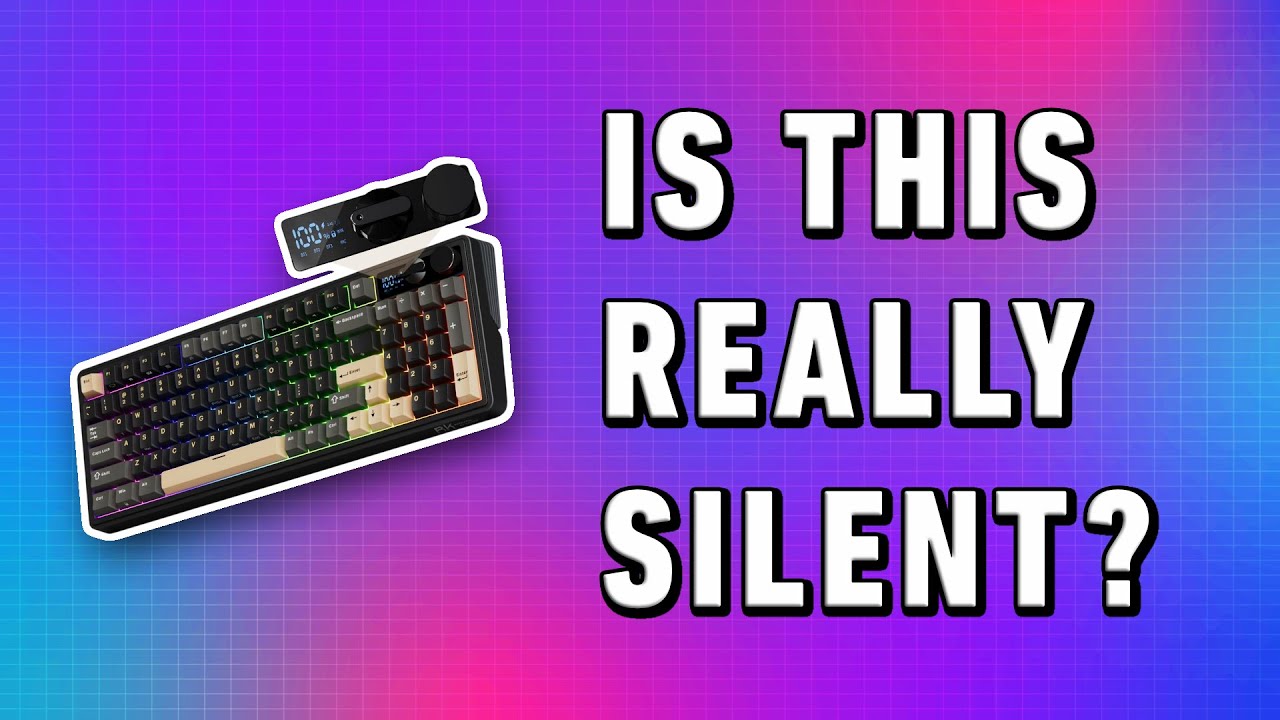
Switching between devices is where the M100 stands apart. The left knob cycles through Bluetooth, 2.4GHz wireless, and wired USB-C modes without fumbling through keyboard shortcuts.
You can pair up to three Bluetooth devices simultaneously. I kept my MacBook Air on BT1, my iPad on BT2, and used the 2.4GHz dongle for my desktop. Switching between them takes about two seconds.
The right knob handles volume with satisfying tactile clicks and a mute function when pressed. The built-in mini LCD screen shows your battery percentage, active connection mode, and whether you are in Windows or Mac configuration.
96% Layout With Full Number Pad
The compact 96% layout keeps a full numeric keypad while trimming the keyboard down to about 15.5 inches wide. That is noticeably smaller than a standard full-size board.
For coders and data professionals who rely on number entry, this layout is a strong compromise. You get the numpad without sacrificing the desk space needed to keep your mouse at a comfortable distance.
The arrow keys and numpad sit right next to the main keyboard section without a gap. It takes a few days to adjust if you are coming from a traditional layout, but the muscle memory builds quickly.
400 Hours of Battery Life
The 8000mAh battery is enormous by keyboard standards. With the RGB backlight turned off, RK claims up to 400 hours of continuous use. With lighting on, expect around 60 hours.
In my testing, I went over two full weeks of heavy daily use before needing a charge. For a wireless keyboard, that effectively eliminates battery anxiety from your workflow.
The trade-off is charge time. Without fast charging support, a full charge from empty takes 6-7 hours through the included USB-C cable. Given the battery lasts weeks, this is a minor inconvenience.
Hot-Swappable PCB for Easy Mods
The hot-swap printed circuit board supports both 3-pin and 5-pin mechanical switches. Swapping is straightforward: pull the keycap, pull the switch with the included tool, and pop in a new one.
This opens up significant customization potential. If you prefer tactile or clicky switches over the stock linears, you can swap without soldering. The 5-pin support also means more stable switch seating compared to boards that only accept 3-pin. If you need Mac compatibility with a proper keycap layout and similar hot-swap flexibility, the Keychron K10 Mechanical Keyboard is a well-established option with dedicated Mac/Windows toggle.
What Needs Improvement
No keyboard at this price is without compromise. Here are the areas where the M100 falls short.
No QMK or VIA Support
Keyboard enthusiasts who rely on open-source firmware for advanced key mapping and macros will be disappointed. The M100 uses RK’s proprietary software, which limits customization compared to the community-driven QMK/VIA ecosystem.
For most users this will not matter. But if you want layered key remapping or cross-device profile syncing through open tools, this is a notable gap.
RGB Software Limited to Windows
The RK customization software only runs on Windows. Mac and Linux users are stuck with the default lighting effects accessible through keyboard shortcuts.
You can still change backlight brightness, cycle through preset patterns, and toggle RGB on or off from the keyboard itself. But fine-tuned color customization and macro programming require a Windows machine.
Snap-On Case Design
The M100 uses a snap-on case that requires prying tools to open. If you want to add custom foam, swap stabilizers, or make internal modifications, the process is more frustrating than keyboards with a simple screw-off design.
The good news is the M100 sounds solid out of the box. Most users will never need to open the case.
Slow Charging Speed
Despite the impressive 8000mAh battery capacity, there is no fast charge support. A full charge from empty takes 6-7 hours through USB-C. RK also recommends against using fast-charging cables or wall adapters as a precaution.
Given the battery lasts two-plus weeks, this is manageable. But it means you cannot top up quickly if you forget to charge over the weekend.
How It Compares
The mechanical keyboard market under $100 is competitive. Here is how the M100 stacks up against three popular alternatives.
RK M100 vs Keychron C3 Pro
The Keychron C3 Pro runs about $45 and uses Gateron switches that many consider smoother than RK’s cream switches. However, the C3 Pro is wired-only and uses a tenkeyless layout without a numpad.
If wireless connectivity and a number pad matter to your workflow, the M100 justifies the extra cost. If you only need a wired board and prioritize switch feel above everything else, the C3 Pro is worth considering.
RK M100 vs Redragon K552
The Redragon K552 Kumara is a proven budget pick at around $35 with years of community validation behind it. It uses Outemu switches in a compact tenkeyless form factor.
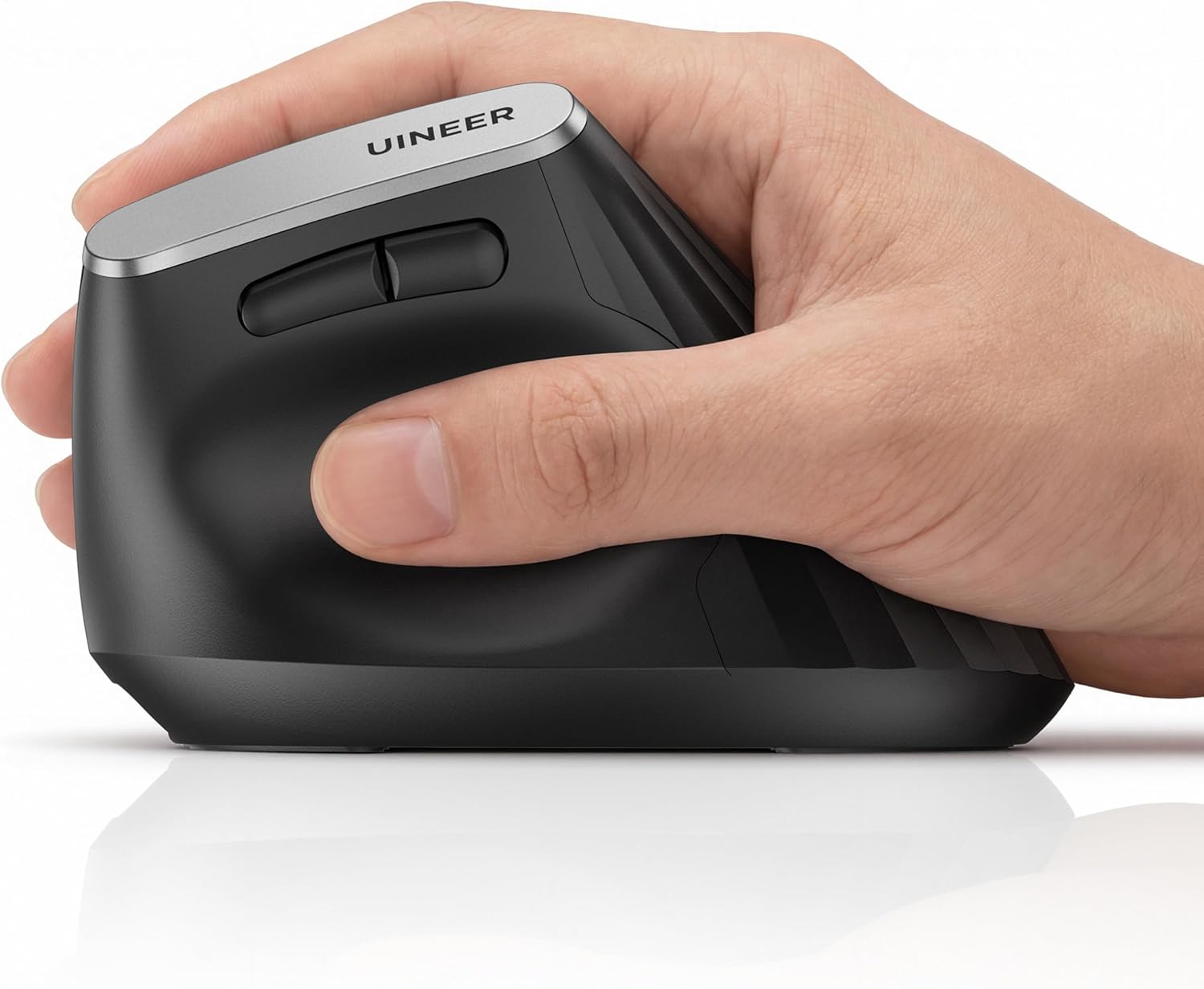
The K552 trades features for reliability and price. It lacks wireless capability, hot-swap support, and a numpad. For a first mechanical keyboard where you want to spend as little as possible, the K552 delivers. For a more complete feature set, the M100 offers significantly more. If wireless connectivity is the deciding factor, pairing the M100 with the Transformers Vertical Ergonomic Mouse creates a fully wireless desk setup with matching Bluetooth and 2.4GHz switching. For casual browsing between typing sessions, the SHARECLOUD Android 15 Tablet connects over Bluetooth with the M100’s wireless modes at a similar budget price point.
RK M100 vs Royal Kludge RK61
The RK61 comes from the same manufacturer at $40-50 in a 60% ultra-compact layout. It offers Bluetooth and hot-swap but sacrifices the function row, numpad, and dedicated arrow keys.
Choose the RK61 if portability is your priority. Choose the M100 if you need the numpad and prefer a larger typing surface. Both share RK’s connectivity strengths and hot-swap flexibility. If portability is the whole point and even a 60% board feels bulky in a bag, the ProtoArc XK04 Foldable Keyboard folds in half to roughly the size of a portable hard drive.
Final Verdict
The RK Royal Kludge M100 delivers an impressive combination of features for an $80-90 mechanical keyboard. The gasket-mount typing feel, hot-swap flexibility, and triple wireless connectivity put it ahead of most competitors in this price range.
I am giving the M100 a 4.1 out of 5. The sound quality and feature density are excellent for the money. The lack of QMK/VIA support, Windows-only software, and potential long-term reliability questions from broader RK product history keep it from a higher score.
Bottom line: If you want a wireless mechanical keyboard with a numpad, gasket mount thock, and hot-swap capability under $90, the RK Royal Kludge M100 is one of the strongest options available. It earns a confident recommendation for budget-conscious buyers who value features over brand prestige.
Specifications
| Brand | RK ROYAL KLUDGE |
| Compatible Devices | Gaming Console, PC |
| Connectivity Technology | Bluetooth 5.0, USB-C, 2.4GHz Wireless |
| Keyboard Description | Mechanical |
| Special Feature | Hot Swappable, Gasket Mount, RGB Backlight, Programmable, Wireless |
| Color | Blue |
| Number of Keys | 100 |
| Switch Type | Cream Switch (Linear) |
| Battery | 8000mAh Rechargeable Lithium-Ion |
| Layout | 96% Compact with Number Pad |
| Keycap Material | PBT Double-Shot |
| Item Weight | 1.5 Kilograms |
| Item Dimensions | 328 x 139 x 42 mm |
| Polling Rate | 1000 Hz (Wired/2.4GHz) |
| Operating System | Windows, macOS, Linux, iOS, Android |
Frequently Asked Questions
Is the RK Royal Kludge M100 hot-swappable?
Yes, the RK Royal Kludge M100 features a fully hot-swappable PCB that supports both 3-pin and 5-pin mechanical switches. You can swap switches without soldering using the included switch puller tool. This makes it simple to try different switch types like tactile or clicky options.
Who makes Royal Kludge keyboards?
Royal Kludge is a Chinese mechanical keyboard manufacturer that has built a strong reputation in the budget-to-mid-range market. They produce a range of keyboards from 60% compact models like the RK61 to full-featured boards like the M100. The brand is known for offering features typically found on more expensive keyboards at competitive prices.
Is the RK Royal Kludge M100 good for gaming?
The M100 performs well for gaming with its 1000Hz polling rate on wired and 2.4GHz connections. The linear cream switches offer smooth keystrokes suitable for rapid inputs. Bluetooth mode introduces slightly more latency, so competitive gamers should use the 2.4GHz dongle or wired USB-C connection for the most responsive experience.
How long does the RK Royal Kludge M100 battery last?
The M100 has an 8000mAh battery that lasts up to 400 hours with the RGB backlight turned off. With lighting enabled, expect around 60 hours of use. In practical daily use, most users report going two or more weeks between charges.
Does the RK Royal Kludge M100 work with Mac?
The M100 is compatible with macOS and includes a dedicated Mac/Windows toggle. However, the RK customization software for RGB lighting and macro programming only runs on Windows. Mac users can still use all keyboard functions and adjust lighting through built-in keyboard shortcuts.
What is the best gaming keyboard for the money?
The best budget gaming keyboard depends on your needs. The RK Royal Kludge M100 stands out for its combination of wireless connectivity, gasket mount typing feel, and hot-swap support under $90. For a wired-only option, the Keychron C3 Pro offers excellent Gateron switches at around $45. Both deliver strong performance for their respective price points.
Ready to Buy?
RK Royal Kludge M100 Mechanical Keyboard delivers on its promises. If it fits your needs, it's a solid choice you won't regret.
Check Price on Amazon Founder & Product Reviewer at TheReviewRewind
Daniel has tested 400+ products across 20+ categories through hands-on, real-world testing. Every review includes video documentation and standardized scoring criteria. His reviews appear as Amazon shoppable videos and here on TheReviewRewind.
We earn a commission if you make a purchase, at no extra cost to you. This does not influence our ratings or recommendations. Full disclosure
Looking for more options? See all our Computers reviews.
Related Reviews