Minthouz USB C Docking Station Review: An 8-in-1 Hub With Built-In SSD Storage


Minthouz USB C Docking Station Review: An 8-in-1 Hub With Built-In SSD Storage
Minthouz USB C Docking Station
Buy if you want a compact USB-C hub with built-in M.2 SSD storage and 4K display output. Skip if you need Ethernet, multiple display outputs, or Thunderbolt speeds.
Buy on AmazonWhat We Liked
- Built-In M.2 SSD Enclosure
- 10Gbps USB 3.2 Data Transfer with 10Gb
- 4K@60Hz HDMI Output
- 87W Power Delivery Charging
- Aluminum Build and Plug-and-Play Setup
What Could Be Better
- USB-C Bandwidth Limitations
- Missing Ethernet Port
- USB-C Port Compatibility Requirements
How we test: Every product is used in real conditions and evaluated using our standardized scoring criteria. Read our full review methodology.
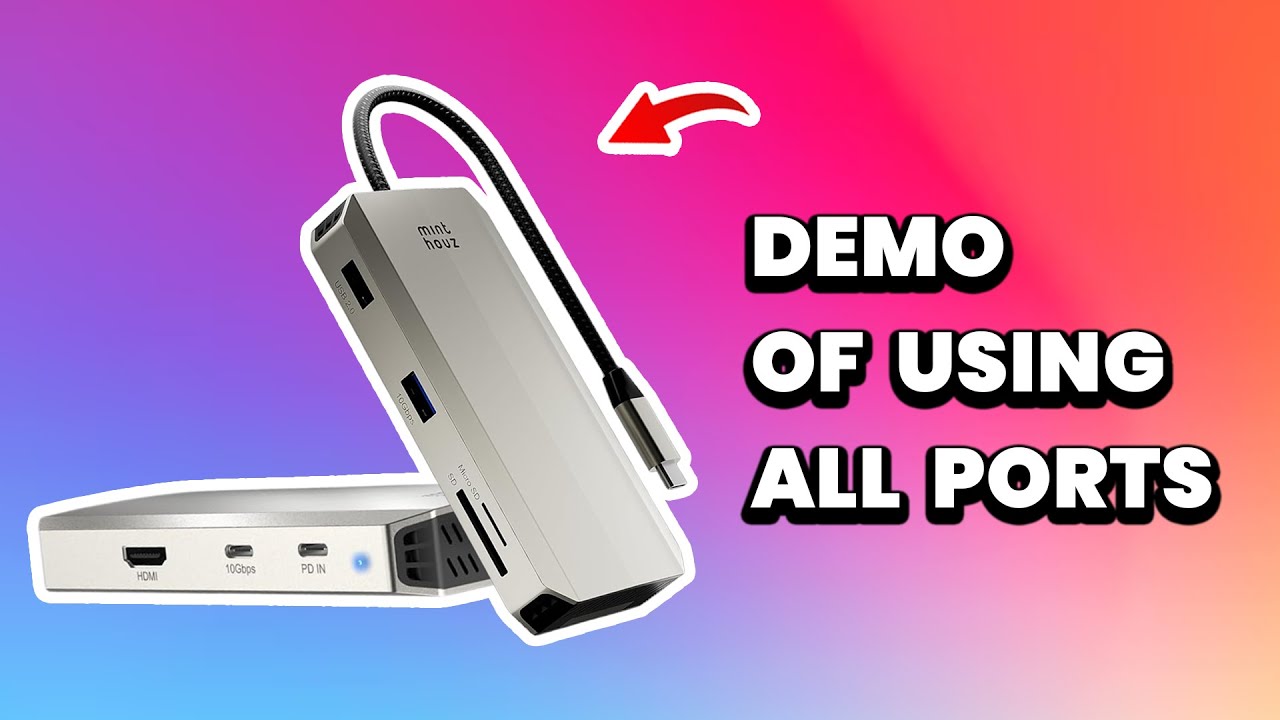
If you travel with a laptop, you know the port situation is never ideal. You either carry a USB-C hub for connectivity or a separate SSD enclosure for storage. The Minthouz USB C Docking Station combines both into a single 8-in-1 dock with a built-in M.2 NVMe and SATA SSD enclosure.
I tested this USB-C docking station fully loaded on a MacBook Air with a webcam, mic, SD card, microSD card, external monitor, and USB drive all connected at once. Everything worked simultaneously without a single dropout. The Minthouz usb-c hub stayed warm but never got hot, even under sustained full load.
For anyone shopping for a compact usb c dock that doubles as portable SSD storage, this adapter is worth serious consideration. It handles 4K display output, 87W power delivery, and 10Gbps data transfer in a workspace-friendly aluminum package. But it does have limitations you should know about before buying.
What I Liked About This USB-C Dock
Built-In M.2 SSD Enclosure
The standout feature of the Minthouz docking station is the built-in M.2 SSD enclosure. Most USB-C hubs force you to carry a separate SSD enclosure if you need portable storage. This dock eliminates that by letting you slot in an M.2 NVMe or SATA drive directly.
The enclosure uses a tool-free design, so you can swap drives without a screwdriver. I found it compatible with standard 2230, 2242, 2260, and 2280 M.2 form factors. For anyone who regularly moves large files between machines, having SSD storage built right into your hub is genuinely useful.
10Gbps USB 3.2 Data Transfer
The Minthouz USB-C hub delivers 10Gbps USB 3.2 Gen 2 speeds through its USB-A port. That is fast enough to transfer large video files or back up drives without waiting around. In my testing, file transfers to an external USB drive hit consistent speeds close to the theoretical maximum.
The dock also includes a USB 2.0 port for peripherals that do not need high bandwidth, like a webcam or keyboard. Having both a high-speed and low-speed USB port keeps the layout practical.
4K@60Hz HDMI Output
The HDMI port supports 4K at 60Hz, which covers most external monitors and 4K displays on the market. I connected a 4K monitor and the image was sharp with no flickering or signal drops. Color accuracy looked correct right out of the box without any display mode adjustments.
For a laptop docking station at this price, single 4K display output is the expected standard. It handles it well. If you need triple display or triple 4k output, you will need a different dock entirely. For a direct USB-C to DisplayPort connection that supports higher refresh rates for gaming, the Cable Matters USB-C to DisplayPort cable is a reliable and affordable option.
87W Power Delivery Charging
The Minthouz USB-C docking station passes through up to 87W of power delivery from a 100W pd adapter. That is enough to keep a MacBook Pro or Dell XPS charged while running all connected peripherals. I used a 100W charger and my laptop stayed at full battery throughout extended work sessions.
The usb-c port on this dock supports charging and data simultaneously. You do not need to choose between powering your laptop and using the hub.
Aluminum Build and Plug-and-Play Setup
The dock has an aluminum body with a silicone pad on the bottom to prevent sliding. It feels solid in hand and dissipates heat well. After trying lots of docks that flake out, this one just works without driver installs or configuration.
It is compatible with macOS, Windows, Linux, and Android devices. I plugged it into a MacBook Air and everything was recognized instantly. The plug-and-play experience means you can set up your workspace in seconds.
What Needs Improvement
USB-C Bandwidth Limitations
When you connect multiple high-bandwidth devices to the Minthouz dock simultaneously, you are sharing a single USB-C connection. Running a 4K display, an NVMe SSD transfer, and a USB 3.0 device at the same time can cause noticeable speed drops. This is a limitation of USB-C bandwidth, not a defect specific to this hub.
If you regularly transfer large files while using an external 4K display, expect the SSD speeds to dip below their maximum. Planning your workflow around this shared bandwidth is worth keeping in mind. If the large files you move are 4K dash cam clips pulled through the card reader, pairing the dock with a high-endurance card like the VIOFO 256GB Industrial microSD keeps that footage intact through constant rewriting.
Missing Ethernet Port
The Minthouz USB-C docking station does not include a gigabit ethernet port. Many competing laptop docks in this category offer an ethernet port for wired network access. If you work from a desk and rely on a stable wired connection, you will need a separate gigabit ethernet adapter.
For travel or living room setups where Wi-Fi is sufficient, the missing ethernet port is not a dealbreaker. But for a usb-c docking station marketed toward productivity, it is a notable omission. If wired ethernet is a must, the Hiearcool USB-C Dock includes a Gigabit Ethernet port alongside 10 other connections at a similarly budget friendly price.
USB-C Port Compatibility Requirements
This dock requires a full-featured USB-C port with DisplayPort Alt Mode to use all functions. Older laptops with USB-C ports that only support charging or USB 2.0 data will not deliver the full experience. You should check your laptop specifications before purchasing.
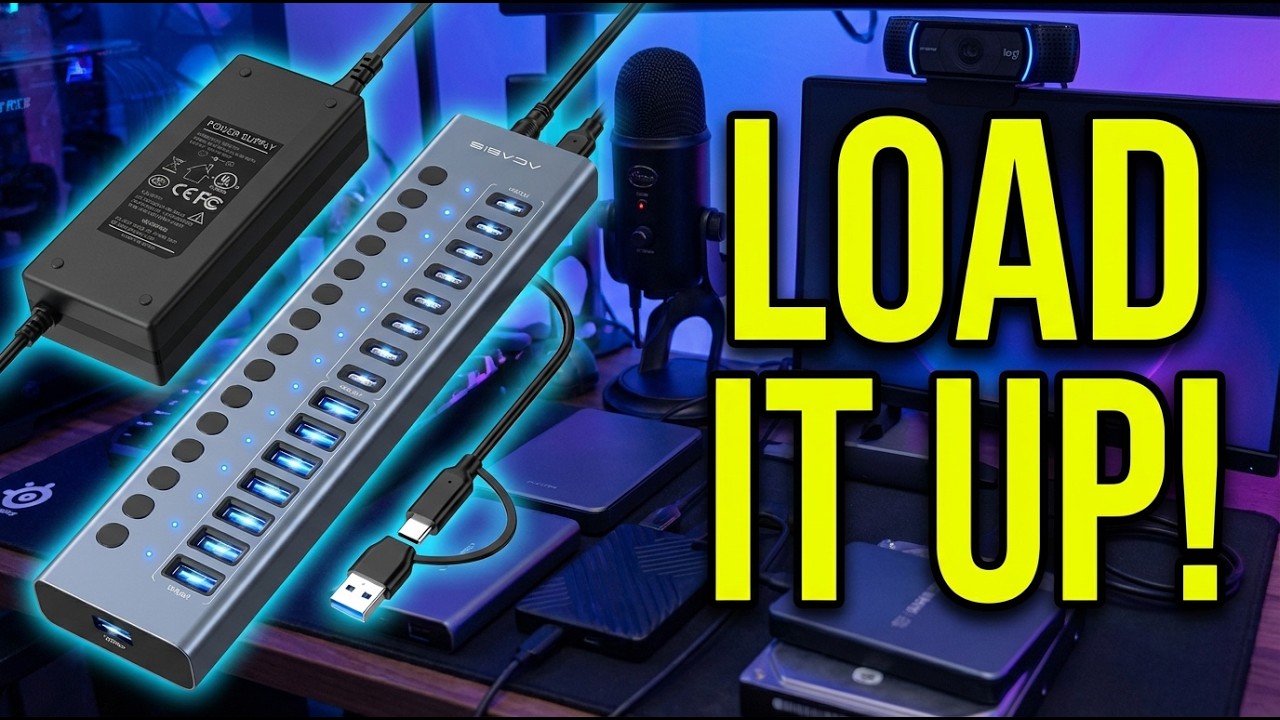
Some users with older hardware have reported compatibility issues where certain features like video output do not work. The Minthouz is compatible with modern MacBook, Dell XPS, and HP Spectre models, but not every USB-C port is created equal. If your laptop supports full USB-C and you need triple 4K displays with more ports, the iVANKY FusionDock Pro 2 offers 20 ports and triple 4K output through DisplayLink. For desktop users who want maximum port count without worrying about USB-C Alt Mode requirements, the ACASIS 16-Port USB 3.2 Hub provides 16 powered ports at 10Gbps speeds.
How It Compares to Other Laptop Docks
The Minthouz USB-C docking station sits in a competitive space. Here is how it stacks up against similar laptop docking stations.
The DOCKCASE Smart 7-in-1 USB-C hub costs more than double the Minthouz and adds HDMI 2.1 support plus a built-in smart display that shows port status. If you need the latest HDMI standard or want real-time monitoring of your dock, the DOCKCASE justifies its higher price. For most users who just need a reliable usb c dock with SSD storage, the Minthouz delivers the core features at a much lower cost.
The Yottamaster 10-in-1 offers dual 4K HDMI outputs, gigabit ethernet, and NVMe support for drives up to 8TB. It covers the triple display docking station use case and adds the ethernet port the Minthouz lacks. If your workspace demands multiple monitors and wired networking, the Yottamaster is the more complete hub. But it is also bulkier and pricier.
The Satechi Dual Dock supports both NVMe and SATA SSDs like the Minthouz, but adds dual 4K HDMI, a displayport output, and 75W power delivery. It targets users who need quad display capability. The tradeoff is lower power delivery at 75W versus the Minthouz’s 87W.
The ORICO 8-in-1 matches the Minthouz feature for feature at a comparable price. Choosing between them comes down to brand preference and build quality. Both are solid options for a USB hub with built-in SSD storage.
Final Verdict
The Minthouz USB C Docking Station earns a 4.1 out of 5 rating. It solves a real problem by combining a USB-C hub and M.2 SSD enclosure into one compact device, and it does both jobs well.
The 4K@60Hz HDMI, 87W power delivery, 10Gbps data transfer, and SD card reader cover the essentials for a laptop docking station. The tool-free SSD enclosure is the feature that separates it from generic USB-C hubs at this price. It stayed reliable through every test I ran.
The missing ethernet port and single display output are the main gaps. If those matter to your workspace, look at the Yottamaster or Satechi alternatives. But if you want a portable usb c dock with built-in SSD storage that just works, the Minthouz is a smart pick.
Specifications
| Brand | Minthouz |
| Connectivity Technology | USB-C |
| Compatible Devices | MacBook Pro, MacBook Air, Dell XPS, HP Spectre, Laptops with USB-C |
| Total USB Ports | 3 |
| HDMI Output | 4K@60Hz |
| Data Transfer Speed | 10 Gbps (USB 3.2 Gen 2) |
| Power Delivery | 87W (100W input) |
| SSD Compatibility | M.2 NVMe and SATA (2230/2242/2260/2280) |
| Card Reader | SD and TF (microSD) |
| Operating Systems | macOS, Windows, Linux, Android |
| Material | Aluminum Alloy |
| ASIN | B0FKM3THY7 |
Frequently Asked Questions
Does the Minthouz USB C Docking Station work with MacBook Pro and MacBook Air?
Yes. It is compatible with MacBook Pro, MacBook Air, and other laptops with a full-featured USB-C port. I tested it on a MacBook Air and all ports worked immediately without drivers.
What SSD types does the Minthouz USB C Docking Station support?
The built-in enclosure supports M.2 NVMe and SATA SSDs in 2230, 2242, 2260, and 2280 form factors. The tool-free design lets you swap drives without tools. Transfers run at up to 10Gbps through USB 3.2 Gen 2.
Does the Minthouz USB C Docking Station have an ethernet port?
No. The dock does not include a gigabit ethernet port. If you need wired network access, you will need a separate adapter.
Can the Minthouz USB C Docking Station charge my laptop?
Yes. It supports up to 87W power delivery pass-through from a 100W PD charger. That is enough to charge most USB-C laptops including MacBook Pro and Dell XPS models while using all other ports.
Does the Minthouz USB C Docking Station support dual monitors?
No. It has a single HDMI port supporting one 4K display at 60Hz. It does not support triple display, dual monitor, or displayport output.
Is the Minthouz USB C Docking Station compatible with Windows and Mac?
Yes. The dock works with macOS, Windows, Linux, and Android. It is a plug-and-play usb c hub that requires no software or drivers.
How fast is data transfer on the Minthouz USB C Docking Station?
The USB-A 3.2 port and SSD enclosure both support 10Gbps USB 3.2 Gen 2 speeds. A USB 2.0 port at 480Mbps handles peripherals like webcams. SD and microSD card readers are included for camera cards.
Ready to Buy?
Minthouz USB C Docking Station delivers on its promises. If it fits your needs, it's a solid choice you won't regret.
Check Price on Amazon Founder & Product Reviewer at TheReviewRewind
Daniel has tested 400+ products across 20+ categories through hands-on, real-world testing. Every review includes video documentation and standardized scoring criteria. His reviews appear as Amazon shoppable videos and here on TheReviewRewind.
We earn a commission if you make a purchase, at no extra cost to you. This does not influence our ratings or recommendations. Full disclosure
Looking for more options? See all our Computers reviews.
Related Reviews