WAVLINK 12-in-1 DisplayLink Docking Station Review: Triple Monitors From One Cable


WAVLINK 12-in-1 DisplayLink Docking Station Review: Triple Monitors From One Cable
WAVLINK 12-in-1 DisplayLink Docking Station
Buy if you want triple monitors from one cable on a MacBook or mixed Mac and Windows setup and can live without laptop charging. Skip if you game, stream Netflix on external displays, or want single-cable charging.
Buy on AmazonWhat We Liked
- Triple Displays From One Cable, Even on Base MacBooks
- Six 5Gbps USB 3.0 Ports With a Sensible Layout
- Gigabit Ethernet Fixes Flaky Video Calls
- Vertical Design That Barely Uses Any Desk Space
- Both USB-C and USB-A Host Cables Come in the Box
What Could Be Better
- No Power Delivery Means You Still Need Your Laptop Charger
- No HDCP Support Blocks Netflix on External Monitors
- 4K at 60Hz Requires DisplayPort Alt Mode 1.4 Hosts
- Mac Setup Requires DisplayLink Driver and Permissions
How we test: Every product is used in real conditions and evaluated using our standardized scoring criteria. Read our full review methodology.
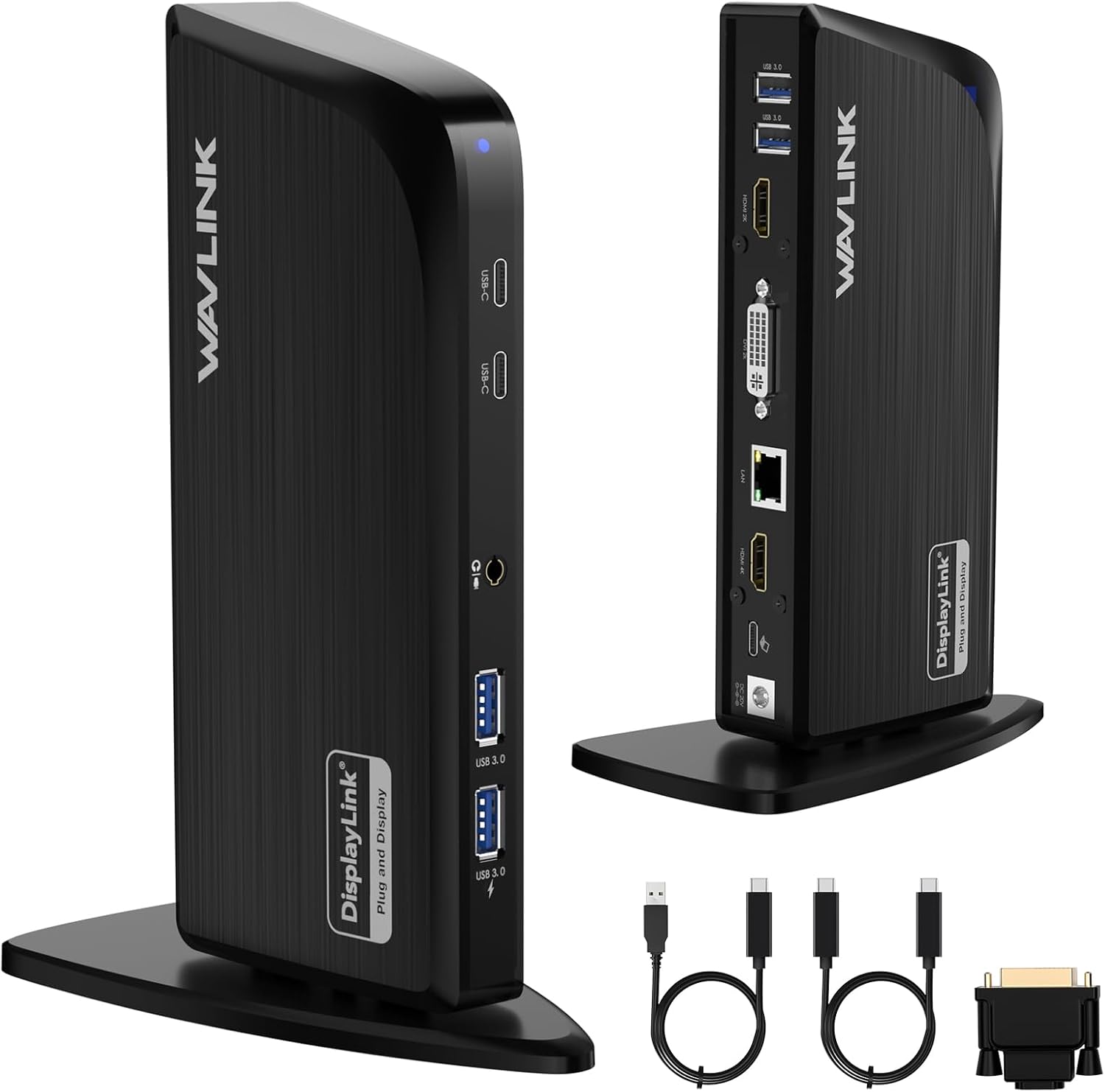
If your laptop only drives one external monitor and your desk is buried under dongles, the WAVLINK 12-in-1 DisplayLink docking station wants to fix both problems with a single cable. This vertical USB-C docking station turns one USB-C or USB-A connection into a triple-monitor workstation with 12 ports, including 4K HDMI, Gigabit Ethernet, and six 5Gbps USB ports.
I tested it for two weeks across Mac and Windows, including a live run on a MacBook Air M4. The headline trick is DisplayLink, which lets even base-model MacBooks drive three external displays — something Apple normally caps at one.
At $169.00 with a 4.4-star average across 63 Amazon ratings, it costs less than most Thunderbolt docks. But it arrives with real tradeoffs: no laptop charging, no Netflix on connected monitors, and a one-time driver install on macOS.
This docking station review covers what this 12-in-1 triple display laptop dock gets right, where it falls short, and who should buy it.
What I Liked
Triple Displays From One Cable, Even on Base MacBooks
The core feature is 1x 4K HDMI output at 3840x2160, plus 2K HDMI and 2K DVI outputs, all from a single host connection. A DVI-to-HDMI adapter comes in the box, so that third display can be a modern monitor without a separate purchase.
DisplayLink is what makes this matter for Mac users. Apple limits base M-series MacBooks to a single external display, and this laptop dock is the accepted multi-monitor workaround — I ran three screens from a MacBook Air M4 without the machine complaining once. Windows users who want the same triple display setup without any DisplayLink driver can get native 4K output and 125W charging from the WAVLINK Laptop Docking Station 3 Monitors. And if three screens still feel cramped, the WAVLINK Quad Monitor Docking Station drives four Windows displays from one USB-C cable for under fifty dollars.
Six 5Gbps USB 3.0 Ports With a Sensible Layout
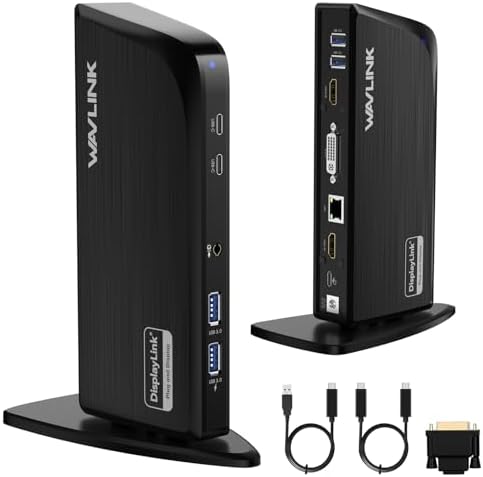
You get four USB-A and two USB-C ports, and all six run at full USB 3.0 speed. My SanDisk Extreme SSD, a Samsung flash drive, and an Anker mouse all worked at once with no slowdowns.
The layout shows some thought. Ports you touch daily — USB and the headphone jack — sit on the front, while Ethernet, the display outputs, and power hide around the back. Anyone who needs far more than 5Gbps from those ports can step up to the WAVLINK Thunderbolt 5 Dock, which runs four 10Gbps USB-A ports alongside three downstream Thunderbolt 5 ports at 80Gbps.
Gigabit Ethernet Fixes Flaky Video Calls
Thin laptops dropped Ethernet ports years ago, and Wi-Fi still stutters at the worst moments. The built-in Gigabit Ethernet port brings back a stable wired connection with lower latency than wireless.
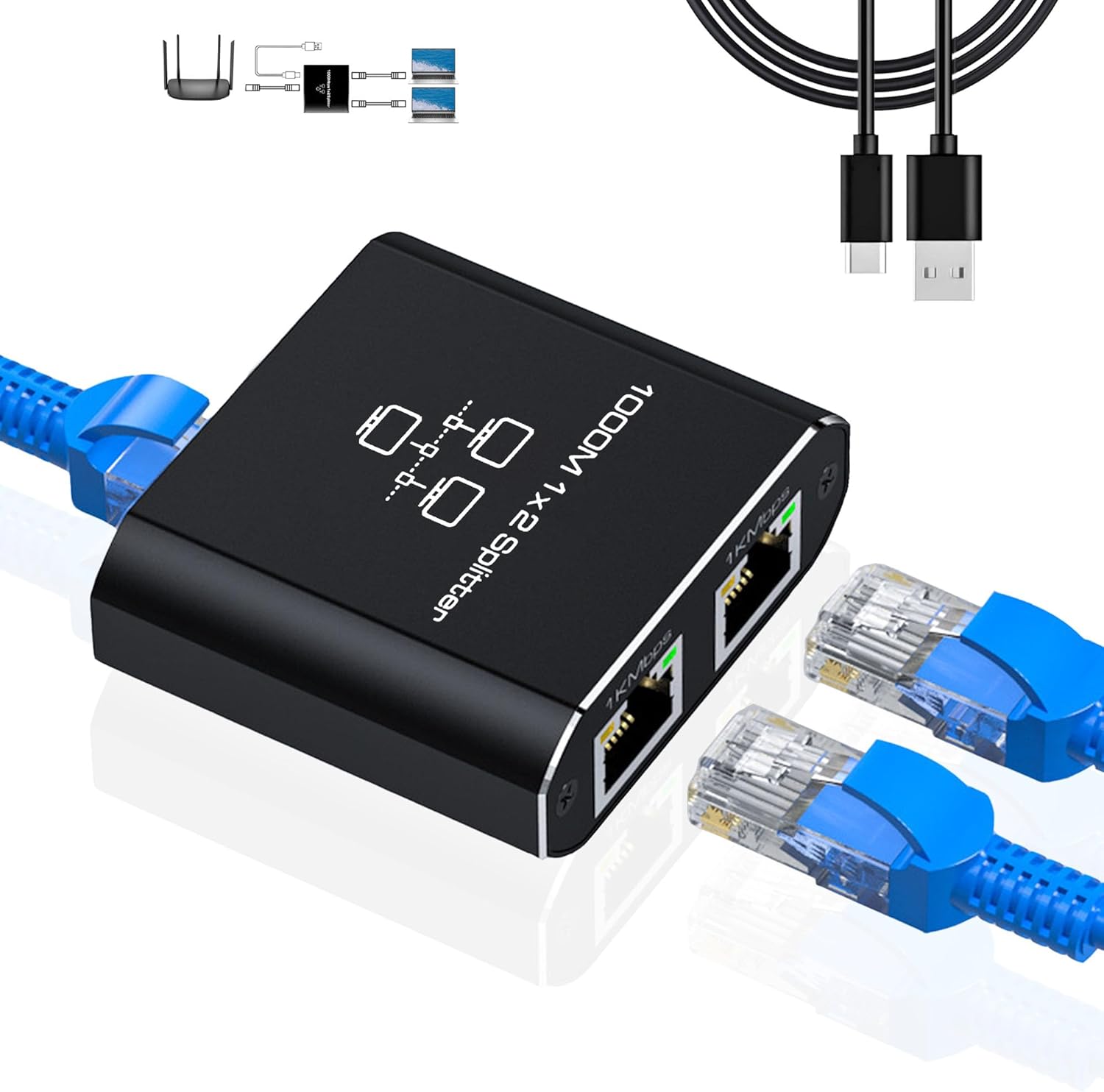
For anyone working from home, that alone justifies a chunk of the price. Video calls stopped dropping and large file transfers stopped buffering in my testing. If your desk has only one wall drop to give, the LIEZHUA Gigabit Ethernet Splitter 1 to 2 turns that single port into two live gigabit connections so a second device can go wired instead of fighting Wi-Fi.
Vertical Design That Barely Uses Any Desk Space
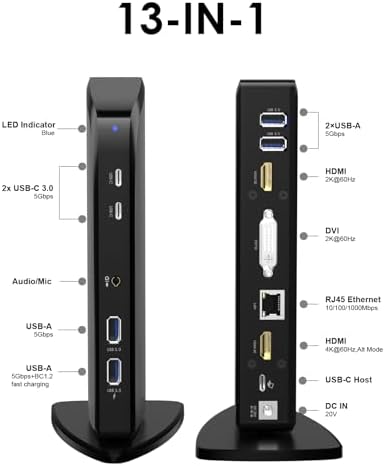
The bookshelf-style vertical stand packs 12 ports into a footprint smaller than a paperback. The plastic body has enough weight that it stays planted when you plug things in, helped by a non-slip pad on the base.
Both USB-C and USB-A Host Cables Come in the Box
WAVLINK includes USB-C to C and USB-A to C host cables, so the dock works with new MacBooks and older Windows laptops alike. Most competitors make you buy the second cable separately, which makes this a genuinely universal docking station for mixed-device households.
What Needs Improvement
No Power Delivery Means You Still Need Your Laptop Charger
The included 20V/2A power adapter runs the dock itself and sends nothing back to your laptop. For a 12-in-1 dock at this price, missing power delivery is the biggest single omission.
That means two cables to your laptop instead of one. If a clean single-cable setup is the whole point for you, this design decision will sting daily.
No HDCP Support Blocks Netflix on External Monitors
DisplayLink hardware skips HDCP, the copy protection that streaming services demand. Netflix, Hulu, and Disney+ will refuse to play on the connected monitors — often you get audio with a black screen.
This complaint shows up constantly in Reddit threads about DisplayLink docks. WAVLINK at least discloses it right on the listing, but plan to watch protected content on your laptop screen.
4K at 60Hz Requires DisplayPort Alt Mode 1.4 Hosts
The main HDMI port only reaches 4K at 60Hz when your laptop supports USB-C with DisplayPort Alt Mode 1.4. Plug in over USB-A or an older USB-C port and that output falls back to 30Hz.
Spreadsheets and email feel fine at 30Hz, but cursor movement is noticeably less smooth. Check your laptop’s spec sheet before buying if 60Hz matters to you.
Mac Setup Requires DisplayLink Driver and Permissions
Windows grabs the DisplayLink driver automatically through Windows Update, and ChromeOS needs nothing at all. On macOS you must install DisplayLink Manager yourself, then grant Screen Recording permission under Privacy & Security.
It is a one-time task that takes five minutes. Still, compressed USB video also means fast-motion content can stutter — this is a productivity tool, not a gaming dock.
How It Compares
The obvious rivals are other DisplayLink triple-monitor docks. Plugable’s USB-C triple-display docking station is PCMag’s pick for Windows laptops, with a port selection that favors legacy USB-A devices, while PCWorld crowns the Ugreen DisplayLink dock as its favorite — partly because it includes a USB-C peripheral port, which is rarer on DisplayLink hardware than you would expect.
Against both, the WAVLINK USB-C dock counters with its vertical stand, 6 USB ports, and the included DVI adapter and dual host cables. What it gives up is laptop charging: the Anker 563, a 10-in-1 DisplayLink dock, delivers 100W power delivery so one cable handles displays and charging together.
Thunderbolt docks are the other path. A Thunderbolt 4 dock from Dell or Anker charges your laptop and drives displays natively with better motion handling — but plenty of them stop at dual 4K output, cost more, and still cannot push a base MacBook past one external display without adding DisplayLink software anyway.
If your priority is three monitors on a base-model Mac at a mid-range price, the WAVLINK triple display docking station holds its ground. If you want single-cable charging, the Anker 563 or a Thunderbolt dock fits better.
Final Verdict
The WAVLINK DisplayLink docking station earns a 4.1 out of 5. It solves a specific, frustrating problem — three monitors from one cable on laptops that were never designed for it — and backs that up with fast USB ports, Gigabit Ethernet, and a desk-friendly vertical build.
The missing power delivery keeps it from an easy recommendation, and the HDCP and 30Hz caveats are real. But none of those undermine its core job as a productivity workstation hub.
If you need triple monitors on a MacBook or a mixed Mac and Windows setup, and you can live with keeping your laptop charger plugged in, this dock is worth picking up.
Specifications
| Brand | WAVLINK |
| Model Number | WL-UG39DK10 |
| Video Outputs | 1x 4K HDMI (3840x2160@60Hz), 1x 2K HDMI, 1x 2K DVI |
| USB Ports | 6x 5Gbps (4x USB-A, 2x USB-C) |
| Networking | RJ45 Gigabit Ethernet |
| Audio | 3.5mm 4-pole headset/microphone jack |
| Host Connection | USB-C or USB-A (both cables included) |
| Power Adapter | 20V/2A (45W input, does not charge laptop) |
| Compatible Devices | Windows 7/8.1/10/11, macOS 10.15 and later (DisplayLink driver), ChromeOS, Ubuntu 20.04/22.04, Android 5.0+ OTG |
| Item Dimensions | 5.91"L x 3.15"W x 7.87"H (vertical stand) |
| Weight | 347 g / 12.2 oz |
| Material | ABS |
| Warranty | 1 Year Manufacturer |
| Best Sellers Rank | #913 in Laptop Docking Stations |
Frequently Asked Questions
Are WAVLINK docking stations good?
WAVLINK is a legitimate budget-to-midrange laptop docking station brand with generally positive coverage from TechRadar and PCWorld. This 12-in-1 model holds a 4.4-star average on Amazon, with most criticism aimed at DisplayLink limitations rather than build quality.
Do I have to install a DisplayLink driver to run three monitors?
On macOS, yes - install DisplayLink Manager and grant Screen Recording permission, a one-time setup. Windows 10 and Windows 11 fetch the driver automatically through Windows Update, while Chromebook and Ubuntu systems work without any manual driver install.
Does this dock support three displays on base M1, M2, M3, M4, and M5 MacBooks?
Yes. DisplayLink sidesteps Apple's single-external-display limit on base M-series chips, whether you have a MacBook Air, MacBook Pro, or MacBook Neo. I verified triple displays working on a MacBook Air M4 during testing.
Is Thunderbolt better than DisplayLink?
Thunderbolt drives displays natively with smoother motion, supports HDCP streaming, and usually charges your laptop. DisplayLink wins on price and on enabling extra displays on base M-series Macs, so the right choice depends on your laptop and budget.
Why will Netflix not play on monitors connected to this dock?
The dock has no HDCP support, so DRM-protected services like Netflix, Hulu, and Disney+ block playback on its displays. Play protected content on your laptop's built-in screen, or disable browser hardware acceleration as a partial workaround.
Does the WAVLINK 12-in-1 charge your laptop?
No. The 20V/2A adapter powers only the dock, so your laptop still needs its own charger. If you want single-cable charging, look at a dock with 100W power delivery like the Anker 563 or a Thunderbolt 4 dock.
Ready to Buy?
WAVLINK 12-in-1 DisplayLink Docking Station delivers on its promises. If it fits your needs, it's a solid choice you won't regret.
Check Price on Amazon Founder & Product Reviewer at TheReviewRewind
Daniel has tested 400+ products across 20+ categories through hands-on, real-world testing. Every review includes video documentation and standardized scoring criteria. His reviews appear as Amazon shoppable videos and here on TheReviewRewind.
We earn a commission if you make a purchase, at no extra cost to you. This does not influence our ratings or recommendations. Full disclosure
Looking for more options? See all our Computers reviews.
Related Reviews