Sceptre 27" Curved Monitor Review (2026)


Sceptre 27" Curved Monitor Review (2026)
Sceptre 27" Curved Monitor Review (2026)
Buy if you want an affordable curved display for casual use or multi-monitor setups. Skip if you need high refresh rates for gaming or sharp 1440p visuals.
Buy on AmazonWhat We Liked
- Immersive Curved Display
- Deep Blacks and High Contrast
- Smooth 75Hz Refresh Rate
- Budget-Friendly Price
- VESA Mount Compatible
- Built-In Speakers and Connectivity
What Could Be Better
- Lower Pixel Density at 27 Inches
- No AMD FreeSync Support
- Rear-Mounted Buttons
- Basic Speaker Quality
How we test: Every product is used in real conditions and evaluated using our standardized scoring criteria. Read our full review methodology.
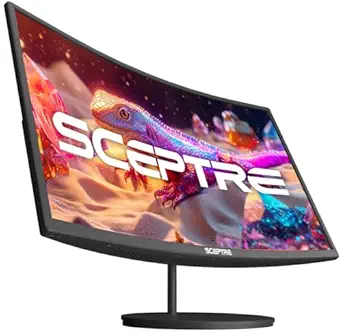
Looking for an affordable curved monitor that won’t empty your wallet? The Sceptre C275W-1920RN offers a 27-inch 1080p curved display with a 1500R curvature for under $110. I’ve been testing this budget monitor in my multi-monitor setup to see if it delivers on its promise of immersive viewing without the premium price tag.
This VA panel monitor features up to 100Hz refresh rate via HDMI, 99% sRGB color coverage, and built-in speakers. With a 3,000:1 contrast ratio, it aims to provide deep blacks that IPS panels struggle to match. But at 82 PPI, does the pixel density hold up on a 27-inch screen?
After extensive testing, I found the Sceptre 27” curved monitor excels at what it’s designed for—affordable immersion—while falling short in areas like gaming performance. Here’s my complete breakdown.
What I Liked
Immersive Curved Display
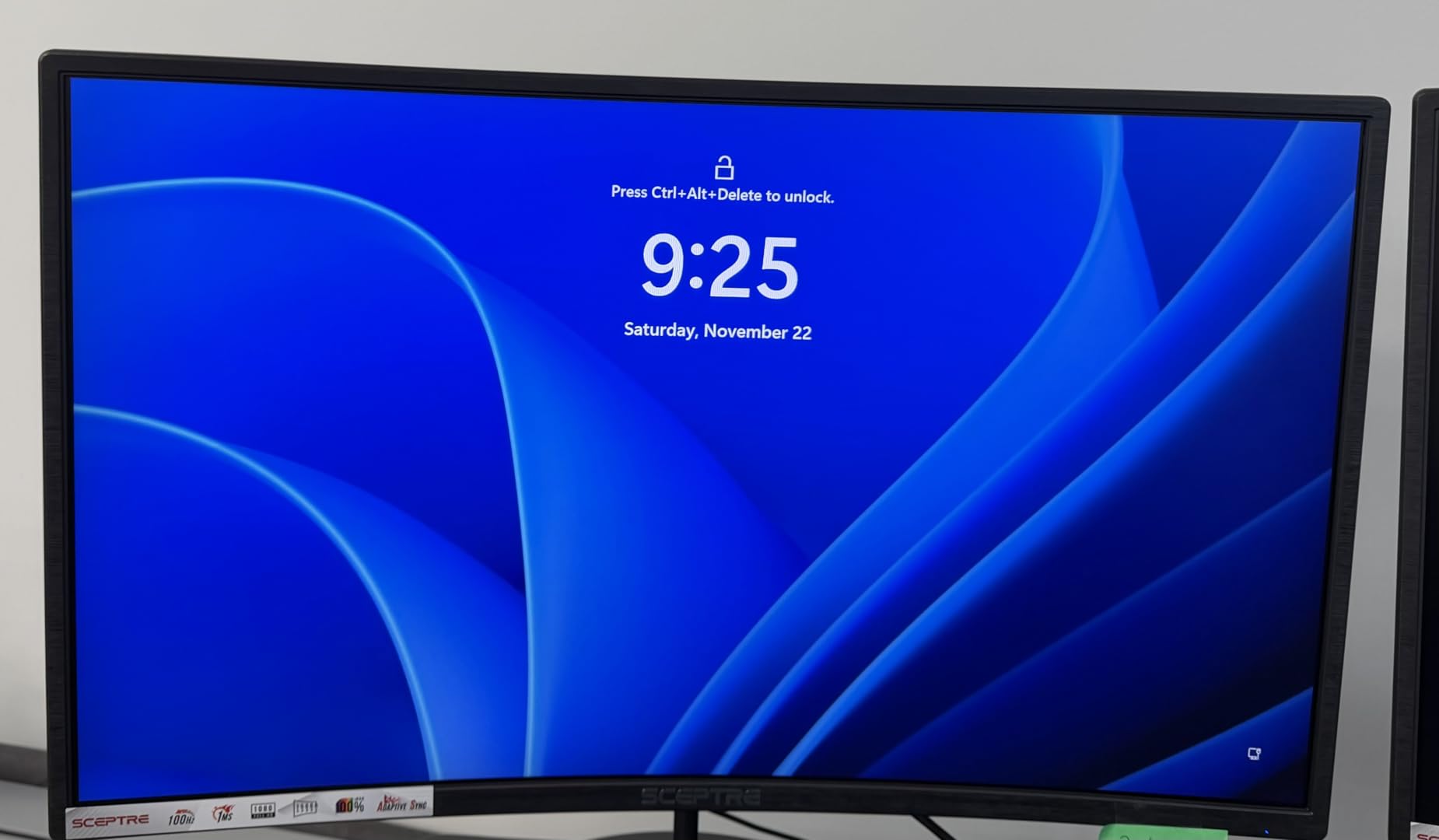
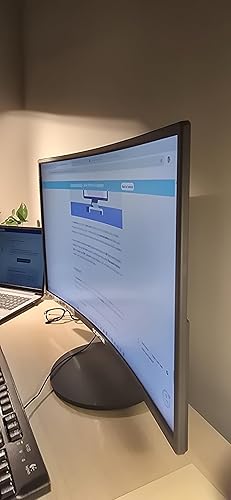
The 1500R curvature creates a genuinely immersive viewing experience. In my multi-monitor desk setup with two of these flanking an ultrawide, the curve helps reduce the visual gap between screens. The curved design also helps reduce eye strain during extended viewing sessions by keeping screen edges at a more uniform distance from your eyes.
Deep Blacks and High Contrast
The VA panel delivers where it matters most for a budget monitor—contrast. With a 3,000:1 static contrast ratio, blacks appear significantly deeper than typical IPS monitors at this price point. This makes the Sceptre particularly enjoyable for watching movies or working in darker environments where IPS glow would be distracting.

Smooth 75Hz Refresh Rate
While not a gaming monitor by design, the 75Hz refresh rate provides a noticeable improvement over standard 60Hz panels. I found it reduced visible flickering and made general desktop navigation feel smoother. The monitor also supports up to 100Hz via HDMI for compatible systems.
Budget-Friendly Price
At $109.97, this Sceptre monitor undercuts many competitors offering similar specs. For perspective, Samsung and LG curved monitors of similar size typically cost $150-200. If you need multiple monitors for a work setup, the savings add up quickly.
VESA Mount Compatible
The 75x75mm VESA mount pattern is a practical addition. At only 5.5 lbs, the monitor is lightweight enough for most monitor arms. I mounted mine using a desk-clamp arm, which freed up significant desk space compared to the included stand. The HUANUO Single Monitor Arm handles this monitor with ease and adds smooth height adjustment for less than $65.
Built-In Speakers and Connectivity
The dual 2W built-in speakers handle basic audio needs for video calls or background content. Two HDMI ports and a VGA port provide decent connectivity options, and there’s a headphone jack for private listening. The multiple ports made it easy to connect my laptop alongside my desktop.
What Needs Improvement
Lower Pixel Density at 27 Inches
At 1920x1080 resolution on a 27-inch panel, you get approximately 82 pixels per inch. Compare that to 92 PPI on a 24-inch 1080p monitor, and text appears noticeably less sharp. If you work with spreadsheets or code, you may find yourself wanting crisper text. For gaming and video, it’s less of an issue.
No AMD FreeSync Support
Unlike many budget gaming monitors, the C275W-1920RN lacks AMD FreeSync or any variable refresh rate technology. This means screen tearing can occur when your graphics card’s frame rate doesn’t match the monitor’s refresh rate. Competitive gamers should look elsewhere—the Sceptre C275W-1920RNT variant adds FreeSync for a small premium.
Rear-Mounted Buttons
All the control buttons sit on the back of the monitor. In my triple-monitor setup, reaching around to adjust settings became frustrating since an adjacent screen blocked easy access. If you use a single monitor or have space on the sides, this is less problematic. The 8ms response time can also produce minor ghosting in dark scenes with fast motion.
Basic Speaker Quality
While having built-in speakers is convenient, don’t expect quality audio. They’re functional for system sounds and video calls, but any serious listening requires external speakers or headphones. This is typical for monitors in this price range.
How It Compares
| Feature | Sceptre C275W-1920RN | Sceptre C275W-1920RNT | MSI G2422C | KTC H27T22S |
|---|---|---|---|---|
| Price | ~$110 | ~$120-125 | ~$130-150 | ~$140-150 |
| Size | 27” | 27” | 24” | 27” |
| Resolution | 1080p FHD | 1080p FHD | 1080p FHD | 1440p QHD |
| Refresh Rate | 75 Hz | 100 Hz | 180 Hz | 180 Hz |
| Panel Type | VA (Curved) | VA (Curved) | VA (Curved) | Fast IPS |
| Response Time | 8 ms | 5 ms | 1 ms | 1 ms |
| Adaptive Sync | No | FreeSync | FreeSync Premium | FreeSync Premium |
| Best For | Budget productivity | Sceptre + gaming | Budget FPS gaming | Gaming + text sharpness |
The Sceptre C275W-1920RN occupies a specific niche: maximum screen size and curve at minimum cost. Here’s how it stacks up against alternatives.
Within the Sceptre lineup, the C275W-1920RNT adds AMD FreeSync support and a second HDMI port for about $10-15 more. If you play any games at all, the FreeSync variant is worth the small premium.
For gaming-focused buyers, the MSI G2422C offers a 1080p VA panel with a 180Hz refresh rate at a similar price point. You sacrifice screen size (24 inches vs 27) but gain significantly smoother gaming performance with adaptive sync.
At higher budgets, the KTC H27T22S delivers 1440p resolution at 180Hz with an IPS panel for under $150. If sharper text and faster refresh matter, it’s worth the extra investment.
The Sceptre makes sense when curve and screen real estate matter more than high refresh rates or pixel sharpness. For productivity and media consumption, it delivers solid value that gaming-focused monitors often sacrifice.
Final Verdict
The Sceptre C275W-1920RN earns a 4.2 out of 5 rating for delivering exactly what budget buyers need: an immersive curved display with solid contrast at an unbeatable price.
The high contrast VA panel produces deeper blacks than IPS alternatives, and the 1500R curve creates genuine immersion for everyday use. At $109.97 with dual HDMI ports and built-in speakers, the value proposition is hard to argue against.
However, the 82 PPI pixel density may frustrate users who work with text-heavy applications, and the lack of FreeSync makes this a poor choice for gaming beyond casual play. If those limitations don’t apply to your use case, the Sceptre curved monitor offers excellent value.
For multi-monitor setups, productivity work, and media consumption, this monitor punches above its price class. Just temper expectations for gaming and text sharpness.
Specifications
| Brand | Sceptre |
| Screen Size | 27 Inches |
| Resolution | FHD 1080p |
| Aspect Ratio | 16:9 |
| Screen Surface Description | Matte |
Frequently Asked Questions
Is the Sceptre curved monitor good for gaming?
For casual gaming at 75Hz, it's adequate. However, without AMD FreeSync support and with an 8ms response time, competitive gamers will experience screen tearing and some motion blur.
What is the downside of a curved monitor?
Curved monitors can create slight distortion when viewing straight lines, which affects tasks like photo editing. Wall mounting is also more challenging due to the curve.
Is 27 inches too small for a curved monitor?
Not at all. The 1500R curve on a 27-inch display provides noticeable immersion without overwhelming smaller desks or viewing distances.
Is a curved monitor really worth it?
For this price point, yes. You get the curved panel benefit at no premium over flat alternatives. The curve reduces perceived eye strain during long sessions.
Does this monitor have built-in speakers?
Yes, the Sceptre C275W-1920RN includes dual 2W speakers. They handle basic audio needs but dedicated speakers provide better sound quality.
Ready to Buy?
Sceptre 27" Curved Monitor Review (2026) delivers on its promises. If it fits your needs, it's a solid choice you won't regret.
Check Price on Amazon Founder & Product Reviewer at TheReviewRewind
Daniel has tested 400+ products across 20+ categories through hands-on, real-world testing. Every review includes video documentation and standardized scoring criteria. His reviews appear as Amazon shoppable videos and here on TheReviewRewind.
We earn a commission if you make a purchase, at no extra cost to you. This does not influence our ratings or recommendations. Full disclosure
Looking for more options? See all our Computers reviews.
Related Reviews