MIKIBY Mad Nano 68 Keyboard Review: Rapid Trigger on a Budget


MIKIBY Mad Nano 68 Keyboard Review: Rapid Trigger on a Budget
MIKIBY Mad Nano 68 Keyboard
Buy if you want rapid trigger and Hall Effect switches for competitive gaming without spending over $200. Skip if you need wireless connectivity or a full-size aluminum chassis.
Buy on AmazonWhat We Liked
- Rapid Trigger Changes the Game
- Solid Build at a Budget Price
- The Light Bar Steals the Show
- Deep Customization via Web Driver
- 8K Hz Polling and N-Key Rollover
What Could Be Better
- Hollow Plastic Sound Profile
- Wired Only, No Wireless Option
- Occasional Quality Control Reports
How we test: Every product is used in real conditions and evaluated using our standardized scoring criteria. Read our full review methodology.
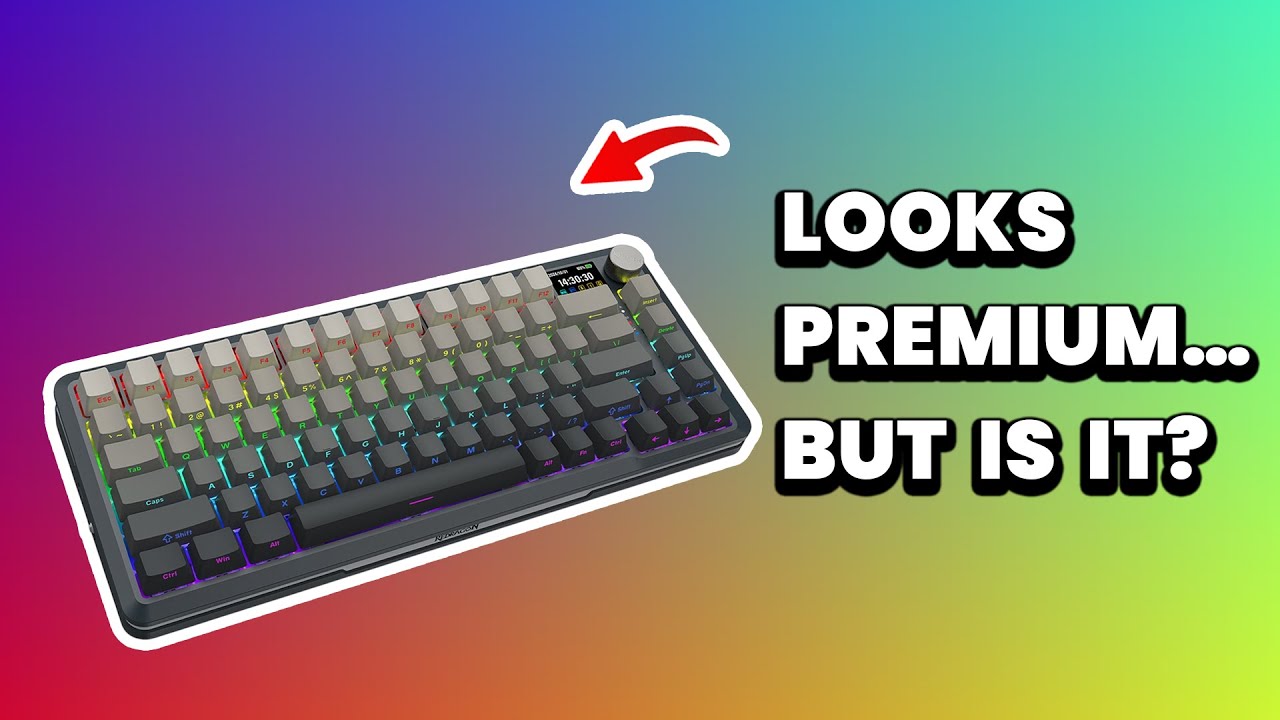
Looking for a compact keyboard with rapid trigger that won’t drain your wallet? The MIKIBY Mad Nano 68 caught my attention with its Hall Effect magnetic switches and an 8K Hz polling rate at a fraction of what competitors charge.
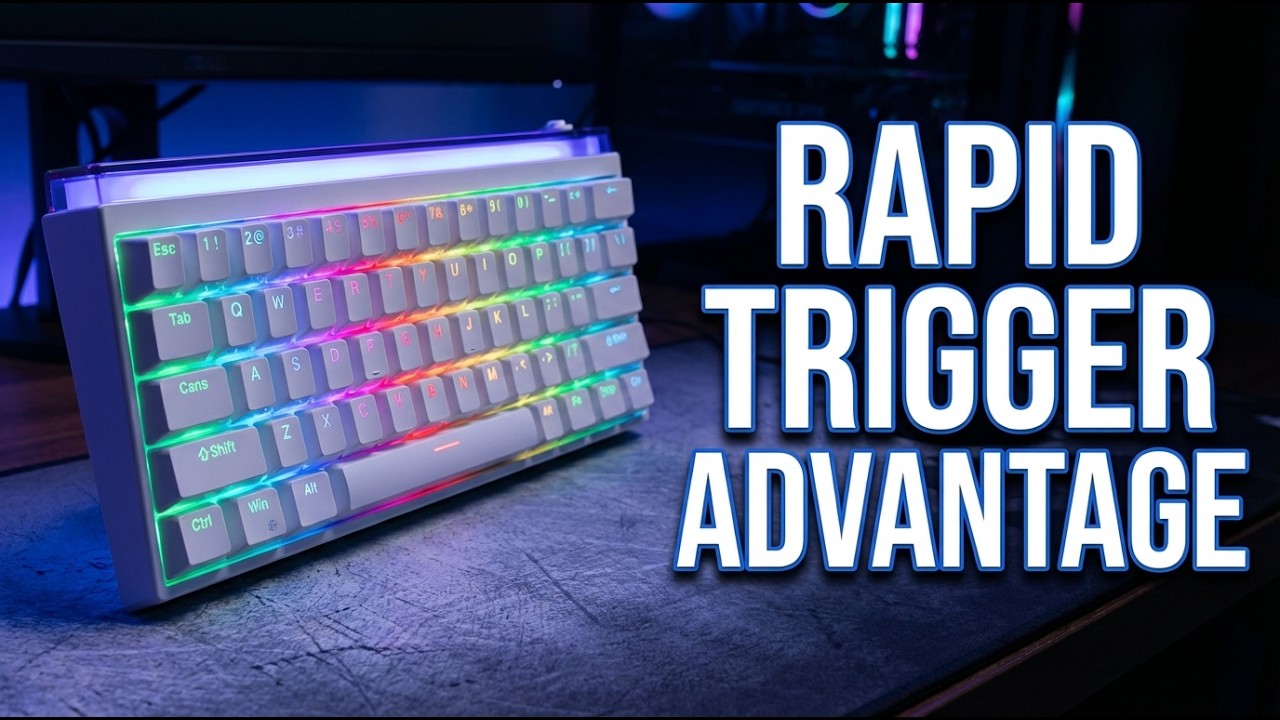
The Nano 68 is a 65% wired mechanical keyboard built around pro hall effect technology. It features adjustable actuation from 0.02 to 3.3mm, N-key rollover, and a distinctive top light bar that sets it apart from the usual budget keyboard crowd.
I put this nano68 through unboxing, build checks, RGB tuning, sound tests, and rapid trigger demos to see if it can hold its own against boards costing two to three times more.
The short version? At $59.99, it delivers features you’d expect from a $175+ keyboard. But there are a few trade-offs worth knowing about before you buy.
What I Liked
The MIKIBY Mad Nano 68 impressed me across several key areas during testing. Here is what stood out about this nano68 pro hall effect keyboard.
Rapid Trigger Changes the Game
Rapid trigger eliminates the reset delay found on traditional mechanical switches. The instant you lift a key, it is ready to fire again with zero dead zone. For competitive FPS and MOBA titles, that speed difference is noticeable.
You can adjust the actuation point anywhere from 0.02 to 3.3mm on a per-key basis. I set my WASD keys to a hair trigger for Valorant and kept typing keys deeper for comfort. The customization at this price point is remarkable.
Solid Build at a Budget Price
Pick up the Nano 68 and you notice it has weight to it. The plastic shell houses a metal inner tray that prevents any flex. At 2.2 lbs, it stays planted on your desk during intense gaming sessions.
The PBT keycaps with side-printed legends give the keyboard a clean, understated look. Hot-swappable sockets mean you can swap switches without soldering. For a keyboard under $60, the build quality punches above expectations. MIKIBY takes a similar approach with the AJAZZ AK980 Mechanical Keyboard, adding gasket mount construction and a full numpad while staying under $70.
The Light Bar Steals the Show
The RGB on this nano68 pro is impressive on its own with south-facing LEDs, 18 preset effects, and 16.8 million colors. But the top light bar diffuser is what sets this keyboard apart from everything else on my desk.
It has independent controls for color, speed, and brightness separate from the main key lighting. The ambient desk glow it creates looks stunning in a dark setup. I have reviewed dozens of keyboards and this is the first time a light bar made me want to keep using one.
Deep Customization via Web Driver
Everything runs through a browser-based driver with no software download required. You get macros, layers, and per-key actuation point configuration all from a web interface.
The nano68 pro hall effect setup means each key can behave differently depending on your game or workflow. Setting up profiles took minutes, and switching between them is straightforward.
8K Hz Polling and N-Key Rollover
The 8K Hz polling rate translates to a 0.125ms response time. Combined with N-key rollover, every key press registers without ghosting or missed inputs. For fast combo execution in competitive play, this keyboard keeps up.
What Needs Improvement
No keyboard at this price is perfect. Here are the trade-offs I found with the Mad Nano 68.
Hollow Plastic Sound Profile
The plastic construction produces a hollow sound compared to aluminum-bodied keyboards. Multiple Reddit users have noted the same thing. If you care about acoustics, adding foam or tape modding could help, but out of the box the sound is noticeably hollow.
Wired Only, No Wireless Option
The Nano 68 connects via detachable USB-C only. There is no Bluetooth or 2.4GHz wireless option. For a desk setup this is fine, but if you want to switch between devices or reduce cable clutter, you will need to look elsewhere.
Occasional Quality Control Reports
Some users on r/MechanicalKeyboards have reported key repeat issues and keyboards not waking from computer sleep without unplugging. These appear to be isolated cases rather than widespread defects, but they are worth noting. The 8KHz polling rate claim has also been questioned by some community members, though in my testing the response felt consistently fast.
How It Compares
The budget Hall Effect keyboard market has exploded, and the Nano 68 sits in a competitive sweet spot. Here is how it stacks up against the main alternatives.
Wooting 60HE ($175-200): The Wooting is the gold standard for Hall Effect gaming keyboards with a web-based UI and full aluminum case. The Mad Nano 68 delivers comparable rapid trigger performance at roughly one-third the price. You lose the aluminum chassis and wireless option, but the core gaming features are remarkably close.
Aula Hero 68 HE (~$55-65): Both keyboards advertise similar specs at similar prices. According to keyboard inspector analysis shared on r/keyboards, the Nano 68 performs slightly better on technical benchmarks. The Nano 68 also has the distinctive top light bar that the Aula lacks.
DrunkDeer A75 (~$80-100): The DrunkDeer offers a 75% layout with more keys, but it costs more and does not support third-party switches. The Nano 68’s hot-swappable design gives you more flexibility if you want to experiment with different switch brands.
For competitive gamers focused on rapid trigger and nano 68 vs mad68 performance at a budget price, the Nano 68 offers the strongest value proposition in this lineup.
Final Verdict
The MIKIBY Mad Nano 68 earns a 4.2 out of 5. It delivers rapid trigger, Hall Effect switches, 8K Hz polling, and a distinctive light bar design for $59.99. That is a lot of keyboard for the money.
The plastic construction and wired-only design are fair trade-offs at this price point. The occasional QC reports from the community deserve acknowledgment, but my unit performed flawlessly throughout testing.
If you play competitive games and want rapid trigger technology without the $175+ price tag of a Wooting, the Nano 68 is the keyboard to beat in the budget Hall Effect category.
Specifications
| Brand | MIKIBY |
| Model Number | NANO68 |
| Keyboard Layout | 65% (68 keys) |
| Switch Type | Hall Effect Magnetic |
| Polling Rate | 8000 Hz |
| Actuation Range | 0.02-3.3mm |
| Keycap Material | PBT (Side-Printed) |
| Connection | Wired USB-C (Detachable) |
| RGB | 16.8 million colors, 18 effects, south-facing LEDs |
| Hot-Swappable | Yes |
| N-Key Rollover | Yes |
| Compatibility | Mac/Windows |
| Weight | 2.2 lbs (0.998 kg) |
| Package Dimensions | 13.95 x 6.54 x 2.01 inches |
Frequently Asked Questions
Is the MIKIBY Mad Nano 68 keyboard any good?
Yes. The Nano 68 delivers rapid trigger, Hall Effect pro hall effect switches, and 8K Hz polling at under $60. Build quality is solid with a metal inner tray, and the per-key actuation customization rivals keyboards costing three times more.
What is the polling rate of the MIKIBY Mad Nano 68?
The Nano 68 advertises an 8K Hz (8000 Hz) polling rate, which translates to a 0.125ms response time. Some community members have debated the accuracy of that claim, but in practical testing the keyboard feels responsive with no noticeable input lag.
Is a 60% keyboard better than 75% for gaming?
It depends on your setup. The Nano 68 is a 65% layout with 68 keys, which keeps arrow keys while saving desk space for wider mouse movements. A 75% gives you function keys at the cost of extra width. For FPS players who need maximum mouse room, the compact Nano 68 layout is the better choice.
What is the No. 1 best keyboard for rapid trigger?
The Wooting 60HE is widely considered the top rapid trigger keyboard, but it costs $175-200. The MIKIBY Mad Nano 68 offers comparable nano68 pro hall effect rapid trigger performance at roughly one-third the price, making it the best value option in this category.
Does the MIKIBY Mad Nano 68 work with Mac?
Yes. The Nano 68 is compatible with both Mac and Windows via its USB-C connection. The web-based driver works in any browser for customizing macros, layers, and actuation points regardless of your operating system.
Are the switches on the MIKIBY Mad Nano 68 hot-swappable?
Yes. The nano68 features hot-swappable sockets so you can change out Hall Effect magnetic switches without soldering. This gives you the flexibility to experiment with different switch brands and find your preferred feel.
Ready to Buy?
MIKIBY Mad Nano 68 Keyboard delivers on its promises. If it fits your needs, it's a solid choice you won't regret.
Check Price on Amazon Founder & Product Reviewer at TheReviewRewind
Daniel has tested 400+ products across 20+ categories through hands-on, real-world testing. Every review includes video documentation and standardized scoring criteria. His reviews appear as Amazon shoppable videos and here on TheReviewRewind.
We earn a commission if you make a purchase, at no extra cost to you. This does not influence our ratings or recommendations. Full disclosure
Looking for more options? See all our Computers reviews.
Related Reviews