Hiearcool USB-C Dock Review (2026): One Cable Fix


Hiearcool USB-C Dock Review (2026): One Cable Fix
Hiearcool USB-C Dock Review (2026)
Buy if you need an affordable all-in-one USB-C dock with triple display and Gigabit Ethernet for your home office. Skip if you need 4K at 60Hz or extended multi-monitor support on macOS.
Buy on AmazonWhat We Liked
- Triple Display Support
- 11-in-1 Port Selection
- 100W Power Delivery
- Gigabit Ethernet Connection
- Compact and Travel-Ready Design
What Could Be Better
- 4K Limited to 30Hz
- macOS Display Mirroring Limitation
- Short USB-C Cable
How we test: Every product is used in real conditions and evaluated using our standardized scoring criteria. Read our full review methodology.
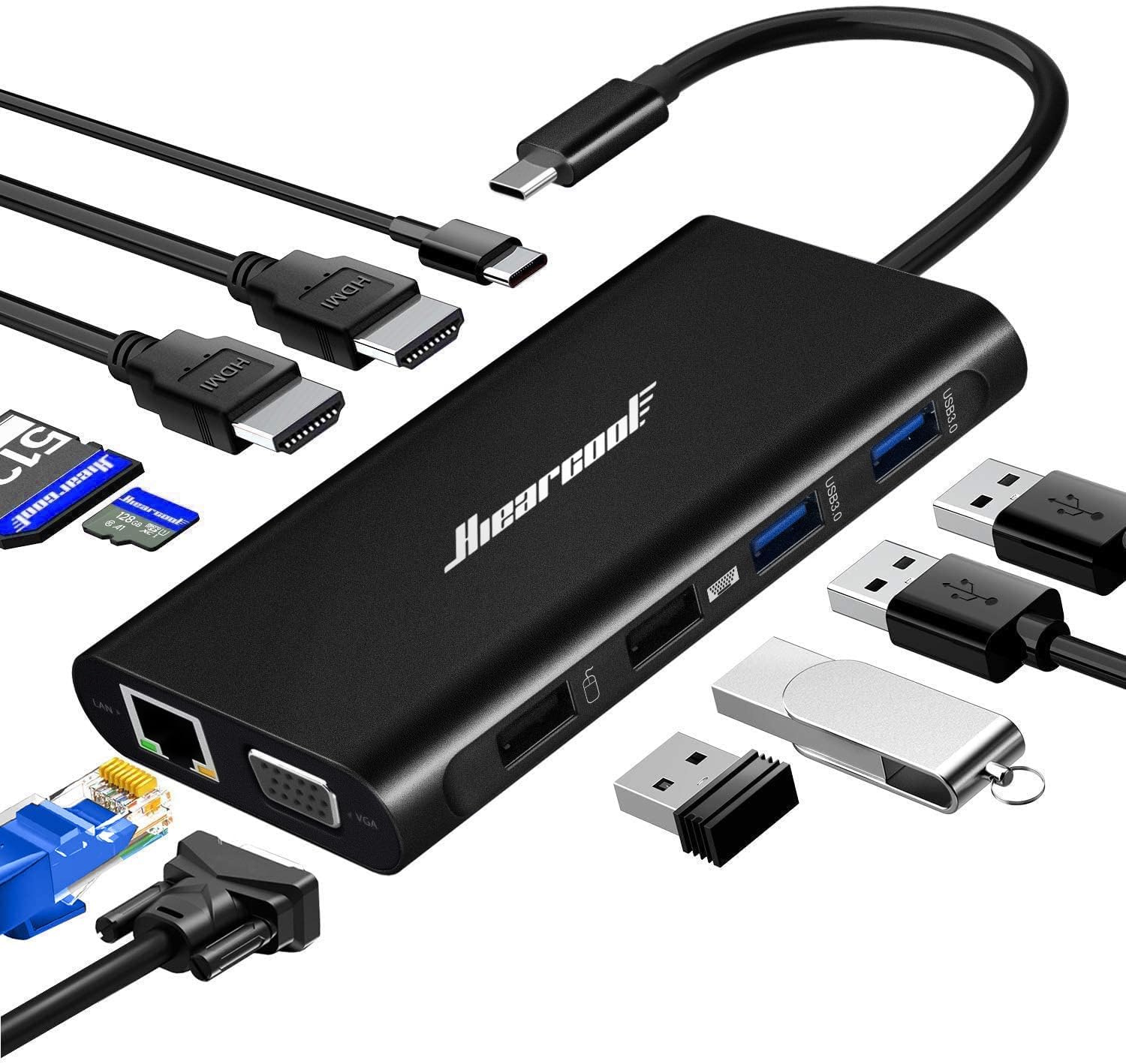
If your laptop desk looks like a tangled mess of adapters and dongles, the Hiearcool USB-C Docking Station promises a single-cable fix. This 11 in 1 USB C hub packs dual HDMI, VGA, Gigabit Ethernet, card readers, and four USB ports into a device that weighs under four ounces.
I tested the Hiearcool USB C docking station by connecting two displays, two SSDs, a TF card, and a USB mic to a MacBook Air simultaneously. Everything was detected within seconds and the hub stayed cool throughout.
The short answer: for under $30, this laptop docking station delivers impressive value. There are a few caveats worth knowing about, but the overall package is hard to beat at this price point.
What I Liked
The Hiearcool USB C docking station impressed me across several key areas during testing. Here is what stood out the most.
Triple Display Support
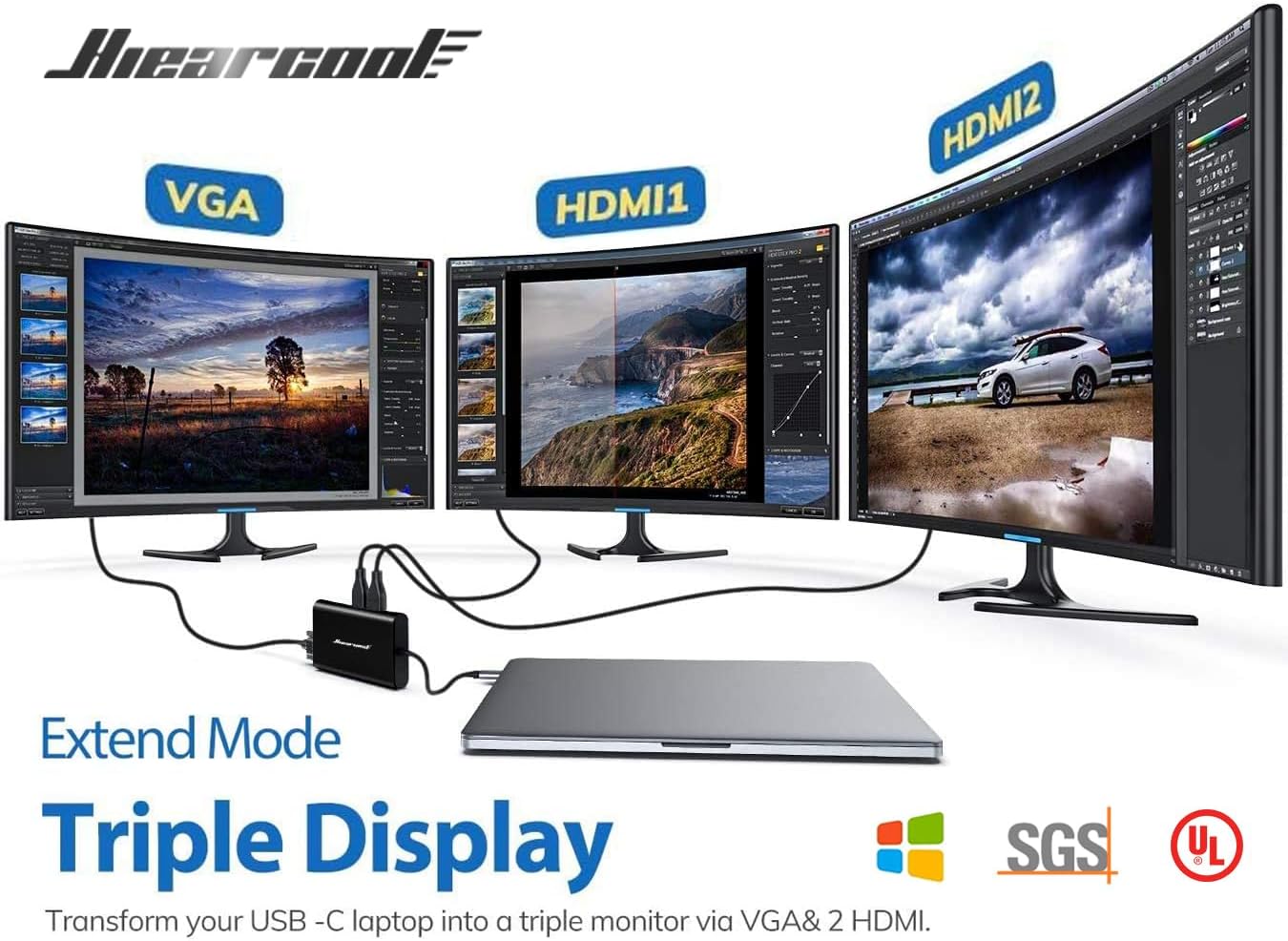
This dock supports triple display output on Windows laptops through two HDMI ports and one VGA port. The HDMI ports deliver up to 4K at 30Hz, while the VGA pushes 1080p at 60Hz for conference room projectors or secondary monitors.
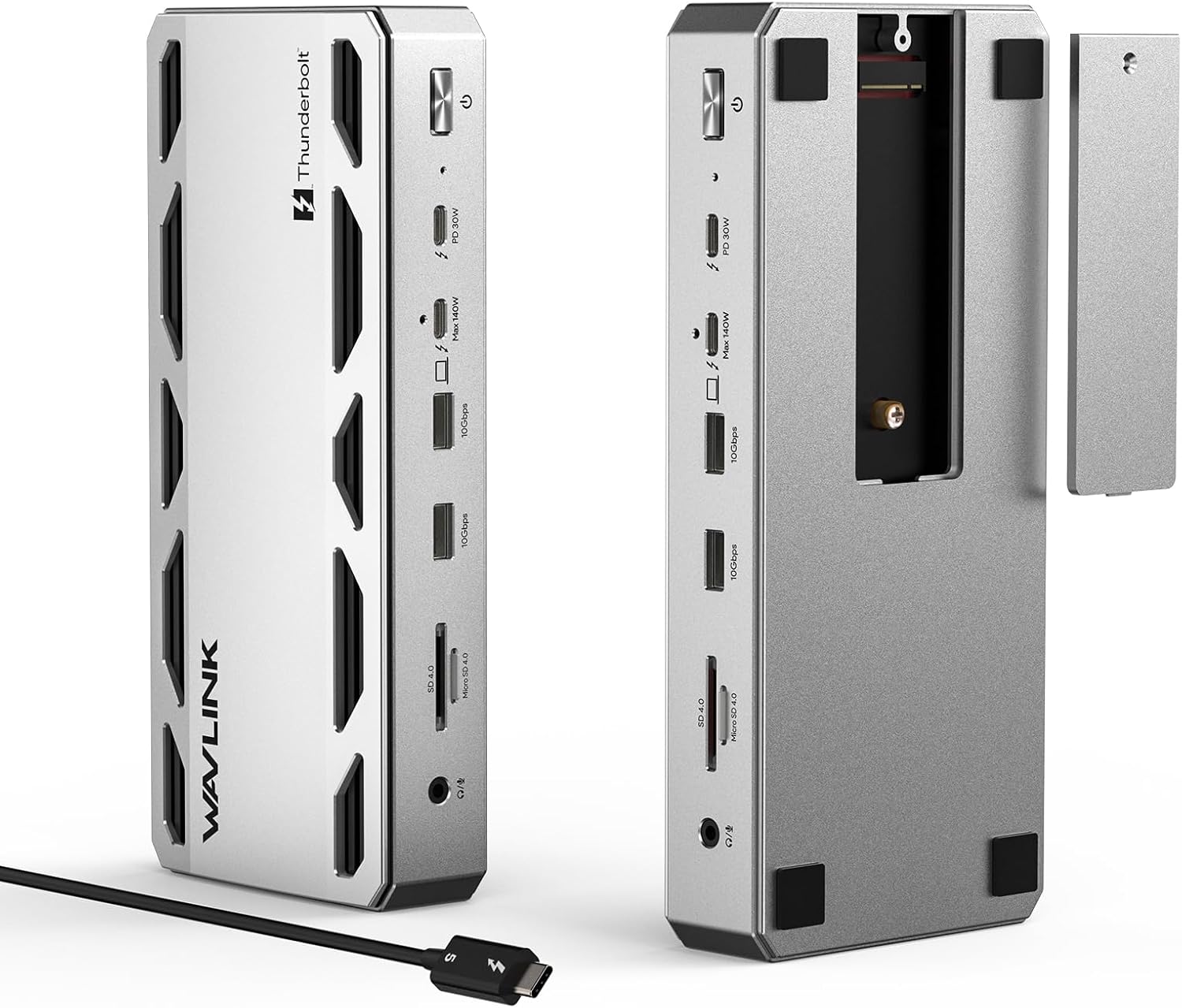
On Windows machines with USB-C Alt Mode, triple display works out of the box with no drivers needed. This is a strong advantage for anyone running a multi-monitor home office setup. If you need all three monitors running at full 4K resolution, the WAVLINK Laptop Docking Station 3 Monitors supports triple 4K output with 125W charging at a slightly higher price point. A multi-monitor home office also benefits from an ergonomic pointer, and the Uineer Vertical Ergonomic Mouse keeps your wrist relaxed while you range across all those screens.
11-in-1 Port Selection
The port count here is generous for a hub or dongle at this price. You get two HDMI, one VGA, two USB 3.0, two USB 2.0, Gigabit Ethernet, SD and TF card readers, and a USB C power delivery port.
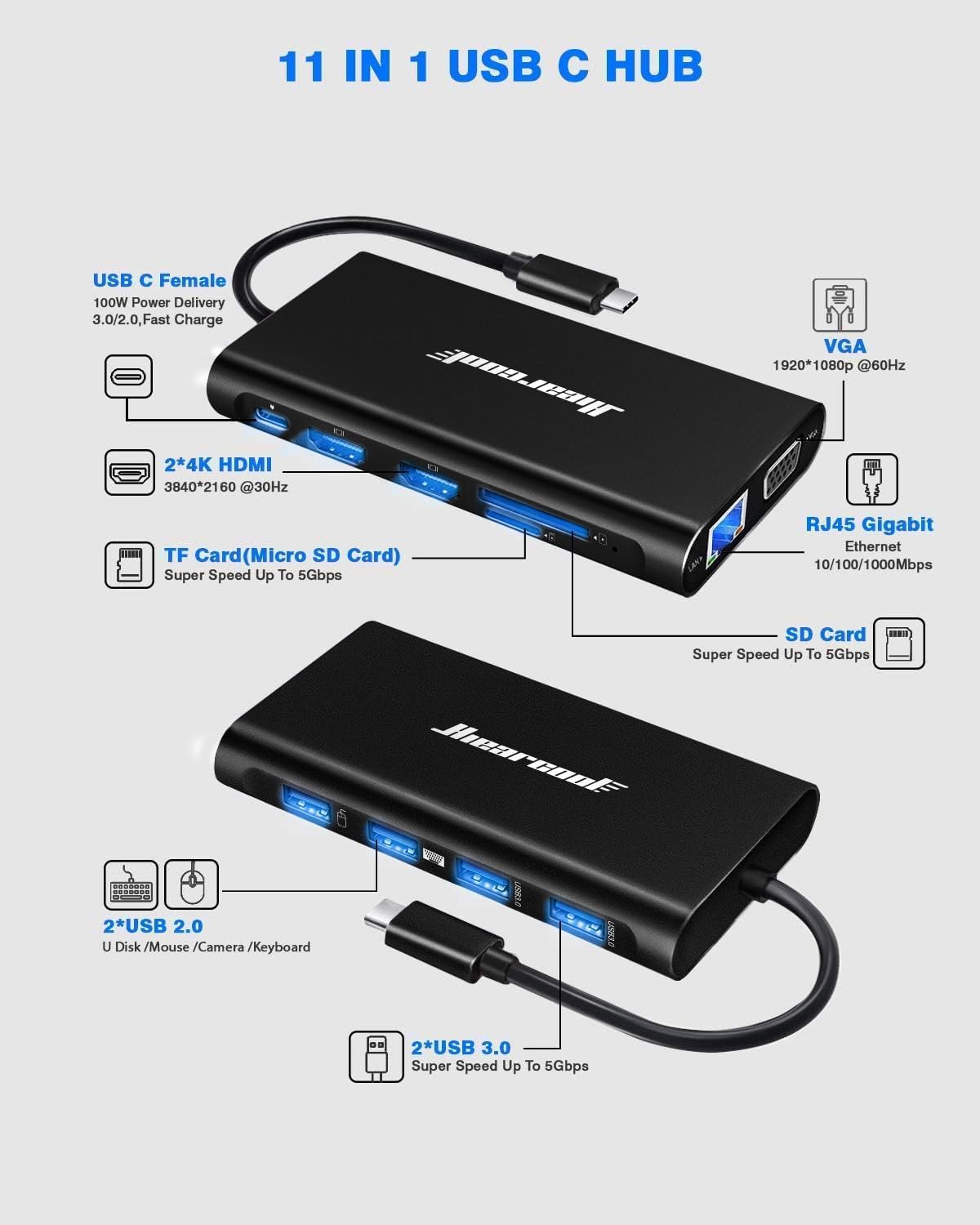
Having both USB 3.0 and USB 2.0 ports is practical. The 3.0 ports handle 5 Gbps data transfers for external drives, while the 2.0 ports work for low-power peripherals like a keyboard and mouse. Mac users who need more than two monitors and faster port speeds may want to consider the WAVLINK Pro Docking Station DL7400, which offers quad 4K output and 10Gbps USB across all ports. For a more compact option that trades port count for built-in SSD storage, the Minthouz USB C Docking Station combines an M.2 enclosure with essential hub features in a single device.
100W Power Delivery
The USB C pass-through charging supports up to 100W, which keeps your laptop topped up while all peripherals are connected. For a fast charge result, Hiearcool recommends using a 72W or higher adapter.
This means one cable connects your laptop to displays, peripherals, and power simultaneously. That is exactly what a docking station should do. Laptops that draw more than the dock’s 100W ceiling can run off a dedicated brick like the Mfish E-Rhino 140W USB-C charger, which pushes true 140W PD 3.1 to more demanding machines. Away from the desk, a SooPii 240W retractable USB-C cable covers the same charge anything duty in a puck that disappears into a jacket pocket.
Gigabit Ethernet Connection
The built-in Gigabit Ethernet port is an overlooked highlight. In my testing, video calls were stable with zero dropouts over the wired connection compared to occasional Wi-Fi freezes during screen shares.
For remote workers who depend on stable internet for calls and file transfers, this wired option is worth the desk space alone.
Compact and Travel-Ready Design
The dock measures 4.52 by 2.36 by 0.59 inches and weighs 3.68 ounces. It slips into any laptop bag without adding noticeable bulk. Hiearcool includes a fabric carry pouch in the box.
The anodized aluminum shell feels sturdy and acts as a heatsink. Smart chip protections guard against overcurrent and overvoltage, keeping connected devices safe.
What Needs Improvement
No USB C docking station is without trade-offs, and the Hiearcool has a few areas worth noting before you buy.
4K Limited to 30Hz
The HDMI output caps at 4K at 30Hz rather than 60Hz. For basic office work, spreadsheets, and web browsing, 30Hz is fine and most users will not notice the difference. For video editing or gaming at 4K, the lower refresh rate produces visible motion blur.
If you need 4K at 60Hz, you will need to step up to a Thunderbolt dock, which typically costs three to four times more.
macOS Display Mirroring Limitation
On Mac, the second HDMI port mirrors the first instead of extending to a separate display. This is a macOS limitation with MST-based docks, not a Hiearcool defect. Apple’s operating system only supports SST for display output.
You can work around this using third-party DisplayLink software, but it requires extra setup and an additional driver. Windows users do not face this issue at all.
Short USB-C Cable
The included USB-C cable is on the shorter side at roughly six inches. If your laptop sits more than a foot from your monitors, you may need a longer cable or a USB-C extension.
This is a minor inconvenience and a longer cable costs around $10, but it is worth planning for when setting up your desk.
How It Compares
The USB C hub market is crowded with options. Here is how the Hiearcool stacks up against popular alternatives you might be considering.
Hiearcool vs Anker 555
The Anker 555 8-in-1 USB C hub is a well-known competitor from an established brand. It adds an HDMI port capable of 60Hz output, which is a notable upgrade for smooth 4K display performance. However, the Anker costs roughly twice the price and offers fewer total ports.
The Hiearcool wins on value and port count. The Anker wins on brand recognition and 60Hz HDMI. If 4K at 60Hz matters to you, the Anker is worth the premium. Otherwise, the Hiearcool delivers more connectivity for less money.
Hiearcool vs Plugable USB-C Triple 4K
The Plugable USB C Triple 4K monitor dock uses DisplayLink technology to deliver true extended triple 4K displays, even on macOS. This solves the Mac mirroring limitation that the Hiearcool faces with its MST approach.
The Plugable costs significantly more and requires a DisplayLink driver installation. For Mac users who need three extended displays, the Plugable is the best laptop docking station for that specific use case. For Windows users or those on a budget, the Hiearcool’s plug-and-play simplicity is the better fit.
For most home office workers running a full sized USB C laptop, the Hiearcool offers the best bang for the buck. The further considerations around pros, cons, and who should buy come down to whether you need 60Hz output or Mac-native extended displays.
Final Verdict
The Hiearcool USB C Docking Station delivers strong value as an affordable 11 in 1 USB C hub that consolidates your entire desk setup into one cable. It does not try to compete with Thunderbolt docks three times its price, and it does not need to.
I am giving it a 4.1 out of 5.
The 30Hz 4K cap, macOS mirroring limitation, and short cable hold it back from a higher score. But the combination of triple display support, 100W power delivery, Gigabit Ethernet, and a sub-$30 price makes those trade-offs easy to accept for most laptop users.
Bottom line: If you need a feature-packed docking station that covers every connectivity need without breaking the bank, the Hiearcool is an easy recommendation for any Windows laptop owner.
Specifications
| Brand | Hiearcool |
| Color | Space Grey |
| Total USB Ports | 4 |
| Connector Type | USB Type C, HDMI, VGA, USB Type A, Ethernet |
| Compatible Devices | Laptops, MacBook Pro, MacBook Air, Dell, HP, Lenovo |
| Number of Ports | 11 |
| Item Weight | 3.68 ounces |
| Item Dimensions | 4.52 x 2.36 x 0.59 inches |
| Data Transfer Rate | 5 Gbps |
| Power Delivery | 100W |
| HDMI Resolution | 4K@30Hz |
| VGA Resolution | 1080p@60Hz |
| Ethernet Speed | 1 Gbps |
| Material | Anodized Aluminum |
| Warranty | 24 months |
| ASIN | B07QNRM45T |
Frequently Asked Questions
Is a USB-C docking station worth buying?
Yes, if your laptop has limited ports. A USB C docking station like the Hiearcool expands a single USB-C port into 11 connections including displays, Ethernet, and USB devices. For anyone working with a modern laptop at a desk, the convenience of one-cable connectivity pays for itself quickly.
What are common USB-C dock problems?
The most common issues include display compatibility on macOS, where MST-based docks mirror rather than extend screens. Other frequent complaints involve heat during extended use and USB-C port confusion since not all USB-C ports support video output. Checking your laptop supports USB-C Alt Mode or Thunderbolt avoids most problems.
Who makes the best USB-C hubs?
Anker, Plugable, UGREEN, and Hiearcool are among the top-rated brands. Anker leads on brand recognition, Plugable excels with DisplayLink docks for Mac triple display, and Hiearcool offers the best value in the budget category with high port counts at low prices.
How many monitors can the Hiearcool dock support?
The Hiearcool 11 in 1 USB C hub supports up to three external monitors on Windows through two HDMI ports at 4K 30Hz and one VGA port at 1080p 60Hz. On macOS, it supports two displays with the second HDMI mirroring the first due to operating system limitations.
Does the Hiearcool dock work with MacBook?
Yes, the Hiearcool docking station is compatible with MacBook Pro and MacBook Air models that have Thunderbolt 3 or USB-C 3.1 Gen 2 ports. The main caveat is that Mac users get dual display (one extended plus one mirrored) rather than the full triple display available on Windows.
Ready to Buy?
Hiearcool USB-C Dock Review (2026) delivers on its promises. If it fits your needs, it's a solid choice you won't regret.
Check Price on Amazon Founder & Product Reviewer at TheReviewRewind
Daniel has tested 400+ products across 20+ categories through hands-on, real-world testing. Every review includes video documentation and standardized scoring criteria. His reviews appear as Amazon shoppable videos and here on TheReviewRewind.
We earn a commission if you make a purchase, at no extra cost to you. This does not influence our ratings or recommendations. Full disclosure
Looking for more options? See all our Computers reviews.
Related Reviews