Soothielec KH53 Wireless Headset Review: Clearer Work Calls on a Budget


Soothielec KH53 Wireless Headset Review: Clearer Work Calls on a Budget
Soothielec KH53 Wireless Headset
Buy if you live on work calls and want a comfortable headset with a clear ENC mic, all-day battery, and a tidy charging stand for under $70. Skip if you want sealed over-ear ANC for music or a studio-grade microphone.
Buy on AmazonWhat We Liked
- The ENC Microphone Keeps Your Voice Clear on Calls
- Comfortable On-Ear Earcups for All-Day Wear
- Dual-Device Bluetooth 5.3 and a USB Dongle
- Surprisingly Full Sound Quality for a Work Headset
- Long Battery Life With a Handy Charging Stand
What Could Be Better
- Call Audio Can Drop to a Lower-Quality Profile
- The Boom Mic Is Firm and a Little Too Sensitive
- The Mute Button Only Works While You Are On a Call
- On-Ear Earcups That Do Not Seal Out Noise
How we test: Every product is used in real conditions and evaluated using our standardized scoring criteria. Read our full review methodology.
If you work from home, you know the moment. You are mid-meeting and the dog starts barking, or the kids melt down in the next room, and suddenly everyone on the call hears all of it. The Soothielec KH53 wireless headset is built to solve exactly that problem.
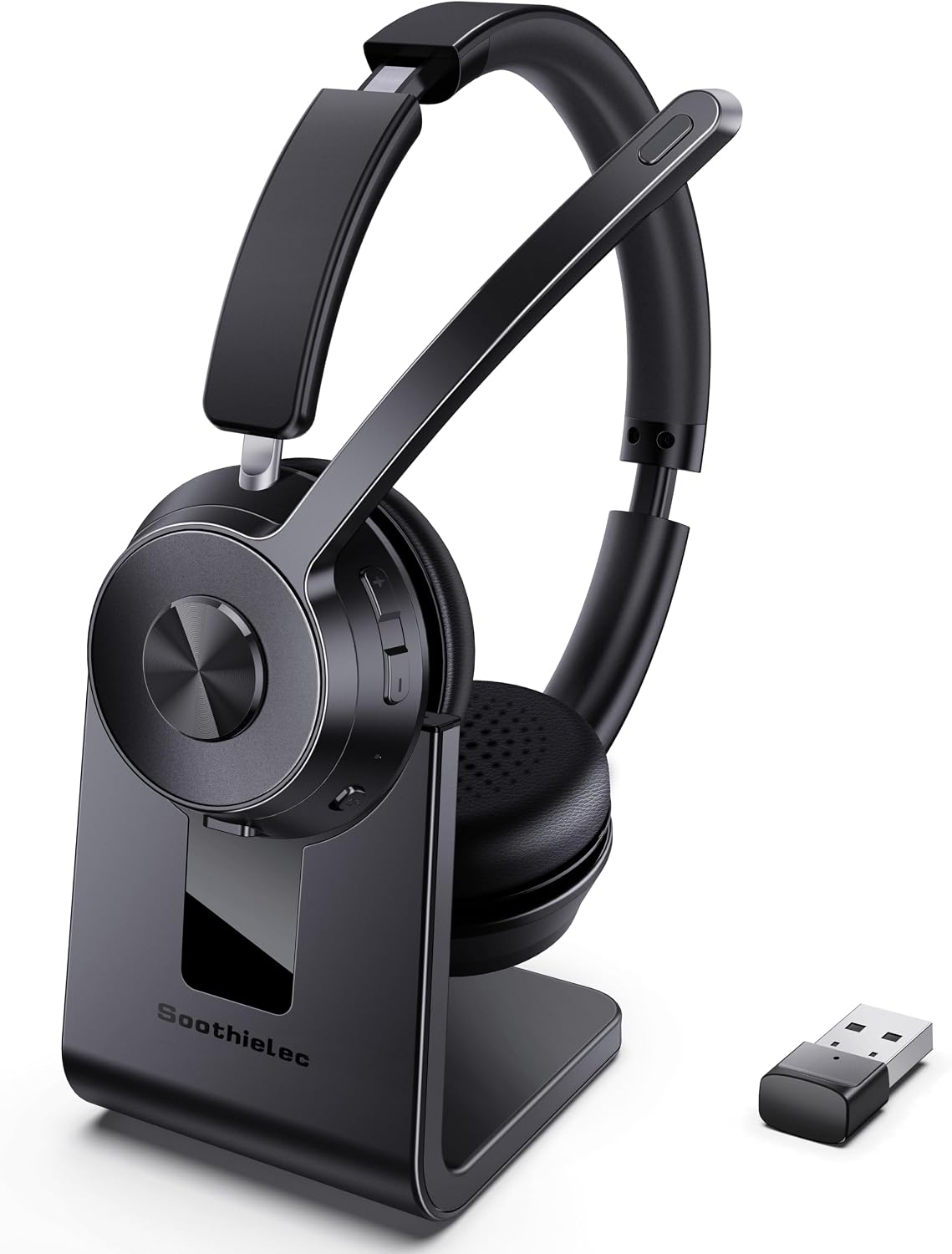
The Soothielec KH53 is a budget-focused bluetooth headset for work, with an on-ear design, a single boom mic, and its own charging stand. It pairs via Bluetooth 5.3, ships with a USB-A dongle for computers without Bluetooth, and still includes a 3.5mm wire for old-fashioned wired use. At $69.98, it undercuts name-brand office headsets while promising clear calls and all-day comfort.
I spent time with the KH53 across work calls, music on Spotify, and a few casual gaming sessions, then dug through customer reviews on Amazon and Reddit threads to pressure-test my impressions. The short version: the ENC microphone is the real standout, the battery life is generous, and the charging stand is genuinely useful, though this headset has limits I will cover in detail below.
What I Liked About the Soothielec KH53 Wireless Headset
Across a week of calls and casual listening, a handful of things stood out as genuinely good for the price.
The ENC Microphone Keeps Your Voice Clear on Calls
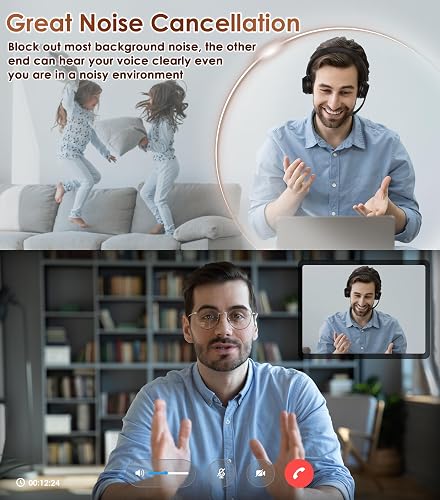
The headline feature is the microphone, and it earns the attention. The KH53 uses ENC (environmental noise cancellation) on the mic side, meaning it cleans up your outgoing voice rather than what you hear. In practice, my voice came through clear and people did not have to strain to hear me.
I ran it with the air conditioning vent blasting right above me, and callers did not pick up the hum at all. It is not magic in a genuinely loud room, but for a home office or a noisy house, the call quality and voice quality are exactly what matters on a work call.
As a dedicated headset with mic duties in mind, this noise canceling mic is the main reason to buy the KH53, and it works as a headset with noise cancellation that genuinely helps on calls. Its noise control also tamed steady sounds like typing on a computer keyboard in my testing.
Comfortable On-Ear Earcups for All-Day Wear
Comfort is where a lot of cheap headsets fall apart, and the KH53 holds up. The earcups use a leather-like outer with memory foam underneath and small breathable holes, and the padded headband adjusts to fit different head sizes.
I wore it for hours without the tightness or hot spots that make you want to rip a headset off. The ear cushions are soft without feeling flimsy, and the genuinely lightweight feel means each earpiece disappears during long stretches of calls.
Dual-Device Bluetooth 5.3 and a USB Dongle
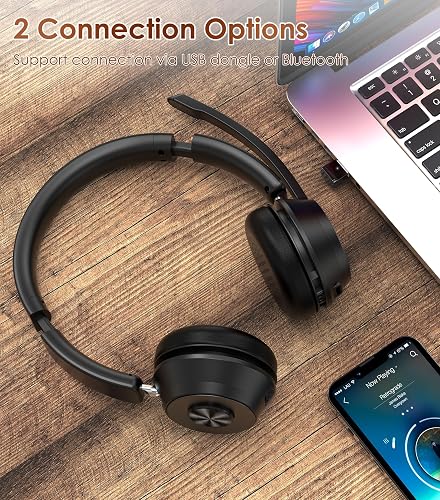
The KH53 runs on Bluetooth version 5.3 and supports dual-device pairing, so you can keep it connected to a laptop and an iPhone or Android phone at once. When both devices are on normal Bluetooth, it switches between them seamlessly, which is the whole point of a work headset when a telephone call comes in.
For a computer without Bluetooth, the included USB dongle plugs the little adapter into a USB port and gets you wireless in seconds. It works with Zoom, Teams, and Webex via Bluetooth, and there is a 3.5mm wire in the box if you want a plain wired connection, though the buttons go dead when you use it.

Surprisingly Full Sound Quality for a Work Headset
I did not expect much from the sound quality on a work headset, but the KH53 surprised me. Listening to music on Spotify, the highs were clear and there was real bass, without the thin, hollow sound that plagues a lot of cheap bluetooth headphones.
You will not mistake these for audiophile headphones, and the best sound still belongs to a dedicated pair of headphones. But for jumping from a call straight into a playlist, the listening experience is better than I expected at this price. As an audio headset built mainly for calls, it handles music better than most wireless headphones in this bracket.
Long Battery Life With a Handy Charging Stand
The 600mAh battery is rated for around 40 hours of talk time and charges fully in about two hours over USB-C. That is not a charge-every-night situation; you can go days of normal work use between top-ups.
My favorite touch is the charging stand. Instead of fumbling with a cable, you set the headset in the dock and it starts charging automatically, which keeps the battery life topped up and your desk looking tidy.
What Needs Improvement
No headset at this price is perfect, and a few things are worth knowing before you buy.
Call Audio Can Drop to a Lower-Quality Profile
The most common complaint I found is a Bluetooth quirk rather than a Soothielec-specific flaw. Several users on Reddit report that music sounds fine until they join a call or the mic engages, at which point the audio can turn muffled, or as one put it, like listening underwater.
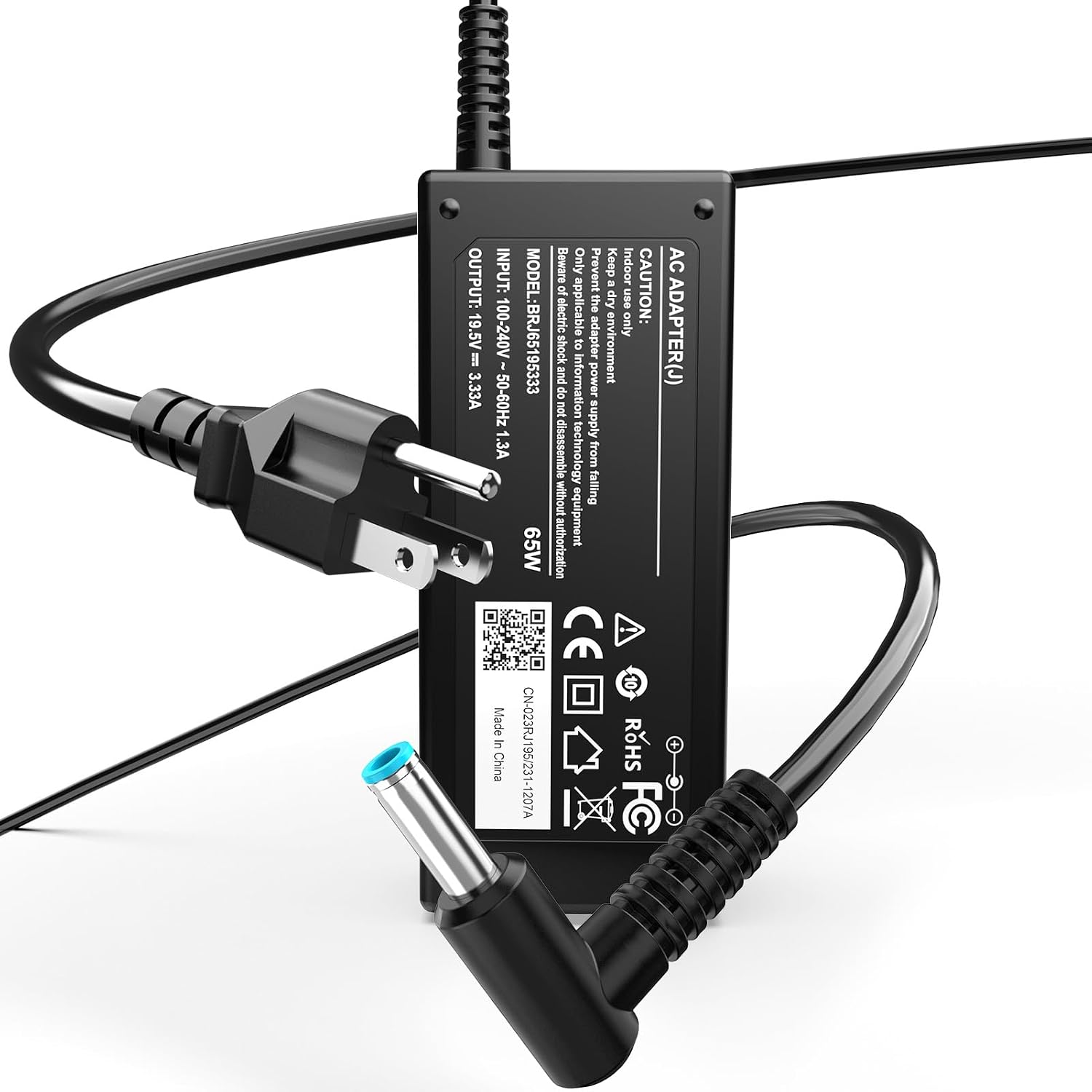
This happens because Bluetooth switches to a lower-bandwidth two-way profile for calls, and it can hit almost any wireless headset. Using the USB dongle and keeping the mic input level sensible helps, but if pristine two-way audio is critical, a wired headset sidesteps the issue entirely. The long call-heavy days this headset is built for also wear on your hands, which is where the Anker wireless vertical ergonomic mouse eases the wrist strain that creeps in by mid-afternoon. Keeping that same desk running matters too, so a cheap backup like the HP 65W laptop charger saves the workday when your original adapter finally gives out.
The Boom Mic Is Firm and a Little Too Sensitive
The boom mic does its job, but it is a firm plastic stalk that does not bend close to your mouth the way a flexible gooseneck would. It flips up on either side for righty or lefty use, yet you cannot fine-tune the exact position.
It is also sensitive enough to pick up your breathing if it sits right at your mouth. Nudging it up or lowering the mic input fixes it, and the mute button covers the gaps, but the mic quality here is standard work-headset fare rather than studio grade. If you want a boom that bends right up to your mouth for cleaner pickup, the BOYA BY-GM18CU gooseneck microphone offers the flexible positioning the KH53’s firm stalk cannot.
The Mute Button Only Works While You Are On a Call
One limitation that trips up new users is the mute button only working during an active call or meeting. You cannot pre-mute yourself before you dial in, so there is no way to join a call already muted.
It is a minor annoyance once you build the muscle memory, but it runs counter to how a lot of people like to join meetings. The multi-function button’s voice-assistant trigger is similarly limited, working through your phone but not your computer’s calling apps.
On-Ear Earcups That Do Not Seal Out Noise
These are on-ear earcups, not sealed over-ear cups, so they rest on your ears rather than enclosing them. That keeps them light and breathable, but it also means they do little to lower the noise level around you.
There is no ANC (active noise control) for listening here, so this is not the headset to silence a loud office while you focus. The noise cancellation lives on the mic, not in the ear cups, so if passive isolation or noise reduction matters, look at true noise canceling headphones, sealed over-the-ear headphones, or dedicated noise-cancelling headphones instead. The KH53 is not an in-ear monitor or a pair of sealed cans, and it does not pretend to be.
How the Soothielec KH53 Compares
The KH53 plays in the crowded budget work-headset space. Here is how it stacks up against three alternatives people actually cross-shop, and what the customer reviews suggest.
vs Poly Voyager (Plantronics) Office Headsets
Poly Inc. (formerly Plantronics) builds the Voyager line that defines the premium office headset, with polished mics and call features like sidetone. The Poly Voyager Legend 50 wins on mic quality and brand support, but it is a mono, single-ear design and costs several times more than the KH53.
If your employer is paying and you want a call-center-grade pick, a Poly Voyager UC headset is the benchmark. If you are buying for yourself and want stereo earcups plus a charging stand for under $70, the KH53 covers the essentials for far less.
vs Jabra Evolve3 and Other Dongle Headsets
Jabra’s Evolve line is the other business standard, shipping with a dedicated Bluetooth dongle and a mic that separates your voice from background noise well. Reviewers at RTINGS rate it highly for office use.
The trade-off is price, since the Jabra typically runs two to three times the KH53. The Soothielec matches the dual-device and dongle convenience at a fraction of the cost, but you give up the refinement and long-term support of a major brand.
vs Budget ANC Headphones Like the Anker Soundcore Line
If you care more about music and blocking noise for yourself, budget ANC headphones like the Anker Soundcore line are a different tool. They add active noise cancellation in the ear cups and a wider sound that the KH53 does not attempt.
But their built-in mics are weaker at isolating your voice than a dedicated boom mic, as RTINGS notes about budget call picks. For a headset whose main job is talking, the KH53’s boom and ENC still win on call clarity, even if it is not the best noise cancelling option for pure listening.
Across customer reviews, the recurring praise is comfort, clear calls, and the charging stand, while the recurring gripe is the call-audio profile quirk covered above. That pattern lines up closely with what I found in testing.
Final Verdict on the Soothielec KH53
The Soothielec KH53 earns a 4.2 out of 5. It nails the things that matter for a work headset: a clear ENC microphone, comfortable on-ear earcups for all-day wear, dependable dual-device Bluetooth, and a charging stand that keeps it ready to grab.
It is not flawless. Call audio can drop to a lower-quality Bluetooth profile when the mic engages, the boom is firm and a bit sensitive, the mute only works mid-call, and there is no ANC to quiet the room for you.
For the money, those are fair trade-offs. The brand backs it with a warranty and advertises extended support, so there is some peace of mind if something fails down the line.
If you live on work calls and want a comfortable, dependable bluetooth headset without paying name-brand prices, the KH53 is an easy one to recommend. If you need sealed over-ear ANC or a studio-grade mic, spend more on a Poly Voyager or a dedicated set of noise canceling headphones.
Specifications
| Brand | Soothielec |
| Model Name | KH53 |
| Color | Black |
| Form Factor | On-Ear |
| Connectivity | Bluetooth 5.3, USB-A dongle, 3.5mm wired |
| Bluetooth Version | 5.3 |
| Audio Codec | aptX HD (Qualcomm chip) |
| Noise Control | Environmental Noise Cancellation (ENC mic) |
| Microphone | Flip-to-mute boom mic |
| Battery | 600mAh, up to 40 hours talk time |
| Charge Time | About 2 hours |
| Impedance | 30 ohm |
| Bluetooth Range | Up to 33 ft (manufacturer rating) |
| Compatible Devices | Laptops, desktops, cellphones |
| In the Box | Headset, charging stand, USB-A dongle, USB-C cable, 3.5mm cable, manual |
| Water Resistance | Water resistant |
| Warranty | 1-year limited (brand advertises extended support) |
Frequently Asked Questions
Does the Soothielec KH53 have a noise-canceling microphone?
Yes. The Soothielec KH53 uses ENC (environmental noise cancellation) on its boom mic, which cleans up your outgoing voice so callers hear less of your background noise. In testing it filtered out steady noise like an air-conditioning vent well, though a genuinely loud room can still leak through faintly.
Is the Soothielec KH53 a good Bluetooth headset with noise cancellation for work calls?
For the price, yes. The Soothielec KH53 is a solid budget bluetooth headset that nails clear calls, all-day comfort, and dual-device pairing. Just note the noise cancellation is on the mic (ENC), not ANC in the earcups, so it does not quiet the room for your own listening.
Does the Soothielec KH53 wireless headset have the best noise-canceling microphone?
It is good, not class-leading. The Soothielec KH53 mic quality is standard for a work headset and clearly understandable, but a premium Poly or Jabra boom separates your voice from noise more cleanly. For most home-office calls, the KH53 is more than enough.
Can the Soothielec KH53 connect to a phone and computer at the same time?
Yes, when both devices use normal Bluetooth, the Soothielec KH53 supports dual-device pairing and switches between them seamlessly. One caveat from user reports: if your computer relies on the included USB dongle, that connection tends to dominate, so simultaneous phone pairing may not work.
Does the Soothielec KH53 work with Zoom, Teams, and Webex?
Yes. The Soothielec KH53 works with Zoom, Microsoft Teams, Webex, Google Meet, and other major calling apps over Bluetooth or the USB dongle. The dongle is for computers only and is not compatible with desk phones or landlines.
How long does the Soothielec KH53 battery last?
The Soothielec KH53 has a 600mAh battery rated for about 40 hours of talk time and a full charge in roughly two hours over USB-C. With normal work use you can go several days between charges, and the included charging stand keeps it topped up on your desk.
Ready to Buy?
Soothielec KH53 Wireless Headset delivers on its promises. If it fits your needs, it's a solid choice you won't regret.
Check Price on Amazon Founder & Product Reviewer at TheReviewRewind
Daniel has tested 400+ products across 20+ categories through hands-on, real-world testing. Every review includes video documentation and standardized scoring criteria. His reviews appear as Amazon shoppable videos and here on TheReviewRewind.
We earn a commission if you make a purchase, at no extra cost to you. This does not influence our ratings or recommendations. Full disclosure
Looking for more options? See all our Electronics reviews.
Related Reviews