YOLOLIV YoloCam S3 Review: Can This 4K Webcam Replace Your DSLR?

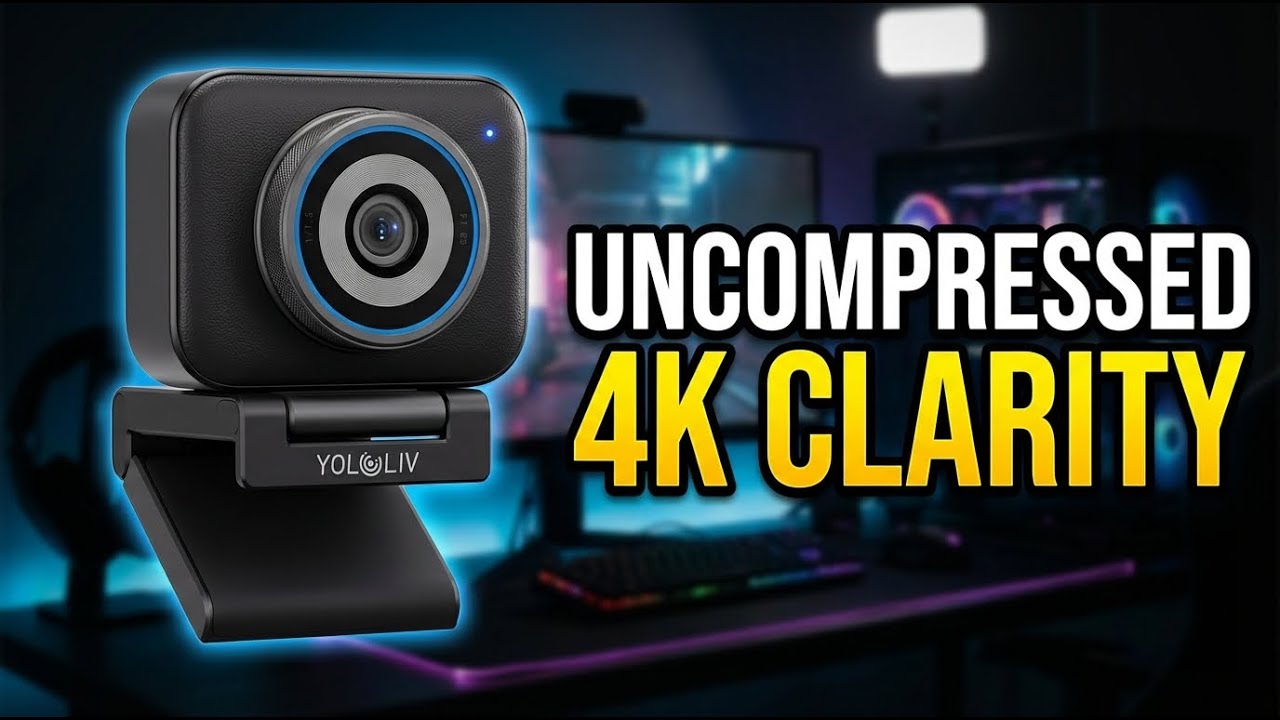

YOLOLIV YoloCam S3 Review: Can This 4K Webcam Replace Your DSLR?
YOLOLIV YoloCam S3
Buy if you want the best image quality from a webcam for streaming or video calls. Skip if you need PTZ tracking, a built-in mic, or worry about always-on privacy.
Buy on AmazonWhat We Liked
- Stunning Image Quality From a Large Sensor
- Lightning-Fast PDAF Autofocus
- 4K Webcam With Uncompressed Output
- DSLR-Like Color Grading Controls
- Premium Metal Build and Versatile Mounting
What Could Be Better
- No Privacy Shutter or Off Switch
- Software Required for Optimal Image Quality
- No Built-in Microphone
- Short Cable and Mac Limitations
How we test: Every product is used in real conditions and evaluated using our standardized scoring criteria. Read our full review methodology.
Can a webcam deliver DSLR-level image quality without the bulk and complexity of a mirrorless camera? That question led me to the YOLOLIV YoloCam S3, a 4K streaming webcam built around a large 1/1.28-inch CMOS sensor and f/1.85 aperture.
I tested the YoloCam S3 across extended streaming sessions, low-light scenarios, and video calls to see whether its specs translate into real-world performance. The short version: this camera earned a permanent spot on my desk for content creation.
The YoloCam S3 delivers genuine bokeh from its optics, fast phase-detection autofocus, and uncompressed 4K output via USB-C. It also has a few rough edges worth knowing about before you buy.
YoloCam S3 Spec Overview
The YOLOLIV YoloCam S3 packs a 1/1.28-inch CMOS sensor behind an f/1.85 aperture lens. It captures 4K video at 30 fps or 1080p at 60 fps with uncompressed output over USB-C.
The camera body is all-metal aluminum, weighing 187g at just 47.5 x 60.5 x 32.5 mm. PDAF autofocus locks in 0.3 seconds, and an 82-degree field of view covers most desk setups. The YoloLiv Compose software provides AI-powered scene presets and manual controls for ISO, shutter speed, and white balance.
What I Liked About the YoloCam S3
Stunning Image Quality From a Large Sensor
The YoloCam S3’s 1/1.28-inch CMOS sensor is massive by webcam standards. It produces genuine shallow depth of field through its f/1.85 aperture lens, creating natural bokeh that software-based blur effects cannot replicate.
This sensor captures images with sharp detail and clarity in the foreground while the background falls away smoothly. On a laptop screen or standard monitor, the output is nearly indistinguishable from a mirrorless camera like the Sony A7 III.
Lightning-Fast PDAF Autofocus
The phase-detection autofocus system locks focus in just 0.3 seconds. During my testing, the camera tracked my face smoothly even when I moved closer to or farther from the lens.
Unlike contrast-based autofocus found in most webcams, PDAF maintains sharp focus without the hunting effect. The camera stays locked on your face while preserving the blurred background, which is ideal for live streaming situations.
4K Webcam With Uncompressed Output
The YoloCam S3 outputs uncompressed 4K video at 30 fps or 1080p at 60 fps through its USB-C connection. This means no quality loss from in-camera compression before the signal reaches your computer.
HDR support handles mixed lighting conditions well. In my tests, bright windows behind me did not wash out my face the way they would with cheaper webcams. That clean 4K image deserves equally clear audio, so pairing the camera with the BOYA BY-GM18CU Gooseneck Microphone adds the close, consistent voice pickup this mic-less webcam leaves out.
DSLR-Like Color Grading Controls
The YoloLiv Compose software gives you manual control over ISO, shutter speed, white balance, and AI-enhanced imaging parameters. Scene presets let you switch between studio and low-light configurations with one click.
The 4x digital zoom with customizable hotkeys makes quick framing adjustments during a live stream straightforward. This level of control is uncommon in the webcam category. Other tools serve professionals through their companion apps too, with the XPPen Note Plus digital notebook syncing handwritten notes to a phone in real time over Bluetooth. Content creators who run long streaming or editing sessions may also appreciate the Anker Wireless Vertical Ergonomic Mouse, which eases wrist strain during marathon sessions at around $22.
Premium Metal Build and Versatile Mounting
The all-metal aluminum body dissipates heat during extended use. I ran multi-hour sessions without the camera getting warm, which matters for 24/7 live streaming setups.
The magnetic mount grips firmly to monitor edges, and a standard 1/4-inch tripod thread offers additional flexibility. The camera works in both portrait and landscape orientation for desk arms, tripods, or teleprompter rigs. For that same kind of orientation flexibility on the viewing side instead of the camera side, the ERGONOV tablet pillow stand uses a 360-degree rotating clip that swaps a tablet between portrait and landscape without unmounting it. On a tighter budget, the Acer 1080p USB Webcam offers similar mounting flexibility through its own 360-degree ball joint and 1/4-inch tripod thread at well under a third of the price.
What Needs Improvement
No Privacy Shutter or Off Switch
The YoloCam S3 stays active even after you close all webcam software. The activation light remains on, and the autofocus mechanism continues clicking. There is no privacy shutter built in, and YOLOLIV does not include a lens cover in the box.
Software Required for Optimal Image Quality
Getting the best image out of this camera requires the YoloLiv Compose software. The default color profile leans toward heavy contrast and over-sharpening. A few minutes adjusting white balance and contrast settings fixes this, but the camera is not a true plug-and-play device.
No Built-in Microphone
There is no built-in microphone. You will need a dedicated USB mic or headset for audio during streams and calls. This adds to the total cost if you do not already own one. The BOYA BOYAMIC 2 Wireless Microphone is a solid pairing option, delivering AI noise cancellation and 32 bit float onboard recording for under $200.
Short Cable and Mac Limitations
The included USB-C cable measures about 60 inches, which is short for desk setups where your computer sits below. Some advanced Compose features remain Windows-only, so Mac users miss out on the full software experience. A firmware update was also needed to fix a bug with the 60 fps mode on early units.
How the YoloCam S3 Webcam Compares
The YoloCam S3 sits in a competitive field of premium 4K webcams, each with different strengths.
OBSBOT Tiny 2 ($299) offers four AI tracking modes with a mechanical gimbal, making it the better pick if you move around during streams or presentations. The YoloCam S3 does not have PTZ tracking. However, the YoloCam S3’s larger sensor produces noticeably better image quality and natural bokeh at a lower price.
Insta360 Link 2 (~$179) is a strong all-rounder with gimbal-based subject tracking and a capable built-in microphone. It costs less than the YoloCam S3, but its smaller sensor and weaker HDR performance put it behind in raw image quality and low-light situations. If you need tracking and audio in one device, the Insta360 Link 2 is worth considering.
Razer Kiyo Pro Ultra is the closest competitor in pure image quality. It also uses a large sensor and delivers comparable bokeh. It includes a privacy shutter and built-in mic that the YoloCam S3 lacks. The Razer is harder to find in stock and typically costs more, which gives the YoloCam S3 a value advantage.
The YoloCam S3 wins on image quality per dollar for stationary setups. If you need gimbal tracking, look at the OBSBOT Tiny 2 or Insta360 Link 2 instead.
Final Verdict
The YOLOLIV YoloCam S3 delivers image quality that outperforms nearly every webcam on the market, thanks to its large 1/1.28-inch sensor and genuine optical bokeh.
I give it a 4.2 out of 5. The sensor, PDAF autofocus, and uncompressed 4K output earn high marks. The always-on behavior without a privacy cover, software dependency for optimal colors, and missing built-in mic prevent a higher score.
Bottom line: If you want the best-looking webcam feed for streaming, podcasting, or video calls from a stationary setup, the YoloCam S3 at $199 is hard to beat. Pair it with an external mic and a longer USB-C cable, and you have a production-ready camera that rivals setups costing far more.
Specifications
| Brand | YOLOLIV |
| Model Name | YoloCam S3 |
| Sensor Size | 1/1.28 inch CMOS |
| Video Resolution | 4K (3840x2160) at 30fps / 1080p at 60fps |
| Autofocus | Phase Detection (PDAF), 0.3s lock |
| Aperture | f/1.85 |
| Field of View | 82 degrees |
| Zoom | 4X Digital |
| HDR | Yes |
| Connectivity | USB-C |
| Body Material | All-metal aluminum |
| Mount | Magnetic mount with 1/4-inch tripod thread |
| Dimensions | 47.5 x 60.5 x 32.5 mm |
| Weight | 187g |
| Compatibility | PC and Mac |
| Software | YoloLiv Compose |
| Built-in Microphone | No |
| ASIN | B0FQ5NRQ8M |
Frequently Asked Questions
Is the YOLOLIV YoloCam S3 worth buying based on Reddit reviews?
Community feedback on the YoloCam S3 is largely positive, with users praising the image quality and bokeh from the large 1/1.28-inch sensor. The main criticism is the always-on behavior and lack of a privacy cover. Most users agree it offers the best image quality in its price range for stationary streaming setups.
Is the YoloCam S3 reliable for long streaming sessions?
The YoloCam S3 uses an all-metal aluminum body that dissipates heat effectively during extended use. In testing, multi-hour sessions showed no overheating or performance degradation. The camera was designed for 24/7 live streaming scenarios.
What are the main YoloCam S3 complaints and issues?
The most common complaints include the camera remaining active with no privacy shutter, the need for YoloLiv Compose software to optimize image quality, no built-in microphone, and a short USB-C cable. Some Mac users also report fewer software features compared to the Windows version.
How does the YoloCam S3 compare to the Razer Kiyo Pro Ultra?
The Razer Kiyo Pro Ultra is the closest competitor in image quality, with a similarly large sensor. The Razer includes a privacy shutter and built-in mic that the YoloCam S3 lacks. The YoloCam S3 typically costs less and offers more manual controls through its Compose software.
Does the YoloCam S3 work with OBS and video conferencing apps?
The YoloCam S3 is compatible with OBS, Zoom, Microsoft Teams, and all major streaming and video conferencing platforms on both PC and Mac. It connects via USB-C and appears as a standard webcam to these applications. The YoloLiv Compose software runs alongside for advanced controls.
Can the YoloCam S3 record in 4K at 60 fps?
The YoloCam S3 outputs 4K video at 30 fps or 1080p at 60 fps through its USB-C connection. There is no 4K 60 fps mode. If you need higher frame rates, you will need to use the 1080p resolution setting.
Ready to Buy?
YOLOLIV YoloCam S3 delivers on its promises. If it fits your needs, it's a solid choice you won't regret.
Check Price on Amazon Founder & Product Reviewer at TheReviewRewind
Daniel has tested 400+ products across 20+ categories through hands-on, real-world testing. Every review includes video documentation and standardized scoring criteria. His reviews appear as Amazon shoppable videos and here on TheReviewRewind.
We earn a commission if you make a purchase, at no extra cost to you. This does not influence our ratings or recommendations. Full disclosure
Looking for more options? See all our Electronics reviews.
Related Reviews