NIIMBOT M2 Label Maker Review: Durable 300 DPI Thermal Transfer Labels


NIIMBOT M2 Label Maker Review: Durable 300 DPI Thermal Transfer Labels
NIIMBOT M2 Label Maker
Buy if you need durable, waterproof 300 DPI labels for vials, cables, and small-business products that survive years of handling. Skip if you expected full-color printing or want cheap, no-ribbon labels for quick household use.
Buy on AmazonWhat We Liked
- Thermal Transfer Printing That Survives Years of Handling
- Crisp 300 DPI Text, Barcodes, and QR Codes
- The NIIMBOT App and Bluetooth Multi-Device Setup
- Cordless, Palm-Sized, and Genuinely Portable
- Reliable Batch Printing for Small-Business Labels
What Could Be Better
- Color Printing Means One Ribbon Color at a Time
- Proprietary M2-Series Labels and Ribbon Lock-In
- Bluetooth Can Drop and Force an App Reconnect
- The NIIMBOT App Pushes Ads and a VIP Subscription
How we test: Every product is used in real conditions and evaluated using our standardized scoring criteria. Read our full review methodology.
Handwritten labels smear, peel, and look amateurish the moment they meet moisture or a sharpie-shy surface. If you run a small business or just want your vials, cables, and storage bins labeled once and left alone, that is the problem the NIIMBOT M2 label maker sets out to fix.
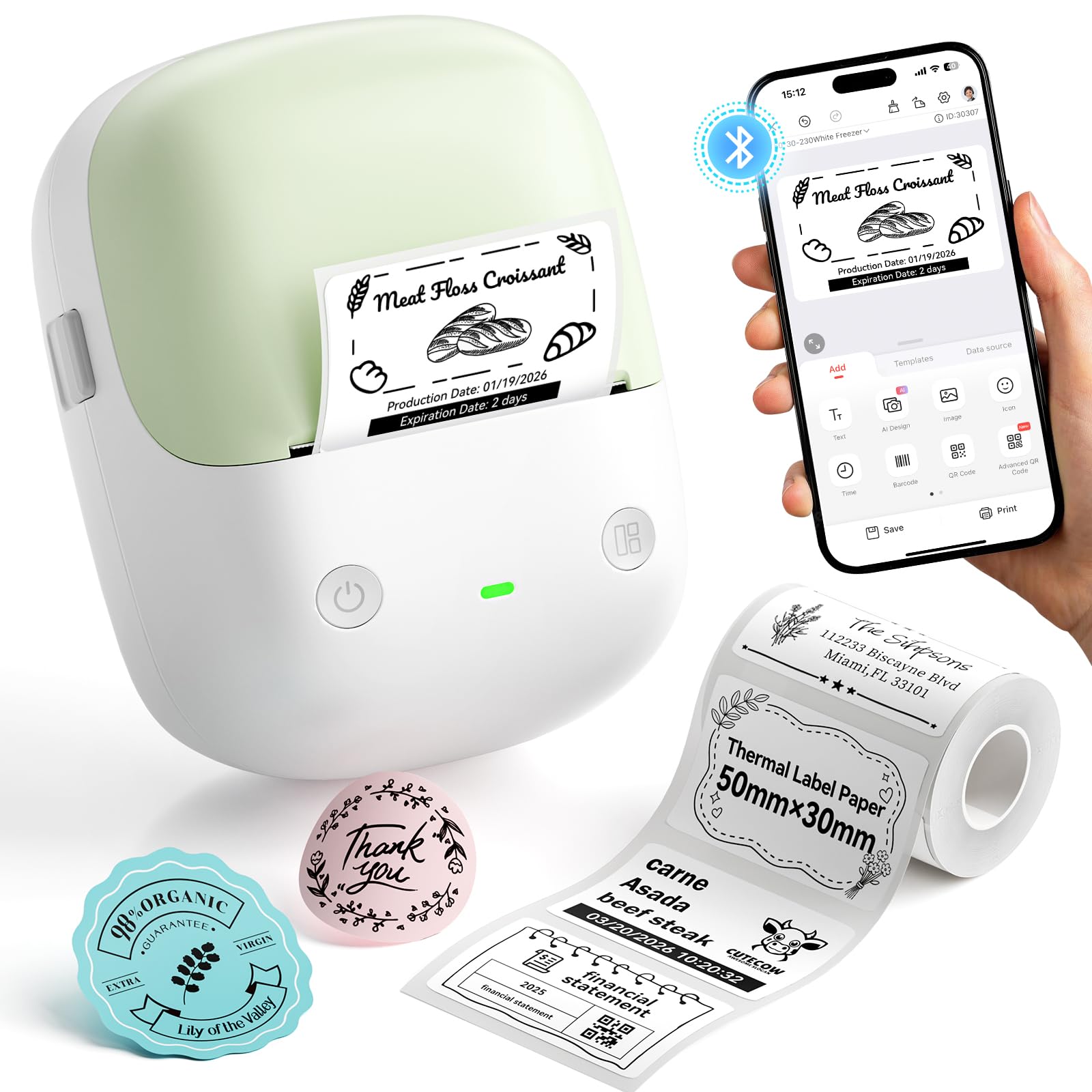
The NIIMBOT M2 is a compact, cordless Bluetooth label printer that uses thermal-transfer printing instead of the direct thermal printing found in most budget label makers. In plain terms, it presses ink from a ribbon onto the label, so the print resists water, oil, and scratches and is rated to last 8 to 10 years. It prints at 300 DPI, connects to the NIIMBOT app on your phone, and also talks to a PC over USB.
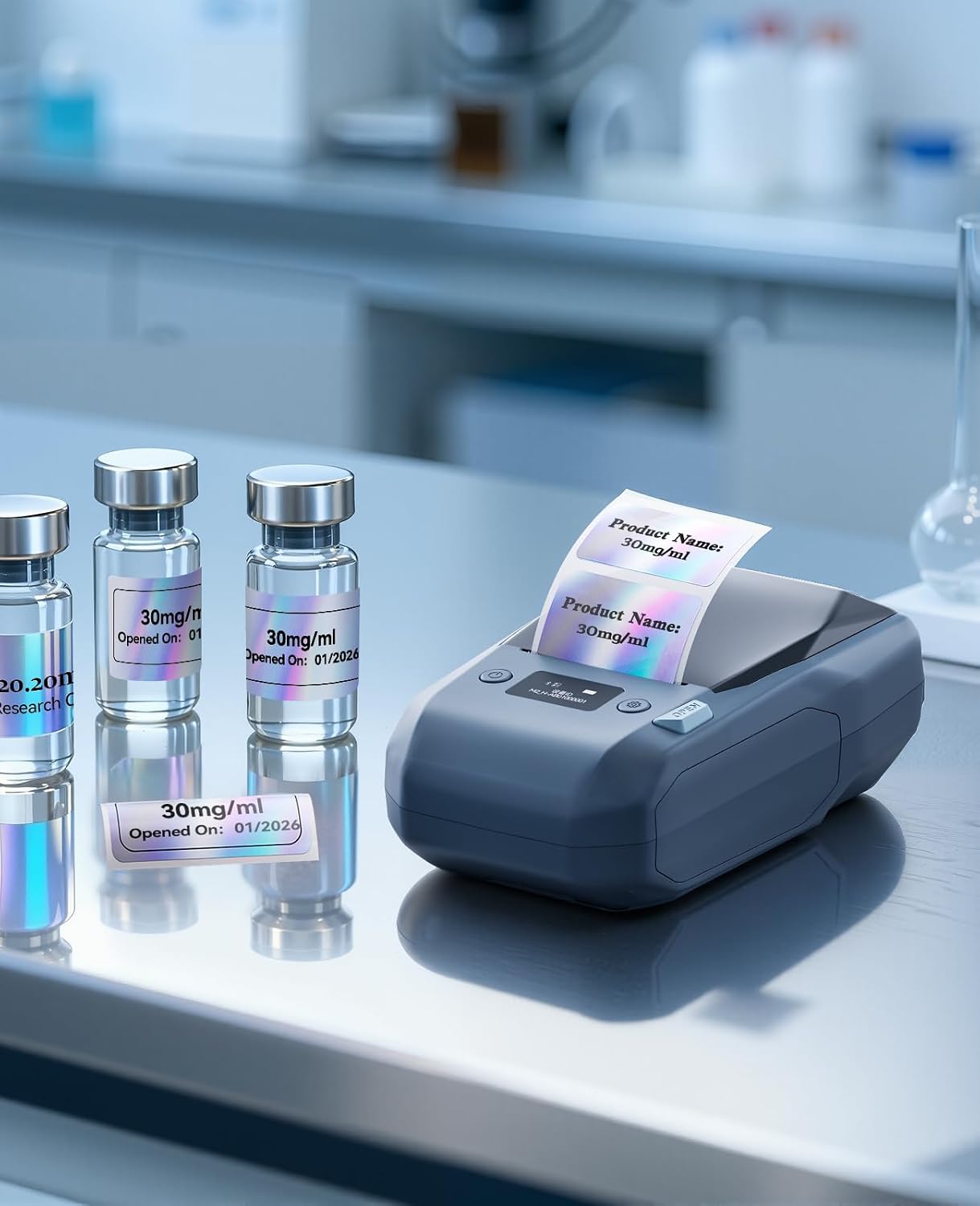
I spent time with the M2 printing vial labels, cable tags, and product stickers, and I leaned on verified owner reviews and independent tests to pressure-check my impressions. It earns a lot of goodwill for durability and sharp text, but the “color printing” marketing and the proprietary label system deserve a clear-eyed look before you buy. Here is how the NIIMBOT M2 thermal transfer label printer actually holds up.
What I Liked
For a label maker in this price range, the NIIMBOT M2 gets the fundamentals right and then adds the one thing budget printers usually cannot do: labels that actually survive. Here is what stood out across my testing.
Thermal Transfer Printing That Survives Years of Handling
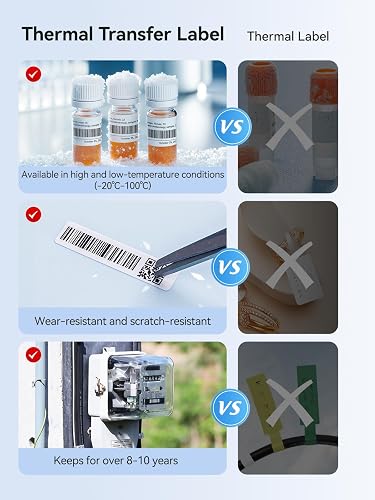
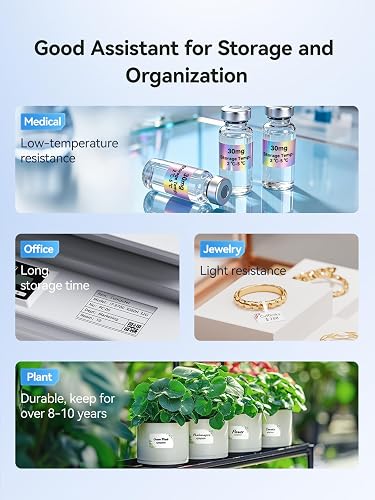
This is the M2’s headline feature and the reason to pick it over a cheaper model. Thermal transfer printing melts ink from a ribbon onto the label, so unlike a direct thermal label that fades, the result is waterproof, oil-proof, and scratch-resistant.
NIIMBOT rates these labels to last 8 to 10 years and to hold up across high and low temperatures. In practice, that means a cable tag or a chemical vial label will still be readable long after a direct thermal sticker has turned gray, which independent testers confirmed by subjecting M2 labels to a filament dryer that blackened a direct thermal rival.
Crisp 300 DPI Text, Barcodes, and QR Codes
At 300 DPI, this thermal printer renders noticeably sharper detail than the 203 DPI resolution common on cheaper label makers. Small text on a vial stays legible, and scannable barcodes and QR codes come out clean.
That extra resolution is the difference between a label that looks printed and one that looks improvised. For inventory tags, asset labels, and anything a scanner has to read reliably, the clarity matters.
The NIIMBOT App and Bluetooth Multi-Device Setup
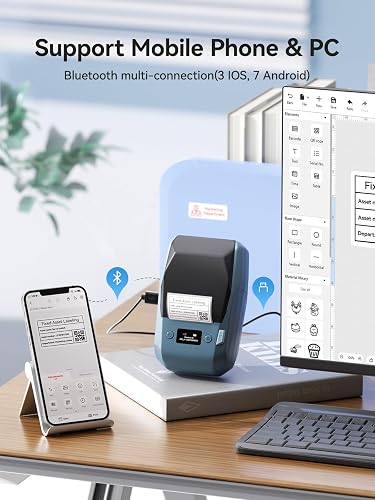
The NIIMBOT app drives everything, and setup is refreshingly direct: open the app, let it find the printer over Bluetooth, and start designing. The app carries a deep template library plus tools for text, tables, barcodes, QR codes, and imported spreadsheets.
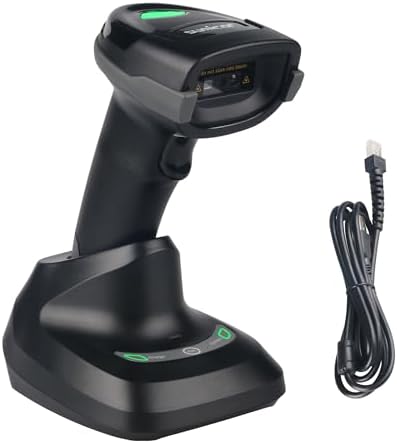
Bluetooth multi-connection supports up to 10 devices at once (3 iOS and 7 Android), and the M2 can also connect to a Windows or Mac computer over USB once you install the driver. Designing a hundred labels is far less tedious on a desktop than on a phone screen. Sellers who care more about shipping than phone-driven label design can look at the SVANTTO Y42BT Bluetooth label printer, which runs ink-free 4x6 shipping labels through its own FlashLabel Pro app. Once those barcodes and QR codes are printed, a Sumicor wireless barcode scanner reads them back over Bluetooth, 2.4 GHz, or USB for inventory work without tethering to a computer.
Cordless, Palm-Sized, and Genuinely Portable
The M2 fits in one hand and sits on a desk without claiming much space. It runs on a built-in rechargeable battery and charges over USB-C, so you can carry it to a shelf, a workshop, or a market stall without hunting for an outlet.
At roughly 795 grams it has enough heft to feel solid rather than toy-like. The four rubber feet keep it planted while you tear off a label.
Reliable Batch Printing for Small-Business Labels
The M2 is built for repetition, which is exactly what small-business label printing demands. The printer auto-recognizes NIIMBOT label rolls and ribbon, adapts print density automatically, and rewinds paper to avoid waste.
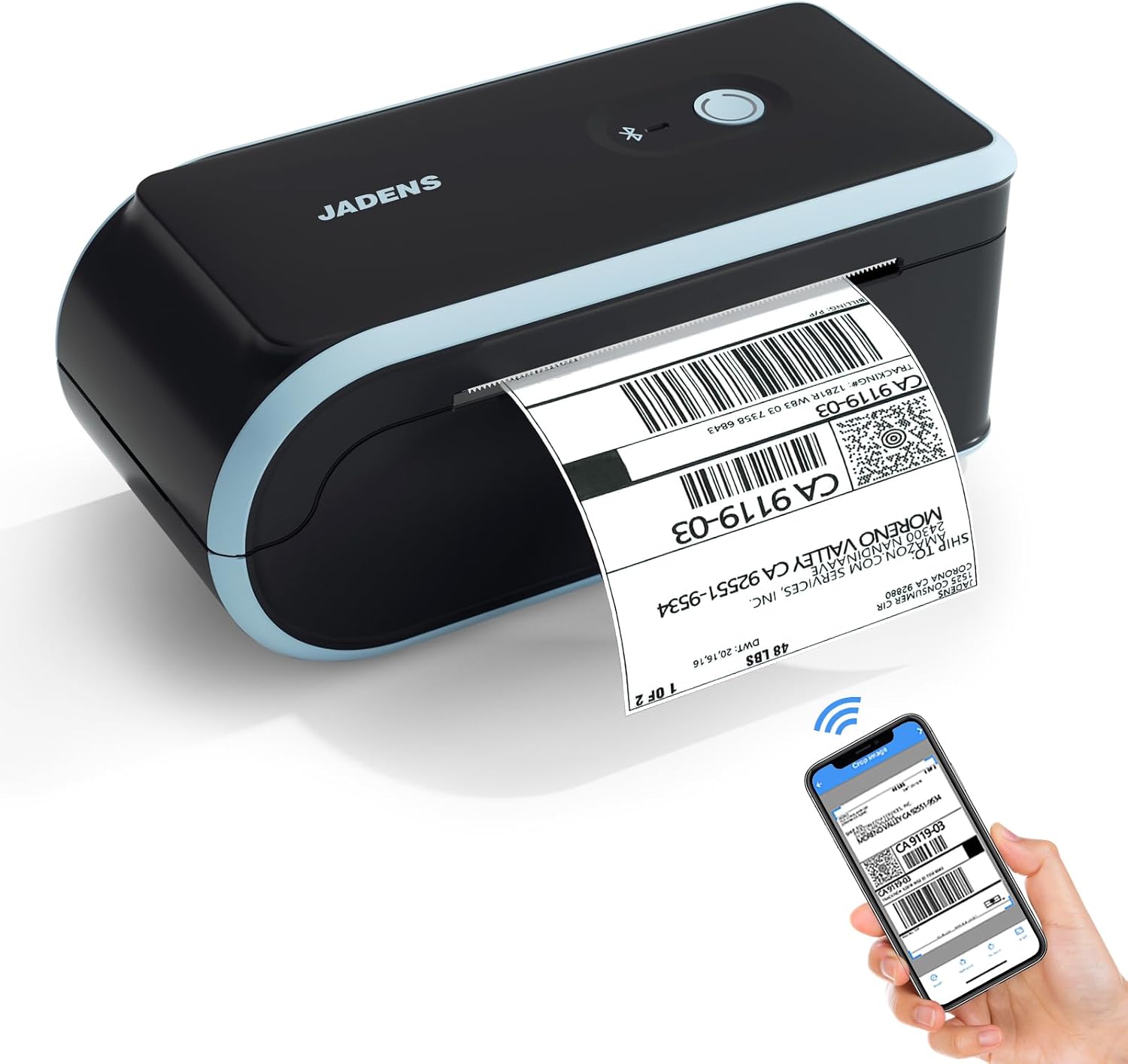
Once a design is set, a single button reprints the last label over and over, so labeling a tray of bottles or a stack of boxes is quick. For jewelry tags, essential oil labels, and product stickers, that batch workflow is where this sticker printer earns its keep. If your batch work leans more toward mailing orders than tagging products, the JADENS Bluetooth thermal label printer prints ink-free 4x6 shipping labels straight from your phone. For lighter home organizing or budget labeling that skips the ribbon entirely, the NIIMBOT B2 Label Maker is the inkless 203 DPI sibling in the same lineup.
What Needs Improvement
The NIIMBOT M2 is a capable label printer, but a few decisions and quirks keep it from being an easy recommendation for everyone. These are the issues worth knowing before you spend the money.
Color Printing Means One Ribbon Color at a Time
The marketing around “color printing” is the single most misleading thing about the M2, and it catches buyers off guard. This is not a full-color printer; the printed color is simply whichever ribbon you have installed, and the box ships with a black ribbon only.
To print in white, red, blue, gold, or green, you buy those color ribbons separately and physically swap them. Several owners rated the printer down specifically because they expected multi-color output and got single-color printing per ribbon.
Proprietary M2-Series Labels and Ribbon Lock-In
The M2 only reliably recognizes genuine NIIMBOT M2-series thermal transfer labels. Standard thermal labels for the NIIMBOT B1, B2, or B21 will not print correctly, and third-party rolls can trigger a “non-genuine paper” error.
That lock-in means your running cost is tied to NIIMBOT’s own consumables, and the ribbon is an extra consumable that direct thermal printers simply do not have. It is the trade you accept for durable labels, but it is a real ongoing expense.
Bluetooth Can Drop and Force an App Reconnect
The most common reliability complaint is Bluetooth stability. The printer pairs instantly when you open the app, but some users report it dropping the connection mid-session, so a label you just designed will not print until you restart the app or the printer.
NIIMBOT’s own troubleshooting guide leans on the usual fixes: toggle Bluetooth, move closer, re-pair the device. It is manageable, but it is friction you notice when you are trying to print quickly.
The NIIMBOT App Pushes Ads and a VIP Subscription
The NIIMBOT app is functional, but it gates some fonts and languages behind a paid VIP membership and shows ads inside the app. Paying for extra software features after you have already bought the printer and its labels feels ungenerous.
You can design ordinary labels without subscribing, so this is an annoyance rather than a dealbreaker. Still, it makes the software ecosystem feel less complete than the hardware deserves.
How the NIIMBOT M2 Compares
The budget label printer market is crowded with NIIMBOT, Phomemo, and MUNBYN models, but most of them are direct thermal. The M2’s thermal transfer design puts it in a smaller, more durable class, so the right comparison depends on whether you need labels that last.
vs NIIMBOT B21 and Direct Thermal Label Makers
The NIIMBOT B21 and similar direct thermal label makers are cheaper, ribbon-free, and perfectly fine for shelves, bins, and anything short-lived. The catch is that a direct thermal label fades over months and can blacken under heat.
The M2 costs more and adds a ribbon to buy, but its labels survive sun, heat, chemicals, and handling. If your label needs to still scan in a few years, the M2 wins; if it just needs to last until the next reorganization, a B21 saves money.
vs Phomemo M220
The Phomemo M220 is a popular direct thermal rival that prints wider labels, up to 80mm, at a lower price and with no ribbon. It is the better pick if you want large labels cheaply and do not care about longevity.
But at 203 DPI its text is coarser than the M2’s 300 DPI, and its labels suffer the same fading problem as other direct thermal printers. For durable 2-inch labels, the M2 is the sturdier tool.
vs Phomemo A30 Ribbon Printer
The Phomemo A30 is another thermal transfer, ribbon-based label maker, so it shares the M2’s durability advantage. The difference is focus: the A30 specializes in narrow satin ribbon and decorative tape for gifts and crafts.
The M2 is aimed at 2-inch die-cut rolls for vials, cables, and asset tags. Choose the A30 for crafty, giftable output and the M2 for functional, long-lasting business labels.
vs NIIMBOT M3
The NIIMBOT M3 is the M2’s bigger sibling, handling wider labels around 78mm for jobs that need a larger print area. If you label shipping boxes or large containers, the M3 makes more sense.
For most vial, cable, jewelry, and small-product labeling, the M2’s 2-inch width is the sweet spot and keeps the printer pocketable.
Final Verdict
The NIIMBOT M2 label maker earns a 4.3 out of 5. It does one important thing that cheaper label printers cannot: it produces sharp 300 DPI labels that resist water, oil, and heat and are built to last 8 to 10 years.
For small-business owners, lab and medical users, and anyone labeling vials, cables, jewelry, and tools, that durability plus the easy app and reliable batch printing make it a smart buy at around $99.99 on Amazon (as of November 2026). Just go in understanding that “color” means swapping single-color ribbons, and that you are committing to NIIMBOT’s proprietary M2-series labels and the occasional Bluetooth reconnect.
If you only need quick, temporary household labels, a cheaper direct thermal model will do the job for less. But if you want labels that stay readable for years, the NIIMBOT M2 is a durable, genuinely useful thermal transfer label printer that justifies its price.
Specifications
| Brand | NIIMBOT |
| Model Name | M2 Label Maker |
| Model Number | M2 |
| Color | Blue |
| Printing Technology | Thermal transfer (ribbon-based), 300 DPI |
| Printer Output | Color (with optional color ribbon); ships with black ribbon |
| Resolution | 300 x 300 dpi |
| Connectivity | Bluetooth (up to 10 devices: 3 iOS + 7 Android) |
| Hardware Interface | USB-C (charging) |
| Compatible Devices | Smartphones (iOS, Android) & PC |
| Power | Built-in rechargeable battery (Type-C charging) |
| Item Weight | 795 g (1.75 lb) |
| Item Dimensions | 7.05"D x 4.28"W x 2.99"H |
| Print Media | Die-cut label rolls (50x30mm, 40x30mm, 50x70mm, 50x80mm) |
| Maximum Media Size | 2 inch |
| In the Box | 1x NIIMBOT M2, 1x Black Ribbon, 1x Roll Label Tape 50x30mm, 1x Type-C Cable, Setup Guide |
| Warranty | 2 years |
| Best Sellers Rank | #4,025 in Office Products; #29 in Desktop Label Printers |
Frequently Asked Questions
Does the NIIMBOT M2 label maker print in full color?
Not in the way most people expect. The NIIMBOT M2 prints one color at a time based on the ribbon installed, and it ships with a black ribbon only. To print white, red, blue, gold, or green you buy those color ribbons separately and swap them in, so it is single-color-per-ribbon rather than true full-color printing.
What size labels can the NIIMBOT M2 print?
The NIIMBOT M2 handles labels up to 2 inches wide, with an effective print width around 48mm. Common roll sizes include 50x30mm, 40x30mm, 50x70mm, and 50x80mm, and it comes with a starter 50x30mm roll and a black ribbon.
Is the NIIMBOT M2 label maker worth it?
If you need durable labels, yes. The NIIMBOT M2 is worth it for small businesses, labs, and anyone labeling vials, cables, and tools that must last, thanks to its 300 DPI thermal transfer print rated for 8 to 10 years. If you only need temporary household labels, a cheaper direct thermal printer is the better value.
Can the NIIMBOT M2 use third-party or NIIMBOT B21 labels?
No. The NIIMBOT M2 is designed only for genuine M2-series thermal transfer labels. Standard thermal labels made for the NIIMBOT B1, B2, or B21 are not compatible, and third-party rolls can trigger a non-genuine paper error, so plan to buy NIIMBOT's own M2 consumables.
Does the NIIMBOT M2 need the NIIMBOT app and Bluetooth?
Yes. The NIIMBOT M2 is driven by the NIIMBOT app over Bluetooth, which supports up to 10 devices at once (3 iOS and 7 Android). You can also connect it to a Windows or Mac computer over USB after installing the driver, which is handy for designing large label batches.
NIIMBOT M2 vs Phomemo: which label printer is better?
It depends on durability needs. The NIIMBOT M2 uses thermal transfer at 300 DPI for long-lasting, waterproof labels, while most Phomemo models like the M220 are cheaper 203 DPI direct thermal printers whose labels fade over time. Pick the M2 for labels that must survive years and the Phomemo for cheap, short-term or wide labels.
Ready to Buy?
NIIMBOT M2 Label Maker delivers on its promises. If it fits your needs, it's a solid choice you won't regret.
Check Price on Amazon Founder & Product Reviewer at TheReviewRewind
Daniel has tested 400+ products across 20+ categories through hands-on, real-world testing. Every review includes video documentation and standardized scoring criteria. His reviews appear as Amazon shoppable videos and here on TheReviewRewind.
We earn a commission if you make a purchase, at no extra cost to you. This does not influence our ratings or recommendations. Full disclosure
Looking for more options? See all our Office Products reviews.
Related Reviews