OTYHVV KH122M Wireless Headset Review: Clear Work Calls on a Budget


OTYHVV KH122M Wireless Headset Review: Clear Work Calls on a Budget
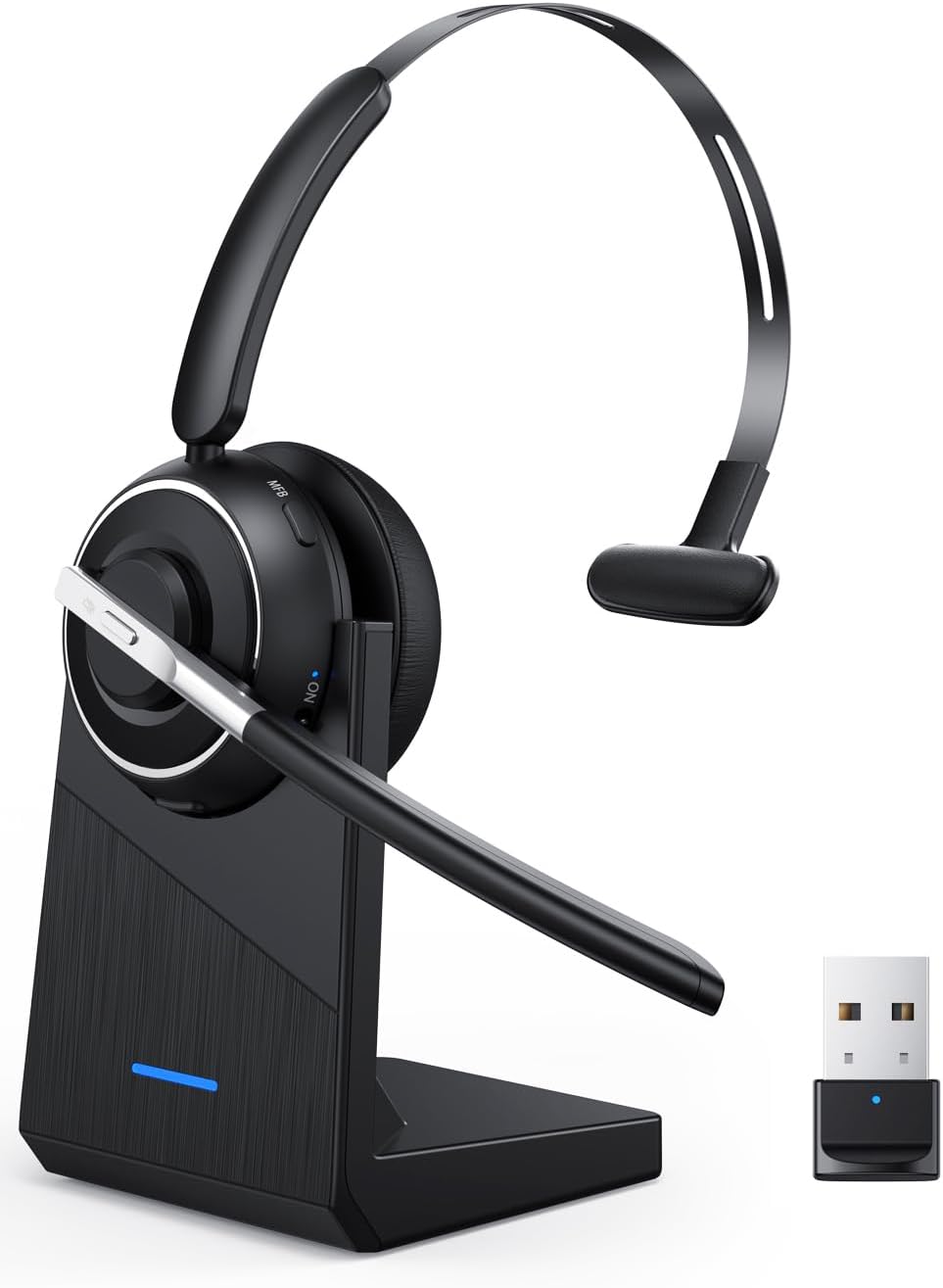
OTYHVV KH122M Wireless Headset
Buy if you live on work calls and want a light single-ear headset with a clear noise-canceling mic, up to 40-hour battery, and a tidy charging dock for around $60. Skip if you want stereo sound for music and gaming or a studio-grade microphone.
Buy on AmazonWhat We Liked
- Genuinely Comfortable All-Day Wear at 102 Grams
- A Noise-Canceling Boom Mic That Keeps Calls Clear
- Two Ways to Connect: USB Dongle and Bluetooth
- Battery Life That Lasts About a Week of Work
- A One-Tap Mute Button With Spoken Voice Prompts
What Could Be Better
- Microphone and Audio Quality Are Just Standard
- Mono Single-Ear Sound Is Too Thin for Music
- Full PC Mute Only Works Through the USB Dongle
- The On-Ear Fit Wobbles and Does Not Isolate
How we test: Every product is used in real conditions and evaluated using our standardized scoring criteria. Read our full review methodology.
If you spend half your day on calls, you know the drill. The dog starts barking, the kids get loud, someone is mowing next door, and you are stuck saying “sorry, can you hear me?” for the tenth time. The OTYHVV KH122M wireless Bluetooth headset with mic is built to solve exactly that problem.
The KH122M is a single-ear, mono work headset with a 270-degree noise-canceling boom mic, a USB dongle for your computer, and its own charging dock. It pairs over Bluetooth 5.2 to your phone, plugs into any PC through the included USB adapter, and weighs just 102 grams. At $59.99, it lands squarely on the budget side of the office-headset market, from a generic brand that also sells this same KH122M model under other names.
I went through the full video review, then dug into Amazon customer reviews and work-headset threads on Reddit to pressure-test my impressions. The short version: the comfort, the battery, and the charging dock are the real wins, while the microphone and single-ear sound are strictly standard for the price. Here is everything you get and everything to watch for.
What I Liked About the OTYHVV KH122M
For a budget wireless headset, a handful of things stood out as genuinely good across calls and casual listening.
Genuinely Comfortable All-Day Wear at 102 Grams
The first thing you notice is how light the KH122M is. At 102 grams it almost feels like air on your head, and the single-ear design leaves your other ear open so you stay aware of the room.
A metal band runs across the headband with a soft pad above the ear, and the memory-foam ear cushion has that leather-like give. It plays nicely with glasses, puts very little pressure on your head, and is easy to pull on and off between meetings.
A Noise-Canceling Boom Mic That Keeps Calls Clear
The headline feature is the 270-degree rotatable boom mic with AI noise cancellation, and it does the main job well. It focuses on your voice and filters out the barking dog, the traffic, and the keyboard clatter so the person on the other end hears you cleanly.
In the review it held up with household noise going on in the background, and a phone playing right next to the mic barely leaked through. The boom also flips to either side, so you can wear it on your left or right ear without repositioning the whole headset.

Two Ways to Connect: USB Dongle and Bluetooth
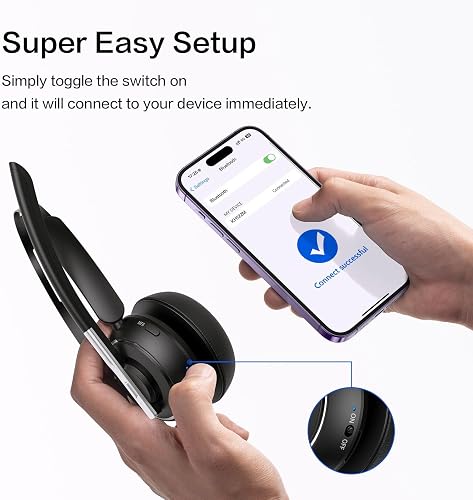
Connectivity is a real strength. The included USB-A dongle is plug-and-play on any computer, with no drivers to install, and it even works on older machines that have no Bluetooth at all.
For your phone, it pairs over Bluetooth 5.2 and runs across the usual platforms like Zoom, Teams, Skype, Webex, and Google Meet. You can keep the dongle on your work PC and your phone connected at the same time, so a Teams call at your desk and a mobile call in the car both just work.

Battery Life That Lasts About a Week of Work
The KH122M is rated for up to 40 hours of talk time and recharges in about two hours, which works out to roughly five full 8-hour shifts on a charge. The manufacturer quotes closer to 45 hours for music playback at moderate volume.
In heavy real-world use, the kind of 50 to 60 hours a week a call-center agent puts in, that translates to charging only about once a week. You can top it up over USB-C or just drop it on the dock, which keeps it ready and your desk tidy.
A One-Tap Mute Button With Spoken Voice Prompts
There is a dedicated mute button right on the boom arm, so you are not hunting around the screen mid-meeting. One tap mutes you, and a voice prompt announces “mute on” or “mute off” so you always know where you stand.
It is a small touch that saves you from the classic moment of talking while muted, or worse, talking while you thought you were muted. A multi-function button handles answering, ending, and redialing calls, plus your phone’s voice assistant.
What Needs Improvement
No headset at this price is perfect, and a few things are worth knowing before you buy.
Microphone and Audio Quality Are Just Standard
The boom mic gets the job done, but the audio quality is middle-of-the-road for this class of work headset. Your voice comes through clear and understandable, yet it is not the crisp, broadcast-grade capture you would get from a pricier Poly or Jabra boom.
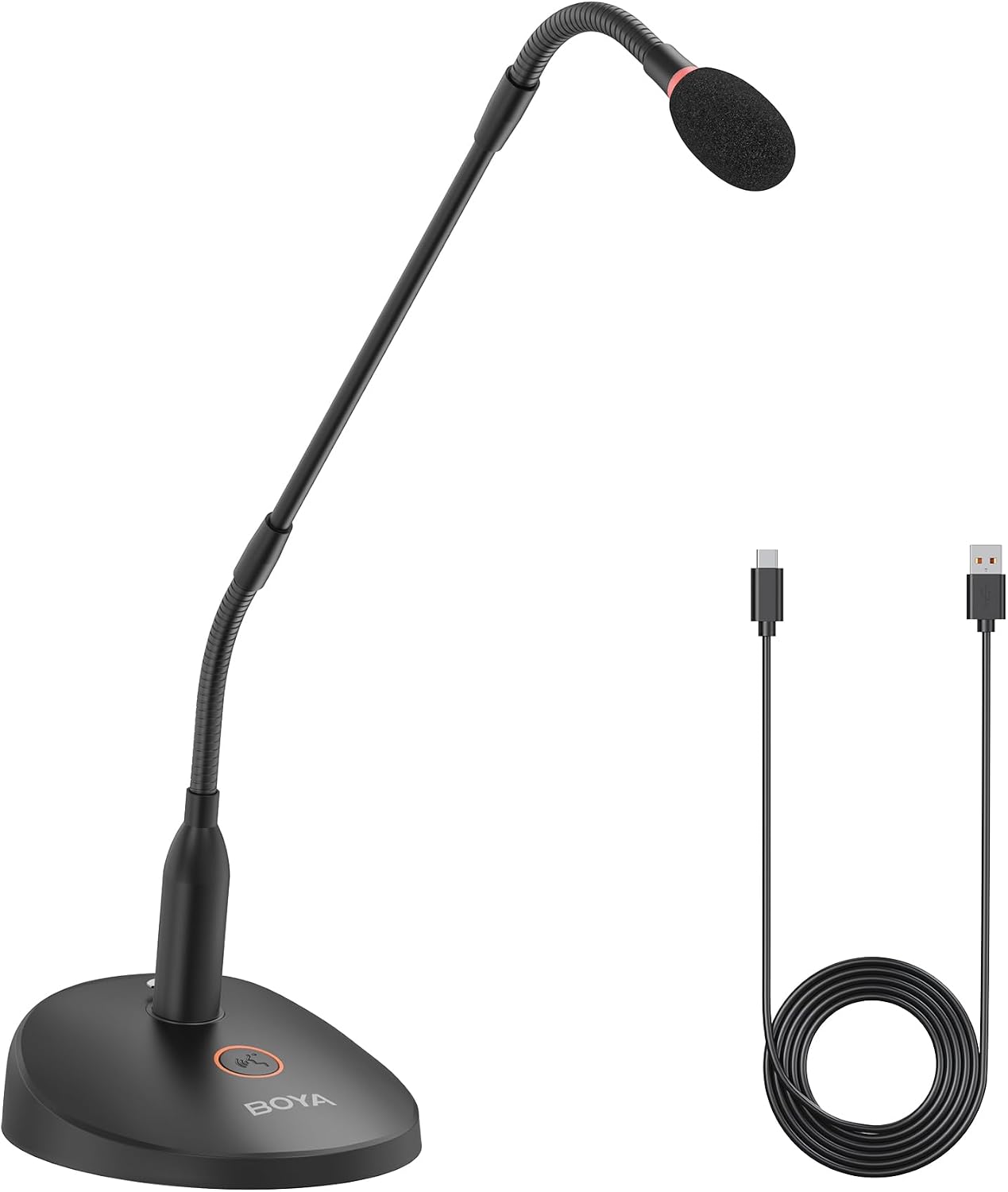
If client-facing call clarity is your top priority, you will need to spend more for a better microphone. For everyday meetings and dictation, though, the KH122M is more than enough. If you want to upgrade only the microphone side of your call setup, the BOYA BY-GM18CU gooseneck microphone gives remote workers clearer, closer voice pickup at a similar budget price.
Mono Single-Ear Sound Is Too Thin for Music
This is a mono, single-ear device built for talking, not for cranking a playlist. There is more bass than you would expect from one small ear cup, but the highs are not as crisp and the stereo field feels thin because everything plays through a single channel.
It is fine for background music or a soft-spoken video between calls. If you want immersive sound in both ears, a proper pair of headphones is the right tool, not this.
Full PC Mute Only Works Through the USB Dongle
One quirk worth planning around: the full one-tap PC mute only works when you connect your computer through the USB dongle, not over the computer’s own Bluetooth. If you skip the dongle on a desktop, you lose that convenient hardware mute.
The fix is simple, just use the included dongle on your PC, but it is an easy thing to trip over. The dongle is also for computers only and will not work with a Bluetooth desk phone. If long call days are also leaving your wrist sore, a budget vertical ergonomic mouse is a cheap way to see whether a different grip helps. And if the laptop running that dongle ever loses its power brick, a compatible HP 65W laptop charger keeps your desk from going dark mid meeting.
The On-Ear Fit Wobbles and Does Not Isolate
Because this is a light single-ear design, it wobbles a little if you shake your head quickly, and it will not stay locked in place during anything more active than desk work. It is secure enough for calls, but it is not a sports headset.
The open-ear design that keeps you aware of your surroundings also means it does almost nothing to block noise for you. There is no active noise cancellation in the ear cup, so if you want to quiet a loud room while you focus, look elsewhere.
How the OTYHVV KH122M Compares
The KH122M plays in the crowded budget work-headset space. Here is how it stacks up against three alternatives people actually cross-shop.
vs Poly Voyager 4310 UC
The Poly Voyager 4310 UC is the premium benchmark for a single-ear office headset, with a charging stand, a BT700 dongle, Microsoft Teams certification, and a polished mic. Reviewers like Creative Bloq rate it well but call it overkill on price for a home or hybrid worker, since it usually runs around $110 to $210.
The KH122M copies the same single-ear-with-dock formula for roughly a third of the price. You give up the certification, the longer range, and the cleaner microphone, but you keep the core workflow for far less money.
vs Jabra Evolve2 65
Jabra’s Evolve2 65 is the other business standard, a Teams-certified wireless headset with a noise-canceling mic and about 37 hours of battery, typically priced around $157 to $209. It is better built, better supported, and sounds more refined on both ends of a call.
If your employer is paying, the Jabra is the safer long-term pick. If you are buying for yourself and want dual-device convenience plus a dock without the name-brand premium, the KH122M covers the essentials.
vs the Soothielec KH53
The closest cousin is the Soothielec KH53, another budget single-ear work headset with a USB dongle and charging stand that gets recommended on call-center subreddits. The two are nearly the same tool, though the KH53 adds a 3.5mm wired option and dual-device pairing.
The KH122M counters with a slightly lighter 102-gram build and a dedicated hardware mute with voice prompts. Between the two, it comes down to whether you value the wired fallback or the one-tap mute more.
Final Verdict on the OTYHVV KH122M
The OTYHVV KH122M earns a 4.5 out of 5. It nails the things that matter for a work headset: light all-day comfort at 102 grams, a noise-canceling boom mic that keeps your voice clear, dead-simple dongle and Bluetooth connections, and a charging dock that keeps it ready to grab.
It is not flawless. The microphone and audio quality are only standard for the price, the mono sound is too thin for music, the full PC mute depends on the USB dongle, and the light single-ear fit wobbles and does not isolate noise for you.
For around $60, those are fair trade-offs, and the three-year manufacturer warranty adds a little peace of mind. This is a budget tool that punches above its price for one specific job.
If you spend your workdays on the phone and want a comfortable, reliable headset without paying name-brand prices, the KH122M is an easy one to recommend. If you need stereo sound for music and gaming or a studio-grade mic, spend more on a Poly Voyager or Jabra Evolve instead.
Specifications
| Brand | OTYHVV |
| Model Name | KH122M |
| Color | Black |
| Form Factor | Single-ear (mono), on-ear |
| Connectivity | Bluetooth 5.2, USB-A dongle, USB-C (charging) |
| Bluetooth Version | 5.2 |
| Bluetooth Profiles | HSP, HFP, A2DP, AVRCP |
| Microphone | 270-degree rotatable AI noise-canceling boom mic |
| Noise Control | Environmental noise cancellation (mic ENC) |
| Audio Driver | 40mm dynamic driver |
| Impedance | 32 ohm |
| Battery | 400mAh, up to 40 hours talk time (about 45 hours music at 70% volume, per manufacturer) |
| Charge Time | About 2 hours |
| Standby Time | About 400 hours (manufacturer rating) |
| Bluetooth Range | Up to 33 ft / 10 m (manufacturer rating) |
| Weight | 102 g |
| Build | Plastic body, memory-foam faux-leather ear cushion, stainless-steel headband |
| Water Resistance | Not water resistant |
| Compatible Devices | Windows/Mac/Chromebook/Linux PCs (dongle or Bluetooth), iPhone/Android, tablets, smart TVs |
| In the Box | Headset, charging stand, USB-A dongle, USB-C cable, user manual |
| Warranty | 3-year manufacturer |
Frequently Asked Questions
Does the OTYHVV KH122M have a noise-canceling microphone?
Yes. The OTYHVV KH122M uses a 270-degree rotatable boom mic with AI noise cancellation that focuses on your voice and filters out background sounds like a barking dog, traffic, or keyboard clatter. In the review it kept calls clear even with household noise going on behind the mic, though it is mic-side noise cancellation and does not quiet the room for your own ears.
How does the OTYHVV KH122M connect to a computer and a phone?
It connects two ways. The included USB-A dongle is plug-and-play on any PC with no drivers, even older machines without Bluetooth, while your phone pairs over Bluetooth 5.2. You can run the dongle on your work computer and keep your phone connected at the same time.
How long does the OTYHVV KH122M battery last?
The KH122M is rated for up to 40 hours of talk time and recharges in about two hours, which is roughly five full 8-hour shifts per charge. With heavy daily calling, most people charge it only about once a week, either over USB-C or by setting it on the included dock.
Does the mute button on the OTYHVV KH122M work on a PC?
Yes, but with one catch. Full one-tap PC mute works only when your computer is connected through the USB dongle, not over the computer's own Bluetooth. The mute button sits on the boom arm and announces "mute on" or "mute off" so you always know your status.
Is the OTYHVV KH122M good for music and gaming?
Not really. It is a mono, single-ear headset built for calls, so music sounds thin through one ear cup and there is no true stereo field. It has surprising bass for its size, but for immersive music or gaming you want a proper pair of stereo headphones.
Is the OTYHVV KH122M worth it for the price?
For around $60, yes, if your main job is talking. You get light all-day comfort, a clear noise-canceling mic, long battery, and a charging dock that name brands often charge several times more for. Just set expectations on the standard mic quality and mono sound.
Ready to Buy?
OTYHVV KH122M Wireless Headset delivers on its promises. If it fits your needs, it's a solid choice you won't regret.
Check Price on Amazon Founder & Product Reviewer at TheReviewRewind
Daniel has tested 400+ products across 20+ categories through hands-on, real-world testing. Every review includes video documentation and standardized scoring criteria. His reviews appear as Amazon shoppable videos and here on TheReviewRewind.
We earn a commission if you make a purchase, at no extra cost to you. This does not influence our ratings or recommendations. Full disclosure
Looking for more options? See all our Electronics reviews.
Related Reviews