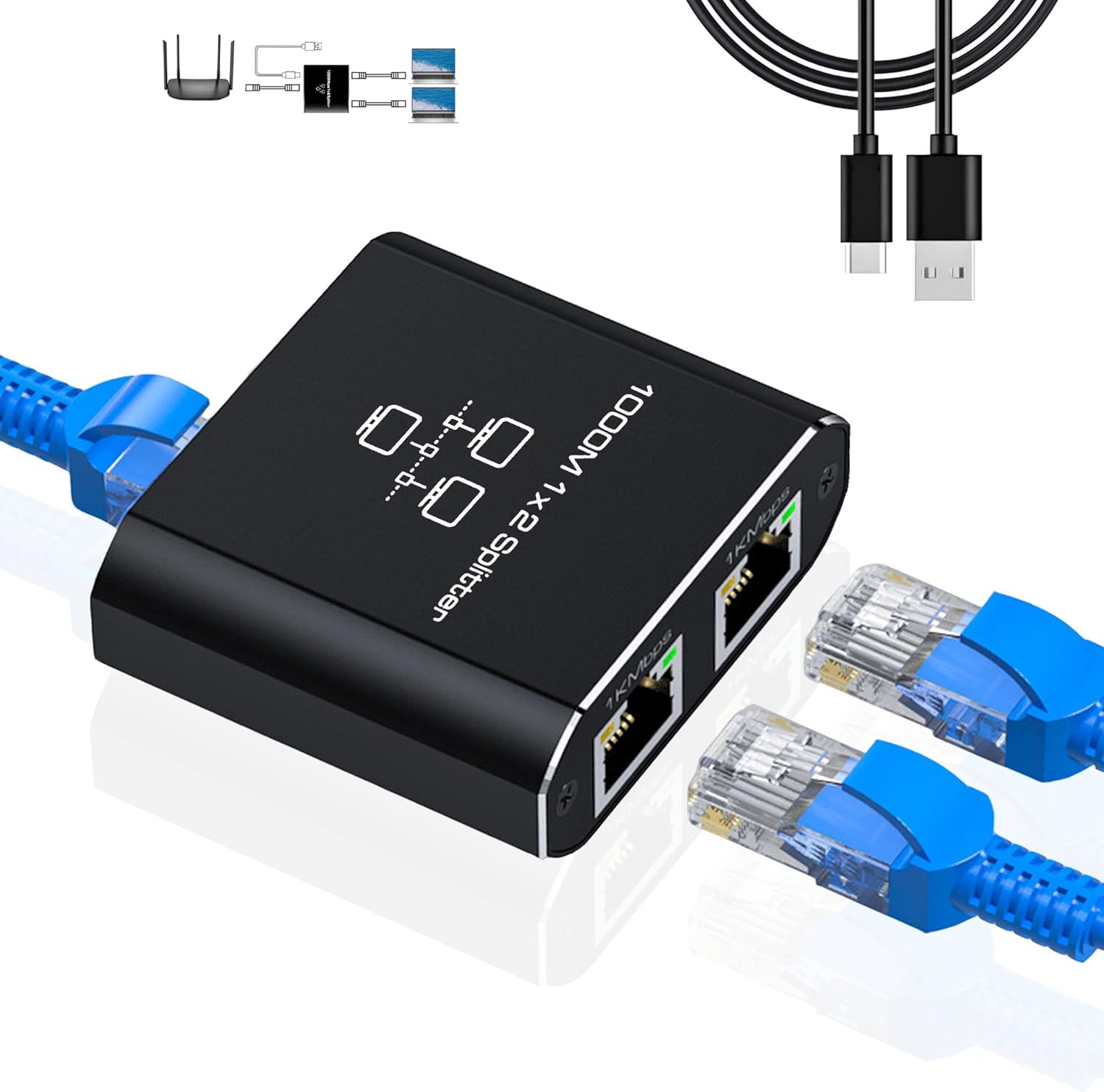
tounee Telescopic Laptop Stand Review: A Sit-Stand Riser That Actually Reaches Standing Height

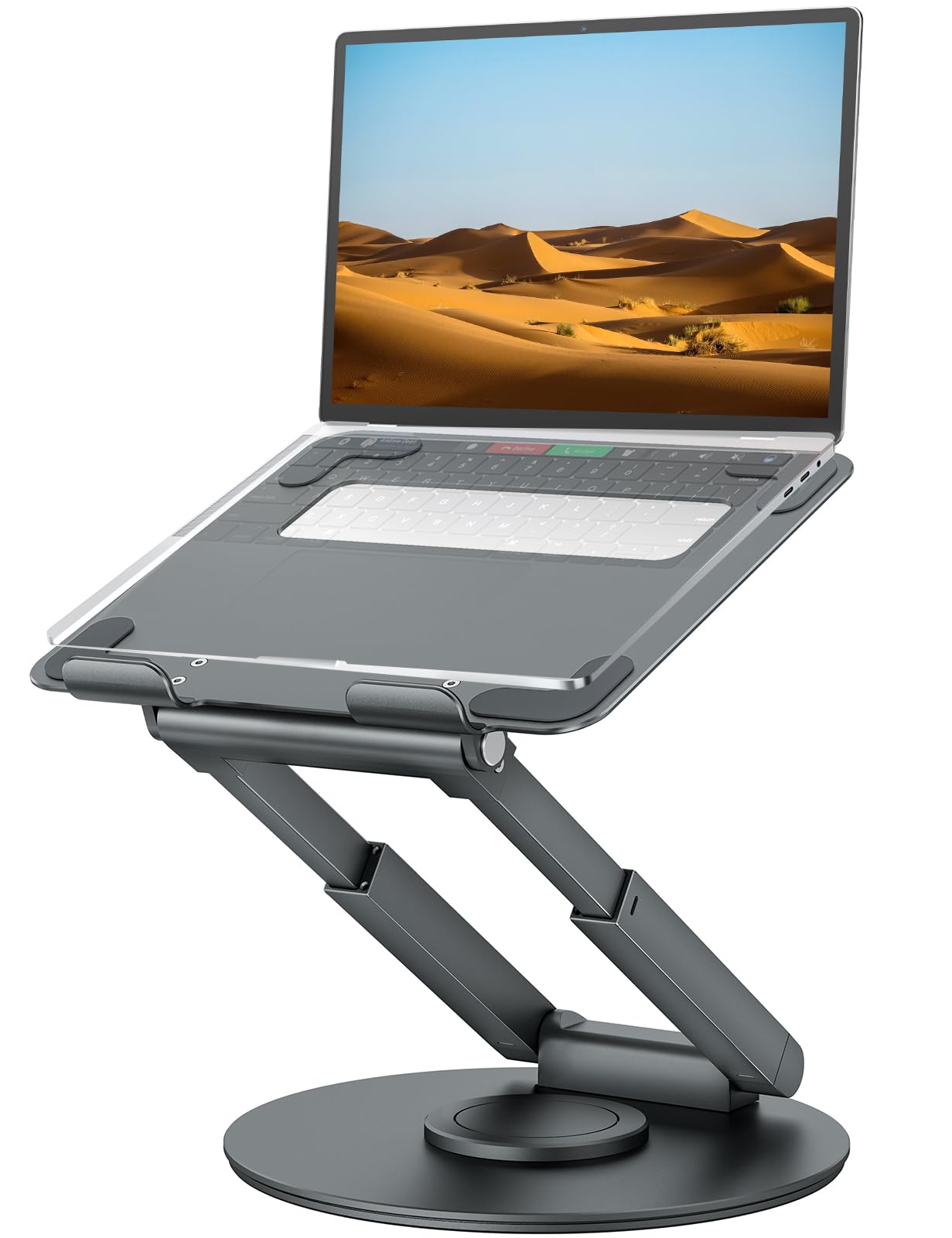

tounee Telescopic Laptop Stand Review: A Sit-Stand Riser That Actually Reaches Standing Height
tounee Telescopic Laptop Stand
Buy if you want to switch between sitting and standing on a laptop without buying a full standing desk; the heavy aluminum base and smooth 360 swivel are genuinely useful. Skip if you need rock-steady typing at full height with a heavy 17-inch laptop, or want one-finger adjustment.
Buy on AmazonWhat We Liked
- A genuine sit-to-stand height range from 2.1 to 21 inches
- The 360-degree swivel base that shares your screen instantly
- Heavy aluminum-alloy build that stays planted while you type
- Stiff, deliberate joints that hold your laptop exactly where you set it
- Compact, foldable design that travels and saves desk space
- Wide compatibility and a vented, grippy laptop plate
What Could Be Better
- Some lateral sway at or near full standing height
- The telescoping column is stiff and needs two hands
- The 360-degree swivel clicks loudly when you turn it
- It raises the laptop, not a full workstation
How we test: Every product is used in real conditions and evaluated using our standardized scoring criteria. Read our full review methodology.
If you spend all day on a laptop, there’s a good chance the screen sits too low and your neck, shoulders, and upper back are paying for it. Most laptop stands barely move, so they fix your posture while sitting and do nothing the moment you want to stand up.
The tounee Telescopic Laptop Stand is built to solve both. It’s an aluminum sit-to-stand laptop riser with a telescoping column that climbs from 2.1 inches up to 21 inches and a 360-degree swivel base, so one adjustable laptop stand covers a seated desk and a part-time standing desk.
I worked off it for a stretch of daily use, raising and lowering it between tasks, loading it with everything from a 13-inch MacBook Air to a 17-inch machine, and spinning it around on calls. The goal was simple: find out whether a single telescopic laptop stand can really get a laptop to standing eye level without wobbling.
The short answer? It’s one of the sturdier height adjustable stands I’ve used, as long as you know about the sway at full height and the firm, two-handed adjustment going in.
What I Liked
The tounee telescopic laptop stand gets the big things right as a laptop stand for desk work and as an ergonomic laptop setup. Here’s what stood out across daily use.
A genuine sit-to-stand height range from 2.1 to 21 inches
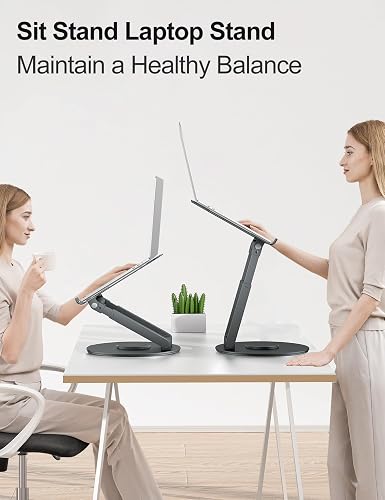
The telescoping column is the whole point, and it delivers a real 2.1-inch to 21-inch range released by a single button on the back. You press it, lift, and stop wherever the screen feels right, so the same riser works as a low seated boost or a standing-height lift.
Most stands I’ve used barely adjust at all. This one actually lets you change posture through the day, which is the behavior that makes a sit-stand habit stick instead of getting abandoned.
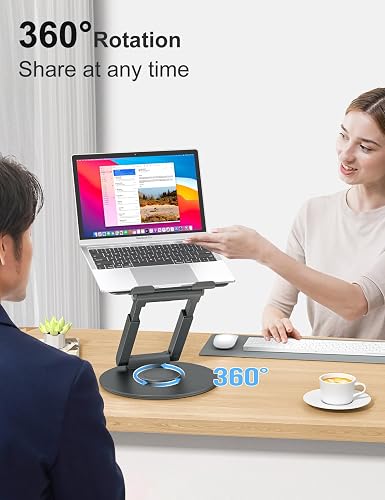
The 360-degree swivel base that shares your screen instantly
The weighted base spins a full 360 degrees on a smooth turntable, so you can rotate your laptop to face a coworker or across a table with a light push. You never pick anything up; you just give it a turn and the screen comes around.
For face-to-face chats, calls, and quick show-and-tells, that swivel gets used daily. It’s a small thing that a fixed stand simply can’t do.
Heavy aluminum-alloy build that stays planted while you type
This is aluminum alloy, not flimsy plastic, with a large heavy base you feel the moment you pick it up. Two pivot joints instead of one make it roughly twice as rigid as single-joint stands, and it’s rated to hold up to 22 pounds, enough for a big 17-inch laptop.
Because the base stays planted, the screen doesn’t shimmy every time you type. That matters most on video calls, where a shaky stand carries straight into your webcam shot.
Stiff, deliberate joints that hold your laptop exactly where you set it
The joints are firm by design. Raising, lowering, or angling the stand takes a real push, and the first time it almost feels like you might break it, though you won’t.
After a day I understood the trade-off. That stiffness is what keeps you from bumping the stand and dropping your screen mid-task, so it stays exactly where you parked it.
Compact, foldable design that travels and saves desk space
Despite the solid base, the whole thing folds down to roughly a foot by a foot for storage. It doesn’t eat your whole desk, and it’s compact enough to fold up and throw in a bag for a coffee shop or a trip.
It also ships fully assembled, so there’s nothing to build. For a portable laptop stand with this much hardware, that’s a nice surprise out of the box.
Wide compatibility and a vented, grippy laptop plate
The plate fits laptops from 10 to 17 inches, from a MacBook Air up to a Dell or Lenovo gaming machine, and it holds a tablet computer or iPad in a pinch. Silicone pads on all four corners grip the laptop so nothing slides, and silicone feet keep the base from scratching your desk.
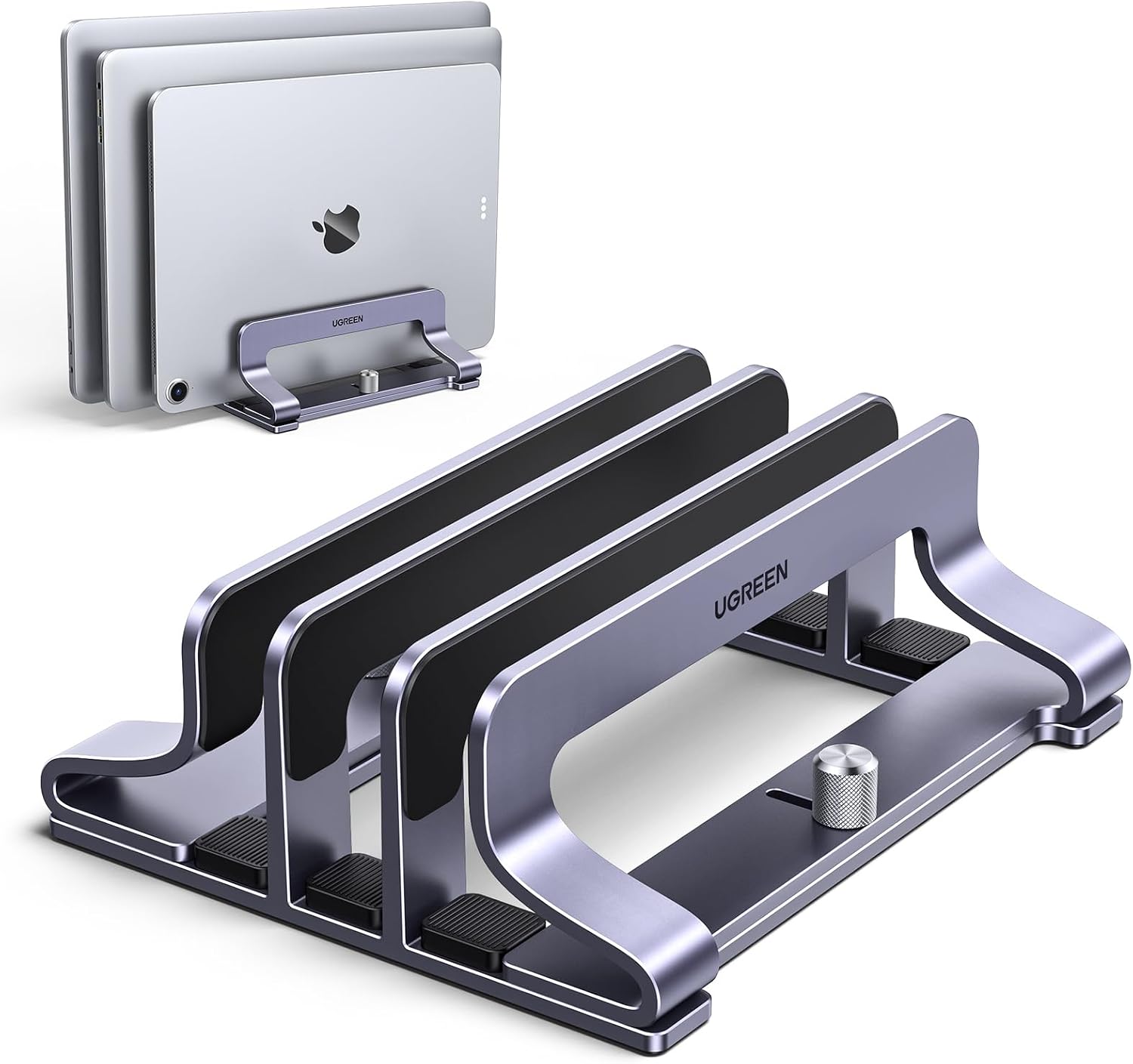
A vent is cut through the plate so your laptop can still breathe while it’s docked. It’s the kind of detail that keeps a warm machine from cooking on a solid surface. If you’d rather store a couple of laptops upright than raise a single one to eye level, the UGREEN 3-Slot Vertical Laptop Stand docks up to three devices in one aluminum stand. For a household parking even more machines, from laptops to a tablet to a Switch, the KDD 4-Slot Vertical Laptop Stand holds up to six devices by letting each one’s weight lock it in place.
What Needs Improvement
No single-column stand is perfect, and the tounee has a few limits worth knowing before you buy.
Some lateral sway at or near full standing height
At low and mid heights the stand is solid and doesn’t rock during normal typing. Push it to or near the full 21-inch extension with a heavier 15- to 17-inch laptop, though, and there’s noticeable lateral sway when you type hard.
This isn’t a rare complaint. In my own standing test the screen showed slight wobble at the tallest setting, and roughly one in three reviewers flag stability at max height, with a few noting the stand can tip if you reach across the laptop while it’s extended. The heavy base and two pivot joints reduce it, but any tall single-column riser will have some.
The telescoping column is stiff and needs two hands
The same firmness that keeps your screen planted makes adjustment a workout. Owners across the US, Germany, and Italy all describe joints so strong that changing height takes real force, and you’ll usually want to lift the laptop off and use both hands.
It’s a fair trade for stability, but go in expecting a deliberate adjustment, not a one-finger nudge. A few buyers also mention the column feels stiff out of the box and loosens up slightly with use.
The 360-degree swivel clicks loudly when you turn it
The turntable makes an audible ratchet click as it rotates. Plenty of people find it satisfying, but others describe it as loud, with one owner comparing it to a roller coaster climbing the track.
For casual turning it’s fine. If you spin the screen mid-recording or on a live call, the sound is noticeable enough that you’d want to do it between takes.
It raises the laptop, not a full workstation
This elevates your laptop only, and the column tops out around 21 inches. For someone about 5-foot-6 that’s roughly standing eye level, but taller users may find standing mode a little low, and there’s no tray for a separate keyboard.
To type comfortably at standing height you’ll really want an external keyboard and mouse, since reaching up to a raised laptop keyboard isn’t great ergonomics. If you need a full sit-stand surface, a desk converter is the better tool.
How It Compares
At around $55, the tounee sits between basic fixed-angle risers and full standing desk converters. Here’s how it stacks up against the alternatives you’ll actually cross-shop.
vs Nulaxy C5
The Nulaxy C5 is the closest head-to-head rival: another telescoping laptop stand at about $49 with a 4.7-star average across more than 8,300 ratings and a similar 1.2-inch to 20-inch height range. It reaches nearly the same standing height for a few dollars less.
What you give up is the trick the tounee is built around. The C5 uses a single pivot and has no 360-degree swivel base, so you can’t spin the screen to share it. Choose the Nulaxy to save a little money; choose the tounee for the heavier base and the rotating turntable. On this site the Nulaxy Telescopic 360 Rotating Laptop Stand is the closest sibling pick, matching the tounee’s swivel base and sit-to-stand reach almost feature for feature.
vs MOFT Z and fold-flat risers
The MOFT Z is a fold-flat sit-stand board around $60 that also reaches a standing height and packs down far thinner for travel. If you move between a bag and a desk constantly, it’s genuinely more portable.
The catch is rigidity. It’s a folding board, not solid aluminum, and owners note visible flex at standing height, so it trades the tounee’s planted, don’t-shake-the-webcam feel for pack-ability.
vs a standing desk converter
A full converter like a VIVO single-top or a FlexiSpot AlcoveRiser costs $100 or more and eats far more desk space, but it includes a dedicated keyboard tray. That directly solves the one gap every laptop-only riser shares.
If you want your whole laptop-plus-keyboard workstation to rise together, get the converter. If you want a portable laptop stand that lifts the screen, swivels, and tucks away, the tounee is the lighter, cheaper, more flexible pick.
Final Verdict
The tounee Telescopic Laptop Stand does what most height adjustable stands only promise: it lifts a laptop from a seated boost all the way to standing eye level, swivels 360 degrees, and stays planted thanks to a heavy aluminum base and dual pivot joints.
I’m giving it a 4.5 out of 5.
It loses a little for the sway at full standing height with heavy laptops, the stiff two-handed adjustment, and the loud swivel click, and it lifts the laptop rather than a full workstation. But the build quality, the genuine sit-to-stand range, and the rotating base make it more useful than stands that prop your screen up a couple of inches.
Bottom line: if you work on a laptop all day and want to break up sitting without buying a full standing desk, the tounee is an easy ergonomic laptop upgrade to recommend, just pair it with an external keyboard for standing work.
Specifications
| Brand | tounee |
| Model | LS07 EXPRO |
| Color | Gray |
| Material | Aluminum alloy |
| Height Adjustment Range | 2.1 to 21 inches |
| Weight Capacity | 22 lbs |
| Base Rotation | 360 degrees |
| Compatible Laptops | 10 to 17 inches |
| Mounting Type | Tabletop (foldable riser) |
| Best Sellers Rank | #15 in Laptop Stands |
Frequently Asked Questions
Is the tounee Telescopic Laptop Stand worth buying?
At around $55 it's priced above basic risers, but you're paying for a genuine sit-to-stand range, an aluminum build, and a 360-degree swivel base. It holds a 4.7-star average across more than 4,300 ratings, and in my use it earned the price for anyone who actually wants to alternate sitting and standing. If you only need a couple of inches of lift, a cheaper fixed stand is enough.
How high does the tounee Telescopic Laptop Stand go, and is it tall enough to stand?
The telescoping column adjusts from 2.1 inches up to 21 inches. For someone around 5-foot-6 that reaches standing eye level on a typical desk, but users above about 6-foot-2 may find standing mode a little low. Your desk height matters too, so measure before counting on it as a full standing desk.
Does the tounee Telescopic Laptop Stand wobble when fully extended?
At low and mid heights it's solid with no real wobble. Near the full 21-inch extension there's some lateral sway, especially with heavier 15- to 17-inch laptops, and about one in three owners mention it. Keeping it on a firm, flat surface and not reaching across the laptop while it's raised keeps it steady.
What laptops is the tounee Telescopic Laptop Stand compatible with?
It fits laptops from 10 to 17 inches and is rated to hold up to 22 pounds, so everything from a MacBook Air to a MacBook Pro or a 17-inch Dell or Lenovo works. Silicone corner pads grip the machine so it doesn't slide, and it can hold a tablet or iPad in a pinch.
Is the tounee Telescopic Laptop Stand hard to adjust?
Yes, by design. The pivot joints are stiff, so raising, lowering, or folding it takes real force and usually two hands with the laptop removed. That firmness is what keeps your screen from drifting or dropping, so it's a deliberate trade-off rather than a defect.
Has the tounee Telescopic Laptop Stand been discontinued?
No. As of this review it's still actively sold on Amazon in gray, silver, and black, and it remains a top-ranked seller in the laptop stands category. Availability of specific colors can vary, so check the listing for the finish you want.
Ready to Buy?
tounee Telescopic Laptop Stand delivers on its promises. If it fits your needs, it's a solid choice you won't regret.
Check Price on Amazon Founder & Product Reviewer at TheReviewRewind
Daniel has tested 400+ products across 20+ categories through hands-on, real-world testing. Every review includes video documentation and standardized scoring criteria. His reviews appear as Amazon shoppable videos and here on TheReviewRewind.
We earn a commission if you make a purchase, at no extra cost to you. This does not influence our ratings or recommendations. Full disclosure
Looking for more options? See all our Computers reviews.
Related Reviews