JSAUX 65W Switch Dock (OmniCentro HC6502) Review: The Compact Travel Dock That Nails the Basics


JSAUX 65W Switch Dock (OmniCentro HC6502) Review: The Compact Travel Dock That Nails the Basics
JSAUX 65W Switch Dock (OmniCentro HC6502)
Buy if you want a pocket-sized Switch 2 or travel dock that handles 4K60 TV output and 65W USB-C charging for under $50. Skip if you need VRR, wired Ethernet, or fast USB-A data transfer.
Buy on AmazonWhat We Liked
- It Replaces Both Your Original Dock and Charger
- Small Enough to Actually Travel or Leave in Another Room
- 65W of Real USB-C Fast Charging for All Your Gear
- Sharp 4K60 Output With 10-bit HDR Color on a TV
- One Dock That Covers Both Switch Generations
- A Sub-$50 Price That Undercuts the Competition
What Could Be Better
- No VRR, and a Firmware Update Cannot Add It
- A Slow USB-A 2.0 Port and No Gigabit Ethernet
- 4K HDR to LG C-Series TVs Can Drop the Audio
- Light on Printed Safety Certifications at Launch
How we test: Every product is used in real conditions and evaluated using our standardized scoring criteria. Read our full review methodology.
Getting your handheld onto the big screen usually means the bulky dock that lives behind one TV. If you want to play in another room or throw your console in a bag, you either unplug a mess of cables or buy a whole second dock.
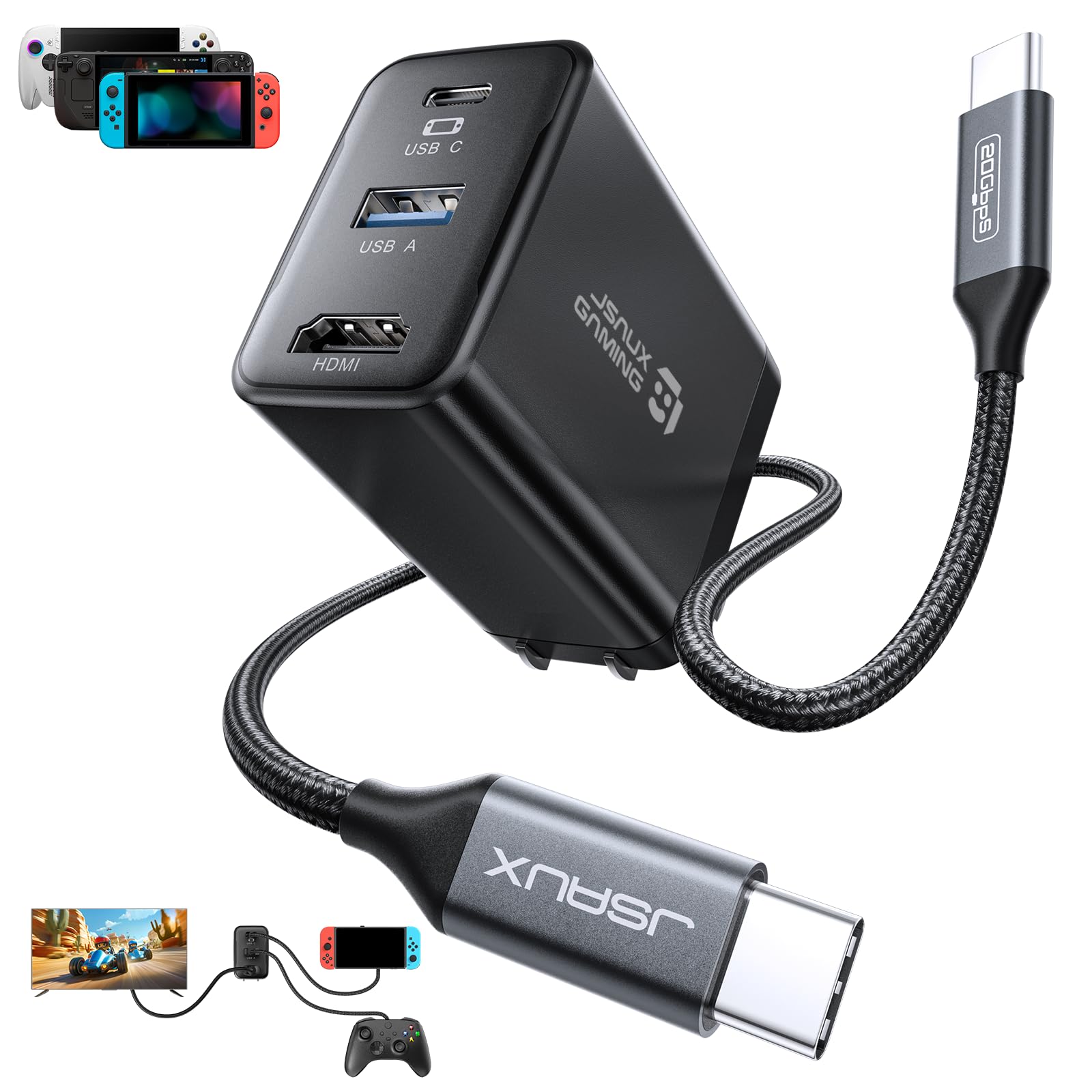
The JSAUX 65W Switch Dock, sold as the JSAUX OmniCentro Charger Dock (model HC6502), tries to fix that. It is a compact charging dock that folds a 4K HDMI output, a USB-A port, and a built-in 65W USB-C charger into one wall plug, so a single accessory does the job of your original dock and your charger.
I dug into how this little dock actually performs across the Nintendo Switch 2, the original Switch, and other USB-C handhelds, and cross-checked my take against hands-on testing from The Verge, GamesRadar, and Deku Deals.
The short version? For around $46 it nails the core job of a travel or second dock, as long as you know what it leaves out.
What the JSAUX OmniCentro Is
The JSAUX OmniCentro is a wall-plug charging dock, not a desktop stand. You plug it into an outlet, run the included USB-C cable to your console, and send an HDMI cable to your TV. That is the whole setup.
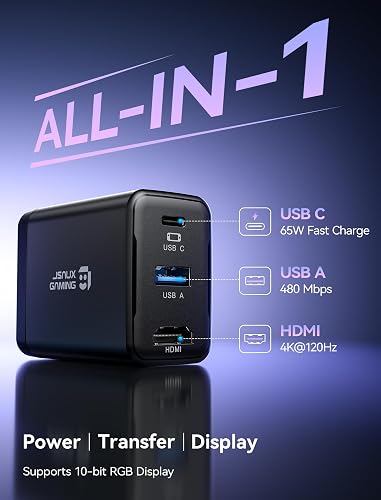
On the front it carries three ports: a USB-C Power Delivery port rated at 65W, one USB-A 2.0 port for accessories, and an HDMI output. There is no Gigabit Ethernet jack and no extra USB hub, which keeps it small.
JSAUX positions it as a dock for Switch 2 play first, but it is one of the few compact docks whose maker also documents the original Switch and Switch OLED. Its plain black design is unremarkable, which is fine for something you plug in behind a video game console and forget.
It doubles as a universal charger for a phone, a tablet, a Steam Deck, or a ROG Ally, so it is as much a docking station for the Steam Deck as a dock for Nintendo Switch hardware. That flexibility, plus a build quality that feels solid for the money, is the real reason this docking station for Switch 2 owners earns a spot in a gaming bag.
What I Liked
For a budget accessory, the JSAUX OmniCentro gets the fundamentals right. Here is what stood out across the Switch 2, the original Switch, and a few other handhelds.
It Replaces Both Your Original Dock and Charger
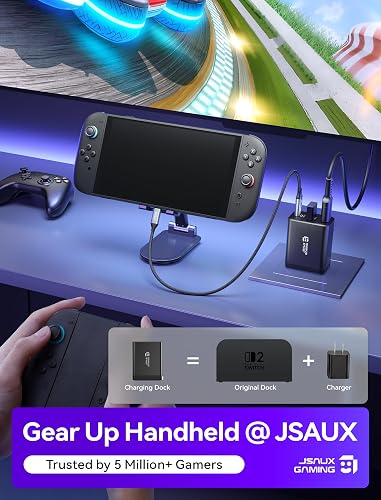
The pitch here is simple: this one charging dock does the work of the bulky original dock plus a separate charger. You get HDMI video out, a USB-A data port, and 65W USB-C charging in a single wall plug.
That consolidation is the whole point. Instead of unplugging the stock dock or carrying a charger too, you drop this in a bag and your TV setup travels with you.
Small Enough to Actually Travel or Leave in Another Room
JSAUX lists the OmniCentro at roughly 60 x 47 x 31mm, noticeably smaller and lighter than the dock that ships with the console. GamesRadar, handling it at CES, described the same compact form factor that made Genki’s original travel dock popular.
The foldable prongs are the detail that sells it for travel, since they will not snag or bend in a bag. It is just as happy as a cheap second dock for a bedroom or office TV, so you stop crawling behind the main set to move the original dock.
65W of Real USB-C Fast Charging for All Your Gear
The built-in charger puts out up to 65W of USB-C Power Delivery, enough to keep a Switch topped up while you play in TV mode rather than draining the battery. Because it is a genuine 65W charger, it also fast charges a phone, a tablet, a Steam Deck, a ROG Ally, or a USB-C laptop.
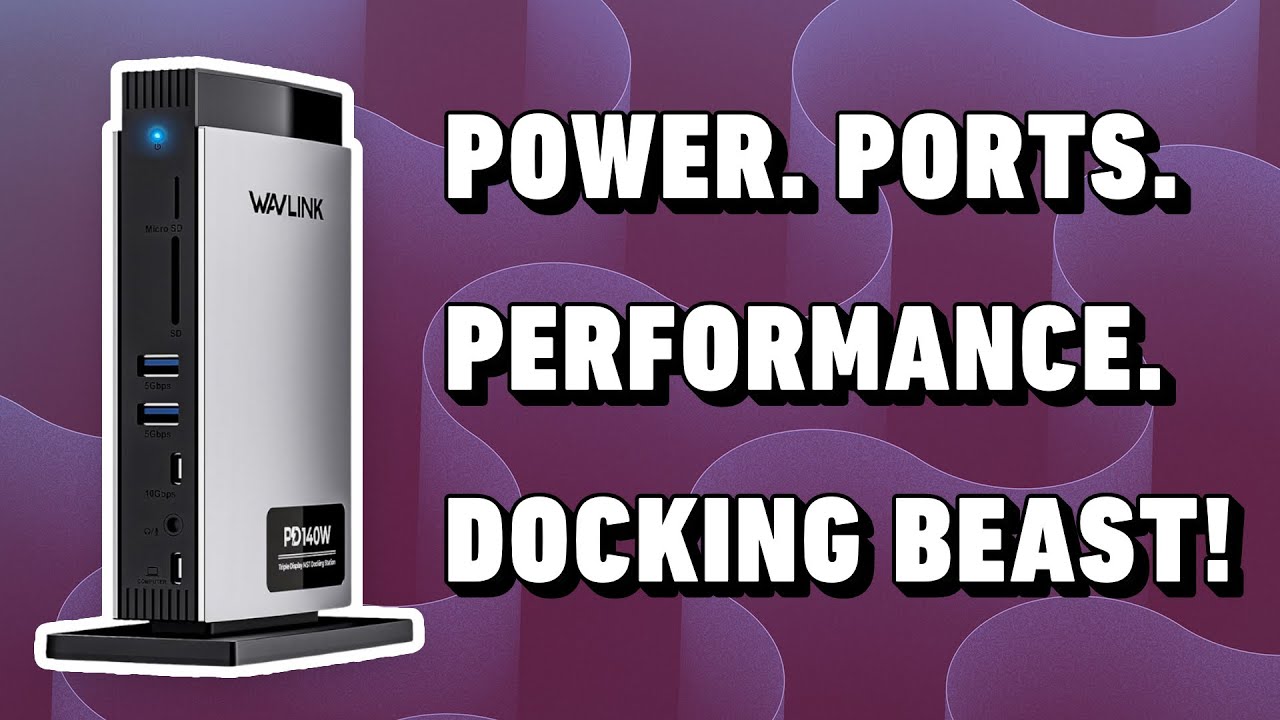
JSAUX also advertises up to 30W Turbo Mode for ROG handhelds when you plug the dock into the device first. That dual role, as both a dock and a universal charging station, is what makes this more than a one-trick accessory. If you need far more than charging from a dock, the WAVLINK Thunderbolt 5 Dock steps up to a 13-in-1 hub with NVMe storage for creators building a full workstation.
Sharp 4K60 Output With 10-bit HDR Color on a TV
The HDMI port is rated up to 4K at 120Hz and supports 10-bit RGB output, and in practice it hands a Switch 2 a clean, sharp 4K picture at 60Hz on the big screen. The Verge, testing it alongside Genki’s dock, confirmed both can scale down to 1440p or 1080p at higher refresh rates with HDR support.
That is the ceiling most people actually want from a Switch dock. The image quality off this dock holds up fine against the stock dock for everyday living-room play. Since the HDMI cable carries that picture to the screen, JSAUX also makes the JSAUX 8K HDMI 2.1 Cable for anyone who wants a reliable run to a PS5 or Xbox.
One Dock That Covers Both Switch Generations
Most compact rivals only commit to the Switch 2, but JSAUX documents the OmniCentro for the Switch 2, the original Switch, and the Switch OLED. GearExplained notes it gives 4K 60Hz on a Switch 2 and 1080p 60Hz on the older models, which matches what those consoles can output anyway.
Beyond Nintendo, it works with the Steam Deck, ROG Ally, Samsung DeX, an iPad, or a MacBook. If you own more than one handheld, that wide compatibility means one dock covers the whole shelf.
A Sub-$50 Price That Undercuts the Competition
At about $46, the OmniCentro is the value play in this category. The Verge recommended it as the sub-$50 pick and struggled to justify the extra cost of the pricier Genki Covert Dock 3, which does largely the same job.
Deku Deals reached a similar conclusion, calling it the budget pick that gets you most of the way there for less money. For an accessory you mostly want to disappear into a bag, paying less for the same core function is an easy win.
What Needs Improvement
No dock this small is without compromises, and the OmniCentro makes a few you should know before buying.
No VRR, and a Firmware Update Cannot Add It
Nintendo added TV-mode VRR to the Switch 2 in a September 2026 system update, but this dock does not pass it through. JSAUX is upfront that the OmniCentro does not support VRR and that a firmware update cannot add it, and The Verge confirmed the VRR toggle was missing after that update, though the dock otherwise kept working.
For most games on a standard TV you will not miss it. If you own a VRR display and care about tear-free output, that is a real gap against the official dock and Genki’s rival.
A Slow USB-A 2.0 Port and No Gigabit Ethernet
The single USB-A port is USB 2.0, so it tops out around 480 Mbps at low power. It is fine for a keyboard, a wireless receiver, or a USB drive, but it is not built for quick large transfers, and there is no dedicated slot for Joy-Con charging like some bulkier docks offer.
There is also no Gigabit Ethernet jack, so online play stays on Wi-Fi. Competitive players who want wired internet should look at a larger dock. Note too that the Switch itself does not accept third-party wired controllers through this port, so stick with a Nintendo Switch Pro Controller (or the Switch 2 Pro Controller) or a Bluetooth pad.
4K HDR to LG C-Series TVs Can Drop the Audio
Deku Deals spent weeks testing and found that outputting 4K HDR specifically to LG C-series TVs (confirmed on the C1, C2, and C3) causes the audio to cut out for about a second at irregular intervals. Disabling HDR in the system settings resolves it.
It is a narrow issue that also affects the Genki Covert Dock 3, so it is not unique to JSAUX. Still, if you game on an LG OLED, it is worth knowing the workaround up front.
Light on Printed Safety Certifications at Launch
Part of how JSAUX hits its lower price is thinner safety certification. Deku Deals noted that JSAUX said the OmniCentro had completed its UL 62368-1 test report, but testers had not yet received a unit with certifications printed on the shell.
It is not a red flag so much as a reminder that this is a budget charger handling a $450 console. If visible, independent safety certs matter to you, that is a point in the pricier Genki’s favor.
How It Compares
The compact Switch 2 dock market has a clear premium option, the stock dock, and JSAUX’s own larger sibling. Here is where the OmniCentro lands.
vs Genki Covert Dock 3
The Genki Covert Dock 3 is the direct rival at $69.99, and it is the better dock on paper. It lists HDR and VRR support, adds 1080p240 output, carries more international safety certifications, and offers optional global plug adapters.
The catch is the price. The Verge could not find enough of a spec gap to justify Genki’s roughly $24 premium, and Genki’s VRR claim has not been independently confirmed yet. If you want a shot at VRR on the road and verified safety certs, pay up for the Genki; if you want the same core 4K60-and-65W job for less, the JSAUX wins.
vs Nintendo Switch 2 Dock Set (Official)
Nintendo’s own dock is the only option that ships every TV-mode feature, including Gigabit Ethernet and the VRR that arrived in September 2026. It is the safe choice for a permanent living-room setup.
But the official dock is bulkier, costs more, and is not built to travel. Think of the OmniCentro as the second dock you buy so the official dock can stay bolted behind the main TV.
vs JSAUX 7-in-1 Docking Station
JSAUX’s own 7-in-1 is a stand-style dock that adds HDMI 2.1, Gigabit Ethernet, 100W PD input, and extra 5Gbps USB ports. It is the pick if you want a fixed desk hub with wired internet.
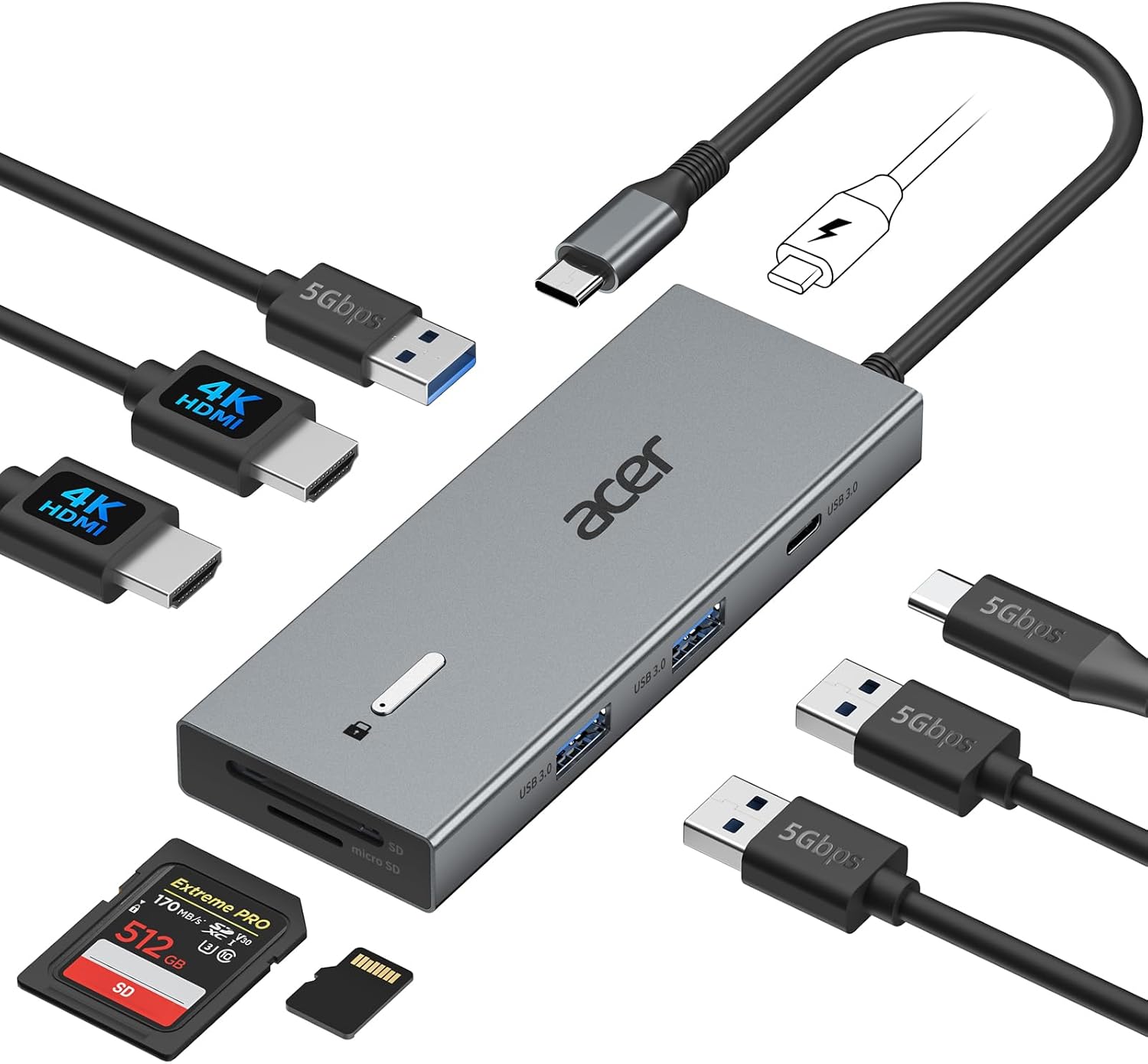
The trade-off is size: the 7-in-1 is a desktop stand, not a pocket charger. For a travel or second dock, the compact OmniCentro is the more sensible JSAUX dock, while the 7-in-1 suits a dedicated home station. For a laptop-focused desk hub instead, the Hiearcool USB-C Dock delivers Gigabit Ethernet and card readers for under $30.
Final Verdict
The JSAUX 65W Switch Dock is a compact charging dock that nails the core job most people want: sharp 4K60 TV output and 65W fast charging in something you can actually throw in a bag, for around $46.
I’m giving the OmniCentro a 3.7 out of 5.
It loses ground for skipping VRR, limiting the USB-A port to 2.0, dropping Ethernet, and thin printed safety certs, plus a narrow audio quirk on LG C-series OLEDs. But the value, the real 65W charging, and the fact that one dock covers both Switch generations keep it a genuinely useful accessory.
Bottom line: If you want a cheap travel or second dock and none of those missing features are dealbreakers, the JSAUX OmniCentro is an easy recommendation; if you need VRR, wired internet, or verified safety certs, spend up on the Genki or the official dock.
Specifications
| Brand | JSAUX |
| Model Number | HC6502 |
| Color | Black |
| Connector Type | HDMI, USB Type-C |
| Compatible Devices | Nintendo Switch, Steam Deck, ROG Ally, Samsung DeX, iPad, MacBook |
| Number of Ports | 3 |
| Max Charging Output | 65W USB-C Power Delivery |
| HDMI Output | Up to 4K@120Hz (Switch capped at 4K@60Hz) |
| USB-A Port | USB 2.0, up to 480 Mbps, 5V/0.6A |
| Warranty | 2 Year Manufacturer |
| Manufacturer | Shenzhen Wuyishi Technology Co.,Ltd |
Frequently Asked Questions
Does the JSAUX 65W Switch Dock work with the original Switch and the Switch 2?
Yes. JSAUX documents the OmniCentro HC6502 for the Switch 2, the original Switch, and the Switch OLED, making it one of the few compact docks that covers both generations. You get 4K at 60Hz on a Switch 2 and 1080p at 60Hz on the older models, which matches what those consoles output anyway.
Does the JSAUX OmniCentro really output 4K at 120Hz on the Switch?
The HDMI port is rated up to 4K at 120Hz with 10-bit HDR color, but the Switch itself caps TV output at 4K 60Hz. That 120Hz ceiling is a Nintendo system limit, not a dock limit, so it only matters for other handhelds and PCs that can push higher frame rates.
Does the JSAUX 65W Switch Dock support VRR?
No. JSAUX states the OmniCentro does not support variable refresh rate and that a firmware update cannot add it. The Verge confirmed the VRR toggle was missing after Nintendo's September 2026 update, so if you need VRR, choose the official dock or the Genki Covert Dock 3.
Can the JSAUX 65W Switch Dock charge a Steam Deck or ROG Ally?
Yes. It is a genuine 65W USB-C Power Delivery charger, so it fast charges a Steam Deck, a ROG Ally, a phone, a tablet, or a USB-C laptop in addition to docking your Switch. JSAUX also lists up to 30W Turbo Mode for ROG handhelds when you connect the dock to the device first.
Does the JSAUX OmniCentro have an Ethernet port or fast USB?
No on both counts. There is no Gigabit Ethernet jack, so online play stays on Wi-Fi, and the single USB-A port is USB 2.0 at up to 480 Mbps for accessories rather than quick large transfers. If you need wired internet, step up to the JSAUX 7-in-1 or a larger dock.
Is the JSAUX 65W Switch Dock worth it?
At around $46 it is a strong value for a compact travel or second dock, and The Verge recommended it as the sub-$50 pick over the pricier Genki Covert Dock 3. Buy it if you want 4K60 TV output and real 65W charging in a bag-friendly size, and skip it if VRR, Ethernet, or printed safety certs are must-haves.
Ready to Buy?
JSAUX 65W Switch Dock (OmniCentro HC6502) delivers on its promises. If it fits your needs, it's a solid choice you won't regret.
Check Price on Amazon Founder & Product Reviewer at TheReviewRewind
Daniel has tested 400+ products across 20+ categories through hands-on, real-world testing. Every review includes video documentation and standardized scoring criteria. His reviews appear as Amazon shoppable videos and here on TheReviewRewind.
We earn a commission if you make a purchase, at no extra cost to you. This does not influence our ratings or recommendations. Full disclosure
Looking for more options? See all our Computers reviews.
Related Reviews