WAVLINK Pro Docking Station Quad 4K Displays Review: For Mac Users


WAVLINK Pro Docking Station Quad 4K Displays Review: For Mac Users
WAVLINK Pro Docking Station Quad 4K Displays
Buy if you need quad 4K monitor support on a Mac without Thunderbolt. Skip if you want plug-and-play simplicity or need high-bandwidth data transfers alongside video.
Buy on AmazonWhat We Liked
- Quad 4K HDMI Display Support
- All-in-One USB-C Port Expansion
- Premium Aluminum Build Quality
- 100W Power Delivery Charging
- 10Gbps USB and Fast Card Readers
What Could Be Better
- DisplayLink Driver Required on Mac
- USB-C Bandwidth Limitations with 10Gb
- No HDCP-Protected Content Streaming
How we test: Every product is used in real conditions and evaluated using our standardized scoring criteria. Read our full review methodology.
Need to run four monitors from a single USB-C cable on your Mac? That used to require an expensive Thunderbolt 4 dock — until WAVLINK entered the conversation.
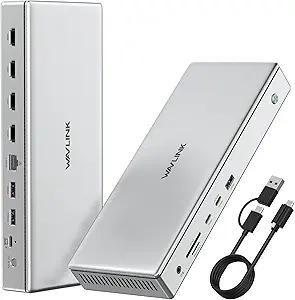
The WAVLINK Pro Docking Station Quad 4K Displays is a 15-port USB-C dock that supports quad 4K@60Hz HDMI displays through DisplayLink technology. Priced at $224.99, it positions itself as a feature-packed alternative to Thunderbolt docking stations that cost significantly more.
I set up this dock with my MacBook to test its multi-monitor capabilities, port performance, and the Mac driver installation process that every buyer needs to know about.
The short answer? It delivers on the display promise, but there are some trade-offs you should understand before buying.
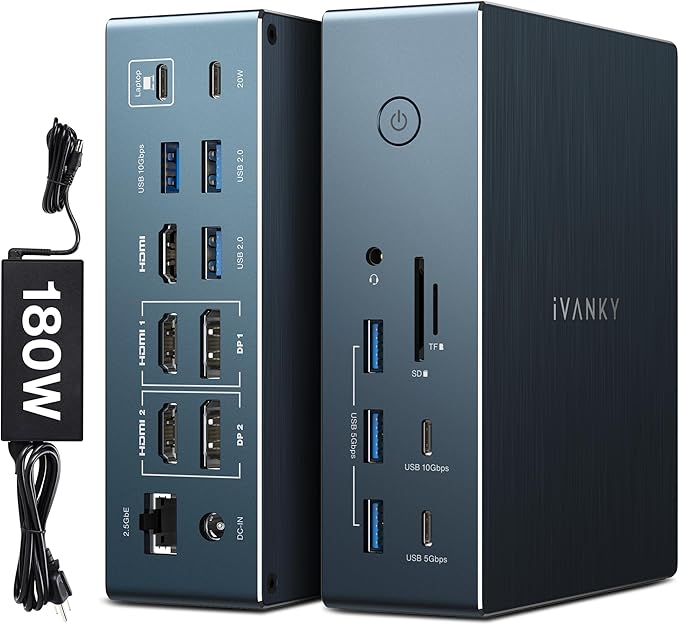
If you are choosing between the WAVLINK Pro Docking Station and iVANKY FusionDock Pro 2, see my WAVLINK Pro Docking Station vs iVANKY FusionDock Pro 2 for the side-by-side buying breakdown.
What I Liked About the WAVLINK Dock
The WAVLINK Pro docking station impressed me in several areas during testing. Here are the highlights.
Quad 4K HDMI Display Support
The standout feature is four HDMI ports that each support 4K@60Hz output through the DisplayLink DL7400 chipset. This breaks the native display limit on Mac computers — base M-series MacBooks only support one external monitor natively, and even Pro models cap at two or three.
I connected three monitors simultaneously and all displayed at full 4K resolution without issues. For traders, developers, or anyone running a multi-monitor coding setup, having four dedicated HDMI outputs from a single USB-C connection is a significant capability upgrade.
All-in-One USB-C Port Expansion
This dock consolidates 15 ports into one desktop hub. The port selection includes three USB-A 3.2 Gen 2 ports running at 10Gbps, a USB-C data port at the same speed, 2.5 Gigabit Ethernet, SD 4.0 and TF 4.0 card readers supporting 312MB/s transfers, and a 3.5mm audio combo jack.
The 2.5G Ethernet port is a welcome addition for users who need wired network connectivity that surpasses standard Gigabit Ethernet speeds. Having all USB ports run at 10Gbps rather than mixing speeds keeps data transfer consistent across every connection. The WAVLINK 11-in-1 USB-C dock offers similar port speeds in a more compact upright design for users who only need triple 4K output without DisplayLink.
Premium Aluminum Build Quality
The WAVLINK dock uses an aluminum enclosure with ventilation channels along both sides for heat dissipation. One Amazon reviewer described it as “a thick, well-made, solid dock” — and that matches my experience.
Compared to plastic docking stations in this price range, the metal construction feels substantial. The included security screw for the USB-C cable prevents accidental disconnections, which is a thoughtful detail for permanent desk setups.
100W Power Delivery Charging
The included 160W power adapter handles both the dock’s own needs and laptop charging simultaneously. It delivers up to 100W to your laptop and 30W to mobile devices through a dedicated USB-C charging port.
Having one cable for display, data, and power makes the desk setup clean. You connect a single USB-C cable to your laptop and everything — monitors, peripherals, network, and charging — runs through the dock.
10Gbps USB and Fast Card Readers
All USB-A and USB-C data ports support USB 3.2 Gen 2 at 10Gbps. The SD and TF 4.0 card readers handle UHS-I speeds up to 312MB/s, which is fast enough for photographers and videographers importing large batches of files from memory cards.
For users with a solid-state drive connected alongside monitors, the 10Gbps port speed helps minimize bandwidth competition between peripherals.
What Needs Improvement
No dock is without trade-offs, and the WAVLINK Pro has a few areas worth noting before you buy.
DisplayLink Driver Required on Mac
This is not a plug and play device on macOS. You need to download the DisplayLink Graphics Manager from synaptics.com, install the PKG file, and then grant Screen Recording permissions in System Settings under Privacy and Security. Without enabling that permission, the WAVLINK will not output to external monitors at all.
The installation itself takes under five minutes, but it adds complexity compared to Thunderbolt docks that work natively on Mac with zero software. If you regularly switch between Macs or run in managed IT environments that restrict app installations, this is a real friction point.
USB-C Bandwidth Limitations
The dock connects to your laptop through a single USB-C port with a 10Gbps maximum upstream bandwidth. TechRadar’s testing found that simultaneous file transfers between two external drives dropped to 250MB/s or less because video streaming to monitors consumed roughly half the available bandwidth.
For static desk setups where peripherals stay connected, this is not a daily issue. But if you regularly transfer large files while running multiple 4K monitors, the bandwidth contention becomes noticeable. Thunderbolt 4 docks offer 40Gbps upstream, which eliminates this bottleneck entirely.
No HDCP-Protected Content Streaming
DisplayLink technology does not support HDCP-protected content. Streaming services like Netflix, Amazon Prime Video, and Hulu may not display on monitors connected through this dock. The content plays on your laptop’s built-in screen, but external displays connected via the WAVLINK show a blank or error screen for DRM-protected video.
This is a limitation of all DisplayLink-based docks, not specific to WAVLINK. If streaming on external monitors is part of your workflow, a Thunderbolt dock avoids this restriction. WAVLINK’s own WAVLINK Thunderbolt 5 Dock is one such option, routing all video over Thunderbolt so HDCP protected streaming works on external displays. The more affordable WAVLINK 12-in-1 DisplayLink Docking Station shares the same HDCP restriction, so plan on watching protected content on your laptop screen with either dock.
How It Compares
The USB-C docking station market is crowded. Here is how the WAVLINK Pro stacks up against popular alternatives.
vs CalDigit TS4
The CalDigit TS4 ($379.99) is the go-to Thunderbolt 4 dock for Mac users. It provides 18 ports through a 40Gbps Thunderbolt connection, supporting dual 6K@60Hz displays on MacBook Pro models with M-series Pro or Max chips.
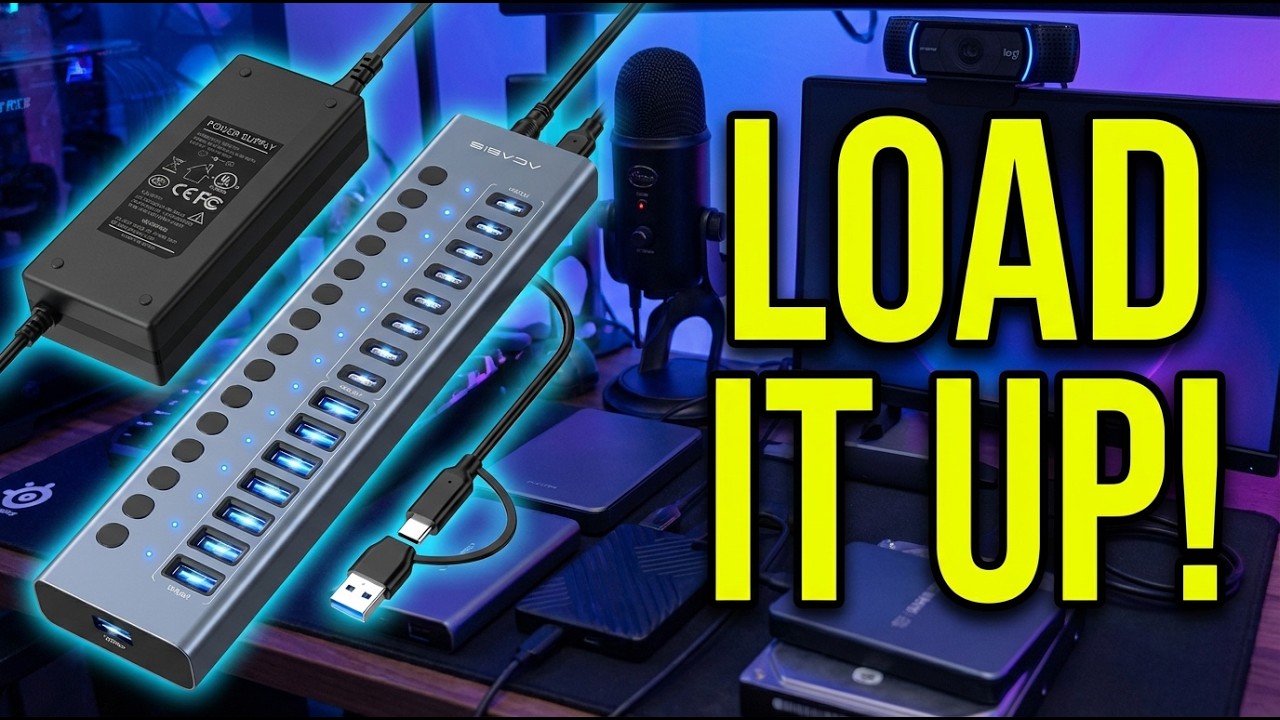
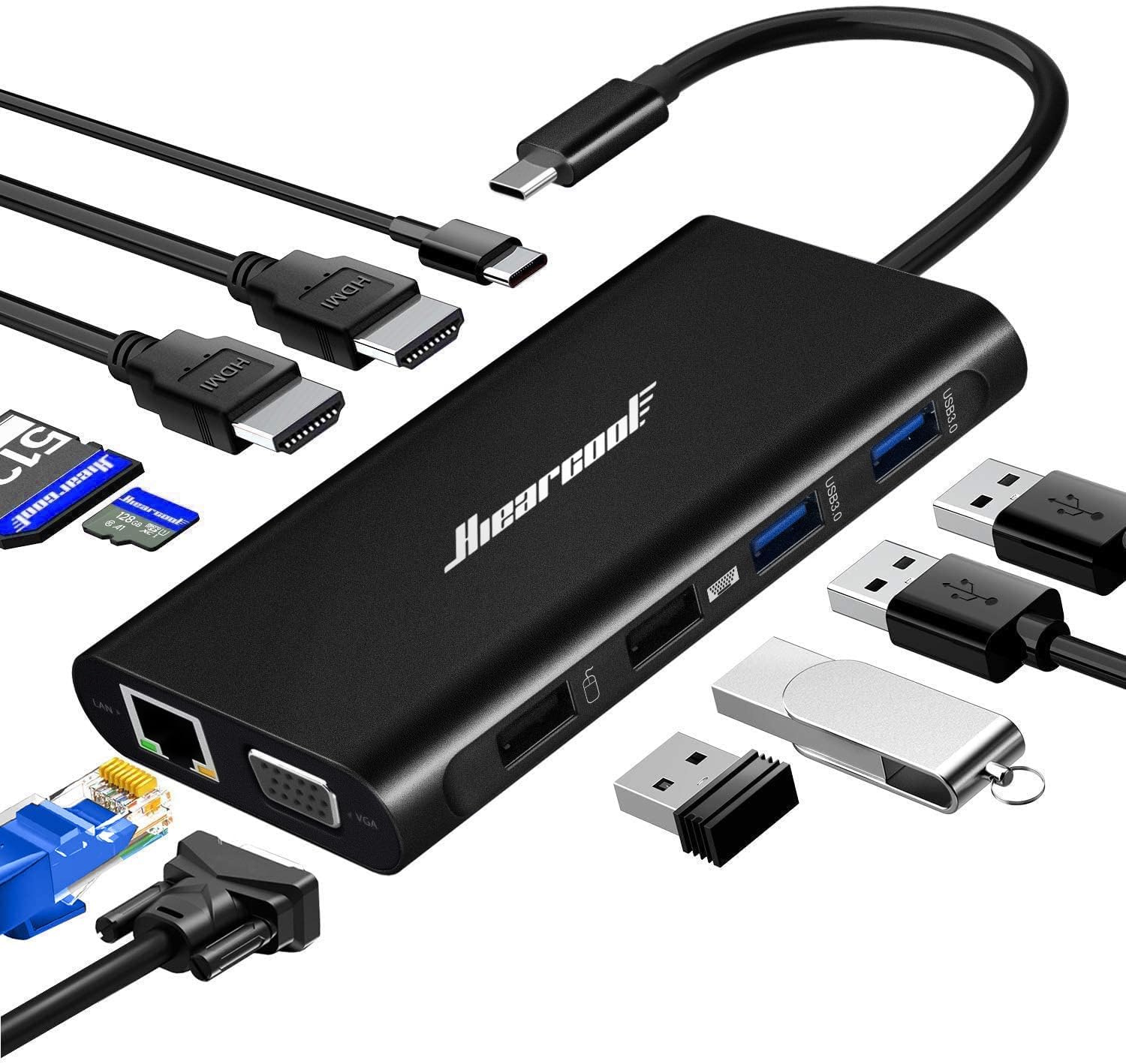
The CalDigit requires no drivers on macOS and offers four times the upstream bandwidth. The WAVLINK counters with quad HDMI output (vs CalDigit’s two display outputs) and saves you $155. Choose the CalDigit if you need maximum bandwidth and native macOS support. Pick the WAVLINK if you need more than two monitors at a lower price and can tolerate the DisplayLink driver requirement. If display output matters less than port quantity, the ACASIS 16-Port USB 3.2 Hub offers 16 powered USB ports at 10Gbps for maximum device connectivity. For an even more affordable option with Gigabit Ethernet and triple display on Windows, the Hiearcool USB-C Dock packs 11 ports into a travel-ready hub under $30.
vs Plugable TBT3-UDZ
The Plugable TBT3-UDZ ($193.64) is a 14-in-1 Thunderbolt 3 dock with 96W charging and dual 4K@60Hz display support. It works natively with Thunderbolt and USB4 laptops without requiring proprietary drivers.
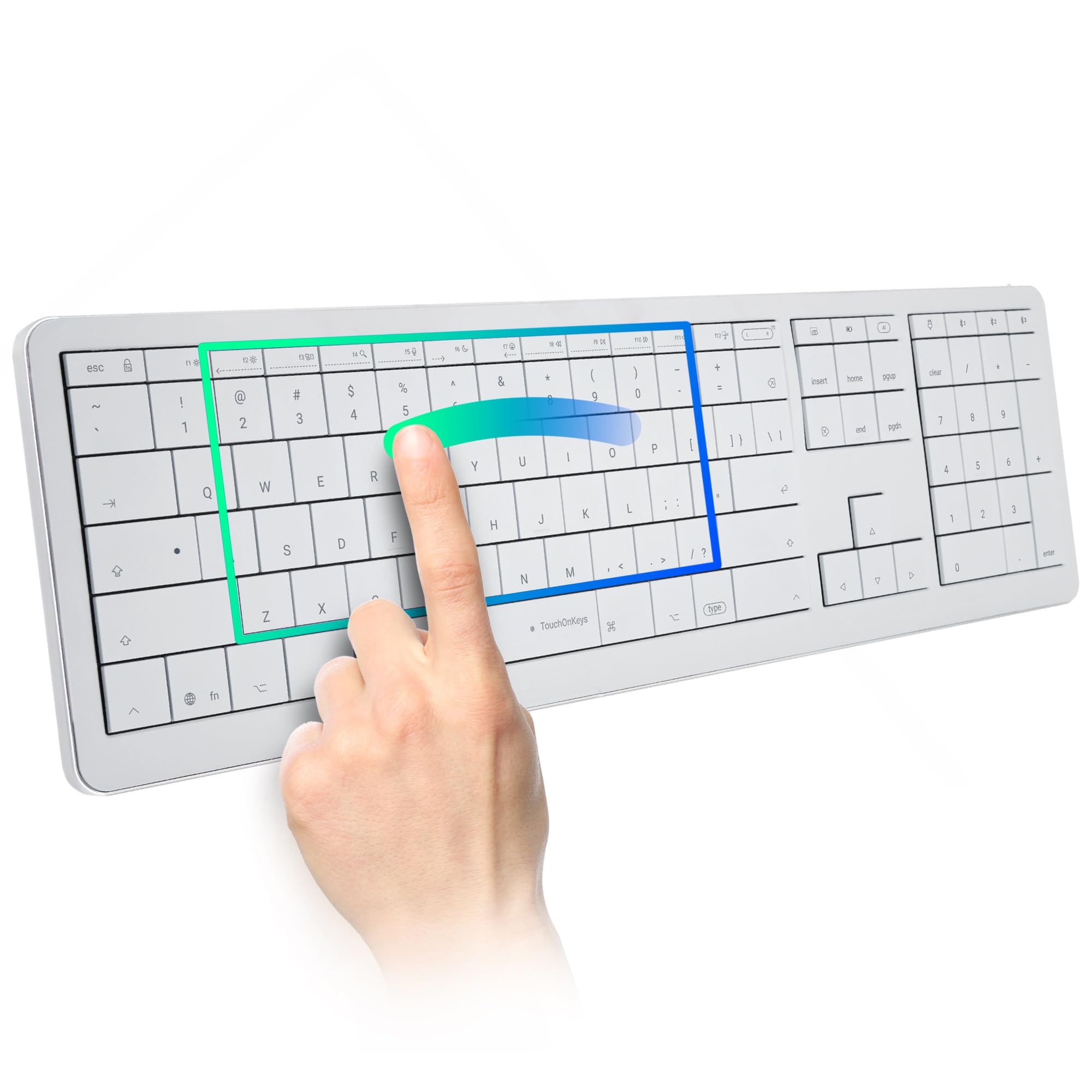
At $31 more than the Plugable, the WAVLINK offers double the monitor count (four vs two) and faster 2.5G Ethernet compared to Plugable’s Gigabit Ethernet. The Plugable wins on plug-and-play simplicity and Thunderbolt-native bandwidth. For dual-display setups, the Plugable is the simpler choice. For quad-display configurations, the WAVLINK is one of the few options under $250. Windows-only buyers who do not need Mac support can save even more with the WAVLINK Quad Monitor Docking Station, a $50 dock that drives four displays through native DP Alt Mode without DisplayLink. Once the dock anchors your setup, a POLARMETA Wireless Trackpad can occupy one of its USB ports and bring MacBook-style multi-touch gestures to the desk for under $60.
vs Dell D6000
The Dell D6000 uses similar DisplayLink technology at a lower price point. It supports triple display output with 65W power delivery.
The WAVLINK outperforms it in every measurable spec: quad vs triple displays, 100W vs 65W charging, 2.5G vs 1G Ethernet, and 10Gbps vs 5Gbps USB ports. The Dell has documented compatibility issues with M1 and M2 Mac computers that are more severe than what WAVLINK users report. If you are considering a DisplayLink dock, the WAVLINK is the stronger option. The iVANKY FusionDock Pro 2 is another strong DisplayLink alternative with 20 ports and triple 4K output for content creators needing extensive connectivity. For users who prefer driver-free operation and only need triple display output, the WAVLINK triple monitor USB-C dock uses native Alt Mode at roughly a third of the price.
Final Verdict
The WAVLINK Pro Docking Station delivers on its core promise: quad 4K monitor support from a single USB-C connection at a price that undercuts most Thunderbolt alternatives.
I am giving it a 4.2 out of 5.
The required DisplayLink driver installation, USB-C bandwidth limitations during heavy multitasking, and lack of HDCP streaming support hold it back from a higher score. These are inherent trade-offs of the DisplayLink approach rather than flaws specific to WAVLINK’s implementation.
Bottom line: If you need three or four external monitors on a Mac and a Thunderbolt dock is outside your budget, the WAVLINK Pro is a capable and well-built option that gets the job done once you install the driver.
Specifications
| Product Dimensions | 9.65 x 3.7 x 1.48 inches |
| Item Weight | 1.69 pounds |
| ASIN | B0FCF6Y8CG |
| Item model number | WL-UG75PD1-4H2-AU |
| Best Sellers Rank | #15,766 in Electronics (#273 in Laptop Docking Stations) |
| Date First Available | July 9, 2025 |
| Manufacturer | WAVLINK |
Frequently Asked Questions
Do I need to install software to use the WAVLINK docking station?
Yes. The WAVLINK Pro requires the DisplayLink Graphics Manager driver before external monitors will work. On macOS, download the driver from synaptics.com/products/displaylink-graphics/downloads/macos, install the PKG file, and enable Screen Recording permission in System Settings. Without the driver and permission enabled, displays will not output.
Does the WAVLINK dock support dual 4K@60Hz monitors in addition to the laptop display?
Yes. The WAVLINK Pro supports up to four external 4K@60Hz monitors simultaneously through its four HDMI ports, plus your laptop's built-in display. You can run dual, triple, or quad monitor setups depending on your needs.
What are common problems with docking stations like the WAVLINK?
The most reported issues are DisplayLink driver conflicts after macOS updates, occasional display disconnections during sleep/wake cycles, and USB-C bandwidth limitations when running multiple high-resolution monitors alongside data-intensive peripherals. Keeping the DisplayLink driver updated and using a certified USB-C cable resolves most problems.
What are the disadvantages of a docking station like the WAVLINK Pro?
The main drawbacks are the required driver installation (not plug-and-play), moderate CPU usage increase from software-based video compression, inability to stream HDCP-protected content like Netflix on external monitors, and 10Gbps USB-C bandwidth shared across all ports. Thunderbolt docks avoid most of these limitations but cost more.
What is the best brand for docking stations?
It depends on your budget and needs. CalDigit and Plugable lead the Thunderbolt dock category for Mac users who need maximum bandwidth and native compatibility. WAVLINK offers strong value in the DisplayLink category with competitive port selection and quad-display support at a lower price point.
Does the WAVLINK docking station support 2K at 100Hz?
The WAVLINK Pro Docking Station outputs through HDMI at a maximum of 4K@60Hz per port. For 2K resolution, you can expect smooth 60Hz output. Higher refresh rates like 100Hz at 2K are not supported through DisplayLink on this model — the technology prioritizes resolution over refresh rate.
Ready to Buy?
WAVLINK Pro Docking Station Quad 4K Displays delivers on its promises. If it fits your needs, it's a solid choice you won't regret.
Check Price on Amazon Founder & Product Reviewer at TheReviewRewind
Daniel has tested 400+ products across 20+ categories through hands-on, real-world testing. Every review includes video documentation and standardized scoring criteria. His reviews appear as Amazon shoppable videos and here on TheReviewRewind.
We earn a commission if you make a purchase, at no extra cost to you. This does not influence our ratings or recommendations. Full disclosure
Looking for more options? See all our Computers reviews.
Related Reviews