Cable Matters USB-C to DisplayPort 1.4: 8K & 4K Real Monitor Test (2026)

Cable Matters USB-C to DisplayPort 1.4: 8K & 4K Real Monitor Test (2026)
Cable Matters USB-C to DisplayPort 1.4
Buy if you need reliable USB-C to DisplayPort connectivity for high-refresh gaming or 4K work. Skip if you need bidirectional support or have an M2 Mac Mini.
Buy on AmazonWhat We Liked
- High-Performance Video Output
- Secure Latching Connector
- Wide Device Compatibility
- Multi-Stream Transport Support
- 7.1 Surround Sound Support
- Reliable Performance
What Could Be Better
- Unidirectional Only
- Standard Plastic Build
- Mac Compatibility Concerns
- Requires DP Alt Mode Support
How we test: Every product is used in real conditions and evaluated using our standardized scoring criteria. Read our full review methodology.
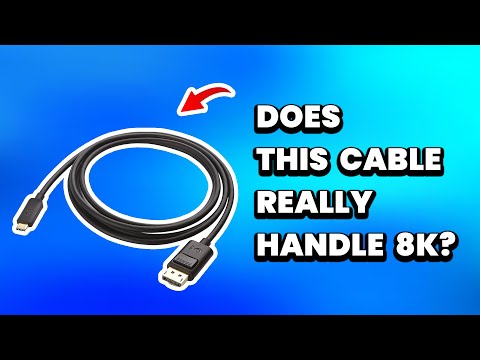
Looking for a reliable way to connect your USB-C laptop to a DisplayPort monitor? The Cable Matters Unidirectional USB-C to DisplayPort 1.4 Cable promises 8K resolution at 60Hz and 4K at a buttery-smooth 240Hz refresh rate. I tested this cable with multiple devices to see if it delivers on those promises.
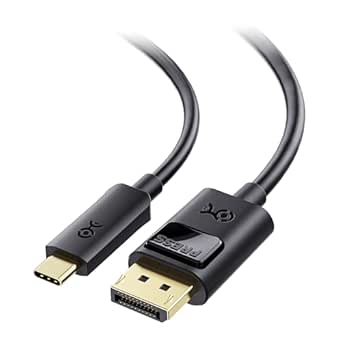
This 6-foot cable connects USB-C or Thunderbolt 4/5 equipped computers to DisplayPort monitors. It features a latching connector that prevents accidental disconnections during important work sessions. The cable supports 7.1 surround sound and works with devices like the MacBook Pro, Dell XPS, and HP EliteBook.
After testing with several monitors and laptops, I found this cable does exactly what it claims. With a 4.5 rating, it earns a recommendation for anyone needing dependable USB-C to DisplayPort connectivity for gaming or creative work.
What I Liked
High-Performance Video Output
The Cable Matters USB-C to DisplayPort cable delivers impressive 8K resolution at 60Hz or 4K at up to 240Hz refresh rate. This makes it suitable for gamers running 4K screens who want that buttery smooth motion. The 32.4Gbps bandwidth handles demanding content creation and professional design work without breaking a sweat. If you need an affordable display to pair with this cable, the Sceptre 27” Curved Monitor delivers a solid 1080p experience at a budget friendly price point.
Secure Latching Connector
One standout feature is the latching DisplayPort connector with a release button. When you push the button, you can see the latches move to lock onto your monitor. This prevents the cable from accidentally coming loose during critical tasks or presentations—a common frustration with standard cables.
Wide Device Compatibility
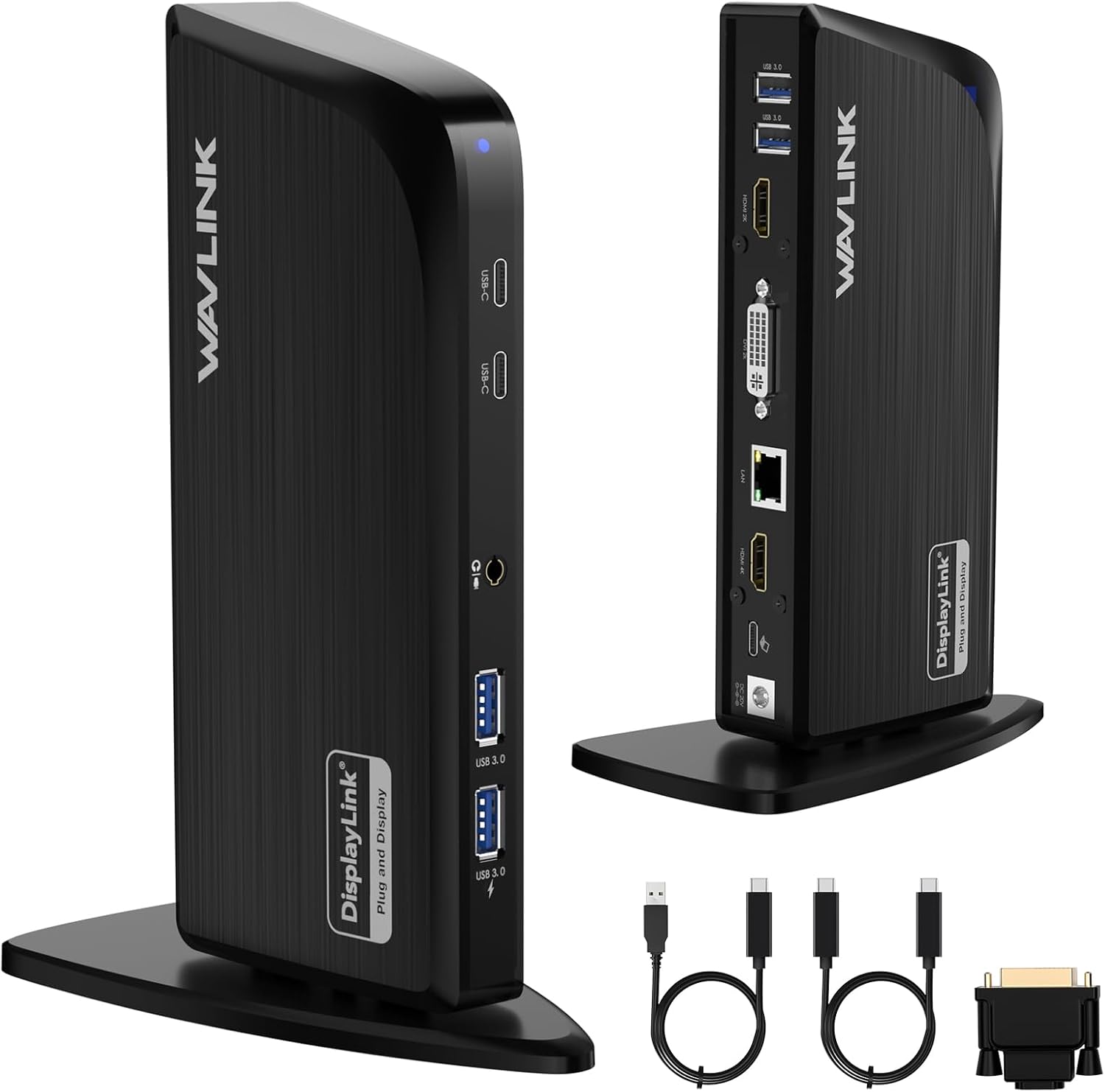
The cable works with a broad range of USB-C and Thunderbolt 4/5 devices. I confirmed compatibility with MacBook Pro, Dell XPS, and HP EliteBook laptops. It also supports high-end monitors like the Dell UltraSharp U3223QE, LG 27GP950-B, ASUS ROG Swift, and Samsung Odyssey G7/G9 series. If you need more than one display off a single USB-C port, the Wavlink USB-C Laptop Docking Station (3 Monitors) is the natural next-step pickup for multi-monitor setups.
Multi-Stream Transport Support
For users running multiple displays, this cable supports Multi-Stream Transport (MST) for daisy-chaining monitors. This lets you connect multiple screens through a single USB-C port, which simplifies cable management significantly.
7.1 Surround Sound Support
Beyond video, the cable transmits enhanced audio including 7.1 surround sound. This eliminates the need for separate audio connections when connecting to monitors with built-in speakers or audio passthrough.
Reliable Performance
Perhaps most importantly, this cable works consistently. I’ve had other cables randomly stop working after a few months. This one maintains a stable connection without the intermittent signal drops that plague cheaper alternatives. With over 4,600 Amazon reviews and a 4.6-star rating, the reliability appears consistent across many users.
What Needs Improvement
Unidirectional Only
This cable works in one direction only—from USB-C source to DisplayPort monitor. It does not work in reverse from a DisplayPort source to a USB-C display. If you need bidirectional functionality for USB-C monitors, you’ll need a different cable entirely.
Standard Plastic Build
The outer casing uses standard plastic rather than a premium braided design. While this doesn’t affect performance, a braided cable would offer better durability and a more premium feel. Some competitors at similar price points offer braided options.
Mac Compatibility Concerns
Some users with M2 Mac Mini and newer Apple silicon report the cable not being recognized. The cable appears to work fine with M1 Macs and Windows devices. If you have a newer Mac, verify compatibility before purchasing or have a backup plan.
Requires DP Alt Mode Support
The cable only works with USB-C ports that support DisplayPort Alternate Mode. Not all USB-C ports have this capability—some are for charging and data transfer only. Check your device specifications before assuming this cable will work with your setup.
How It Compares
The Cable Matters USB-C to DisplayPort cable competes in a crowded market with several strong alternatives.
UGREEN USB-C to DisplayPort Cable offers similar 8K@60Hz specs and broad compatibility with MacBooks, iPads, and gaming PCs. It’s often priced comparably and has a solid reputation for build quality. Choose UGREEN if you want similar performance with potentially different cable lengths or pack options.
Warrky USB-C to DisplayPort Cable takes the premium route with 24K gold-plated connectors, zinc alloy shells, and nylon braided construction. It comes with 18-hour customer support and better corrosion resistance. The Warrky is worth considering if you prioritize durability and premium materials over the Cable Matters value proposition.
Maxonar USB-C to DisplayPort Cable targets gamers and creators with aluminum alloy housings for heat dissipation and thick copper wiring for minimal signal loss. It explicitly supports G-Sync and FreeSync technologies. Consider Maxonar if heat management and gaming features matter most.
At $18.99, the Cable Matters cable offers solid value. The premium competitors cost more but provide better build materials. For most users who simply need reliable connectivity, the Cable Matters delivers the performance without the extra cost.
Final Verdict
The Cable Matters USB-C to DisplayPort 1.4 Cable earns a 4.5 out of 5 rating. It delivers exactly what it promises: reliable 8K and 4K video output with high refresh rates for gaming and professional work.
The cable does exactly what it’s supposed to do. The latching connector keeps it secure, compatibility spans most major laptops and monitors, and the price sits well below premium alternatives. The plastic build and unidirectional limitation are minor trade-offs for the overall package.
For anyone needing a dependable USB-C to DisplayPort connection, this cable represents solid value. Just verify your Mac compatibility if you’re on newer Apple silicon.
Specifications
| Brand | Cable Matters |
| Connector Type | Usb Type C, Displayport |
| Cable Type | USB |
| Compatible Devices | Laptop |
| Special Feature | Data Transfer, High Speed |
| Compatible Phone Models | Iphone |
| Recommended Uses For Product | Connecting computers to monitors or projectors, high-resolution video output, audio output, daisy-chaining multiple monitors |
| Color | Black |
| Connector Gender | Male-to-Male |
| Data Transfer Rate | 1.5 Gigabits Per Second |
| Shape | Round |
| Number of Pins | 44 |
| Frequency | 60 Hz |
| Unit Count | 6.0 Feet |
| Item Weight | 1.6 ounces |
| Model Name | USB-C to DisplayPort Cable |
| Specification Met | Industry Standards |
| Indoor/Outdoor Usage | Indoor, Outdoor |
| Number of Items | 1 |
| Customer Package Type | FFP |
| Wattage | 20 watts |
| Outer Material | Rubber or Plastic |
| Manufacturer | Cable Matters |
| UPC | 682017352923 |
| Global Trade Identification Number | 00682017352923 |
| Product Dimensions | 9 x 6.25 x 0.3 inches |
| ASIN | B01J6DT070 |
| Item model number | 201036-BLK-1.8m |
| Is Discontinued By Manufacturer | No |
| Date First Available | July 27, 2016 |
Frequently Asked Questions
Does the Cable Matters USB-C to DisplayPort cable support 4K at 240Hz?
Yes, the cable supports 4K resolution at up to 240Hz refresh rate when your USB-C port has DisplayPort 1.4 HBR3 + DSC output capability. This is commonly found on Thunderbolt 4/USB4 laptops with 11th Gen Intel CPUs or newer.
Is this cable compatible with MacBook Pro?
Yes, the cable works with MacBook Pro models that have USB-C or Thunderbolt ports. However, some users with M2 Mac Mini and newer Apple silicon have reported recognition issues, so verify compatibility with your specific model.
Can I use this cable in reverse from DisplayPort to USB-C?
No. This cable is unidirectional and only works from a USB-C source device to a DisplayPort monitor. It cannot transmit video from a DisplayPort source to a USB-C display.
What devices work with the Cable Matters USB-C to DisplayPort cable?
The cable works with USB-C equipped laptops including MacBook Pro, Dell XPS, HP EliteBook, Lenovo ThinkPad, ASUS ROG, and many others. The USB-C port must support DisplayPort Alternate Mode or Thunderbolt 3/4/5.
Does this cable support HDR?
Yes, the cable supports HDR (High Dynamic Range) video output along with Display Stream Compression (DSC) for maintaining image quality at high resolutions.
Ready to Buy?
Cable Matters USB-C to DisplayPort 1.4 delivers on its promises. If it fits your needs, it's a solid choice you won't regret.
Check Price on Amazon Founder & Product Reviewer at TheReviewRewind
Daniel has tested 400+ products across 20+ categories through hands-on, real-world testing. Every review includes video documentation and standardized scoring criteria. His reviews appear as Amazon shoppable videos and here on TheReviewRewind.
We earn a commission if you make a purchase, at no extra cost to you. This does not influence our ratings or recommendations. Full disclosure
Looking for more options? See all our Computers reviews.
Related Reviews