Yonktoo Mouse Jiggler Review: A Rotating Platform That Keeps Your PC Awake


Yonktoo Mouse Jiggler Review: A Rotating Platform That Keeps Your PC Awake
Yonktoo Mouse Jiggler
Buy if you want a simple, software-free way to keep your PC awake and your status active, powered from a wall outlet so nothing connects to your work laptop. Skip if you need precise cursor control or believe 'undetectable' means invisible to real monitoring tools.
Buy on AmazonWhat We Liked
- It Physically Moves the Mouse Instead of Faking Input
- The Low-Noise Motor Runs Quietly in the Background
- An Ultra-Slim Profile With a Grippy Non-Slip Base
- Plug-and-Play Setup With One-Touch On/Off Control
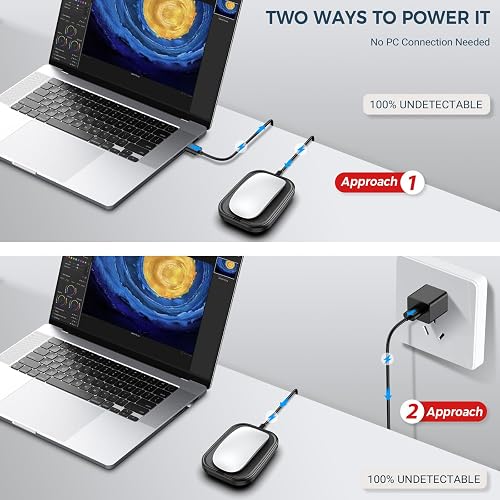
- Two Ways to Power It, Including a Wall Outlet
What Could Be Better
- The Cursor Speed Varies and Can Run Slow at Times
- It Only Works With an Optical Mouse, Not a Ball Mouse
- No Power Adapter Is Included in the Retail Box
- No Auto-Off Timer, So You Manage the Switch Yourself
How we test: Every product is used in real conditions and evaluated using our standardized scoring criteria. Read our full review methodology.
You step away from your desk for two minutes, and by the time you are back your screen has locked, you are logged out, and your status has flipped to idle. That is the exact problem the Yonktoo Mouse Jiggler is built to solve.
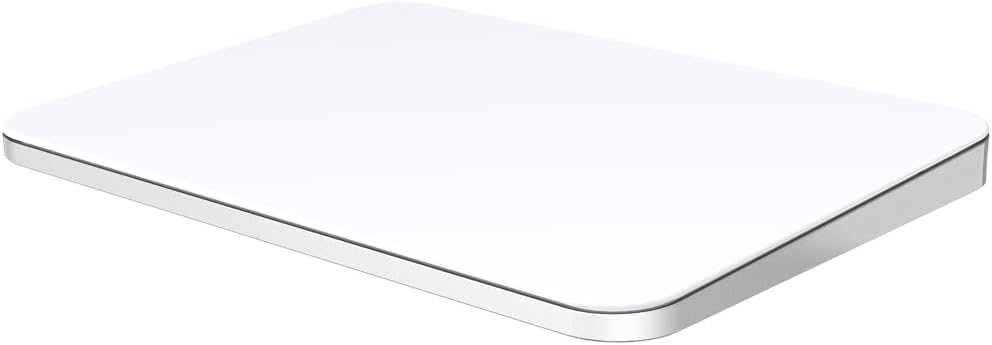
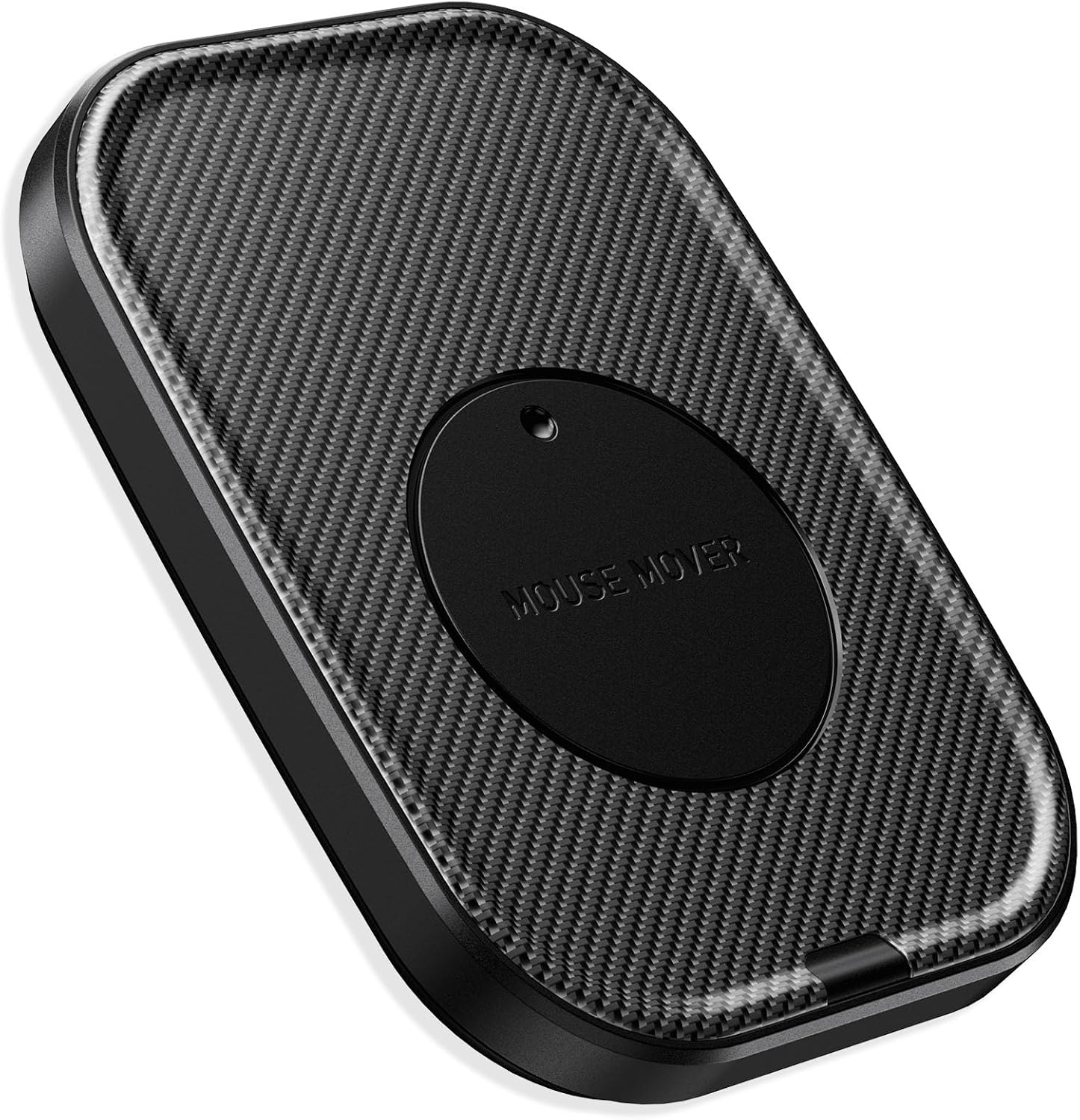
The Yonktoo Mouse Jiggler Undetectable is a slim mouse mover — model MJS1 — that takes a different path from the usual USB dongle. Instead of a device that plugs in and simulates mouse movement in software, this is a mechanical rotating platform, sometimes labeled a mouse shaker wiggler or jiggler mouse mover. You set your own optical computer mouse on top, the disc slowly turns, and it physically moves the cursor for you to keep your computer awake and out of sleep mode.
It is plug and play over USB, runs off a 4.9 ft USB-A to USB-C cable, and has a single on/off switch. There is no app, no driver, and nothing installed on your machine.
I went through the box, set it up on both a Windows laptop and a Mac, and watched what the cursor actually does. Here is where this Yonktoo mouse mover earns its $13.99, and where the “undetectable” label needs a reality check.
What I Liked
It Physically Moves the Mouse Instead of Faking Input
This is the whole idea, and it is what sets the Yonktoo mouse jiggler apart from a cheap USB dongle. Rather than installing software that simulates mouse movement, the mechanical platform turns under your mouse so the movement happens on the desk, not inside your operating system. Because nothing is installed, there is no background process or driver for monitoring tools to read, and it works the same on Windows or Mac.
The Low-Noise Motor Runs Quietly in the Background
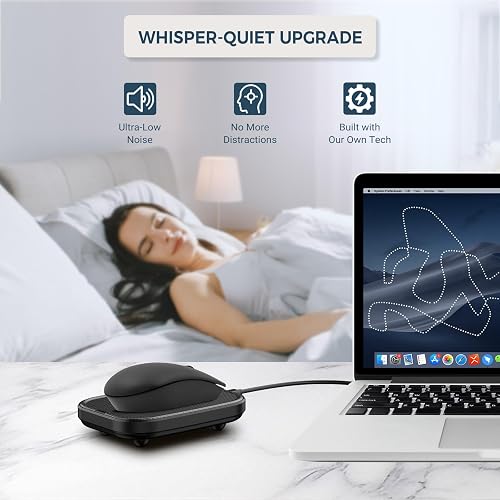
Yonktoo markets this as a whisper-quiet mouse mover, and in a silent room I could not hear the motor running. The disc drifts the cursor around naturally rather than twitching in the same little robotic loop, so on screen it just looks like a normal, active mouse. That quiet operation makes it easy to leave running through a long video meeting without it becoming a distraction.
An Ultra-Slim Profile With a Grippy Non-Slip Base
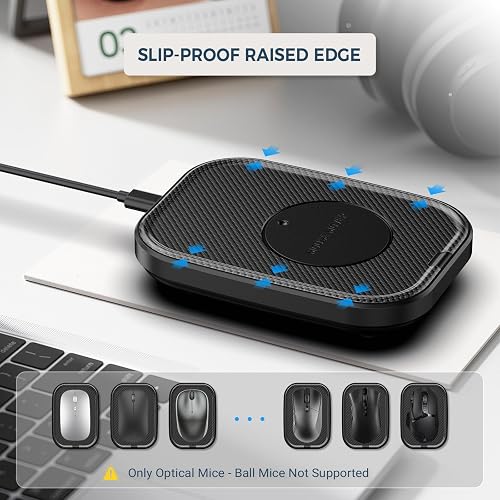
The footprint is roughly the size of a mouse, so this ultra-slim mouse mover does not take over the desk, and at 2.4 ounces it is light enough to toss in a drawer. A slip-proof raised edge and a non-slip base keep it from sliding around while the platform turns. The black ABS shell has a carbon-fiber texture that looks at home on a modern desk rather than like a throwaway gadget.
Plug-and-Play Setup With One-Touch On/Off Control
Setup is genuinely plug and play: connect the included 4.9 ft USB-A to USB-C cable, press the on/off switch, and the platform starts turning. There is no app to download, no driver prompt, and no account to make, which means it runs fine on a locked-down work computer where you cannot install software. A single button pauses and resumes the movement, so you do not have to unplug the cable every time you sit back down.
Two Ways to Power It, Including a Wall Outlet
The MJS1 draws power over USB but does not care where that power comes from. You can run it from your computer, or — the option I would actually use — plug it into a wall outlet or a phone charger so nothing is connected to your work laptop at all. For long downloads, uploads, or virtual meetings, the jiggler keeps your computer awake without you touching the computer keyboard, and for privacy-minded remote workers that off-machine flexibility is the most practical feature here.
What Needs Improvement
The Cursor Speed Varies and Can Run Slow at Times
The movement is not something you control. The speed varies on its own and can run slow, and once in a while you may need to nudge the mouse so the optical sensor reads and the mouse works as expected. In my testing this only came up a couple of times, but if you want precise, consistent cursor control, this is not that kind of tool.
It Only Works With an Optical Mouse, Not a Ball Mouse
The platform moves your mouse by spinning under its sensor, so it needs an optical mouse to work — the listing spells out that ball mice are not supported. Most modern mice are optical, so this is rarely a problem, but an older ball mouse or an unusual low-sensor model may not track reliably. It is worth checking what you have before you buy.
No Power Adapter Is Included in the Retail Box
You get the device and the USB-A to USB-C cable, but there is no wall plug in the box, so you supply your own power source. It is a minor cost if you have a spare phone charger around, and a little ironic given that wall power is the safest way to run this. Still, the mouse mover is not quite ready the moment you open it unless you have a USB port free.
No Auto-Off Timer, So You Manage the Switch Yourself
Some competing movers include an auto-off timer or adjustable intervals; the Yonktoo keeps things simple with just the on/off switch. That is fine at a desk, but there is no timer to stop the platform running all weekend if you forget it. You manage it with the button, the same way you would flick a light switch.
Is the Yonktoo Mouse Jiggler Actually Undetectable?
Yonktoo sells the MJS1 as a mouse jiggler undetectable by IT, and the box goes as far as “100% undetectable.” That claim deserves a careful answer. Because this is a physical platform and not a USB input device, it sidesteps the two things monitoring tools flag most easily: an installed program like Caffeine or Move Mouse, and a plug-in dongle that registers as an extra HID mouse in device logs.
Powered from a wall outlet with your real mouse on top, there is genuinely nothing for the computer to see beyond its own mouse — which is why Reddit’s r/overemployed and r/it threads point people toward this style of device over a USB stick. As one r/overemployed commenter put it, “If it’s in any way connected to the computer, yes it’s very detectable lol. Far less so if it’s being powered via wall outlet or something other than the work PC.”
But “undetectable” is still overstated. Behavioral monitoring tools such as ActivTrak, Teramind, and Insightful watch for cursor movement that is too repetitive, or hours of activity with zero keystrokes and no app switching. Tom’s Hardware makes the same point: “just jiggling the mouse won’t fool professional employee monitoring software that logs your keystrokes, takes screenshots and records much more than just how often you move your pointer.”
So treat this as a way to beat a sleep timer and an idle status, not as a cloak. Another r/overemployed user is blunt about it: “there is no truly undetectable mouse jiggler.”
How It Compares
The most common alternative is a USB mouse jiggler dongle like the AUEDROT Mouse Jiggler, a mouse jiggler device that sells for under $10, where the device simulates mouse movement in software and nudges the cursor a pixel or two. It is cheaper and pocket-sized, but it plugs into the machine and shows up as a Human Interface Device, so it leaves the device trace the Yonktoo platform avoids.
Free software movers such as Move Mouse or Caffeine cost nothing and can even be driven with a keyboard shortcut, but they run as a visible process and Windows flags their input as injected — the easiest type for IT to spot. On the hardware side, VAYDEER sells well-known platform movers, including a VAYDEER dual turntable mouse mover, and some add an auto-off timer or adjustable intervals that the Yonktoo leaves out.
Against those VAYDEER undetectable mouse movers, the Yonktoo competes on price and simplicity rather than features. If you want extra modes or a shutoff timer, the pricier platforms earn their keep; if you just want a quiet mover that keeps your PC awake and stays off your work machine, the Yonktoo covers it for $13.99.
Final Verdict
I am giving the Yonktoo Mouse Jiggler a 4.0 out of 5. As a simple, software-free way to keep a computer awake and your status active, it does its job well — the motor is quiet, the movement looks natural, and being able to power it from a wall outlet makes it the lower-risk choice over a plug-in dongle. Amazon customer reviews rate it 4.2 stars across 1,280 ratings as of October 2026, which lines up with what I saw.
The limits are honest ones: the cursor speed drifts and can run slow, it needs an optical mouse, and there is no power adapter or auto-off timer in the box. None of those are dealbreakers for a desk-bound remote worker, but they are worth knowing before you buy.
The one thing I would not lean on is the “undetectable” promise. This device sidesteps software and USB-device detection, but it will not defeat behavioral monitoring or a manager glancing at a wiggling cursor doing no real work. Buy it to beat an idle timer, not to outsmart serious tracking — and at $13.99 as of October 2026, for that job it is an easy mouse mover to recommend.
Specifications
| additional_features | No Software or Driver Needed, One-Touch Pause & Resume, Physical Mouse Movement, Soundless, Ultra-Slim Design |
| antenna_location | Downloads & File Transfers, Gaming, Keeping Computer Awake, Long-Running Computer Tasks, Office, Presentations, Remote Computer Sessions, Short Breaks, Video Meetings, Watching Videos, Work from Home |
| brand | Yonktoo |
| color | Black |
| compatible_devices | Personal Computer |
| connectivity_technology | USB |
| enclosure_material | ABS Plastic |
| hardware_platform | Mac, PC |
| included_components | Cable(USB A to C), Mouse Jiggler |
| item_dimensions_l_x_w | 5.12"L x 3.74"W |
| item_weight | 2.4 ounces |
| manufacturer | Yonktoo |
| mfr_part_number | MJS1 |
| model_name | MJS1 |
| model_number | MJS1 |
| movement_detection | Optical |
| power_source | Corded Electric |
| style_name | Modern |
| theme | Mouse Jiggler |
| unit_count | 1 Count |
| warranty_description | 2 Year |
Frequently Asked Questions
Does the Yonktoo Mouse Jiggler actually work?
Yes. You set an optical mouse on the rotating platform and it physically moves the cursor, which keeps a computer awake and your status from flipping to idle. Reviewers and Amazon owners confirm it does the core job, with the main caveat that the speed can run slow.
Can my employer detect the Yonktoo Mouse Jiggler?
It depends on how your employer monitors. Because it is a physical platform rather than software or a USB input device, it avoids the installed-program and extra-mouse traces that are easiest to flag, especially when powered from a wall outlet. However, behavioral tools can still notice cursor movement with no keystrokes, so it is not invisible.
Is the Yonktoo Mouse Jiggler really undetectable?
Not in the absolute sense the marketing suggests. It sidesteps software and USB-device detection, but it cannot defeat monitoring that logs keystrokes, takes screenshots, or analyzes movement patterns. Treat undetectable as beats a sleep timer, not beats serious tracking.
What kind of mouse does the Yonktoo Mouse Jiggler need?
An optical mouse. The platform spins under the mouse's optical sensor to create movement, and the listing notes that ball mice are not supported. Most modern wired and wireless mice are optical, so this is rarely an issue.
How do I set up the Yonktoo Mouse Jiggler?
Connect the included USB-A to USB-C cable to any USB power source, press the on/off switch, and set your optical mouse on the platform. There is no app or driver to install. To keep it off your work machine, plug it into a wall outlet or phone charger instead of the computer.
Is the Yonktoo Mouse Jiggler a good mouse jiggler for the money?
For $13.99 it is a solid pick if you want a quiet, plug-and-play mouse mover that keeps your PC awake. It earns 4.2 stars across 1,280 Amazon ratings as of October 2026. Spend more only if you need extra movement modes or an auto-off timer.
Ready to Buy?
Yonktoo Mouse Jiggler delivers on its promises. If it fits your needs, it's a solid choice you won't regret.
Check Price on Amazon Founder & Product Reviewer at TheReviewRewind
Daniel has tested 400+ products across 20+ categories through hands-on, real-world testing. Every review includes video documentation and standardized scoring criteria. His reviews appear as Amazon shoppable videos and here on TheReviewRewind.
We earn a commission if you make a purchase, at no extra cost to you. This does not influence our ratings or recommendations. Full disclosure
Looking for more options? See all our Computers reviews.
Related Reviews