Timetec 16GB DDR3L SODIMM Laptop RAM Review: New Life for an Old Laptop


Timetec 16GB DDR3L SODIMM Laptop RAM Review: New Life for an Old Laptop
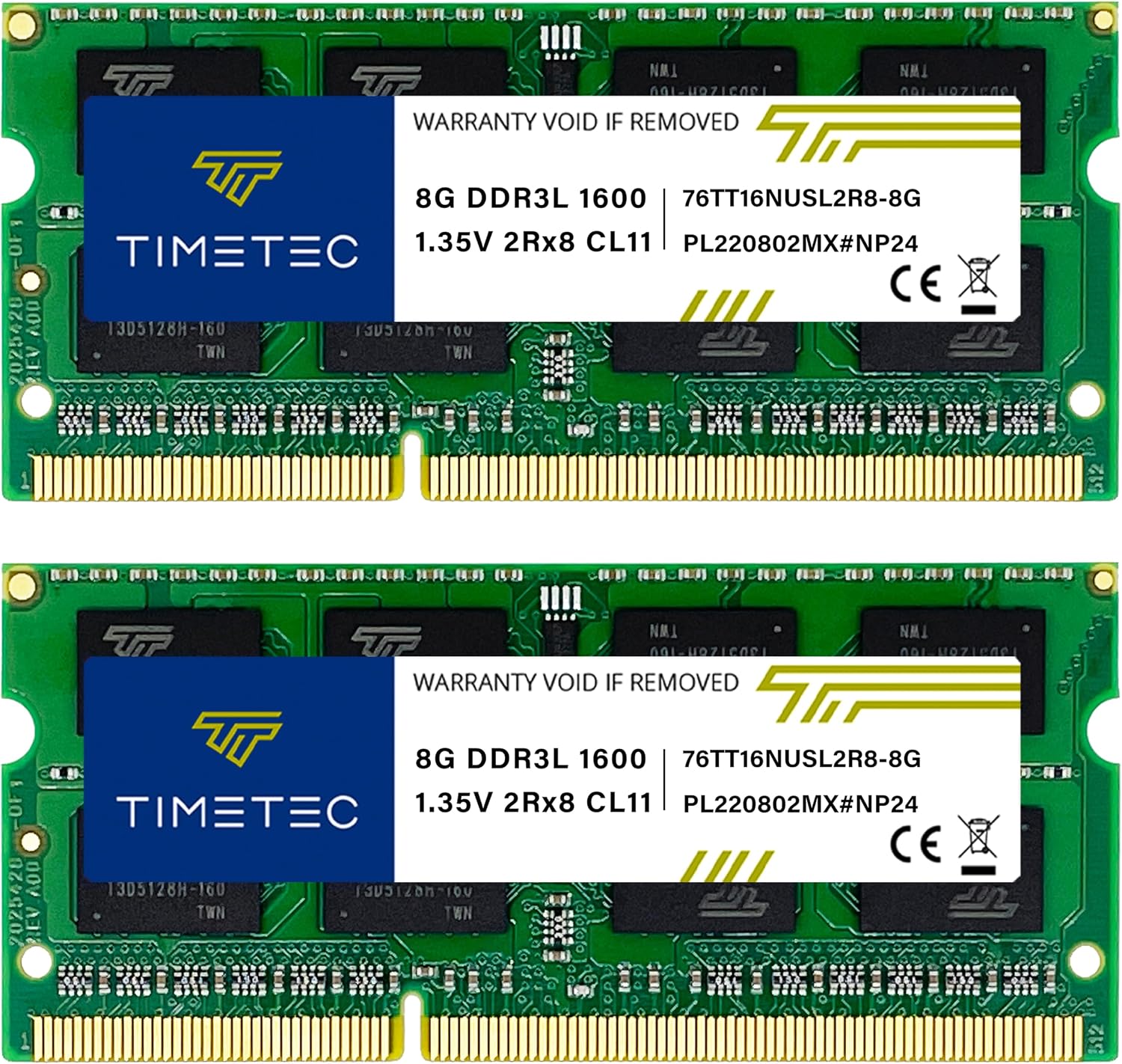
Timetec 16GB DDR3L SODIMM Laptop RAM
Buy if you're reviving an aging DDR3 or DDR3L laptop, mini PC, or all-in-one stuck at 4GB and want a cheap, easy 16GB boost backed by a lifetime warranty. Skip if your machine uses DDR4, DDR5, or soldered memory, or you plan to mix it with a single leftover stick.
Buy on AmazonWhat We Liked
- A Real 4GB-to-16GB Jump You Feel Instantly
- Dual-Voltage Design Fits More Old Machines
- Lower 1.35V Draw Even Nudged My Battery Life
- A Genuinely Simple, Snap-In Installation
- Lifetime Warranty on a Budget-Priced Kit
What Could Be Better
- There's No Installation Guidance in the Box
- You Must Check Your Laptop's Max RAM First
- Mixing Brands Invites Memory Instability
- Less Name Recognition Than Crucial or Kingston
How we test: Every product is used in real conditions and evaluated using our standardized scoring criteria. Read our full review methodology.
An old laptop that has slowed to a crawl usually has one cheap culprit, and it is rarely the whole machine. More often it is the memory. The Timetec 16GB DDR3L SODIMM Laptop RAM is a two-stick, 2x8GB DDR3L-1600 kit built to take an aging notebook from a sluggish 4GB up to a comfortable 16GB.
At around $38.99, it sits at the budget end of computer memory, yet it carries a lifetime warranty and dual 1.35V/1.5V operation. On Amazon it holds a 4.7-star average across more than 9,500 ratings, which is a strong signal for a lesser-known brand of DDR3 SDRAM.
I pulled the single 4GB stick out of a budget laptop, dropped in both 8GB DDR3L modules, and lived with the machine for everyday work to see what actually changed. This review walks through the install, the real-world performance, how it stacks up against bigger names, and exactly who this SODIMM kit is for. If you are staring at a slow DDR3-era laptop, this is one of the least expensive fixes available.
What I Liked
Across a week of ordinary use, the Timetec kit delivered the kind of upgrade you notice on the first boot. Here is what stood out.
A Real 4GB-to-16GB Jump You Feel Instantly
Going from 4GB to 16GB is the type of change you feel immediately rather than read about on a benchmark chart. Windows booted faster, programs stopped hanging when I opened a second one, and multitasking is where the extra headroom really showed.
On a budget laptop, the central processing unit is rarely the bottleneck for everyday work; the shortage of RAM is. One older machine that used to sputter on simple games ran them smoothly once it had 16GB to work with. If your machine is too far gone to bother reviving, a fresh budget option like the OTVOC Laptop 15.6 Inch gives you a modern Windows 11 base with room to grow. Once an old laptop feels responsive again, a full-size Acer Wireless Mouse makes long work sessions easier than fighting the trackpad all day.
Dual-Voltage Design Fits More Old Machines
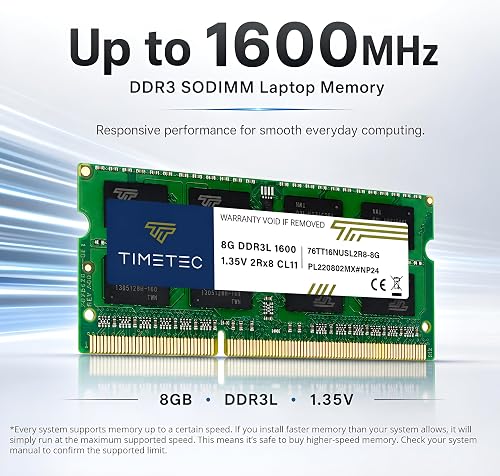
These modules default to 1.35V but will also run at the older 1.5V standard, so the same kit drops into more laptops and motherboards without a compatibility gamble. That dual-voltage flexibility is genuinely useful when you are not sure whether a machine expects DDR3 or DDR3L.
The sticks are non-ECC, unbuffered, dual-rank 2Rx8 memory, which is exactly what a consumer laptop wants. You get the standard PC3L-12800 spec without paying for features a notebook cannot use.
Lower 1.35V Draw Even Nudged My Battery Life
You buy RAM for speed, so a small battery gain is a welcome bonus. After the swap I noticed a modest bump in runtime, which lines up with the lower 1.35V draw pulling less power than the older 1.5V standard.
It is not a headline feature, and I would not upgrade memory for battery alone. Still, on a laptop every bit of extra runtime counts.
A Genuinely Simple, Snap-In Installation
The install is about as easy as PC hardware gets. The sticks arrived well packaged, were an exact fit in the slots, and snapped in at a 30-degree angle once seated fully; the BIOS flagged the change on the next boot and Windows loaded normally.
It handled Windows 11, Windows 10, and Linux without any fuss, and the same process works on the mini PC and all-in-one machines that share these two-slot layouts. There is nothing to configure and no profile to enable.
Lifetime Warranty on a Budget-Priced Kit
For a value kit, a lifetime warranty plus free US-based technical support is reassuring, and it is the same coverage the big names attach to pricier modules. It signals that Timetec expects these to last as long as the laptop does.
The kit runs at 1600MHz, the speed the vast majority of DDR3 laptops are designed for, so nothing is left on the table by not chasing a faster number. You will see CL11 on the label, and while premium kits carry tighter timings, that latency difference is essentially unmeasurable in everyday laptop work.
What Needs Improvement
No upgrade is perfect, and a few things are worth knowing before you order the Timetec kit.
There’s No Installation Guidance in the Box
The modules ship with no installation guidance at all, so a first-time upgrader is left finding the memory slots on their own. It is a simple job, but if you have never opened a personal computer before, you will want to pull up a teardown video for your specific model first.
This is a minor gripe rather than a real fault. A single sheet on where to look and how to seat a stick would smooth the experience for newcomers.
You Must Check Your Laptop’s Max RAM First
The most common upgrade mistake is buying more memory than a machine can address. You have to check your particular laptop’s maximum supported RAM before you buy, and for some models the answers online conflict.
Confirm the exact ceiling in the service manual rather than trusting a forum guess. A 16GB kit does you no good if the motherboard caps out at 8GB.
Mixing Brands Invites Memory Instability
Instability tends to creep in when people pair one of these sticks with a leftover module from another brand. Different brands, speeds, or timings in a dual-channel setup can cause crashes that get blamed on the new RAM.
The fix is straightforward: run the two matched sticks from the kit together and replace whatever was there. Treat it as a pair, not a single add-on stick.
Less Name Recognition Than Crucial or Kingston
Timetec does not carry the name recognition of the biggest memory brands, and that alone makes some cautious buyers hesitate. It is also worth remembering these are non-ECC consumer modules, not the error-correcting ECC memory a server would want.
In practice the parts are fine, and realistically most of the big names have stepped back from DDR3 anyway. A small number of buyers do report a dead-on-arrival stick, which happens with any brand at scale and is covered by the warranty.
How It Compares
DDR3 is a legacy system now, so the field of matched SODIMM kits is thinner than it once was. Here is how Timetec stacks up against the alternatives you will actually find.
vs Crucial DDR3L SODIMM
Crucial is the name most people reach for first, and it carries stronger brand recognition along with a well-established return process. The trade-off is price: a Crucial kit usually costs more while offering no meaningful speed advantage at DDR3L-1600.
For an aging Dell Inspiron or a Lenovo ThinkPad running an Intel or AMD chip, the two perform the same in daily use. You are paying Crucial extra for reputation rather than measurable performance.
vs Kingston DDR3L SODIMM
Kingston is another trusted option, and its modules are a safe pick for a Hewlett-Packard EliteBook or a Sony Vaio you want to keep running. As with Crucial, the extra cost buys peace of mind more than real speed.
If brand assurance matters more to you than saving ten or fifteen dollars, Kingston is a reasonable choice. If value is the priority, the Timetec kit reaches the same 16GB with the same 1600MHz spec for less.
vs Samsung and OEM Modules
Samsung and other OEM sticks pulled from working machines are reliable and often cheap, and they turn up frequently for older Micro-Star International and desktop-turned-laptop builds. The catch is consistency: matched 2x8GB DDR3L kits are harder to find as a guaranteed pair.
That is where Timetec’s packaged kit has the edge, since both sticks are tested to run together. Buying a matched pair sidesteps the mixing instability that trips up so many piecemeal upgrades.
Final Verdict
The Timetec 16GB DDR3L SODIMM kit does exactly what a budget memory upgrade should: it takes a frustrating DDR3-era laptop and makes it usable again for very little money. The dual-voltage design, simple install, and lifetime warranty remove most of the risk that normally comes with an off-brand purchase.
I am giving it a 4.5 out of 5.
The missing install sheet, the need to verify your machine’s memory ceiling, and the thinner brand recognition keep it just short of perfect. None of those are dealbreakers for what this computer memory sets out to do.
Bottom line: If you have an aging DDR3 laptop that is painful to use, pair this kit with a solid-state drive and you effectively have a new machine for a fraction of the cost of replacing it.
Specifications
| additional_features | Non ECC |
| brand | Timetec |
| column_address_strobe_latency | CL11 |
| compatible_devices | Laptop |
| data_transfer_rate | 1966.04 megabytes_per_second |
| form_factor | SO-DIMM |
| manufacturer | Timetec |
| memory_form_factor | SODIMM |
| memory_generation | DDR3L |
| memory_speed | 1600 MHz |
| mfr_part_number | 76TT16NUSL2R8-8GK2 |
| model_name | 76TT16NUSL2R8-8GK2 |
| model_number | 76TT16NUSL2R8-8GK2 |
| number_of_items | 1 |
| number_of_pins | 204 |
| ram_memory_technology | DDR3L |
| ram_size | 16 GB |
| upc | 765441335172 765441342446 |
| voltage | 1.35 volts |
| warranty_description | Lifetime |
Frequently Asked Questions
Is the Timetec 16GB DDR3L SODIMM kit good quality?
In my testing the kit performed like any reputable brand, with a flawless install and stable everyday use. It uses standard non-ECC, dual-rank PC3L-12800 modules and carries a lifetime warranty with US-based support. The 4.7-star Amazon average across more than 9,500 ratings backs up that real-world reliability.
Will the Timetec 16GB DDR3L kit work in my laptop?
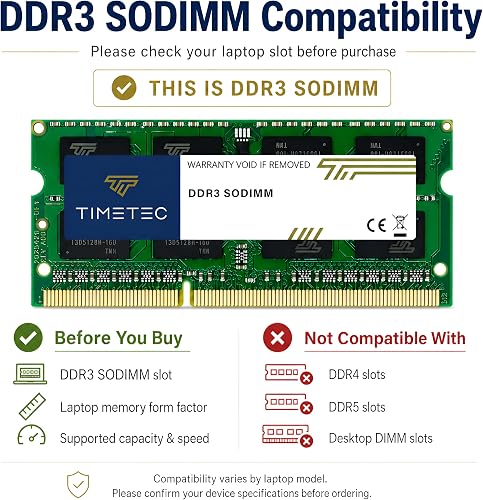
It fits laptops, mini PCs, and all-in-ones that use 204-pin DDR3 or DDR3L SODIMM slots, which covers most machines from roughly 2010 to 2016. It will not work in DDR4, DDR5, or soldered-memory systems. Always confirm your model's maximum supported RAM before buying, since some laptops cap out below 16GB.
Can I use the Timetec DDR3L kit in a DDR3 laptop?
Yes. These modules default to 1.35V but also run at the older 1.5V DDR3 standard, so the dual-voltage design drops into both DDR3 and DDR3L systems. That flexibility is one of the main reasons the kit is compatible with such a wide range of older machines.
Do I have to install both Timetec sticks as a matched pair?
For the best result, yes. Running the two matched sticks from the kit together avoids the instability that often shows up when you mix different brands, speeds, or timings. Replace whatever is in the machine rather than pairing one Timetec stick with an old module from another maker.
Is the Timetec 16GB DDR3L kit fast enough, or should I buy a bigger name?
For a DDR3-era laptop, it is fast enough. The kit runs at 1600MHz, the speed most DDR3 laptops are designed for, and the CL11 latency difference against pricier kits is unmeasurable in everyday work. Bigger names like Crucial or Kingston cost more without delivering a meaningful speed gain here.
Ready to Buy?
Timetec 16GB DDR3L SODIMM Laptop RAM delivers on its promises. If it fits your needs, it's a solid choice you won't regret.
Check Price on Amazon Founder & Product Reviewer at TheReviewRewind
Daniel has tested 400+ products across 20+ categories through hands-on, real-world testing. Every review includes video documentation and standardized scoring criteria. His reviews appear as Amazon shoppable videos and here on TheReviewRewind.
We earn a commission if you make a purchase, at no extra cost to you. This does not influence our ratings or recommendations. Full disclosure
Looking for more options? See all our Computers reviews.
Related Reviews